Web App Needs Backup? Configure App Service Backup
CloudTrips needs a recoverable copy of its deployed web-app files and App Service configuration. A custom App Service backup writes a ZIP archive and an XML manifest to an Azure Blob Storage container. It is separate from source control and should complement—not replace—a repeatable deployment pipeline.
This trip is standalone and performs a real restore test. Restoring over an existing app stops it temporarily and replaces its files, so use only the isolated lab resources below.
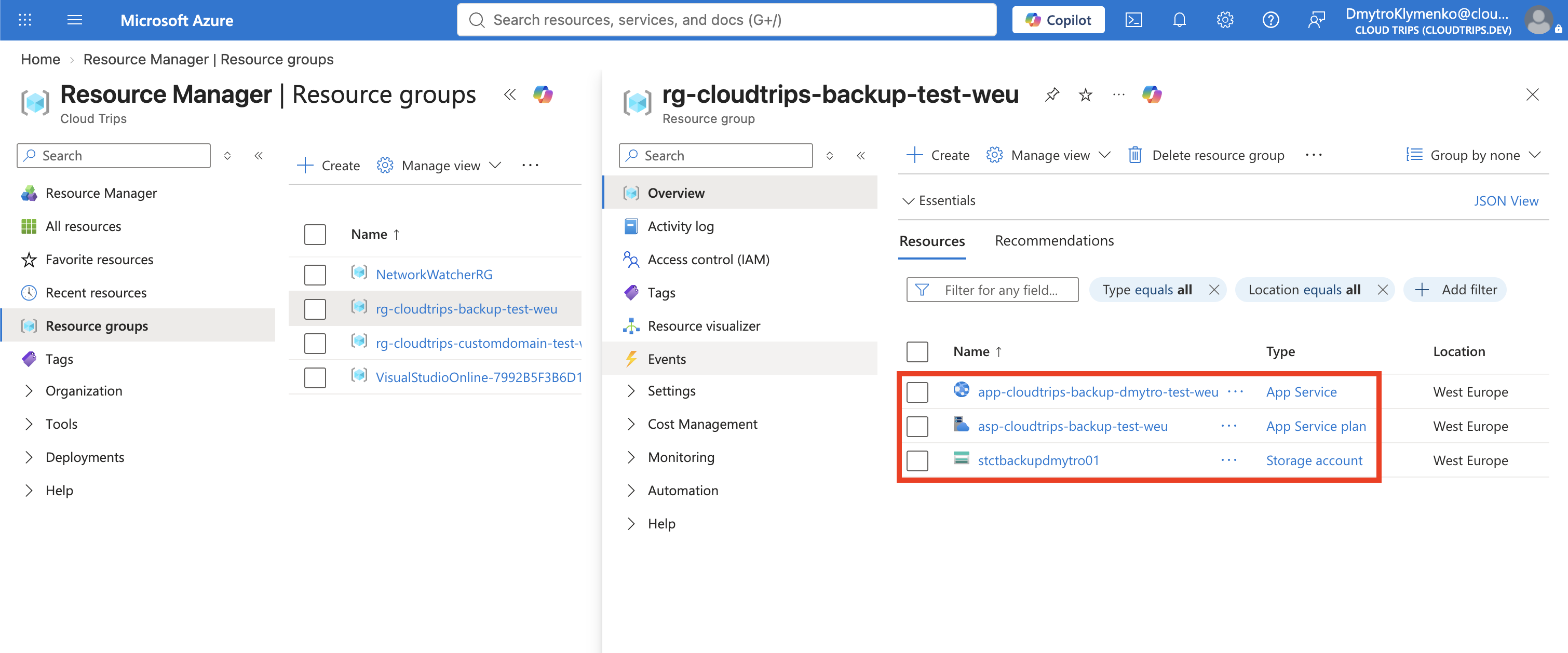
Create the Web App
Search for App Services, select Create > Web App, and enter:
Subscription: CloudTrips TEST
Resource group: rg-cloudtrips-backup-test-weu
Name: app-cloudtrips-backup-dmytro-test-weu
Publish: Code
Runtime stack: Node 24 LTS
Operating System: Linux
Region: West Europe
Linux Plan: Create new
Plan name: asp-cloudtrips-backup-test-weu
Pricing plan: Basic B1
Zone redundancy: Disabled
The web-app name must be globally unique. Basic B1 supports custom App Service backups and is billable until deleted. Select Review + create > Create.
Create the Backup Storage
Create a Storage account:
Resource group: rg-cloudtrips-backup-test-weu
Storage account name: stctbackupdmytro01
Region: West Europe
Primary service: Azure Blob Storage
Performance: Standard
Redundancy: Locally-redundant storage (LRS)
Public network access: Enabled
Storage account names are globally unique, lowercase, and contain no hyphens. If this name is unavailable, add digits and use the resulting name throughout the trip. On the Security tab, configure:
Enable storage account key access: Enabled
Allow Blob anonymous access: Disabled
App Service custom backup uses a SAS derived from the storage account key, so the backup fails when key access is disabled. Disabling anonymous blob access still keeps the backup container private.
Open Data storage > Containers, select + Container, and create:
Name: appservice-backups
Anonymous access level: Private (no anonymous access)
Public network access lets the App Service backup process reach the storage endpoint; it does not make the private container anonymous. Custom backup and restore use SAS-based authorization, so managed-identity authentication is not supported for this operation.
Deploy Version 1
Create a local folder named cloudtrips-backup-app containing this
package.json:
mkdir -p cloudtrips-backup-app
cd cloudtrips-backup-app
{
"name": "cloudtrips-backup-app",
"version": "1.0.0",
"scripts": {
"start": "node server.js"
}
}Create server.js:
const http = require('http');
const port = process.env.PORT || 8080;

http.createServer((request, response) => {
  response.writeHead(200, { 'Content-Type': 'text/html; charset=utf-8' });
  response.end('<h1>CloudTrips Backup</h1><p>Version 1 - protected</p>');
}).listen(port);
From that folder, deploy Version 1:
zip cloudtrips-backup-v1.zip package.json server.js

az webapp deploy \
  --resource-group rg-cloudtrips-backup-test-weu \
  --name app-cloudtrips-backup-dmytro-test-weu \
  --src-path cloudtrips-backup-v1.zip \
  --type zip
Copy the generated Default domain from the app overview and confirm that it
shows Version 1 - protected.
Configure and Run the Backup
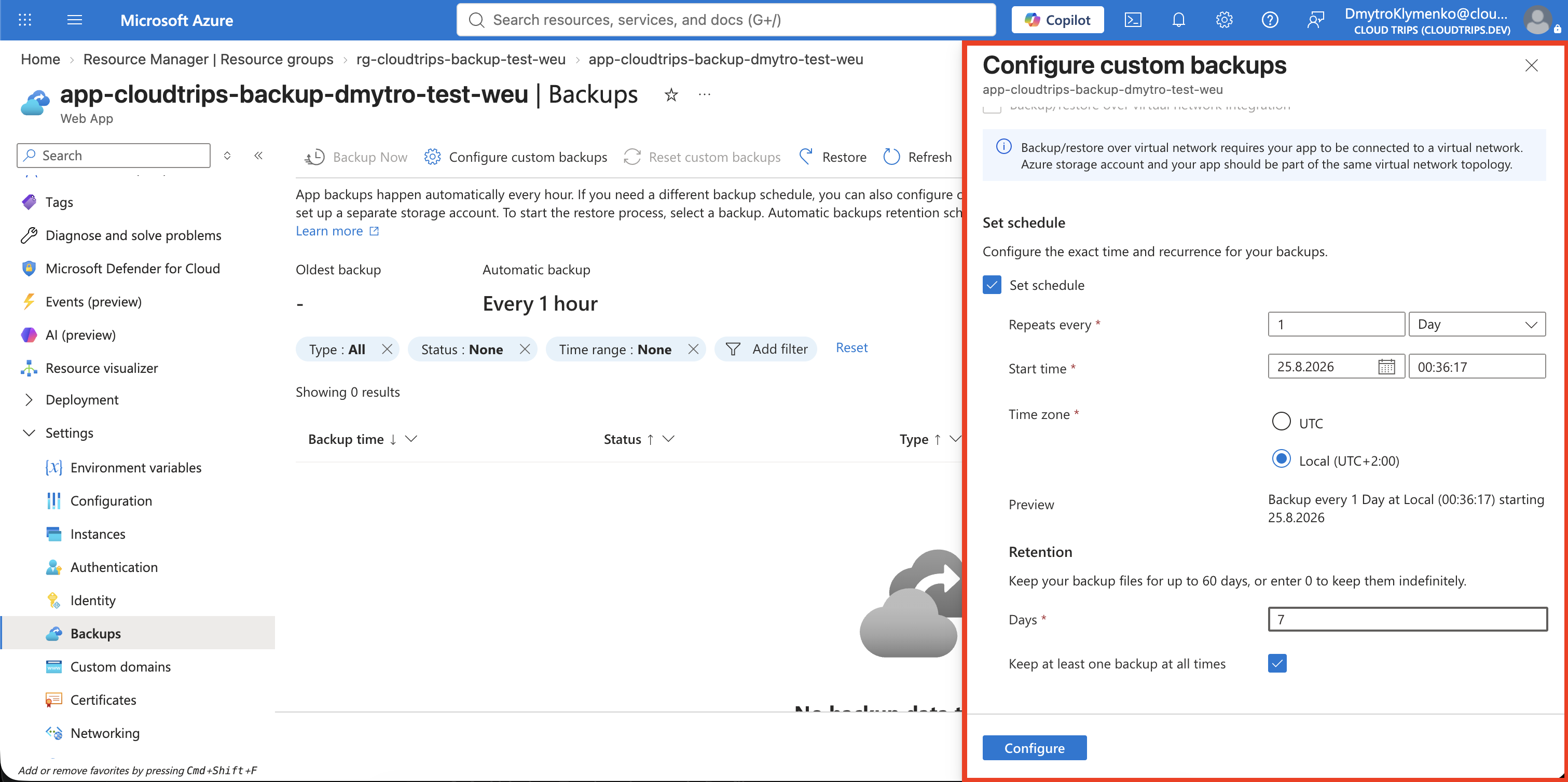
Open the web app and select Backups > Configure custom backups:
Storage account: stctbackupdmytro01
Container: appservice-backups
Backup schedule: Enabled
Frequency: Every 1 day
Retention: 7 days
Keep at least one backup: Enabled
Database backup: None
Select Configure, then select Backup Now. A scheduled backup protects future changes; Backup Now gives this restore test a known recovery point.
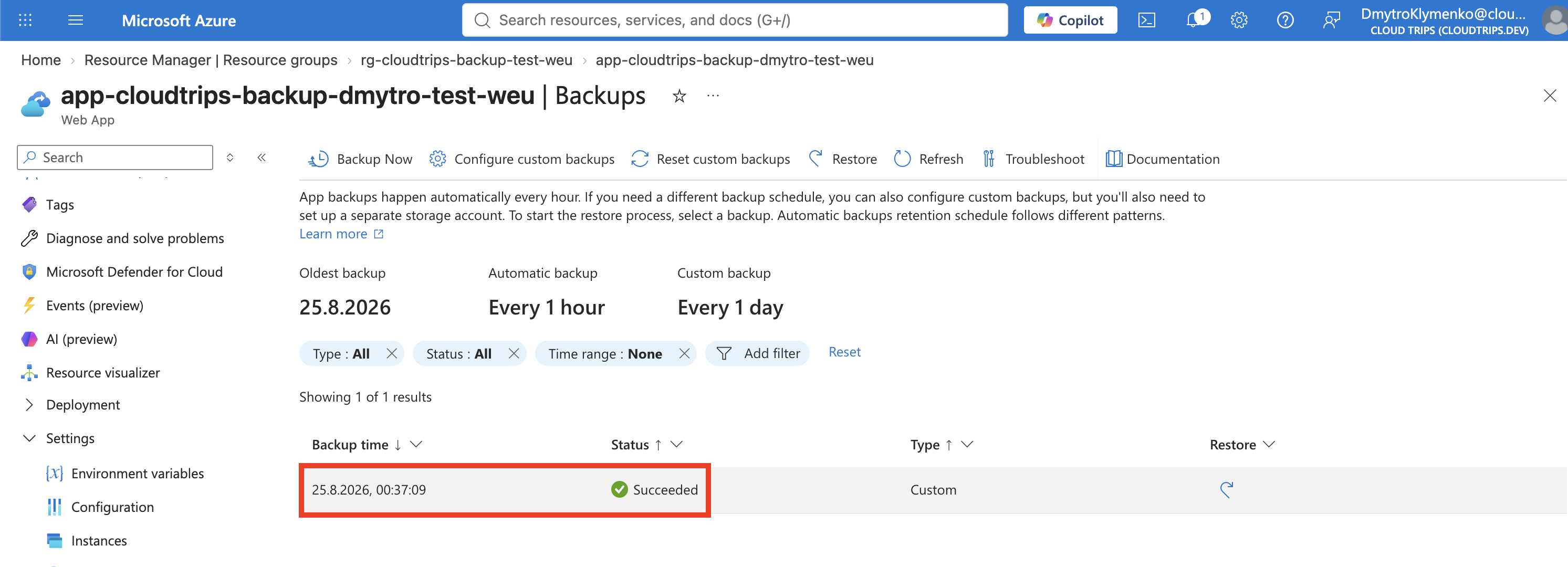
Wait until the backup status is Succeeded. Do not continue with a failed or still-running backup. Open the storage container to confirm that Azure created both a ZIP file containing the backup data and an XML manifest. Do not modify either file; changing them can make the backup unrestorable.
Create a Change to Recover From
Change the final line in server.js to:
response.end('<h1>CloudTrips Backup</h1><p>Version 2 - restore test</p>');Create a new ZIP and deploy it:
zip cloudtrips-backup-v2.zip package.json server.js

az webapp deploy \
  --resource-group rg-cloudtrips-backup-test-weu \
  --name app-cloudtrips-backup-dmytro-test-weu \
  --src-path cloudtrips-backup-v2.zip \
  --type zip
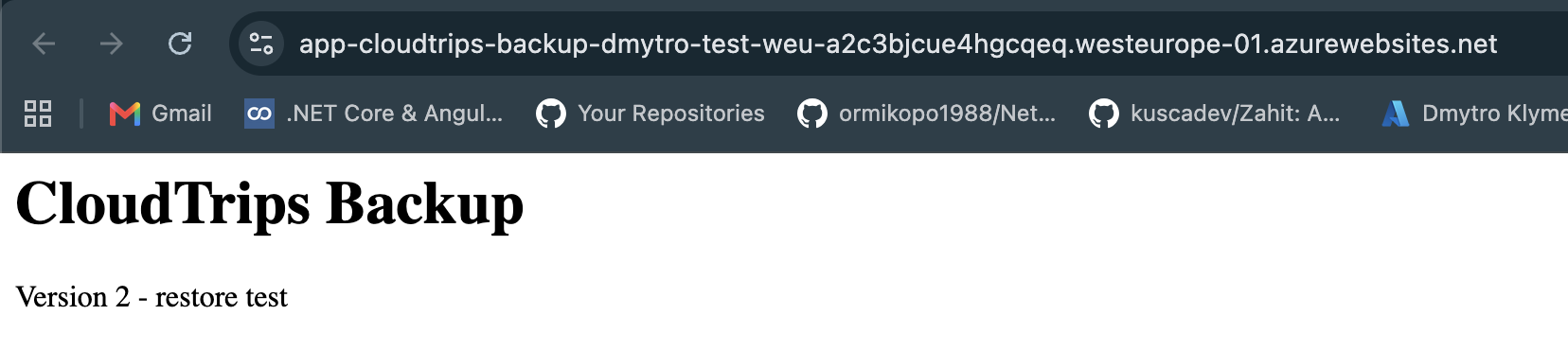
Refresh the default domain and confirm that it shows Version 2 - restore test.
Restore Version 1
Return to Backups, select the successful on-demand backup, and choose Restore. Select the existing lab app as the destination and confirm the overwrite warning.
The restore temporarily stops the app and replaces its current file content and backed-up configuration. Wait until the restore operation succeeds, then refresh the default domain. It should again show:
Version 1 - protected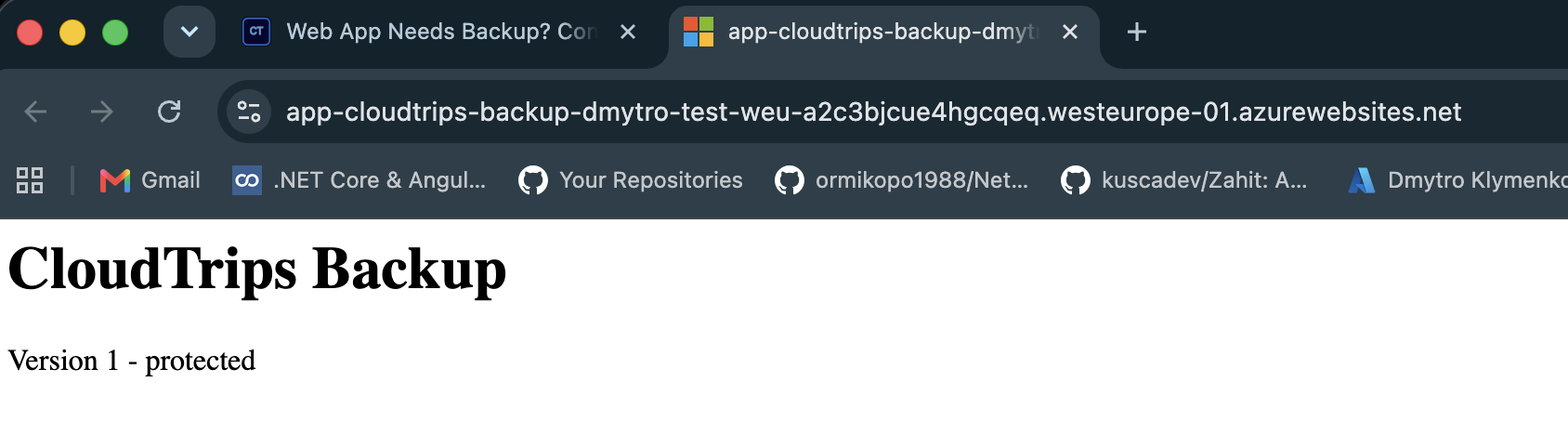
The backup includes App Service files and configuration, but it does not automatically protect external services or custom-mounted storage. Databases, Storage accounts, Key Vault, and other dependencies need their own recovery designs.
Clean Up
Delete the isolated resource group to stop B1 charges and remove the test backup data:
az group delete --name rg-cloudtrips-backup-test-weu --yesConfirm that az group exists --name rg-cloudtrips-backup-test-weu returns
false.