App Service Needs VNet Access? Configure App Service Networking
CloudTrips needs its web app to call resources reachable through an Azure virtual network. VNet Integration gives an App Service app an outbound path into a VNet without placing the multitenant app itself inside the subnet.
This distinction matters:
VNet Integration: Outbound traffic from the app to the VNet
Private endpoint: Inbound traffic from the VNet to the app
This standalone trip configures outbound VNet Integration. The app’s public URL remains reachable.
Create the Virtual Network
Search for Virtual networks, select Create, and enter:
Subscription: CloudTrips TEST
Resource group: rg-cloudtrips-appservice-vnet-test-weu
Name: vnet-cloudtrips-appservice-test-weu
Region: West Europe
IPv4 address space: 10.60.0.0/16
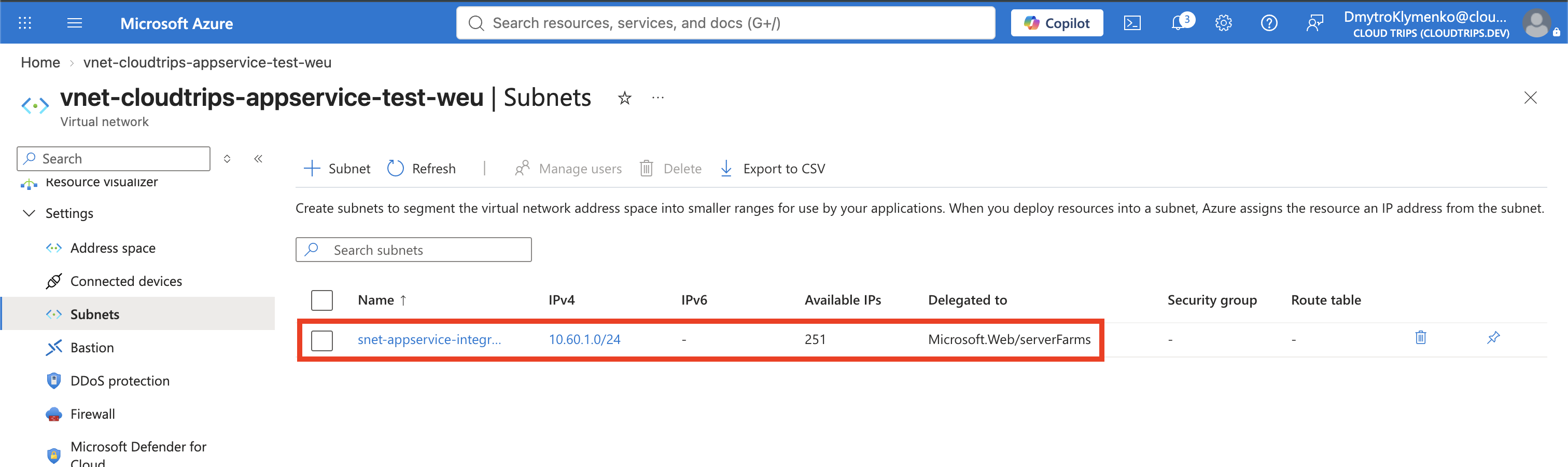
Create this subnet:
Subnet name: snet-appservice-integration
Subnet address range: 10.60.1.0/24
Delegation: Microsoft.Web/serverFarms
Delegation reserves the subnet for App Service VNet Integration and lets Azure apply the network configuration the service requires. Do not place private endpoints or virtual machines in this integration subnet.
Select Review + create > Create.
Create the Web App
Search for App Services, select Create > Web App, and enter:
Subscription: CloudTrips TEST
Resource group: rg-cloudtrips-appservice-vnet-test-weu
Name: app-cloudtrips-vnet-dmytro-test-weu
Publish: Code
Runtime stack: Node 24 LTS
Operating System: Linux
Region: West Europe
Linux Plan: Create new
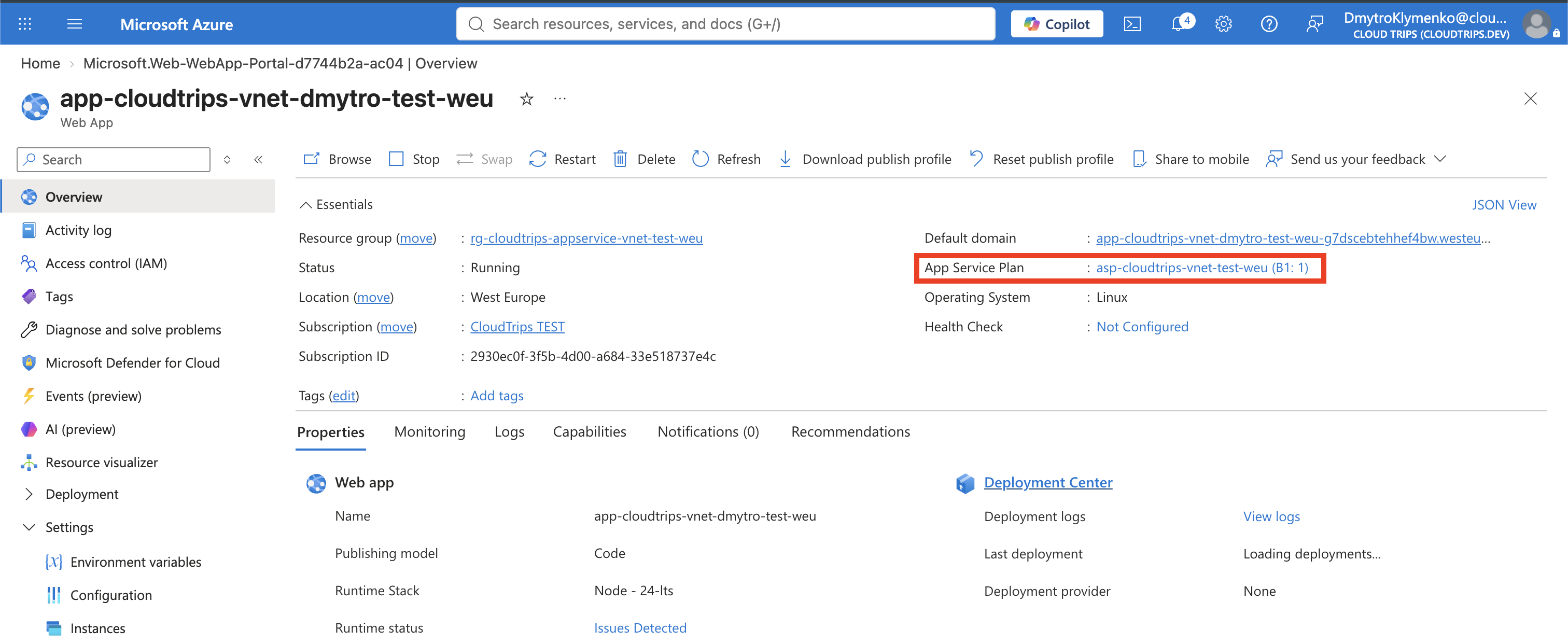
Plan name: asp-cloudtrips-vnet-test-weu
Pricing plan: Basic B1
Zone redundancy: Disabled
The web-app name must be globally unique. Basic B1 supports regional VNet Integration and is billable until deleted. The app, plan, and VNet are in West Europe because regional integration requires the app and VNet to use the same region.
Select Review + create > Create.
Add VNet Integration
Open app-cloudtrips-vnet-dmytro-test-weu, select Settings >
Networking, and find Outbound traffic configuration. Select Not
configured beside Virtual network integration, then select Add virtual
network integration.
Choose:
Virtual network: vnet-cloudtrips-appservice-test-weu
Subnet: snet-appservice-integration
Select Connect. The operation restarts the app. When it finishes, the Networking page should show the VNet and subnet instead of Not configured.
Understand Routing
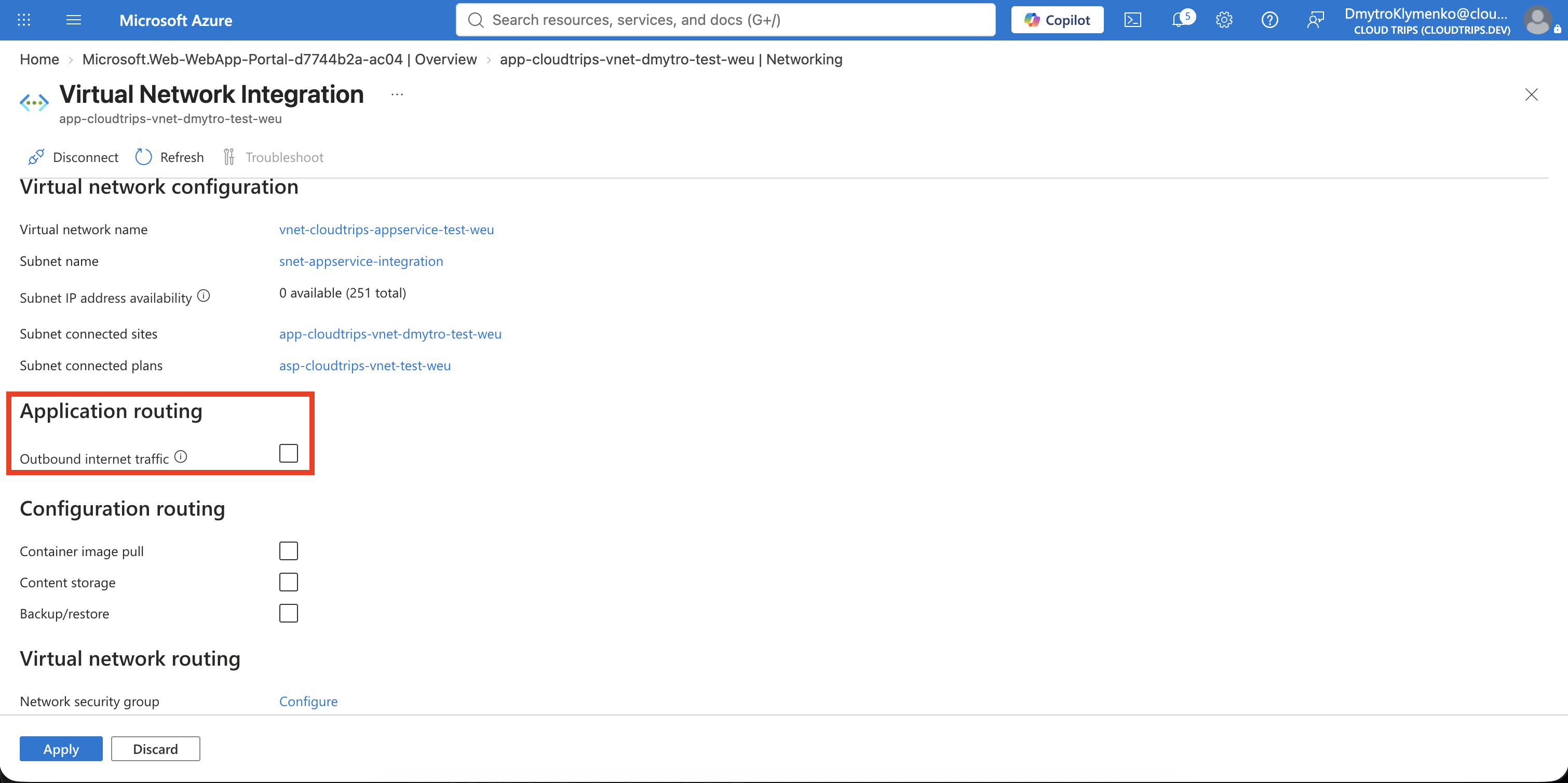
Open the connected VNet Integration entry. Under Application routing, the Outbound internet traffic setting controls whether internet requests made by your application code are routed through the integrated VNet. Examples include calls from the app to:
https://api.github.com
https://api.stripe.com
https://example.com
When Outbound internet traffic is disabled:
Private VNet traffic → through VNet Integration
Internet traffic     → directly through the App Service network
When Outbound internet traffic is enabled:
Private VNet traffic → through VNet Integration
Internet traffic     → also through the VNet
Enable it when internet traffic must pass through a VNet firewall, NAT Gateway, network virtual appliance, or custom route. If you route internet traffic through the VNet, the subnet must have working DNS, routes, and outbound connectivity or the app can lose access to its dependencies.
For this trip, leave Outbound internet traffic disabled. The goal is only to give the app access to private VNet resources. This setting affects outbound connections initiated by the app; it does not control visitors connecting to the web app.
VNet Integration does not assign a dedicated inbound address, block the public URL, or make the app private. Those are separate inbound-networking decisions.
Verify the Integration
From your Mac, confirm that Azure reports the integration:
az webapp vnet-integration list \
  --resource-group rg-cloudtrips-appservice-vnet-test-weu \
  --name app-cloudtrips-vnet-dmytro-test-weu \
  --output table
The result should identify vnet-cloudtrips-appservice-test-weu and
snet-appservice-integration.
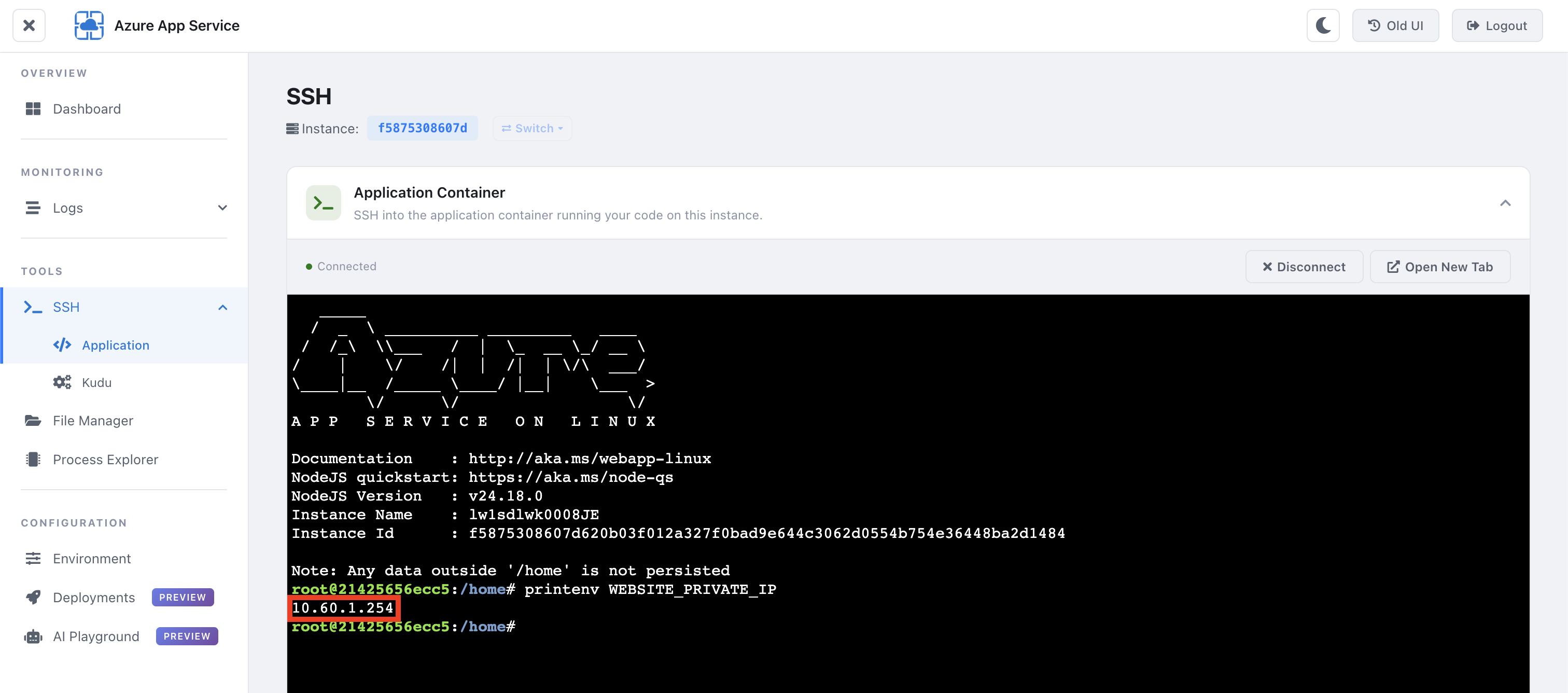
Open Development Tools > SSH in the app and run:
printenv WEBSITE_PRIVATE_IPThe output should be an address from 10.60.1.0/24. This is the private IP the
current App Service instance uses when it sends traffic through VNet
Integration:
App instance → 10.60.1.x → private VNet resourceIt is not an inbound address. Users and other applications cannot connect to the web app through this IP; they still use the app’s public hostname. An App Service private endpoint is required when the app needs a private inbound IP.
The integration IP can change when Azure restarts or moves the app, or when the
plan scales to additional instances. Each instance can receive a different IP
from the integration subnet. Destination firewalls and NSGs must therefore
allow the complete 10.60.1.0/24 integration subnet rather than one observed
address such as 10.60.1.4.
With Outbound internet traffic disabled, only private traffic uses this integration IP. Calls to the public internet bypass the VNet and use one of the App Service plan’s public Outbound IP addresses, visible under Settings
Properties. If Outbound internet traffic is enabled, internet calls also enter the VNet through the integration subnet and then leave through the VNet’s configured egress path, such as a NAT Gateway or Azure Firewall.
Clean Up
Delete the isolated resource group to stop the B1 charges:
az group delete \
  --name rg-cloudtrips-appservice-vnet-test-weu \
  --yes
Confirm that it is gone:
az group exists --name rg-cloudtrips-appservice-vnet-test-weuExpected result:
false