VM Configuration Needs Automation? Configure Desired State Configuration
CloudTrips needs VM operating-system settings to remain consistent without an administrator repeatedly changing each server. Desired State Configuration (DSC) describes the required state; Azure checks the machine and corrects drift when its actual state differs.
This trip uses Azure Machine Configuration, the current Azure service for auditing and configuring settings inside Azure VMs and Arc-enabled servers. It replaces the older Azure Automation State Configuration workflow, which is scheduled for retirement on September 30, 2027.
Understand the Components
An Azure Policy is one rule, such as keeping the Windows time zone at a specified value. An initiative is a collection of related policies assigned together. The prerequisite initiative groups the rules that prepare supported VMs for Machine Configuration.
Machine Configuration needs two components on an Azure VM:
- a managed identity, used by the VM to authenticate to Azure without storing credentials;
- the Machine Configuration extension, which downloads assignments, checks settings inside the guest operating system, applies changes, and reports compliance.
The Enable Machine Configuration prerequisites initiative deploys these components where they are missing. The later time-zone policy can then describe and enforce the actual desired state. A remediation task performs the deployment or correction required for existing resources; evaluation alone only determines whether they comply.
Azure Arc-enabled servers are physical or virtual servers running outside
Azure—for example, on-premises, in VMware, AWS, or another cloud—that have the
Azure Connected Machine agent installed. Arc makes them manageable as Azure
resources. The VM created in this trip already runs in Azure, so it is not an
Arc-enabled server and Include Arc connected servers remains False.
Create the Resource Group and VM
Create:
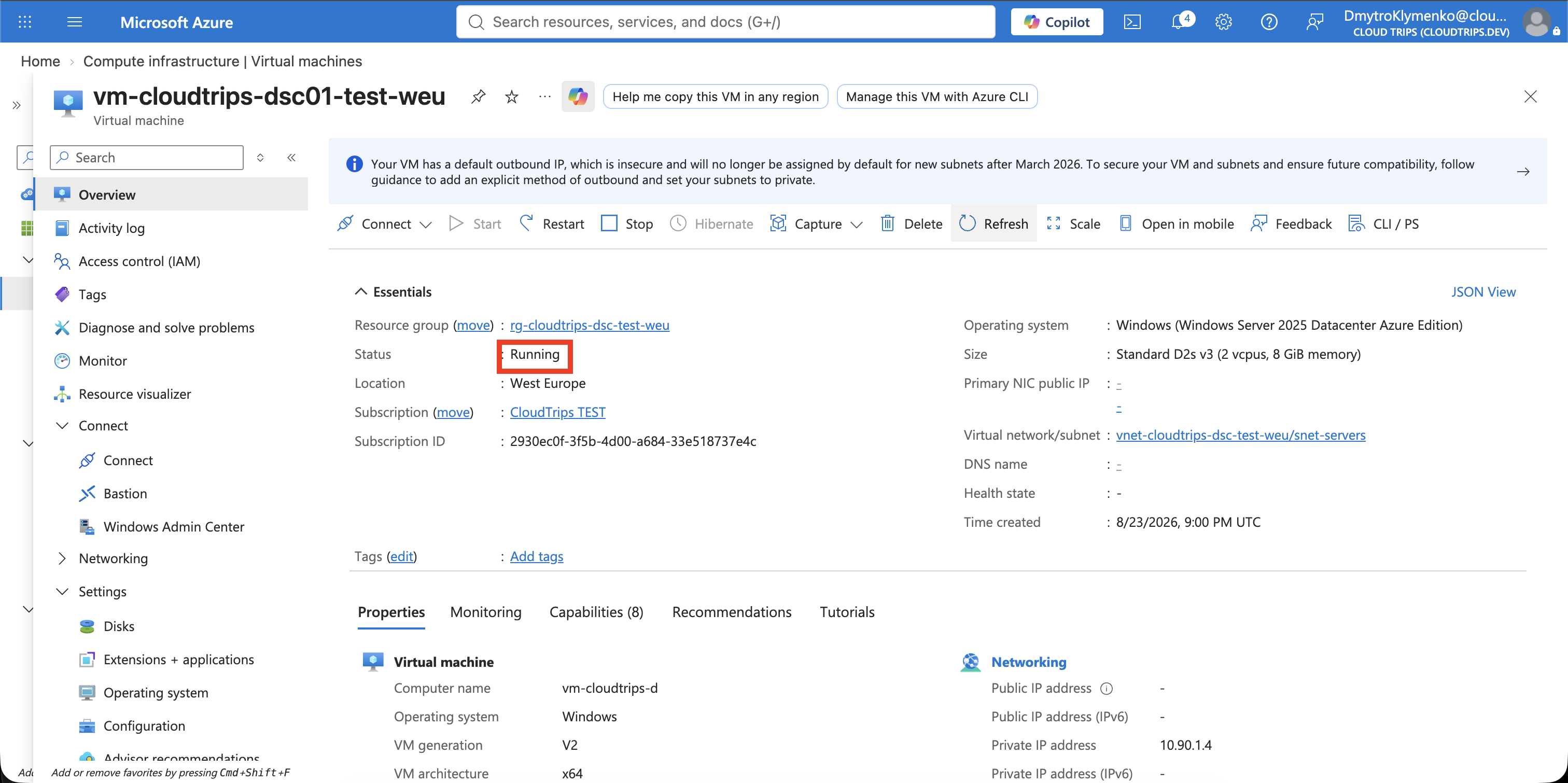
Subscription: CloudTrips TEST
Resource group: rg-cloudtrips-dsc-test-weu
Region: West Europe
Create an Azure virtual machine:
Virtual machine name: vm-cloudtrips-dsc01-test-weu
Availability options: No infrastructure redundancy required
Security type: Trusted launch virtual machines
Image: Windows Server 2022 Datacenter: Azure Edition - x64 Gen2
Size: Standard_D2s_v3
Username: azureadmin
Password: Create a strong password
Confirm password: Enter the same password again
Public inbound ports: None
OS disk type: Standard SSD LRS
Virtual network: vnet-cloudtrips-dsc-test-weu
Address range: 10.90.0.0/16
Subnet: snet-servers
Subnet range: 10.90.1.0/24
Public IP: None
NIC network security group: None
System-assigned managed identity: On
Select Review + create > Create. The VM needs outbound HTTPS access so the Machine Configuration agent can download assignments and report results.
Deploy the Machine Configuration Prerequisites
Open Policy > Definitions and search for:
Deploy prerequisites to enable Guest Configuration policies on virtual machinesOpen the built-in initiative and select Assign initiative:
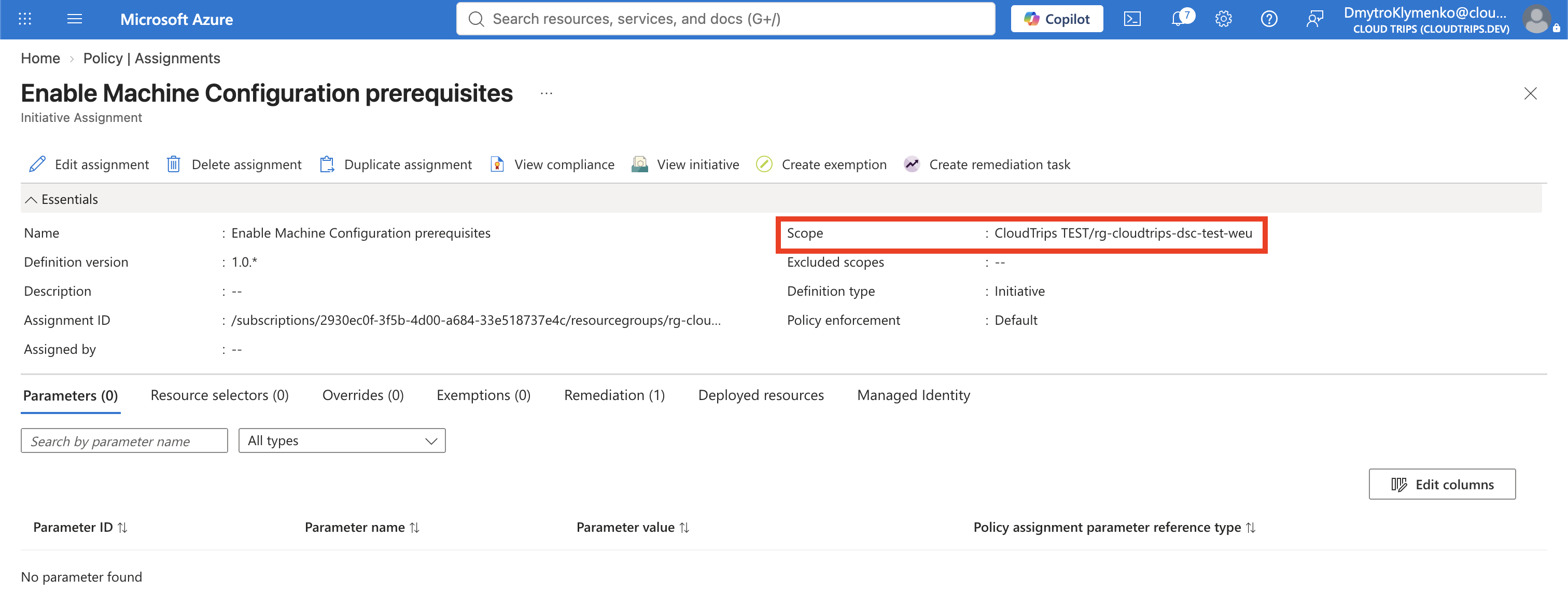
Scope: rg-cloudtrips-dsc-test-weu
Assignment name: Enable Machine Configuration prerequisites
Managed identity: System assigned
Identity location: West Europe
Create a remediation task: Enabled
Select Review + create > Create. This deploys the Machine Configuration extension and ensures the VM has the identity required to communicate with the service. This preparation does not set the time zone; the separate policy in the next section does that. The portal might still use the older term Guest Configuration in policy names.
Assign the Desired Configuration
Return to Policy > Definitions, set Category to Guest Configuration, and open:
Configure time zone on Windows machines.Select Assign policy and configure:
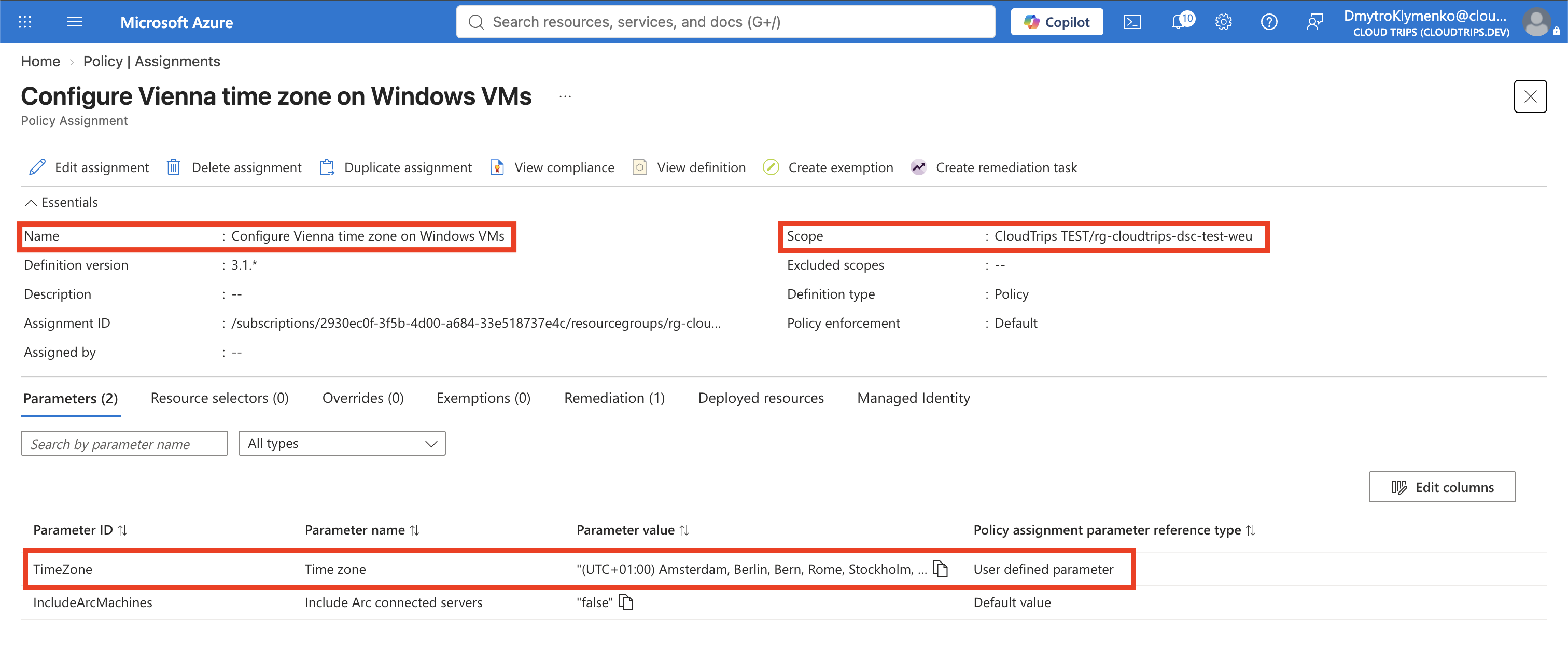
Scope: rg-cloudtrips-dsc-test-weu
Assignment name: Configure Vienna time zone on Windows VMs
Time zone: (UTC+01:00) Amsterdam, Berlin, Bern, Rome, Stockholm, Vienna
Include Arc connected servers: False
Managed identity: System assigned
Identity location: West Europe
Create a remediation task: Enabled
Select the portal entry containing Vienna. Inside Windows, the corresponding
time-zone ID is shown as W. Europe Standard Time. Select Review + create
Create.
The policy creates a Machine Configuration assignment inside the VM. Its DSC package tests the current time zone and sets it to the required value when it does not match.
Verify and Test Drift Correction
Policy deployment and guest compliance can take several minutes. Open the VM, select Run command > RunPowerShellScript, and run:
Get-TimeZone | Select-Object Id, DisplayNameThe ID should be:
W. Europe Standard TimeNow deliberately create configuration drift:
Set-TimeZone -Id 'UTC'
Get-TimeZone | Select-Object Id, DisplayName
Open Policy > Compliance, select the time-zone assignment, and wait for its resource compliance and remediation details to appear. Machine Configuration evaluations are asynchronous, so this is not an immediate command-execution service.
After the next evaluation and remediation, run the first command again. The
time zone should return to W. Europe Standard Time. This is the desired-state
loop: test, detect drift, and set the declared configuration again.
Clean Up
Delete the isolated lab resource group, including the VM and scoped policy assignments:
az group delete --name rg-cloudtrips-dsc-test-weu --yesConfirm that az group exists --name rg-cloudtrips-dsc-test-weu returns
false.