Simple Web App Needs Hosting? Create App Service
CloudTrips needs to publish a simple web application without creating or maintaining a VM. Azure App Service manages the operating system, web server, runtime, patching, and application endpoint while you deploy the code.
An App Service plan supplies the compute resources and pricing tier. A web app contains the application settings, deployments, and hostname. Multiple compatible web apps can share one plan and its resources.
Create the Web App
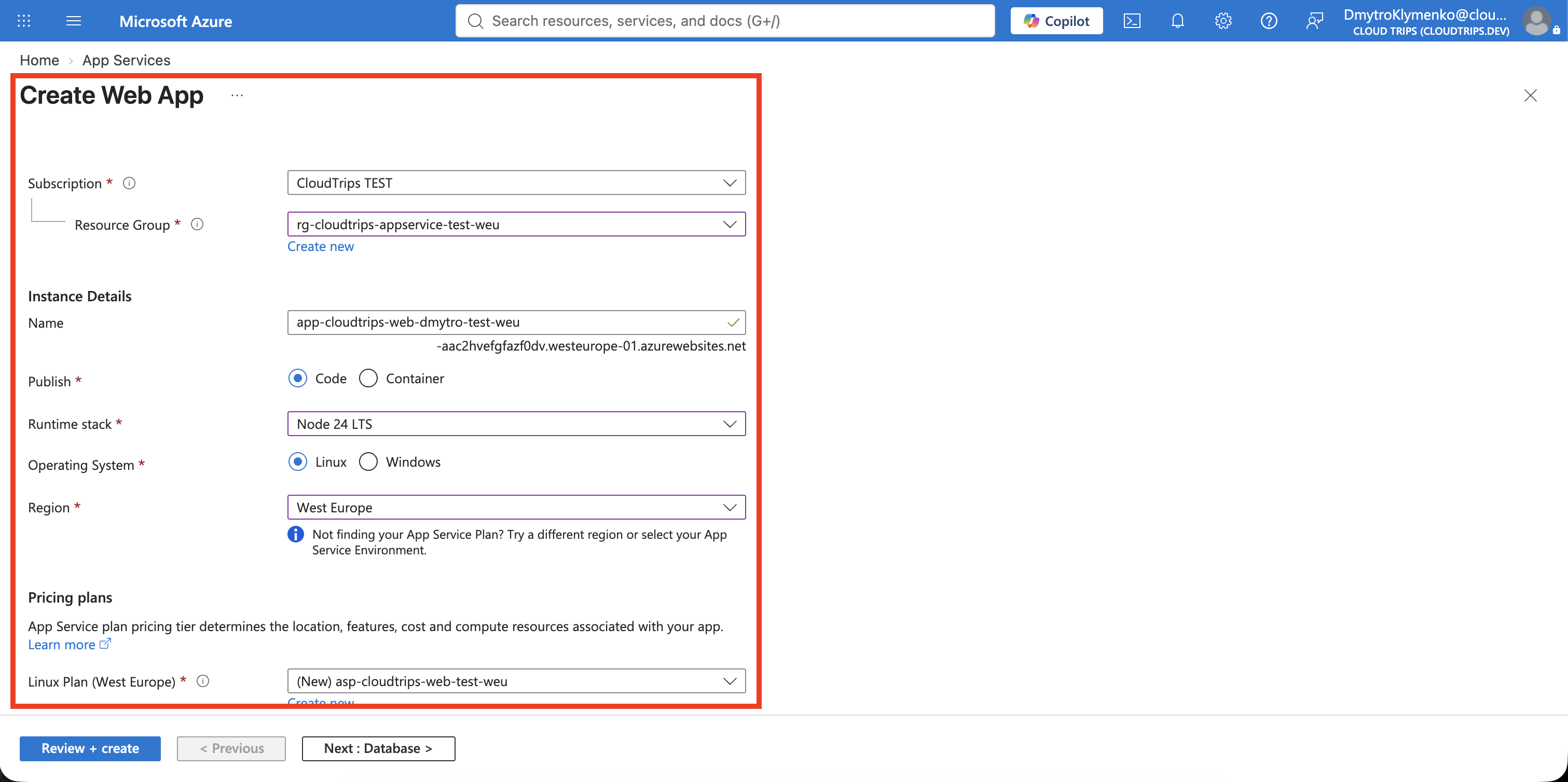
Search for App Services, select Create > Web App, and enter:
Subscription: CloudTrips TEST
Resource group: rg-cloudtrips-appservice-test-weu
Name: app-cloudtrips-web-dmytro-test-weu
Publish: Code
Runtime stack: Node 24 LTS
Operating System: Linux
Region: West Europe
Linux Plan: Create new
Plan name: asp-cloudtrips-web-test-weu
Pricing plan: Free F1
Zone redundancy: Disabled
The app name must be globally unique because it becomes part of the public hostname. If the proposed name is unavailable, append a short unique suffix and use that same name in every later command.
Select Review + create > Create, then open the resource.
Understand the Default Page
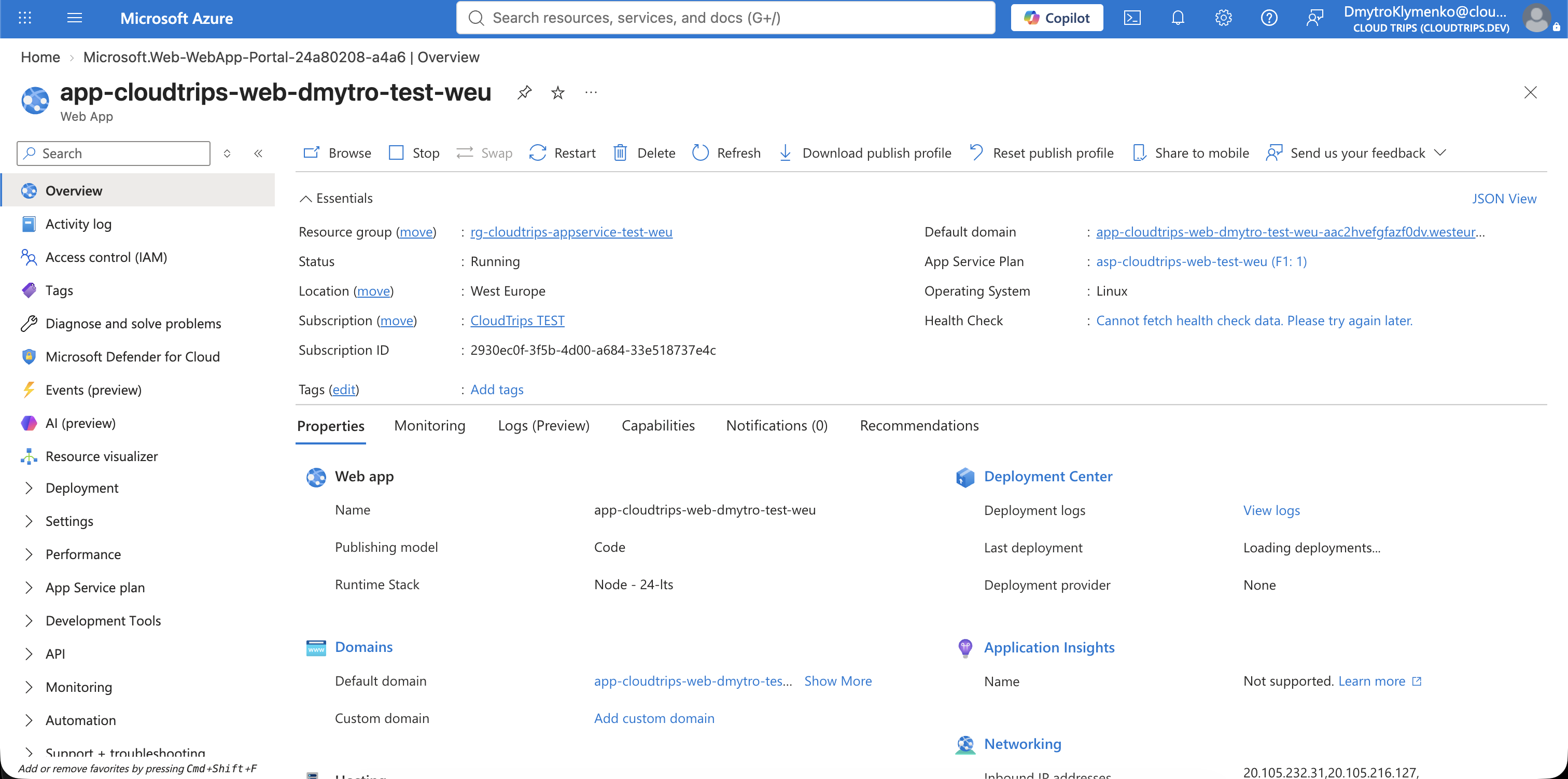
On Overview, select Default domain. The initial App Service page proves that the platform and public HTTPS endpoint work, but your application code has not been deployed yet.
The Free F1 tier is suitable for this lab, not production: it uses shared compute, has quotas, cannot scale out, and does not provide an availability SLA.
Create and Deploy a Small Node.js App
On your Mac, create a local application folder:
mkdir -p cloudtrips-appservice
cd cloudtrips-appservice
Create package.json:
{
  "name": "cloudtrips-appservice",
  "version": "1.0.0",
  "scripts": {
    "start": "node server.js"
  }
}
Create server.js:
const http = require('http');

const port = process.env.PORT || 8080;

http.createServer((request, response) => {
  response.writeHead(200, { 'Content-Type': 'text/html; charset=utf-8' });
  response.end(`
    <h1>CloudTrips App Service</h1>
    <p>Hosted without managing a virtual machine.</p>
  `);
}).listen(port);
App Service supplies the PORT environment variable. The application must
listen on that port so the platform can route incoming requests to it.
Package the files at the root of the ZIP archive and deploy them:
zip cloudtrips-web.zip package.json server.js

az webapp deploy \
  --resource-group rg-cloudtrips-appservice-test-weu \
  --name app-cloudtrips-web-dmytro-test-weu \
  --src-path cloudtrips-web.zip \
  --type zip
ZIP deployment extracts the files into the app’s content directory and
restarts the app. App Service then runs the npm start script.
Verify the App
Retrieve the hostname and test it:
APP_HOST=$(az webapp show \
  --resource-group rg-cloudtrips-appservice-test-weu \
  --name app-cloudtrips-web-dmytro-test-weu \
  --query defaultHostName \
  --output tsv)

curl --fail "https://${APP_HOST}"
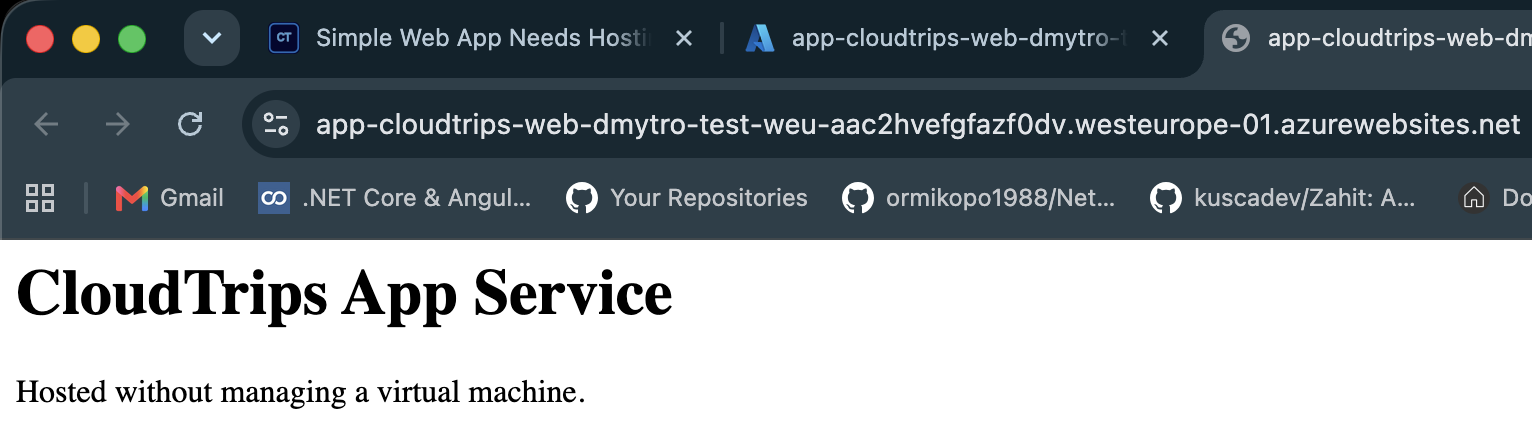
Expected content includes:
CloudTrips App Service
Hosted without managing a virtual machine.
Refresh the Default domain in a browser to see the same page.
Continue to Scaling
Keep rg-cloudtrips-appservice-test-weu. The next trip uses the same web app
and App Service plan to demonstrate scale up and scale out, then removes all
resources.