Dedicated Hardware Required? Evaluate a Dedicated Host
CloudTrips has a compliance or licensing requirement that might require dedicated physical hardware. An Azure Dedicated Host allocates an entire physical server to one subscription. Compatible CloudTrips VMs can share it, but VMs from other Azure customers cannot.
This trip evaluates the design without requesting quota or provisioning a billable host. A normal Azure VM already provides logical tenant isolation and is the better choice unless a documented requirement demands physical-server isolation, host-level licensing, or maintenance control.
Cost warning: Azure bills a successfully provisioned host until it is deleted, even when it contains no VMs or its VMs are stopped. Do not select Create in the dedicated-host review screen during this trip.
Create the Evaluation Resources
Create:
Subscription: CloudTrips TEST
Resource group: rg-cloudtrips-dhost-test-weu
Region: West Europe
Search for Host groups and select Create:
Resource group: rg-cloudtrips-dhost-test-weu
Host group name: hg-cloudtrips-test-weu-z1
Location: West Europe
Availability zone: 1
Fault domain count: 1
Enable Ultra SSD: Disabled
A host group defines the placement boundary but does not allocate the physical server. VM placement settings are relevant only when a VM is later assigned to a provisioned host or host group.
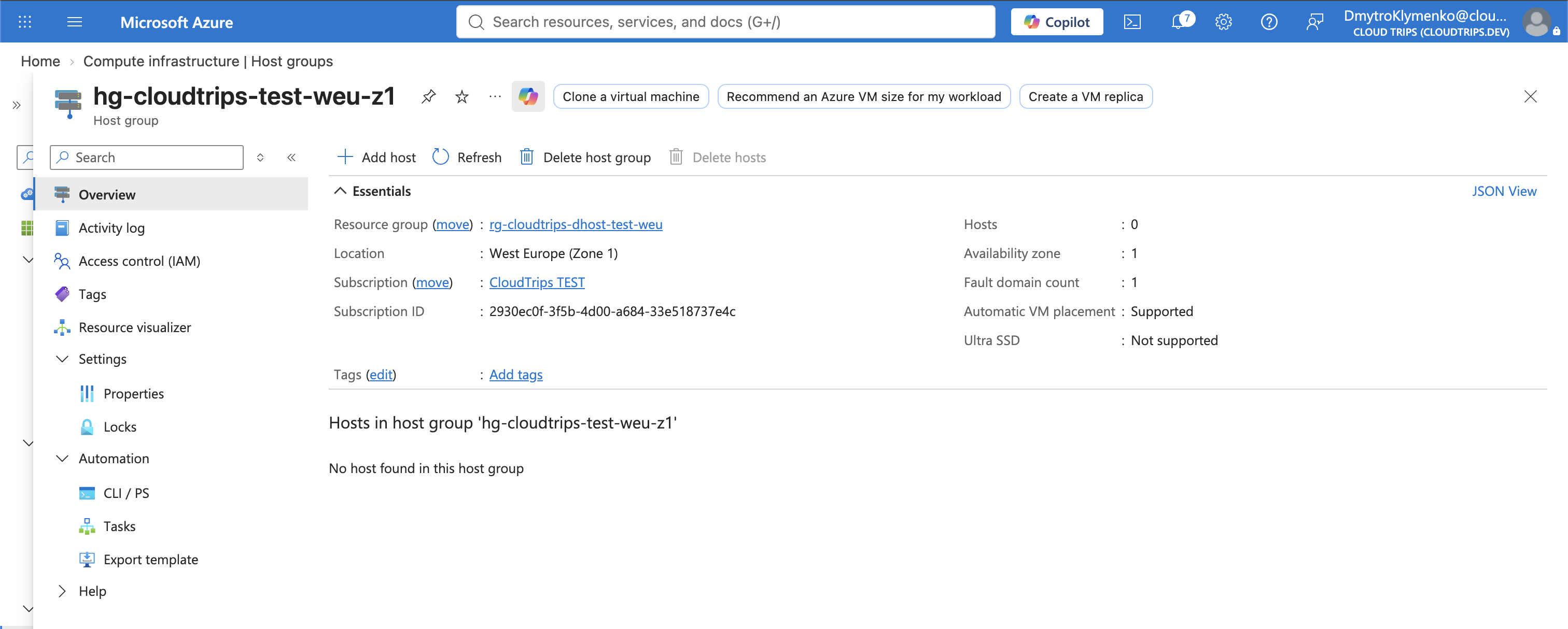
Select Review + create > Create.
Evaluate a Dedicated Host
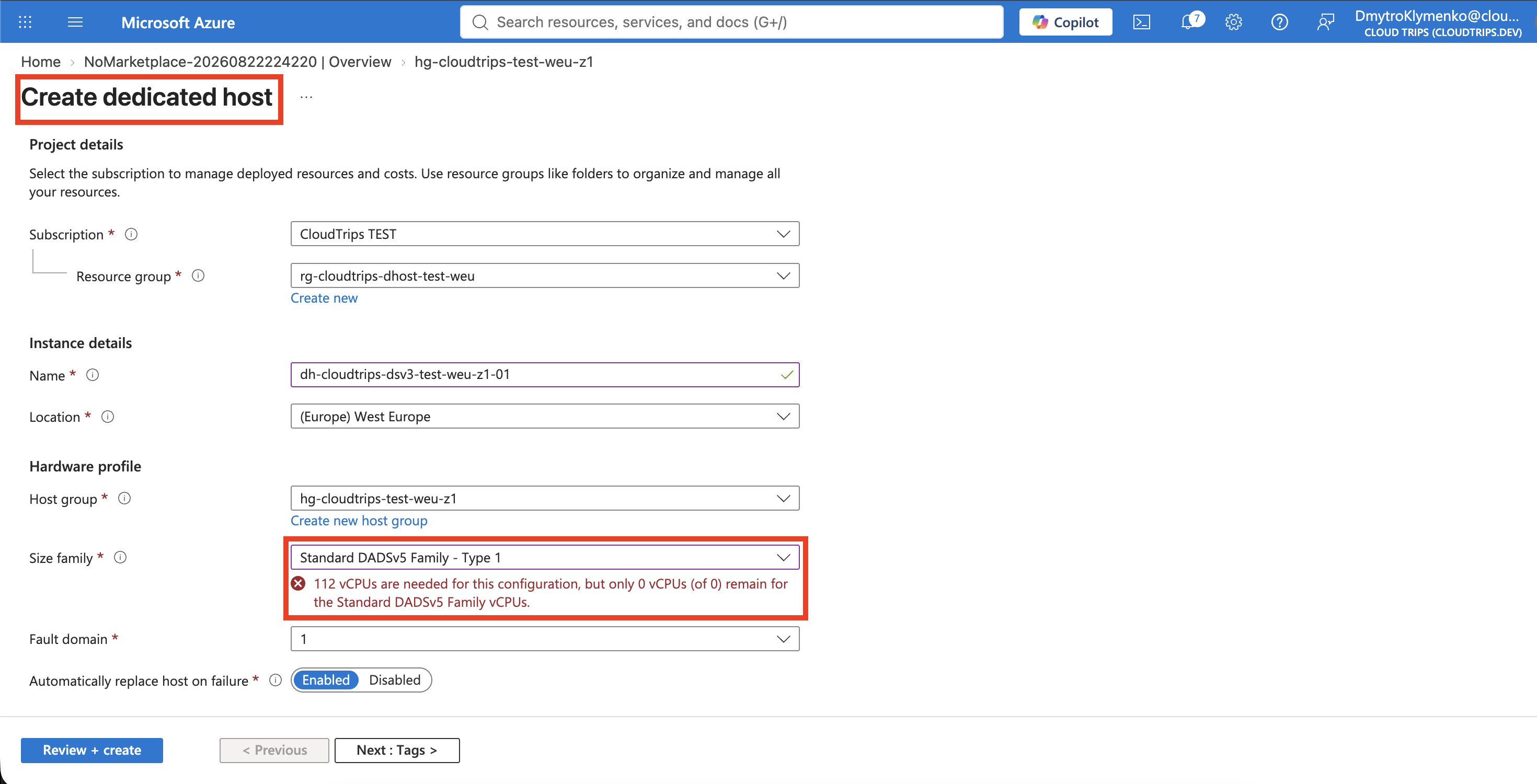
Search for Dedicated hosts and select Create. Configure only the fields offered by your subscription:
Resource group: rg-cloudtrips-dhost-test-weu
Name: dh-cloudtrips-eval-test-weu-z1-01
Location: West Europe
Host group: hg-cloudtrips-test-weu-z1
Fault domain: Select the only available fault domain
Automatically replace host on failure: Enabled
Select an available size family and host SKU. Record the host SKU, required vCPUs, memory, supported VM family, and displayed price.
Select Review + create to run validation, but do not select Create if validation succeeds. On this subscription, the expected result can be:
112 vCPUs are needed for this configuration, but only 0 vCPUs
(of 0) remain for the Standard DADSv5 Family vCPUs.
This is a valid learning result. The chosen host needs 112 DADSv5-family vCPUs, while the subscription has a quota limit of zero. No host was provisioned and host billing did not begin. Do not request a quota increase only for this lab.
Understand VM Placement
If a host were provisioned, a compatible VM would need:
- the same region and availability zone as the host group;
- a VM size supported by the host SKU;
- the host group or explicit host selected under the VM’s Advanced tab.
The VM compute charge would appear as zero because compute is billed at the host level. Disks, networking, and software can still cost extra. One host is also one physical failure boundary; production resilience requires multiple hosts across fault domains and separate host groups across availability zones.
Clean Up
Close the host creation page without deploying it, then delete the evaluation resource group:
az group delete --name rg-cloudtrips-dhost-test-weu --yesConfirm that cleanup completed:
az group exists --name rg-cloudtrips-dhost-test-weuExpected output is false. The trip is complete without Dedicated Host quota
and without provisioning billable physical hardware.