Long Workflow Needed? Create a Durable Function
CloudTrips needs a workflow that can perform work, wait, and continue without keeping one function execution alive. Durable Functions extends Azure Functions with persisted workflow state, checkpoints, retries, and recovery.
HTTP starter → starts and returns an instance ID
Orchestrator → defines the workflow order
Activity     → performs one unit of real work
Durable timer → persists the wait without occupying a worker
An ordinary function should finish one execution quickly. A durable orchestration can wait for minutes, days, or longer because Azure records its history in storage and reconstructs its state when it resumes.
Create the Function App
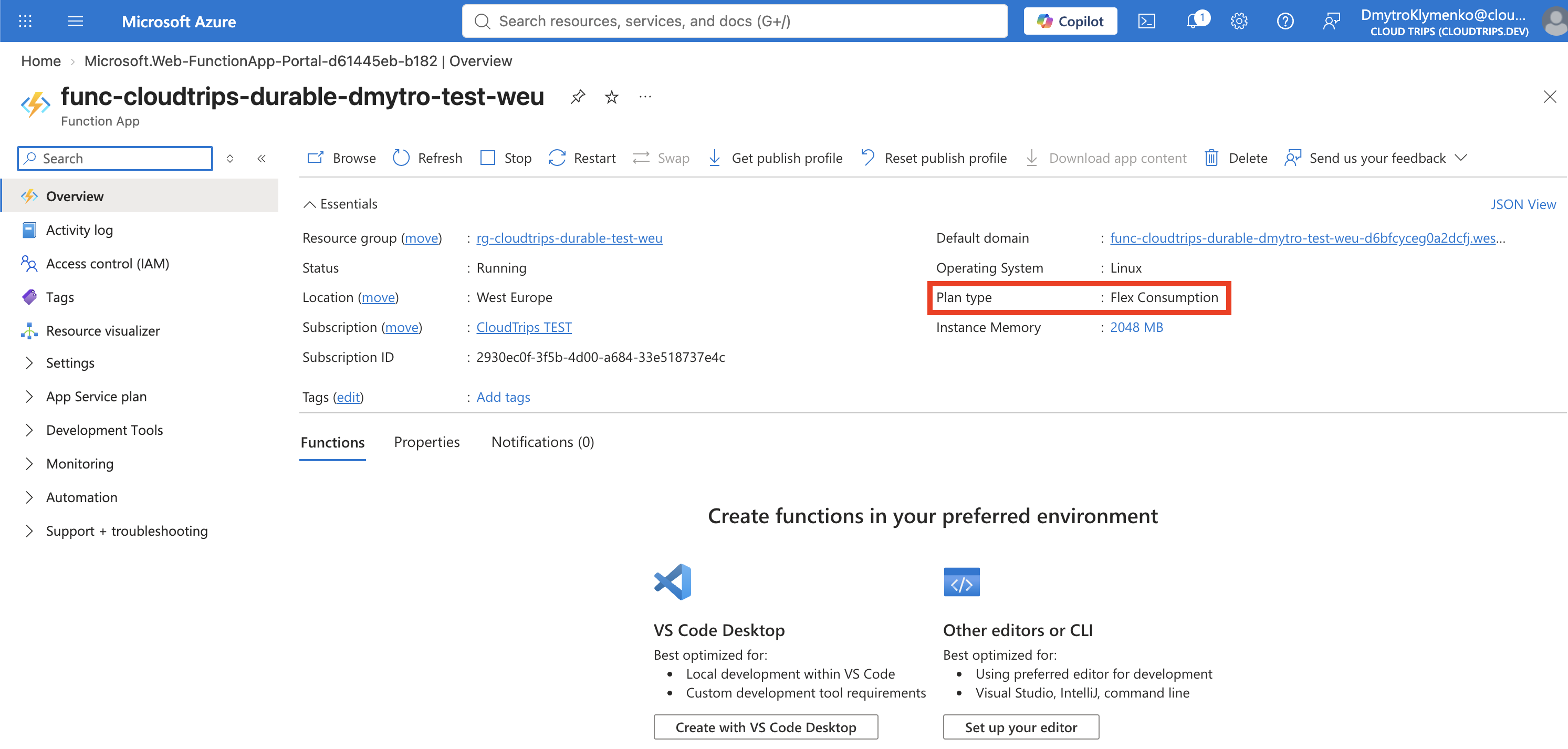
Search for Function App, select Create, choose Flex Consumption, and select Select. Enter:
Subscription: CloudTrips TEST
Resource group: rg-cloudtrips-durable-test-weu
Function App name: func-cloudtrips-durable-dmytro-test-weu
Region: West Europe
Runtime stack: Node.js
Version: 22 LTS
Instance size: 2048 MB
Use the newest Node.js LTS version offered by the portal if 22 LTS is no
longer listed. On Storage, create the default host storage account. Durable
Functions uses storage to persist orchestration instances, history, messages,
and timers.
Keep Application Insights enabled under Monitoring. Under Authentication, select Managed identity for all resources. Accept the remaining defaults and select Review + create > Create.
The app name must be globally unique. Flex Consumption scales to zero but the Storage account and Application Insights can still incur small charges.
Grant the Durable Storage Roles
Selecting managed identity avoids a storage key, but the identity still needs data-plane permission to create and use the Durable task hub. Open the Function App’s Settings > Identity page, select User assigned, and note the managed identity selected for the app.
Open the Function App’s host Storage account, select Access control (IAM), and assign all three roles to that managed identity:
Storage Blob Data Contributor
Storage Queue Data Contributor
Storage Table Data Contributor
Durable Functions uses blobs for leases and large messages, queues to schedule orchestrator and activity work, and tables for instance state and execution history. Subscription Owner or Contributor is not a substitute because those are management-plane roles and do not grant Storage data access.
If a role already exists for the identity, do not add a duplicate. Wait several minutes for RBAC propagation before starting the first orchestration.
Without the Table role, the HTTP starter can fail with
DurableTaskStorageException while calling Table.CreateIfNotExistsAsync.
Create the Local Project
Create the project folder:
mkdir -p cloudtrips-durable/src/functions
cd cloudtrips-durable
Create and validate host.json:
cat > host.json <<'EOF'
{
  "version": "2.0",
  "extensionBundle": {
    "id": "Microsoft.Azure.Functions.ExtensionBundle",
    "version": "[4.*, 5.0.0)"
  }
}
EOF

jq . host.json
The extension bundle supplies the Durable Functions runtime bindings. jq
must print valid JSON; do not deploy an empty host.json.
Create package.json:
cat > package.json <<'EOF'
{
  "name": "cloudtrips-durable",
  "version": "1.0.0",
  "main": "src/functions/*.js",
  "scripts": {
    "start": "func start"
  },
  "dependencies": {
    "@azure/functions": "^4.7.2",
    "durable-functions": "^3.3.0"
  }
}
EOF

jq . package.json
The Node.js v4 programming model registers functions in code. The
durable-functions 3.x package adds the orchestrator, activity, and durable
client APIs.
Add the Durable Workflow
Create src/functions/tripWorkflow.js:
cat > src/functions/tripWorkflow.js <<'EOF'
const { app } = require('@azure/functions');
const df = require('durable-functions');

df.app.activity('recordTripStage', {
  handler: (stage, context) => {
    context.log(`Processing stage: ${stage}`);
    return `${stage} completed`;
  }
});

df.app.orchestration('tripOrchestrator', function* (context) {
  const results = [];

  results.push(
    yield context.df.callActivity('recordTripStage', 'Reservation requested')
  );

  const resumeAt = new Date(context.df.currentUtcDateTime);
  resumeAt.setMinutes(resumeAt.getMinutes() + 2);
  yield context.df.createTimer(resumeAt);

  results.push(
    yield context.df.callActivity('recordTripStage', 'Reservation confirmed')
  );

  return results;
});

app.http('startTripWorkflow', {
  methods: ['POST'],
  authLevel: 'anonymous',
  route: 'workflows/trips',
  extraInputs: [df.input.durableClient()],
  handler: async (request, context) => {
    const client = df.getClient(context);
    const instanceId = await client.startNew('tripOrchestrator');

    context.log(`Started orchestration ${instanceId}`);
    return client.createCheckStatusResponse(request, instanceId);
  }
});
EOF
The orchestrator is a generator function because Durable Functions pauses at
each yielded durable task and can later replay the workflow history. Keep
orchestrator code deterministic: use context.df.currentUtcDateTime instead of
new Date() for workflow decisions, and perform network, database, or random
work inside activities.
The two-minute durable timer does not hold a worker or bill continuously for an
idle execution. Azure checkpoints the orchestration, wakes it after the timer,
and schedules the second activity. Two minutes leaves enough time to query the
workflow while it is still Running.
Deploy the Workflow
Package the project contents:
zip -r cloudtrips-durable.zip host.json package.json srcDeploy with a remote dependency build:
az functionapp deployment source config-zip \
  --resource-group rg-cloudtrips-durable-test-weu \
  --name func-cloudtrips-durable-dmytro-test-weu \
  --src cloudtrips-durable.zip \
  --build-remote true
Wait for deployment to complete, then open Functions. The list should show:
startTripWorkflow
tripOrchestrator
recordTripStage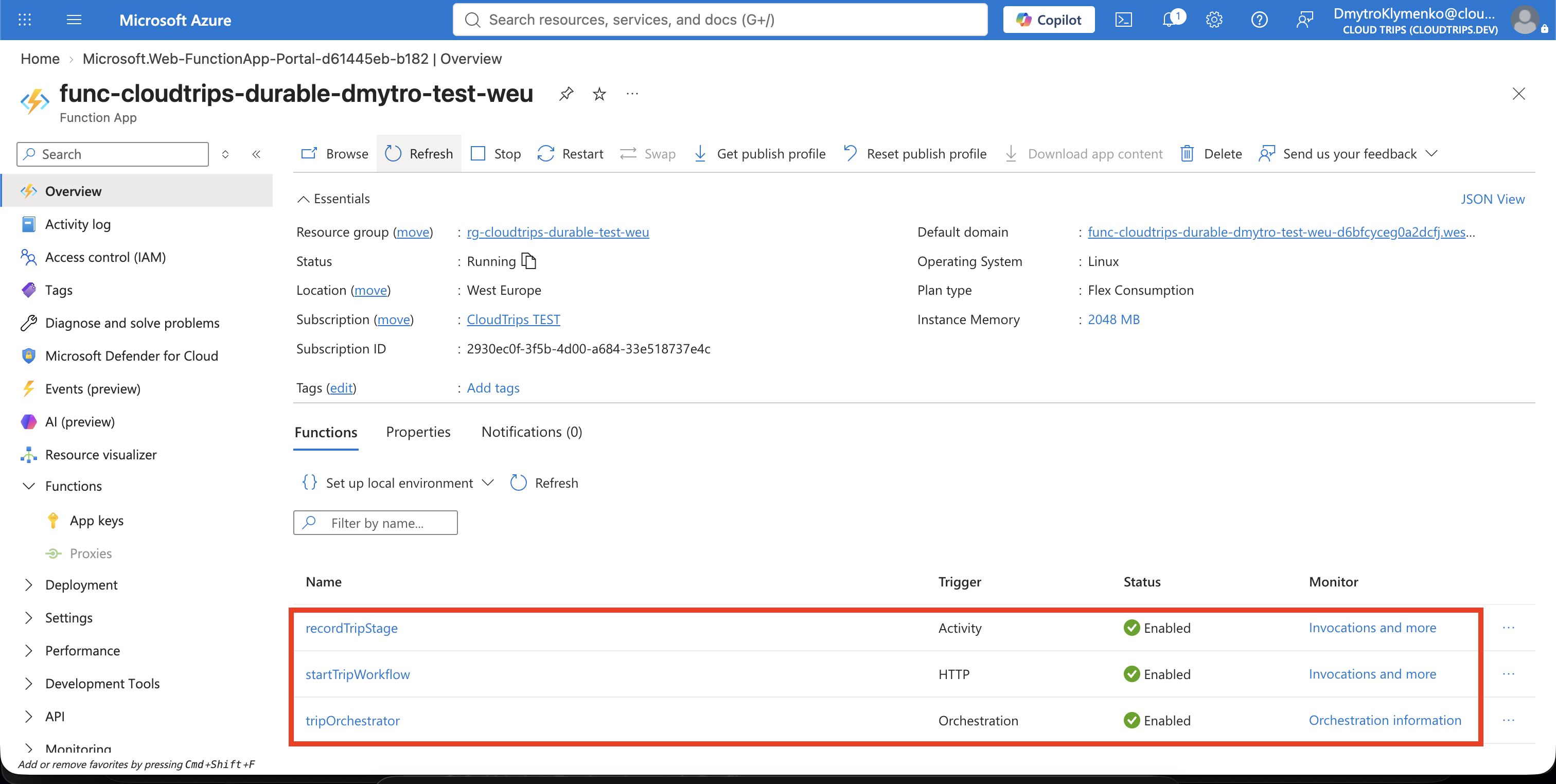
Start an Orchestration
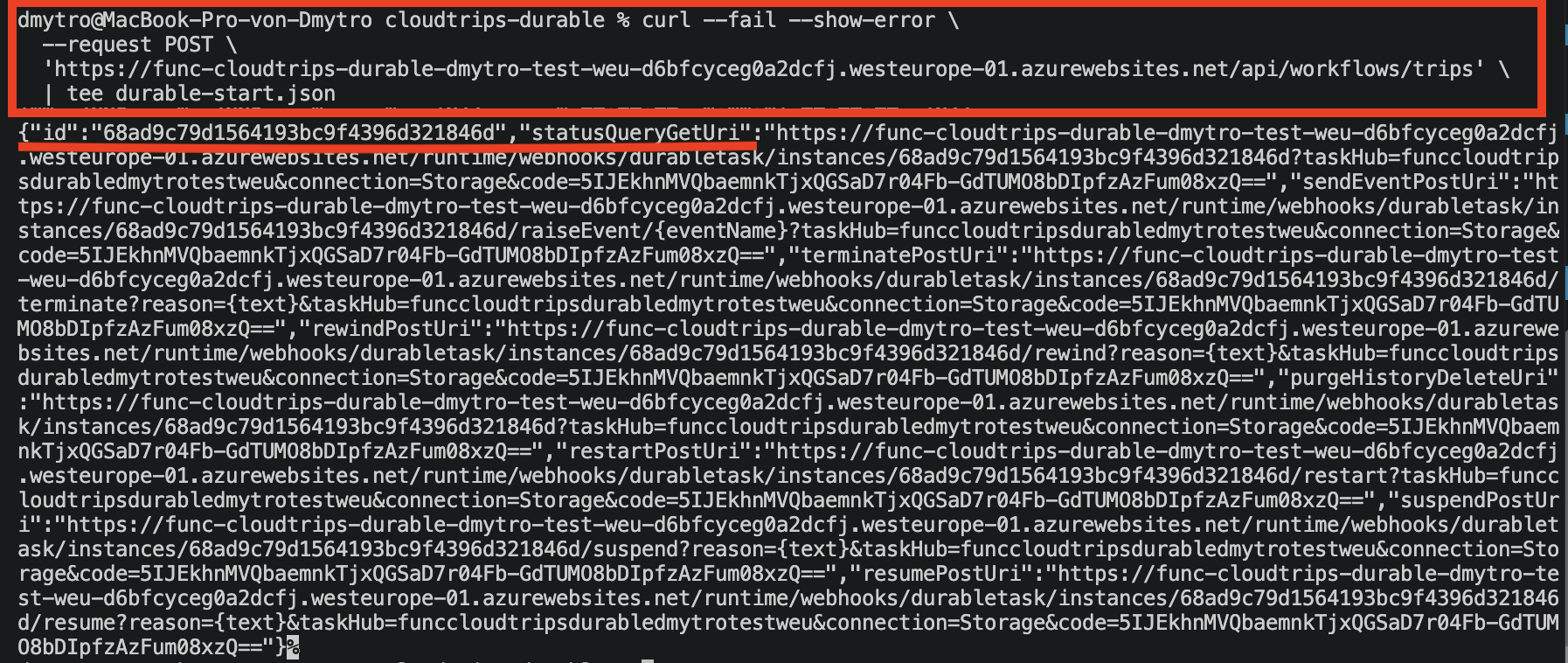
Open startTripWorkflow, select Get Function URL, and copy the URL. Start a
workflow and save Azure’s management response:
curl --fail --show-error \
  --request POST \
  '<FUNCTION_URL>' \
  | tee durable-start.json
The HTTP starter returns 202 Accepted with a unique id and management URLs.
It does not keep the original HTTP request open for the entire workflow.
Extract the status URL:
jq -r '.statusQueryGetUri' durable-start.jsonCopy the complete URL printed by this command. It contains the instance ID, task-hub details, and authorization code required by the management endpoint.
Poll the Persisted Status
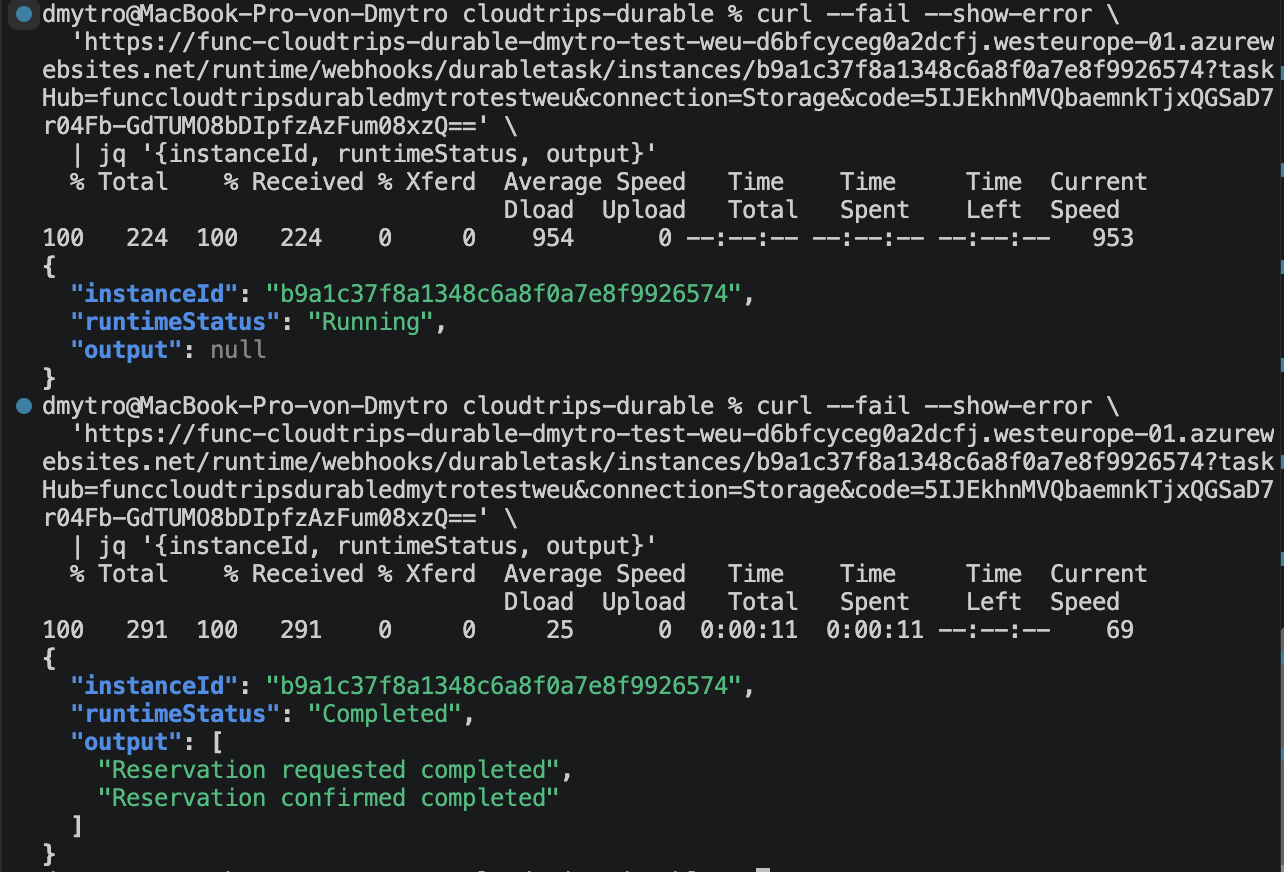
Query the returned status URL:
curl --fail --show-error \
  '<PASTE_THE_COMPLETE_statusQueryGetUri_HERE>' \
  | jq '{instanceId, runtimeStatus, output}'
Replace the entire placeholder, including the angle brackets, with the full URL
copied from statusQueryGetUri. Do not shorten the URL or remove its query
string.
During the durable timer, runtimeStatus should be Running and output is
null. After approximately two minutes, repeat the command. Expected result:
{
  "instanceId": "<unique-instance-id>",
  "runtimeStatus": "Completed",
  "output": [
    "Reservation requested completed",
    "Reservation confirmed completed"
  ]
}
The instance ID lets Azure correlate every checkpoint and resume the correct workflow even after a host restart. Open the orchestrator’s Monitor view to inspect the completed invocation and Application Insights telemetry.
Clean Up
Delete the isolated resource group:
az group delete \
  --name rg-cloudtrips-durable-test-weu \
  --yes
Confirm that it is gone:
az group exists --name rg-cloudtrips-durable-test-weuExpected result: false.