Code Must Run on Demand or Schedule? Create HTTP and Timer Functions
CloudTrips needs a small API endpoint and a recurring background job. Azure Functions runs code when a trigger fires and scales the underlying compute without requiring a permanently managed server.
Function App: Shared host, configuration, deployment, and scaling boundary
HTTP function: Runs when an HTTP request arrives
Timer function: Runs according to a CRON schedule
Both functions can share one Function App because they belong to the same small application and use the same lifecycle. The later Durable Functions trip uses a separate app because it introduces stateful workflow orchestration.
Create the Function App
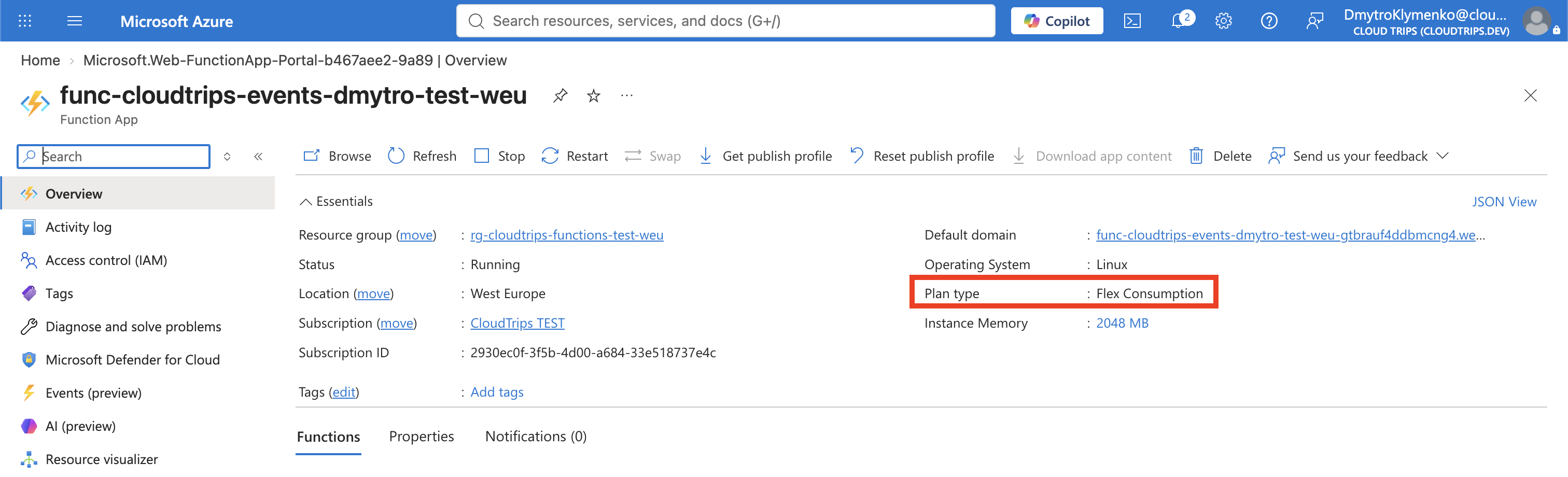
Search for Function App, select Create, choose Flex Consumption, and select Select. Enter:
Subscription: CloudTrips TEST
Resource group: rg-cloudtrips-functions-test-weu
Function App name: func-cloudtrips-events-dmytro-test-weu
Region: West Europe
Runtime stack: Node.js
Version: 22 LTS
Instance size: 2048 MB
The Function App name must be globally unique. Use the newest Node.js LTS
version offered by the portal if 22 LTS is no longer listed.
On Storage, create the default host storage account. A Function App uses storage for host coordination, trigger state, and deployment packages; it is not optional even when the function code stores no business data.
On Monitoring, keep Enable Application Insights enabled. On Authentication, select Managed identity for all resources. Accept the remaining defaults, then select Review + create > Create.
Flex Consumption is the recommended serverless plan, scales to zero when idle, and charges mainly for executions and consumed resources. Application Insights and Storage can incur small additional charges.
Create the Local Project
Create this structure on your Mac:
cloudtrips-functions/
├── host.json
├── package.json
└── src/
    └── functions/
        ├── http.js
        └── timer.js
mkdir -p cloudtrips-functions/src/functions
cd cloudtrips-functionsCreate host.json:
{
  "version": "2.0",
  "logging": {
    "applicationInsights": {
      "samplingSettings": {
        "isEnabled": false
      }
    }
  }
}
Disabling sampling makes this small lab’s timer invocations easier to find. In a busy production app, sampling normally controls telemetry volume and cost.
Create package.json:
{
  "name": "cloudtrips-functions",
  "version": "1.0.0",
  "main": "src/functions/*.js",
  "scripts": {
    "start": "func start"
  },
  "dependencies": {
    "@azure/functions": "^4.7.2"
  }
}
The main pattern tells the Node.js v4 programming model where to load the
function registrations.
Add the HTTP Function
Create src/functions/http.js:
const { app } = require('@azure/functions');

app.http('cloudTripsHttp', {
  methods: ['GET'],
  authLevel: 'anonymous',
  route: 'cloudtrips',
  handler: async (request, context) => {
    const name = request.query.get('name') || 'traveler';
    context.log(`HTTP request received for ${name}`);

    return {
      headers: { 'Content-Type': 'application/json' },
      jsonBody: {
        message: `Hello, ${name}!`,
        trigger: 'HTTP'
      }
    };
  }
});
anonymous keeps the lab endpoint easy to call. Production APIs normally use
Function keys, App Service Authentication, API Management, or another
authentication layer.
Add the Timer Function
Create src/functions/timer.js:
const { app } = require('@azure/functions');

app.timer('cloudTripsTimer', {
  schedule: '0 */5 * * * *',
  handler: async (timer, context) => {
    context.log(`CloudTrips scheduled job ran at ${new Date().toISOString()}`);

    if (timer.isPastDue) {
      context.warn('The timer invocation was later than scheduled.');
    }
  }
});
Azure Functions timer expressions have six fields:
second minute hour day month day-of-week
0      */5    *    *   *     *            → every five minutes
The schedule is evaluated in UTC by default. The Functions host uses its storage account to coordinate the timer so scaled-out instances do not all run the same scheduled occurrence.
Deploy Both Functions
From cloudtrips-functions, create a deployment package containing the project
contents—not the parent folder:
zip -r cloudtrips-functions.zip host.json package.json srcDeploy it and let Azure install the Node dependency remotely:
az functionapp deployment source config-zip \
  --resource-group rg-cloudtrips-functions-test-weu \
  --name func-cloudtrips-events-dmytro-test-weu \
  --src cloudtrips-functions.zip \
  --build-remote true
Flex Consumption uses One Deploy behind this command: Azure stores and
mounts the deployment package instead of editing files directly in the portal.
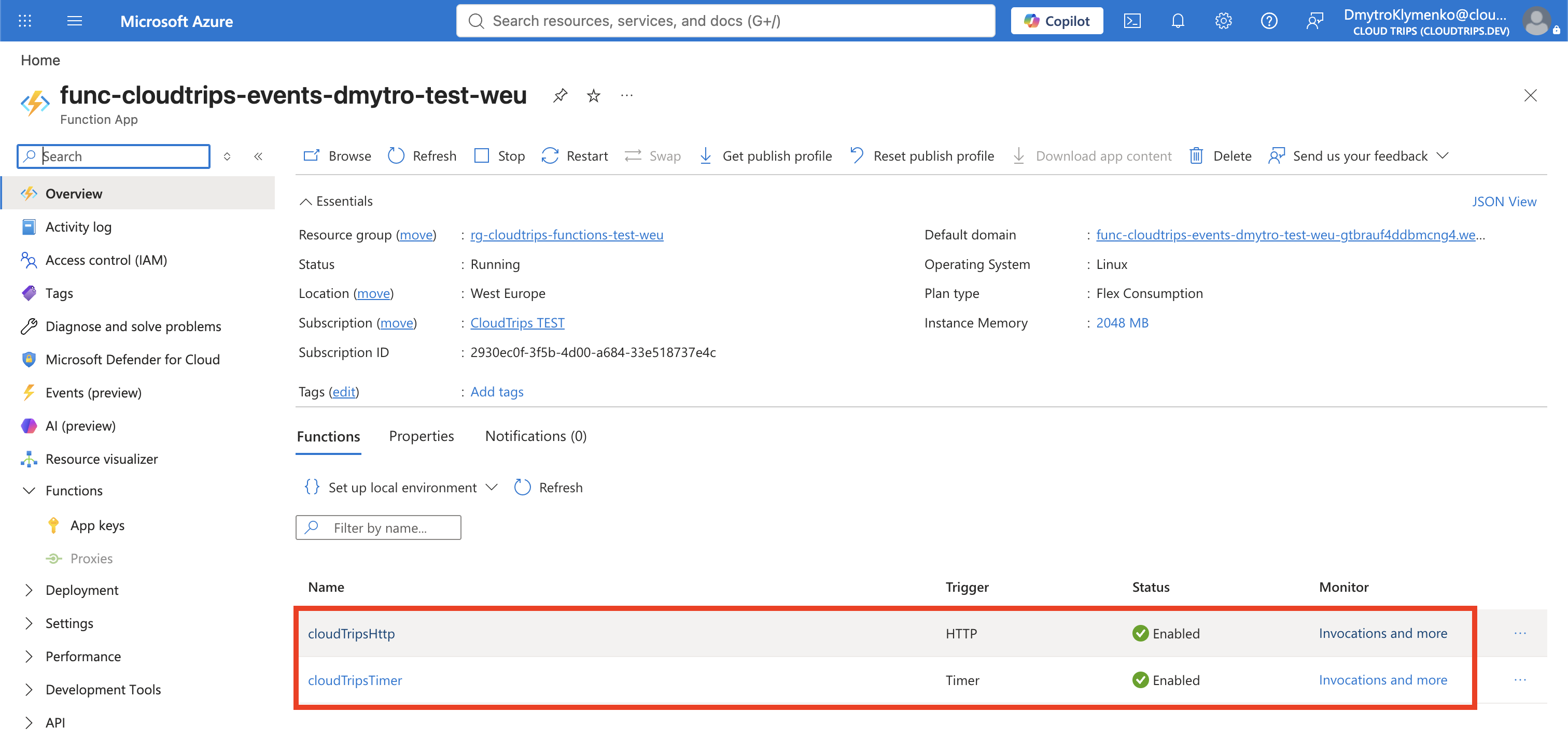
Wait for the command to finish, then open Functions in the Function App.
Both cloudTripsHttp and cloudTripsTimer should appear.
Test the HTTP Trigger
Open cloudTripsHttp, select Get Function URL, and copy the URL. Call it
from your Mac, adding the query parameter:
curl --fail --show-error \
  '<FUNCTION_URL>?name=Dmytro'
The ? starts the URL’s query string and name=Dmytro supplies the name
parameter read by the function. Because this lab uses authLevel: 'anonymous',
the copied Function URL normally has no existing ?code=... query string.
Expected JSON:
{"message":"Hello, Dmytro!","trigger":"HTTP"}The request is the event that triggers this function.

Verify the Timer Trigger
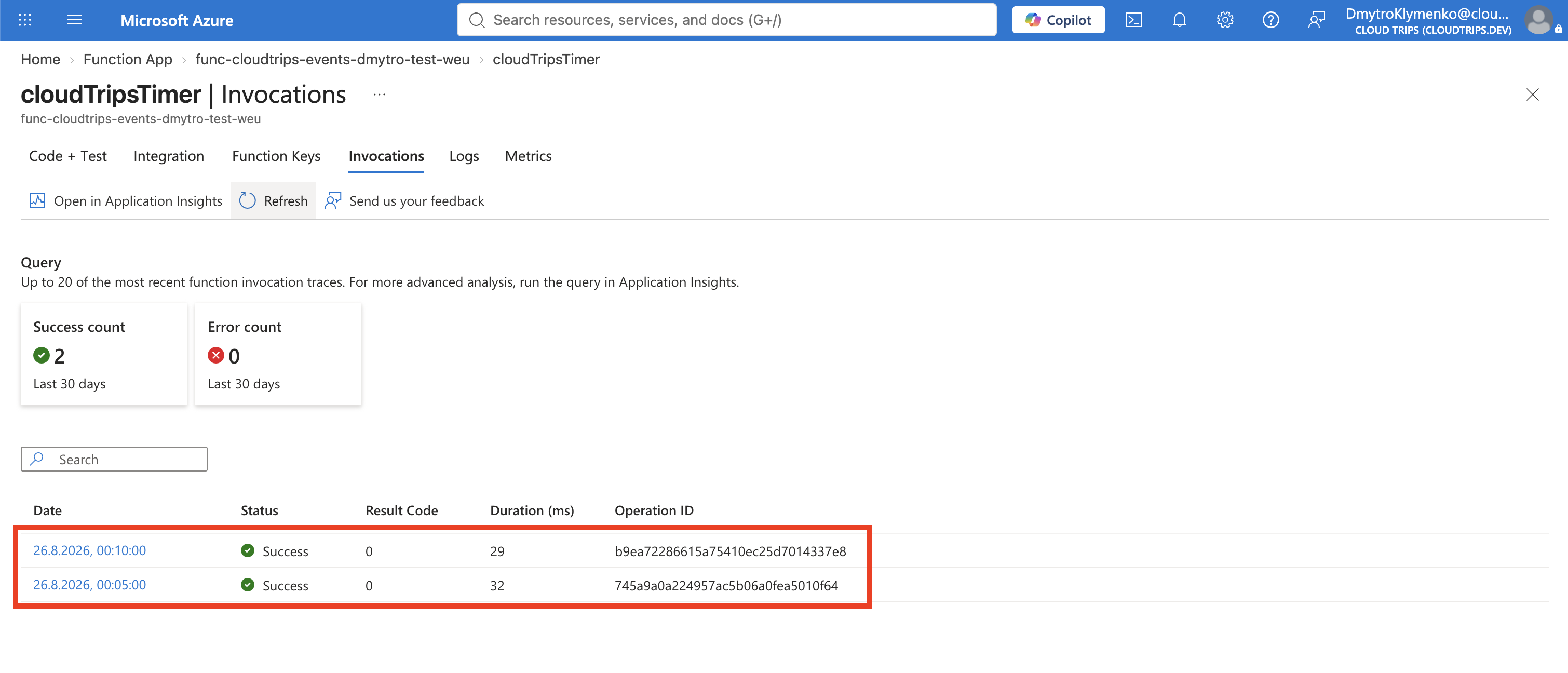
Wait at least five minutes. Open cloudTripsTimer, select Monitor, and open
Invocations. Application Insights ingestion can take several minutes, so
refresh until a successful invocation appears. Open it and confirm its logs
include:
CloudTrips scheduled job ran atThe timer has no public URL. The Functions host invokes it from the CRON schedule and records the execution in Application Insights.
Clean Up
Delete the standalone resource group to remove the Function App, storage, monitoring resources, and any continuing charges:
az group delete \
  --name rg-cloudtrips-functions-test-weu \
  --yes
Confirm that it is gone:
az group exists --name rg-cloudtrips-functions-test-weuExpected result: false.