PostgreSQL Needs High Availability? Configure PostgreSQL HA
If the server handling your shop’s database fails, customers lose access until it recovers. A failure affecting its entire availability zone can interrupt service for longer. You need another server ready to take over with the committed data. High availability (HA) maintains a synchronously replicated standby; zone-redundant HA places it in a different zone within the same region. Azure promotes the standby when a failure requires it.
Reuse Your PostgreSQL Server
Use pg-ctappweu, database appdb, and the products table from Create PostgreSQL Server, in rg-cloudtrips-pg-test-weu. Recreate them if deleted. Keep your ctadmin password and existing VS Code connection.
Open pg-ctappweu → Compute + storage. Change Burstable to General Purpose and choose a small available size, such as 2 vCores. Keep the existing storage size, review the price, and save. Wait for the operation to finish; changing compute can briefly interrupt connections. HA requires General Purpose or Memory Optimized.
Add the Standby
Open pg-ctappweu → Settings → High availability. Set Zonal resiliency: Enabled. If your portal presents an HA mode selector, choose Zone redundant. Select Save, review the standby’s additional cost, and confirm Enable high availability.
If Azure offers a same-zone fallback because cross-zone capacity is unavailable, it can still provide server-level failover. Check the resulting mode: protection against a whole-zone outage requires primary and standby in different zones.
Wait until the HA status is Healthy.
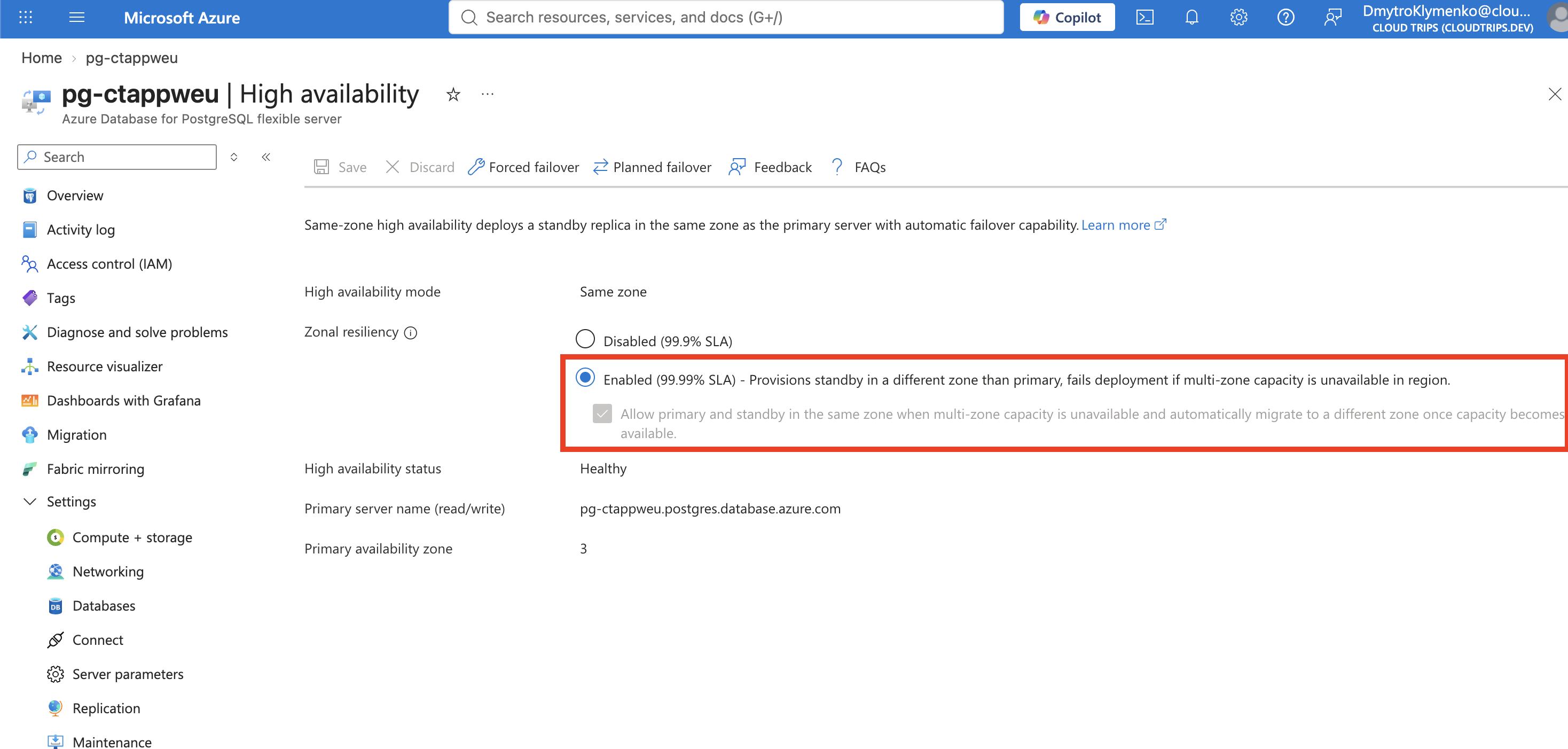
In this capture, High availability mode: Same zone, status: Healthy, and Primary availability zone: 3 mean the primary and standby are in zone 3. The checked fallback allows same-zone placement while cross-zone capacity is unavailable, with automatic migration when capacity becomes available. Zone numbers and mode can differ between deployments. For Zone redundant, check that primary and standby zones differ. The standby receives transaction logs synchronously before commits are acknowledged, preserving committed transactions during failover. It serves as the failover target; read-heavy workloads use separate read replicas.
Test a Planned Failover
First, connect to appdb in VS Code and run the query below to confirm the product row is present. Then, on High availability, choose Planned failover → Initiate planned failover. Existing sessions disconnect during the switch.
Wait for completion and refresh the HA page.
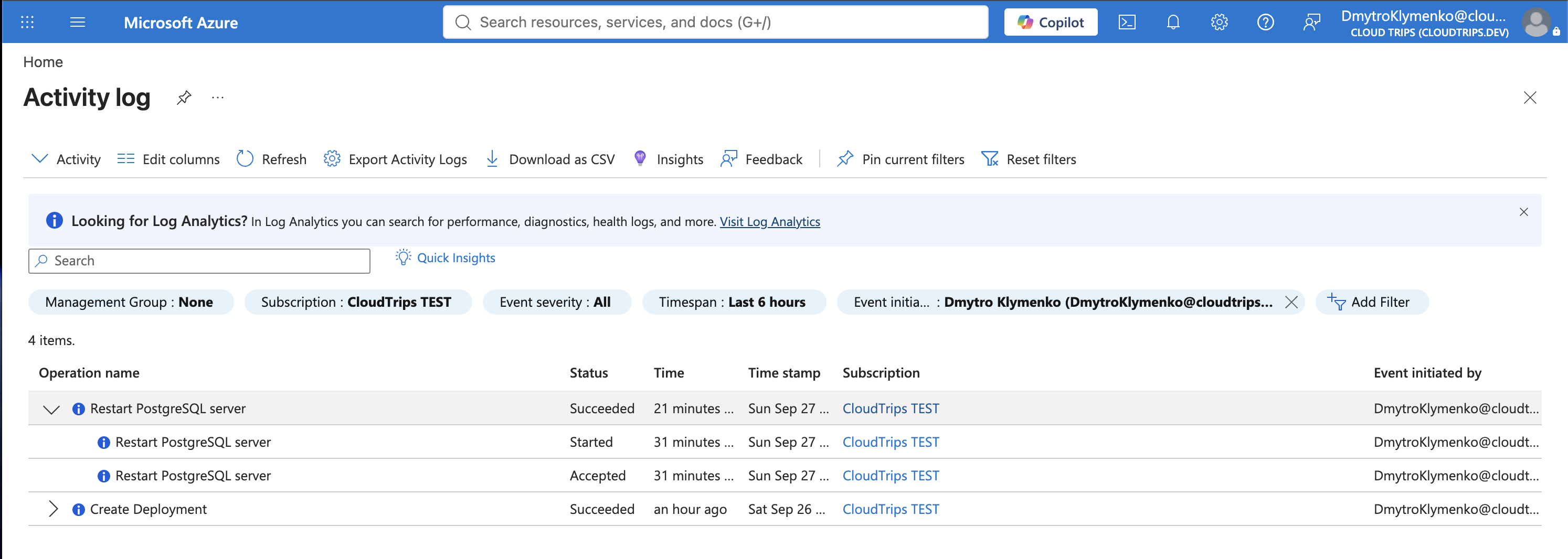
With Same zone, the zone number stays the same. Check the successful failover notification and Healthy status, then verify the database connection below. With Zone redundant, the primary and standby zones should have swapped roles.
Reconnect through the same address, pg-ctappweu.postgres.database.azure.com, database appdb, and run:
SELECT current_database() AS database_name,
       pg_is_in_recovery() AS is_standby;
SELECT product_id, name, price FROM products;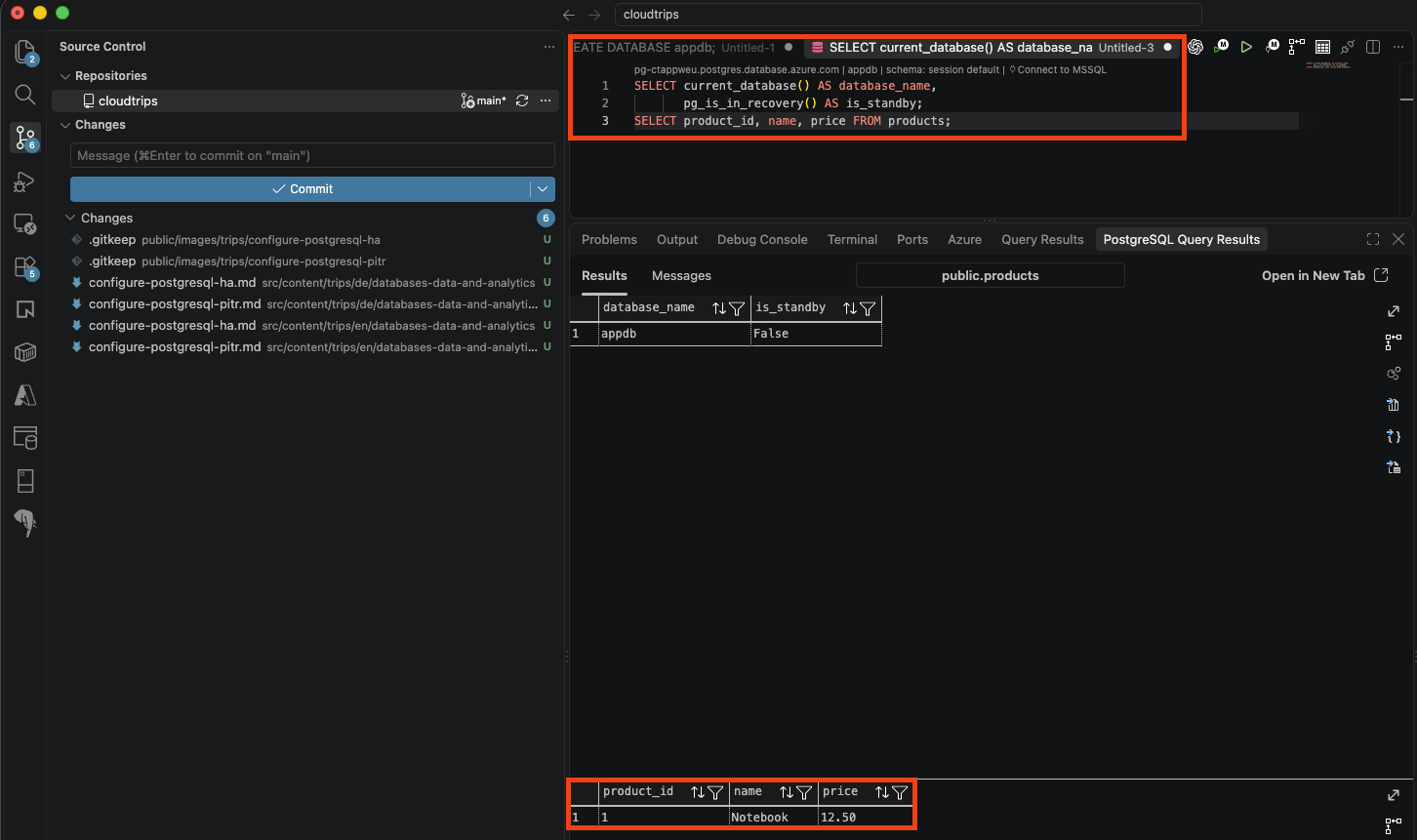
Expect appdb, false, and the original Notebook / 12.50 row. false means this connection reached the primary. The endpoint stays the same while Azure changes the server behind it; applications need connection retry handling. This test verifies reconnection and data access after a planned switch.
Allow 15–20 minutes and wait for healthy HA before another failover so the new standby can become ready.
Keep or Reduce Lab Costs
Keep the server for the PITR and read-replica trips. To reduce cost between labs, disable HA and wait for completion before scaling back to Burstable B1ms. Read replicas will require an eligible compute tier again. Alternatively, delete rg-cloudtrips-pg-test-weu when all exercises are complete.