Cache Data Must Persist? Configure Redis Persistence
Rebuilding a large cache after a failure can flood the database with requests and slow the app. Redis normally serves data from memory. Persistence saves data on disk so Azure can rebuild the same cache after a failure.
Reuse redis-ctappfc, in rg-cloudtrips-redis-test-fc, France Central, from the Redis creation trip. Keep active geo-replication disabled for this persistence setup.
Enable High Availability on the Existing Cache
Persistence requires High availability (HA). HA maintains a replica to take over when a node fails; persistence provides disk-based recovery. The previous lab disabled HA to reduce cost. Enabling it adds replica capacity and increases the price; review the HA price for your current size first. Once enabled, HA stays enabled for this instance.
If HA is already enabled, continue to the next section. Otherwise, open Azure Portal Cloud Shell, select Bash, and confirm the selected subscription contains your cache. Run:
az redisenterprise update \
  --resource-group rg-cloudtrips-redis-test-fc \
  --name redis-ctappfc \
  --high-availability Enabled \
  --query '{name:name,highAvailability:highAvailability,provisioningState:provisioningState}' \
  --output table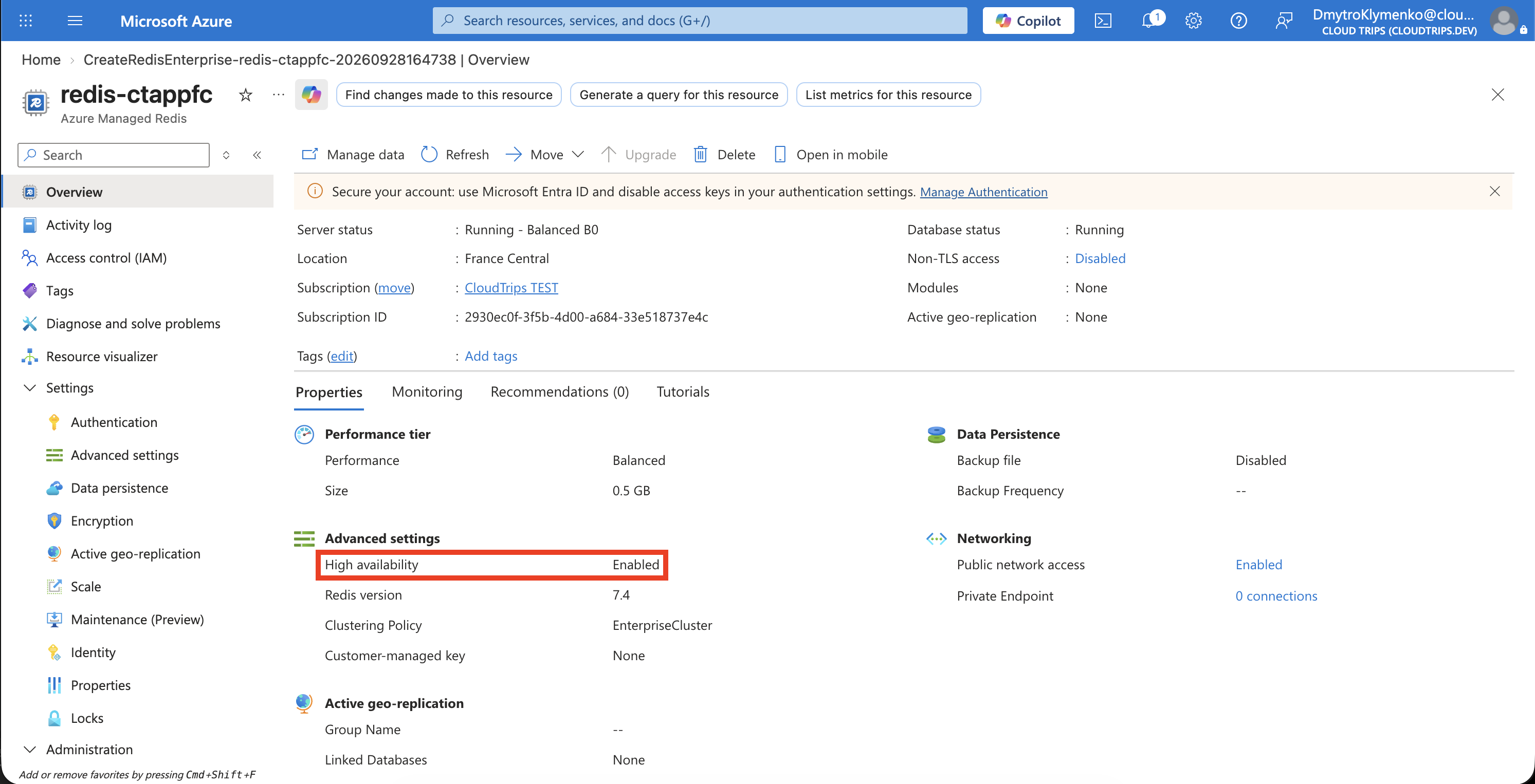
Wait for completion. Check redis-ctappfc, Enabled, and Succeeded; then confirm the cache is Running in Overview. This updates the existing instance. If Azure returns InsufficientCapacity, keep the existing cache and retry when capacity is available, or review a larger supported size and its cost.
Choose the Persistence Method
| Method | How it works | Tradeoff |
|---|---|---|
| RDB — Redis Database | Saves periodic snapshots. | Lower overhead; recovery uses the latest completed snapshot. |
| AOF — Append Only File | Logs writes and flushes to disk every second. | More processing overhead, with a smaller recent-data loss window. |
Choose AOF for this lab. Open redis-ctappfc → Settings → Data persistence, select AOF, keep the offered every-second frequency, and Save. Wait for the update to finish and reopen the page.
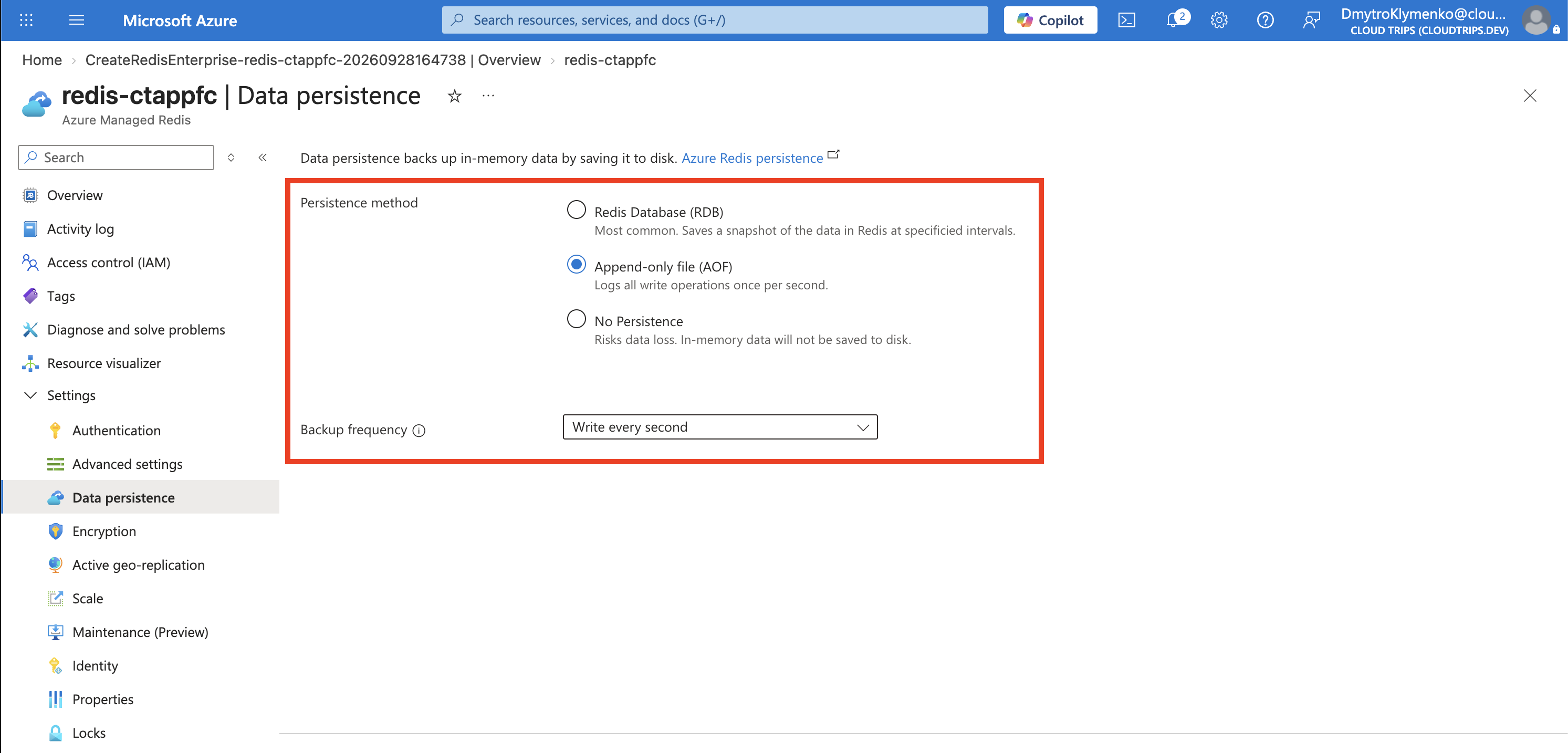
Check AOF is saved. Azure manages the persistence disk and automatically uses it for recovery. This verifies configuration; testing recovery requires a separate controlled failure exercise.
Persistence also records unwanted changes. Use exported backups when you need a separate recoverable copy. TTL expiration and eviction still apply to persisted keys, so the earlier 120-second sample expires as configured.
Finish
Keep the same cache for the next trip. You can disable persistence under Data persistence when finished; HA capacity continues to be billed. Delete rg-cloudtrips-redis-test-fc when you have finished all Redis exercises.