App Needs NoSQL Globally? Create Cosmos DB Account
A shopping app stores products with different attributes: books have authors, while clothing has sizes. As users spread across countries, requests to one distant database also add delay. Azure Cosmos DB for NoSQL stores flexible JSON documents and can replicate them to regions near users. This trip creates the account and tests document storage in West US 2; additional regions can be configured afterward.
Create the Account
In the Azure portal, open Azure Cosmos DB → Create → Azure Cosmos DB for NoSQL:
Resource group: rg-cloudtrips-cosmos-test-eus (new)
Account name: cosmos-ctappeus (globally unique)
Location: West US 2
Capacity mode: Provisioned throughput
Apply free tier discount: Apply, if available
Availability zones: Disable
Free tier is available for one account per subscription and must be selected during creation. Keep this lab in one region and review the displayed costs. Use Public endpoint (all networks) for this portal lab, retain the default Session consistency, and select Review + create → Create. Data access still requires authorization; production networking can restrict where clients connect from.
After deployment, open the account’s Overview.
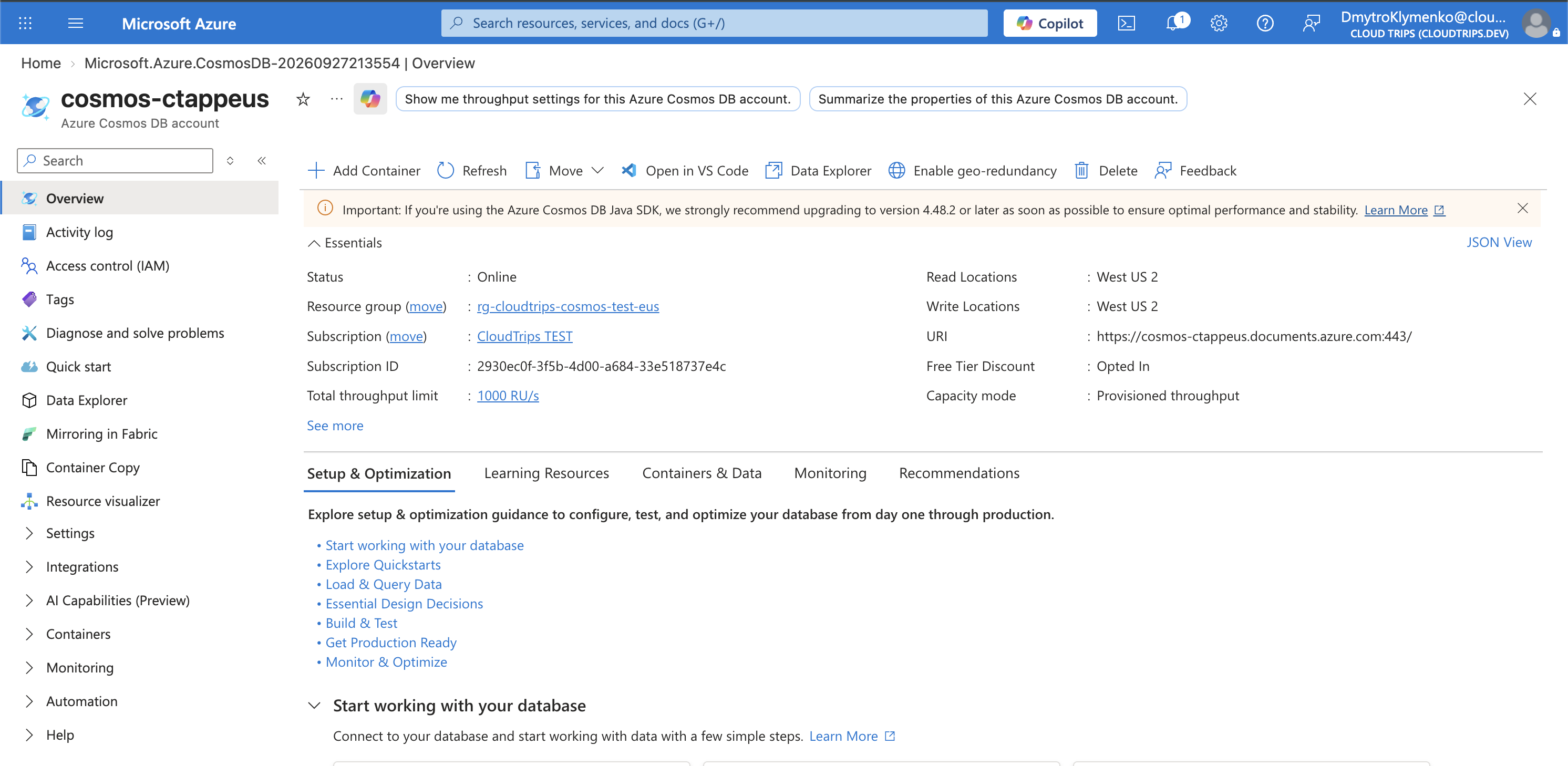
Check the account name, API, and region. The account provides the endpoint that applications use to reach its databases.
Create a Container
Open Data Explorer → New Container:
Database id: appdb (Create new)
Container id: products
Partition key: /category
Container throughput: Autoscale
Container Max RU/s: 1000
If Share throughput across containers appears, leave it unchecked. Select OK to create the container.
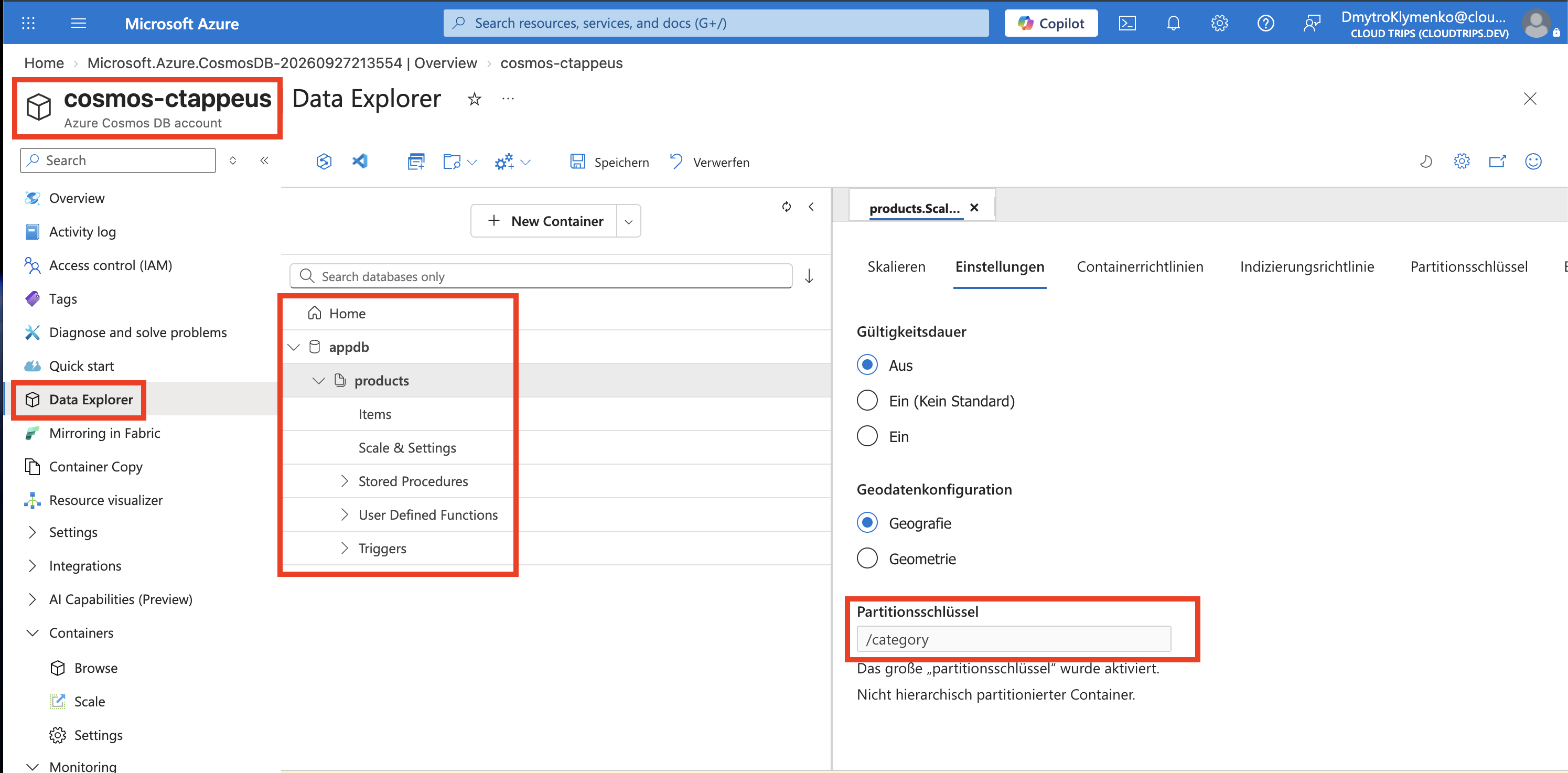
Check products, /category, and the throughput setting. A container holds documents; the partition key groups documents by a property so Cosmos DB can distribute data and work. Here, products with the same category share a logical partition. For a large catalog, choose a key with many well-distributed values. Request Units (RU) measure operation cost; RU/s expresses throughput capacity, with autoscale adjusting it up to the configured maximum.
Store and Query a Product
Expand products → Items → New Item, replace the editor contents with this document, and select Save:
{
  "id": "product-1",
  "category": "stationery",
  "name": "Notebook",
  "price": 12.50
}
The string id identifies the item within its partition; category supplies the partition-key value. Select New SQL Query, then execute:
SELECT c.id, c.name, c.price
FROM c
WHERE c.category = 'stationery'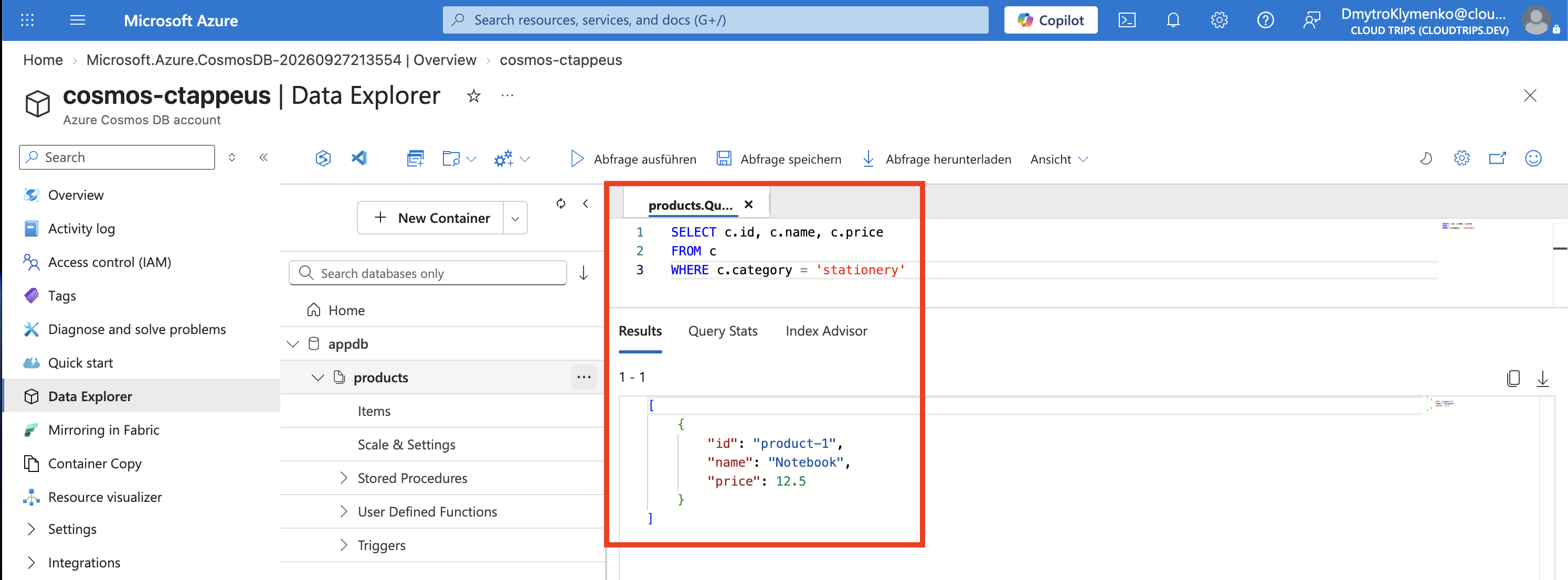
Expect one item: product-1, Notebook, and 12.5. JSON may display 12.50 as 12.5. This confirms the document was saved and can be queried. The SQL-style query operates on the JSON documents in this container.
Clean Up
Keep the account for the next Cosmos DB trip, or delete rg-cloudtrips-cosmos-test-eus. Provisioned capacity can incur charges while idle when it exceeds the applicable free-tier allowance.