Read-Heavy PostgreSQL App? Create Read Replica
Customers place orders while reports repeatedly scan the same database. Those reads compete with checkout queries for CPU, memory, and disk access, slowing the application. A read replica provides a separate PostgreSQL server for reporting and other read queries. It receives changes asynchronously from the primary, so the application chooses where to send each query and accepts a possible delay in replicated data.
Use Your Existing Server
Use pg-ctappweu in rg-cloudtrips-pg-test-weu, with database appdb from Create PostgreSQL Server.
Under Compute + storage, confirm General Purpose or Memory Optimized. If you returned to Burstable after the HA trip, change to a small General Purpose size and wait for completion. Existing HA can remain enabled; its standby provides failover, while this additional replica serves reads.
Create the Replica
Open pg-ctappweu → Settings → Replication → Create replica. Configure:
Resource group: rg-cloudtrips-pg-test-weu
Replica server name: pg-ctreadweu (globally unique)
Region: West Europe
Compute + storage: Match the source for this lab
Use a different name if taken. Review the extra compute and storage cost, then select Review + create → Create. Azure copies the source server’s databases, including appdb, and starts replication.
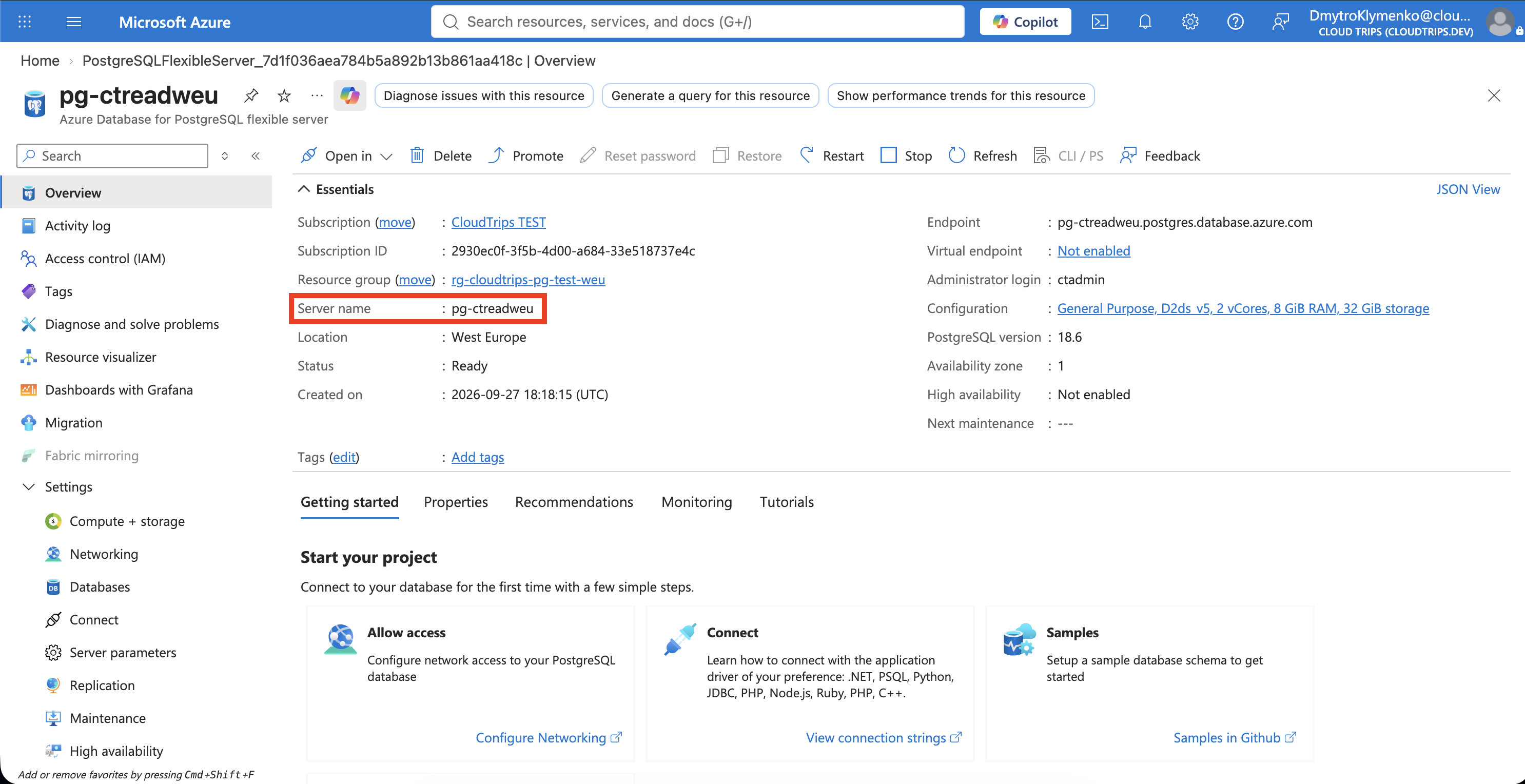
Check the source is pg-ctappweu, the new server is pg-ctreadweu, and the capacity matches your intended lab settings. The replica is separately billed.
Wait for deployment to finish and open the source’s Replication page.
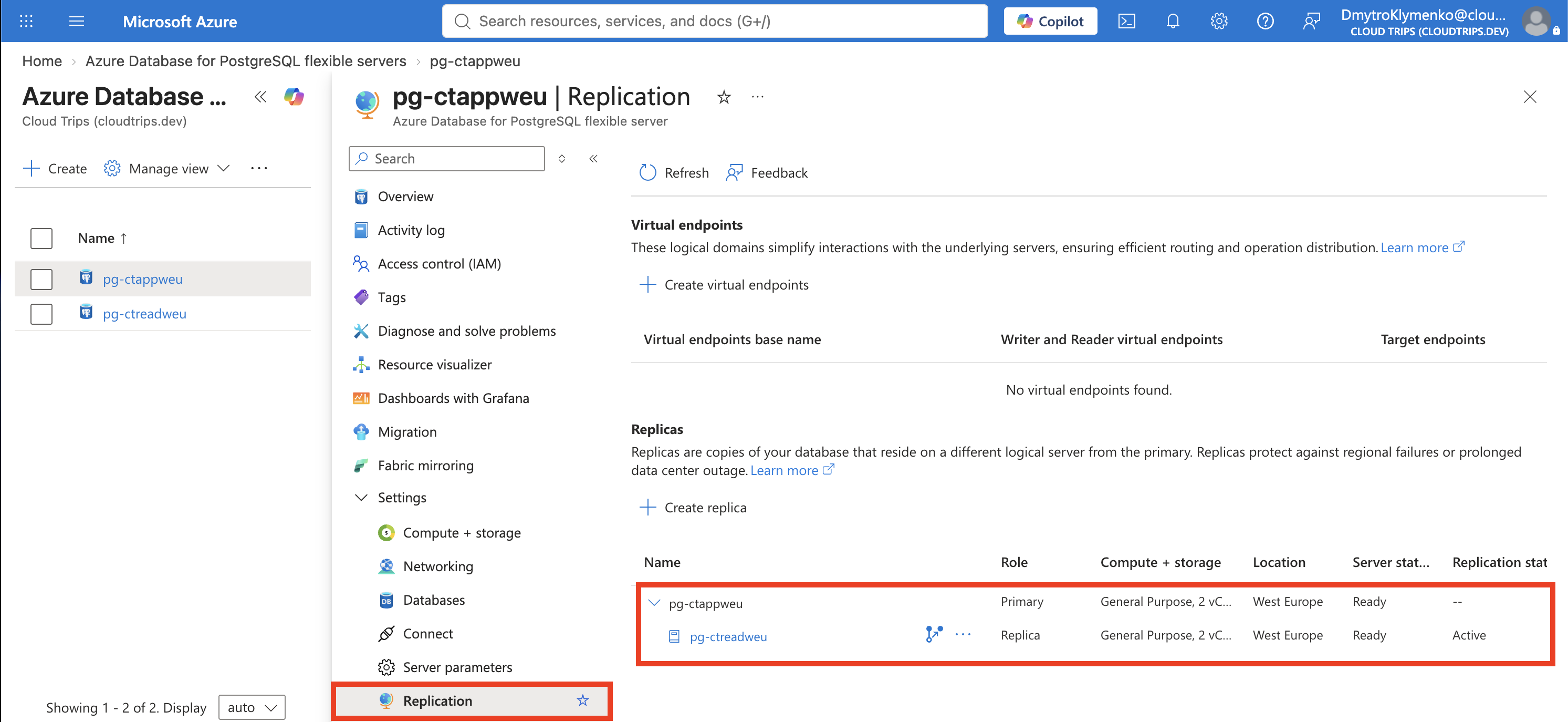
Confirm the replica is listed and its server reaches Ready. Initial copying can take time depending on data size.
Write on the Primary, Read on the Replica
In VS Code, open a query connected to pg-ctappweu → appdb and run:
CREATE TABLE IF NOT EXISTS replica_check (
    id integer PRIMARY KEY,
    note text NOT NULL
);
INSERT INTO replica_check VALUES (1, 'Written on primary')
ON CONFLICT (id) DO UPDATE SET note = EXCLUDED.note;
Successful execution writes a recognizable test row on the primary. Next, open pg-ctreadweu → Networking, check public access, and add your current client IP if needed.
Create a separate connection in Microsoft’s PostgreSQL extension:
Server: pg-ctreadweu.postgres.database.azure.com
Port: 5432
Database: appdb
User: ctadmin
Password: your source server's PostgreSQL admin password
SSL mode: Verify-Full
SSL root certificate mode: System
Open a new query from this replica connection and check the host displayed above the editor. Run:
SELECT current_database() AS database_name,
       pg_is_in_recovery() AS is_replica;
SHOW transaction_read_only;
SELECT * FROM replica_check;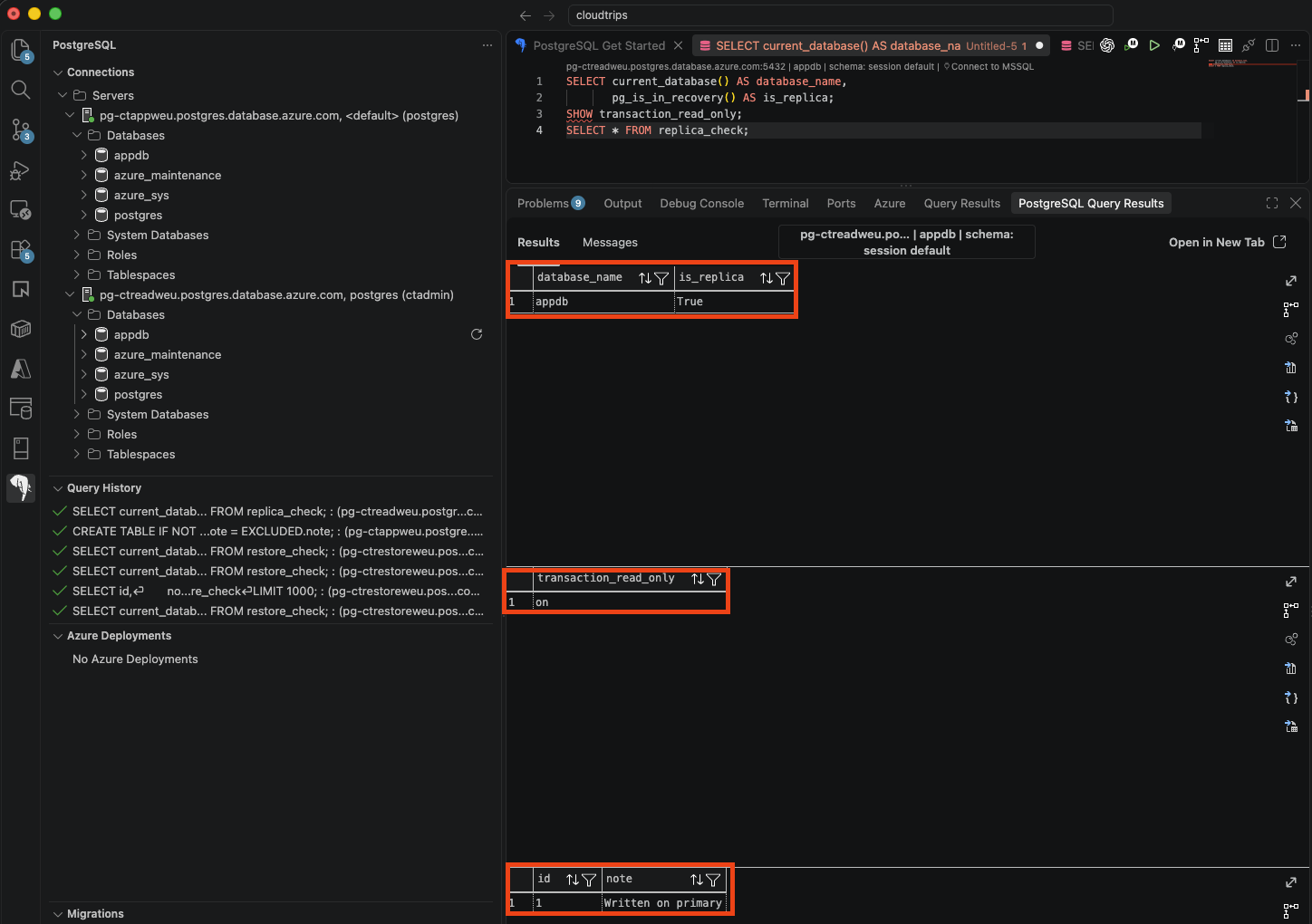
Expect appdb, is_replica = true, transaction_read_only = on, and 1 / Written on primary. If the table or row has yet to arrive, wait briefly and rerun. The primary accepts writes; the replica makes those changes available for reading after replication catches up.
Route the App’s Queries
Keep writes on pg-ctappweu and send reporting queries to pg-ctreadweu using a second application connection. Queries that must immediately see a just-written value should use the primary. Monitor Physical replication delay in the replica’s metrics to assess lag; a quiet lab may show little delay. The test confirms replication and read-only access; performance improvement depends on moving actual read workload to the replica.
Clean Up
Delete pg-ctreadweu when finished. The original pg-ctappweu and its data remain available. Keep the resource group for further labs; deleting it removes every server inside it.