Resources Must Only Be in Approved Regions? Assign Azure Policy
CloudTrips resources must only be deployed in approved Azure regions. Assign the built-in Allowed locations policy to Azure subscription 1.
Use:
Scope: Azure subscription 1
Policy definition: Allowed locations
Assignment name: CloudTrips - Allowed resource locations
Allowed locations: West Europe, Germany West Central
Policy enforcement: Enabled
Understand What the Policy Does
The built-in Allowed locations policy evaluates the location property of supported Azure resources. Its Deny effect blocks a create or update request when the selected region is not in the allowed list.
The assignment does not move or delete existing resources. Existing resources outside the approved regions can appear as non-compliant and must be reviewed separately.
Resource groups have their own location for storing deployment metadata. If their locations must also be restricted, assign the separate built-in policy Allowed locations for resource groups. This trip restricts resources only.
Some Azure services use the global location or have service-specific regional behavior. Review required global resources before deciding whether Global must also be permitted.
Start the Policy Assignment
In the Azure portal, open:
Policy
> Authoring
> Assignments
> Assign policy
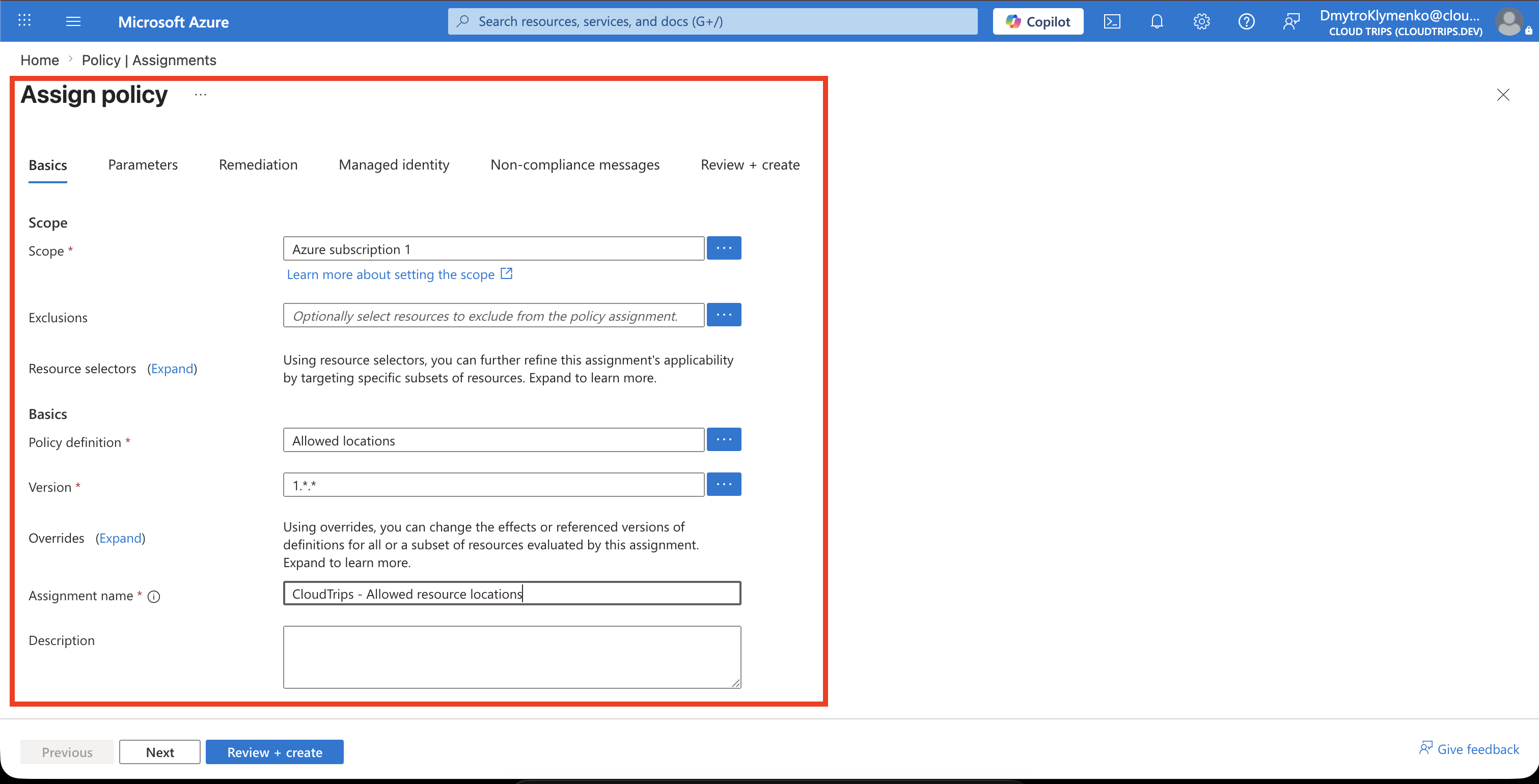
On Basics, configure:
Scope: Azure subscription 1
Exclusions: None
Policy definition: Allowed locations
Assignment name: CloudTrips - Allowed resource locations
Policy enforcement: Enabled
Selecting the subscription as the scope applies the policy to its resource groups and resources. Add an exclusion only when a documented exception has been approved.
Select the Approved Regions
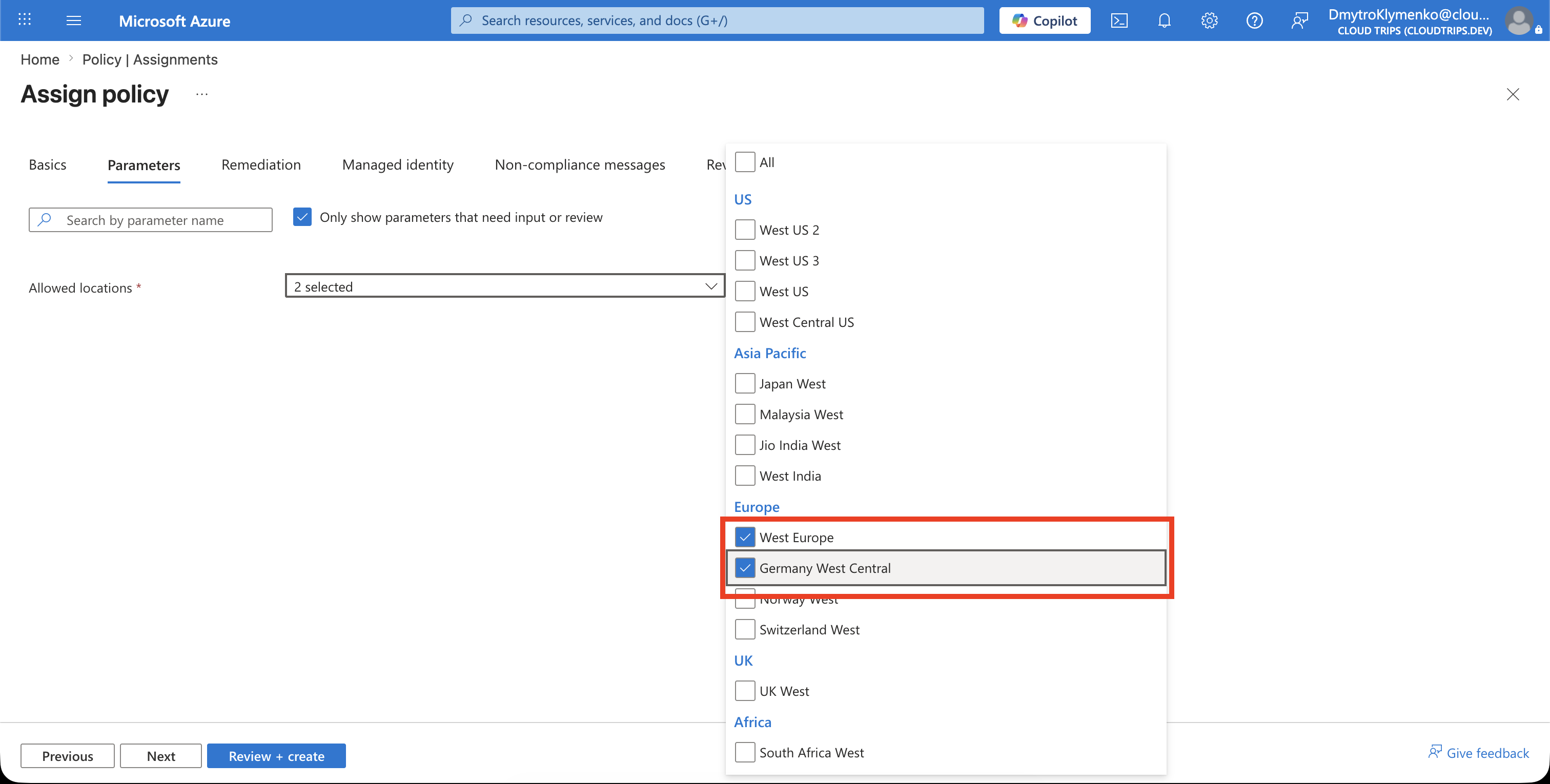
Open Parameters and select:
Allowed locations:
- West Europe
- Germany West Central
Only select regions approved for CloudTrips workloads. The list uses Azure locations, not resource-group names or availability zones.
Review and Create the Assignment
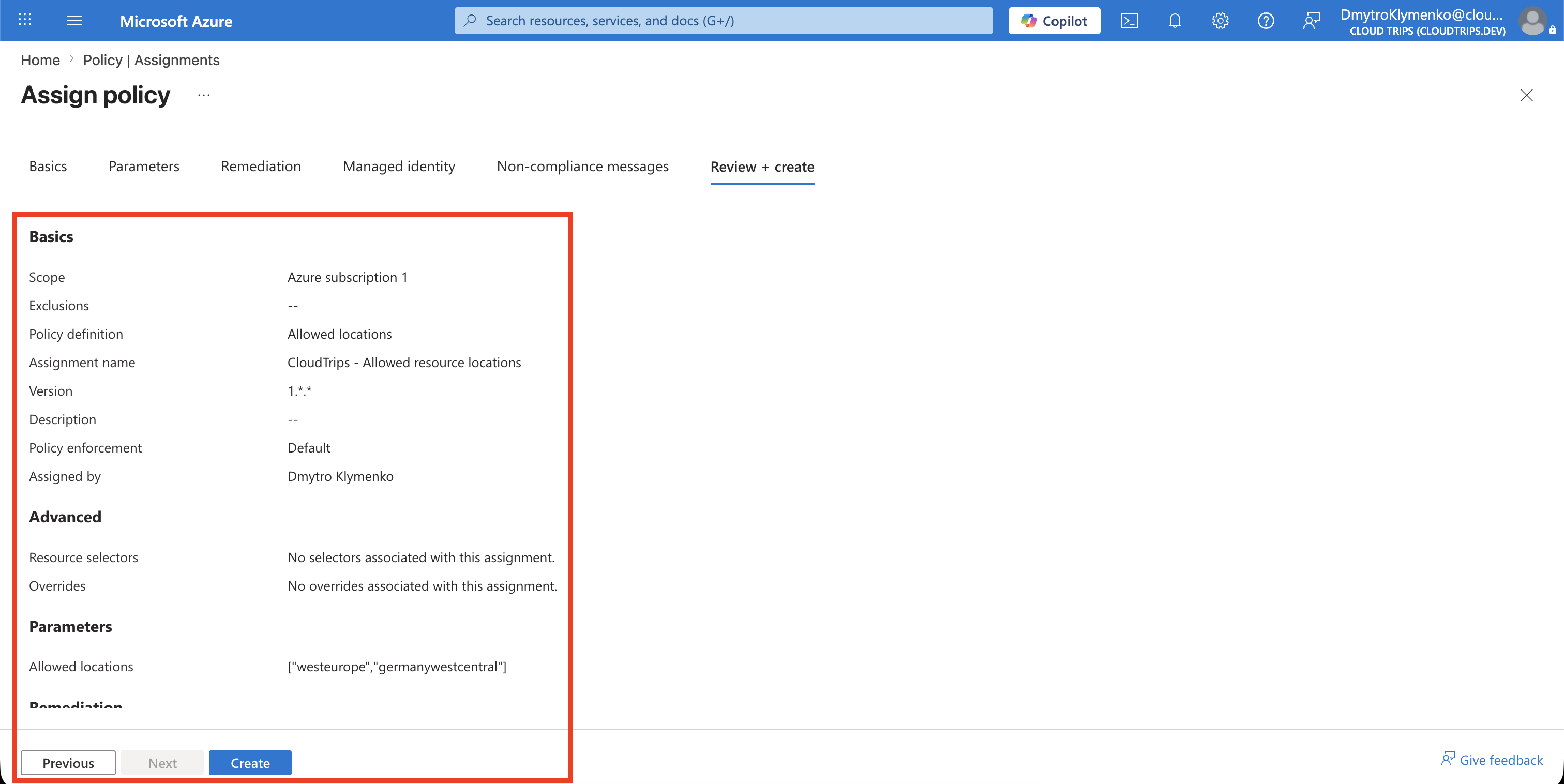
No managed identity or remediation task is required for this Deny policy because it does not modify resources.
Add a non-compliance message if the portal provides the option:
CloudTrips resources may only be deployed in West Europe or Germany West Central.Select Review + create, verify the scope, definition, enforcement, and parameters, and then select Create.
Check Compliance
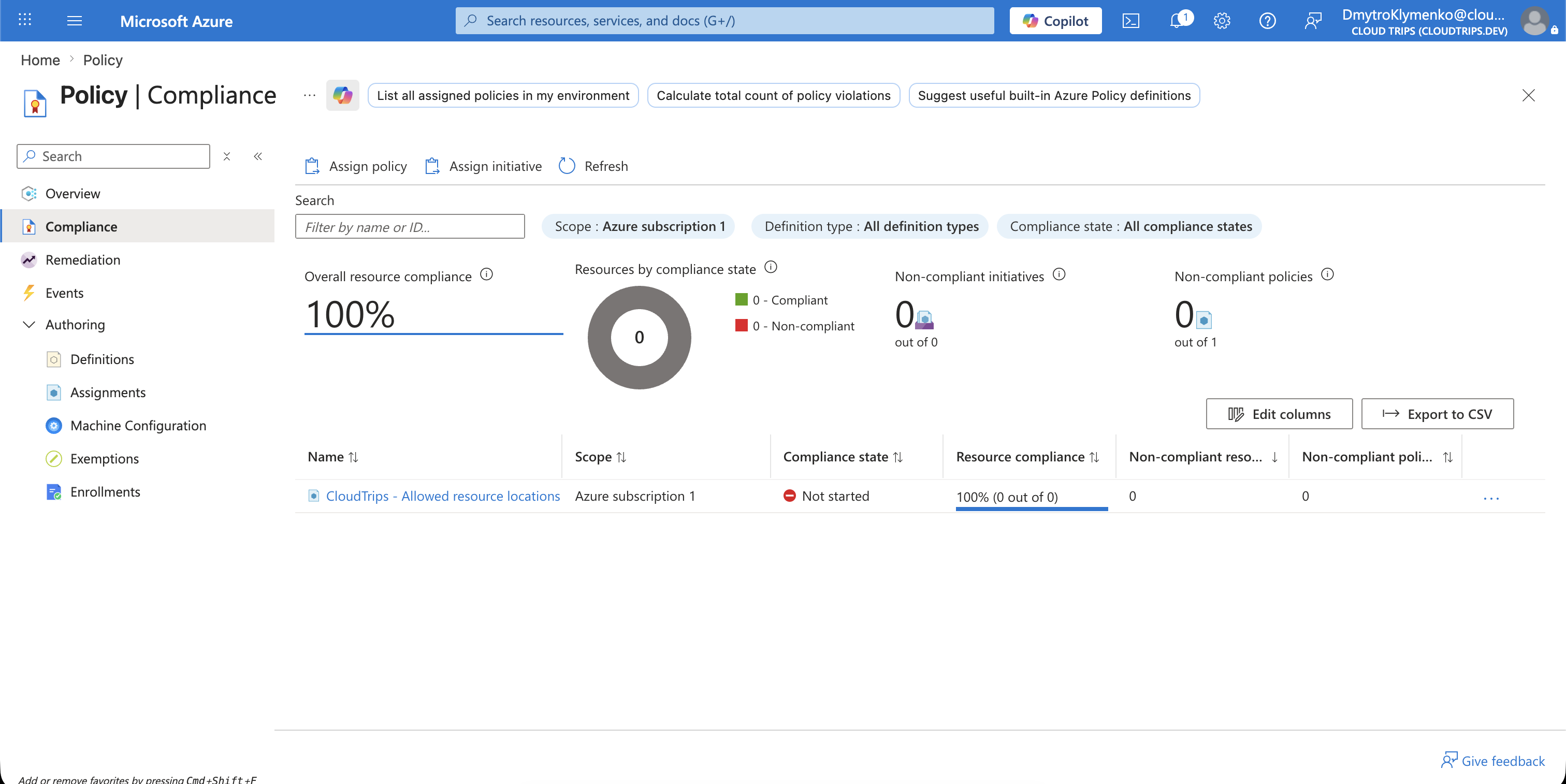
Policy evaluation is not always immediate. After Azure evaluates the assignment, open:
Policy
> Compliance
> CloudTrips - Allowed resource locations
Review compliant and non-compliant resources. A non-compliant existing resource is reported but is not automatically relocated or deleted.
Test the Restriction
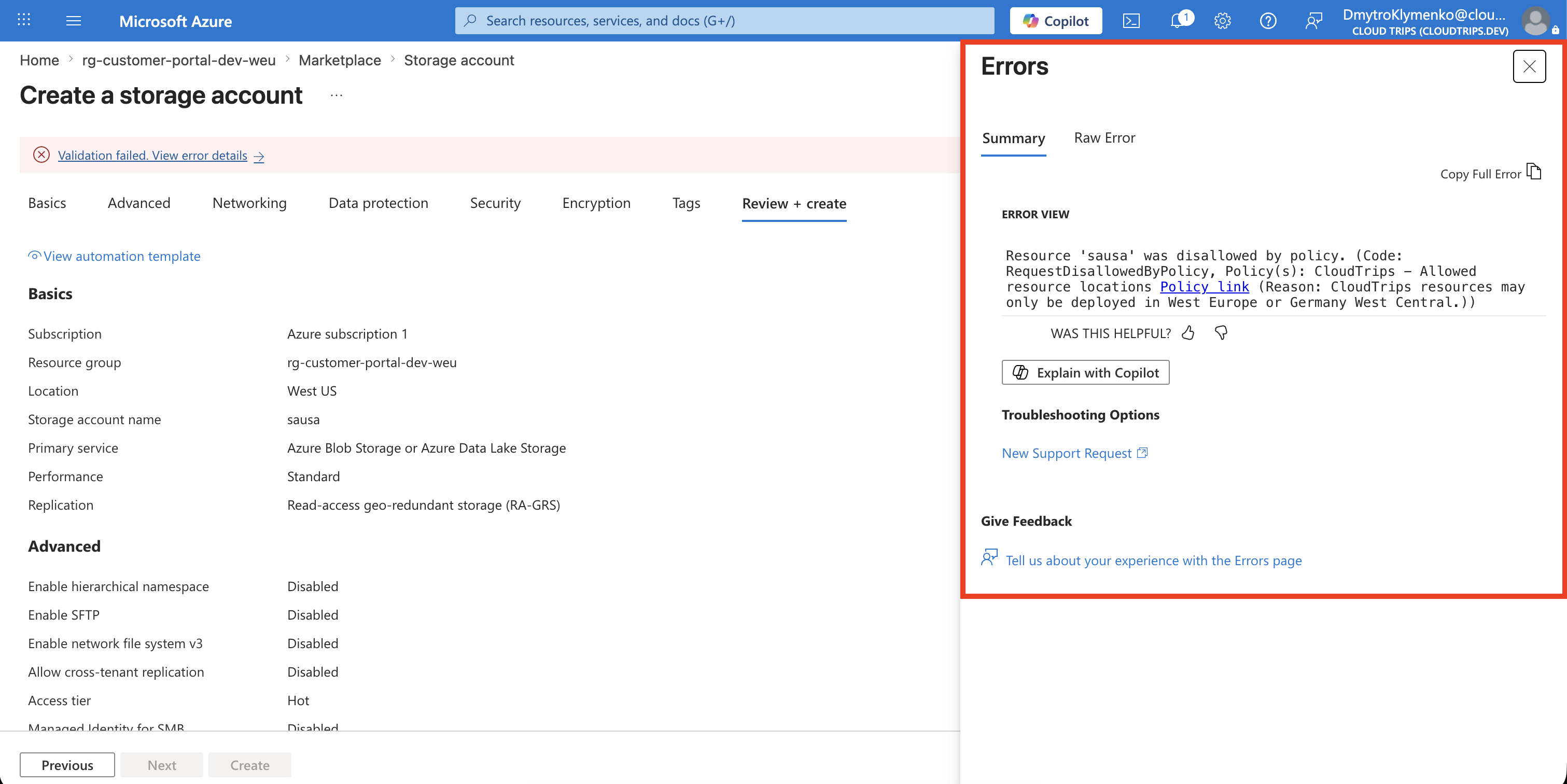
Start creating a temporary storage account in an unapproved region such as East US. Use the existing resource group rg-customer-portal-dev-weu, but do not expect the deployment to succeed.
Azure should deny the deployment and show the policy assignment in the error details. Stop after confirming the denial; no temporary resource should be created.
Repeat the validation with West Europe only if a real resource is required. Approved location does not bypass RBAC, quota, naming, locks, or other Azure Policy assignments; those controls are evaluated separately.
New supported resources in Azure subscription 1 are now restricted to the approved CloudTrips regions.