Need Access to Only One Resource? Assign a Role at Resource Scope
A user needs to view one storage account, not every resource in its resource group.
Assign Azure RBAC at the individual resource:
Resource: stcloudtripsdev01
Role: Reader
User: Joe Doe
Open the Resource
In the Azure portal, open:
Storage accounts
> stcloudtripsdev01
> Access control (IAM)
> Add
> Add role assignment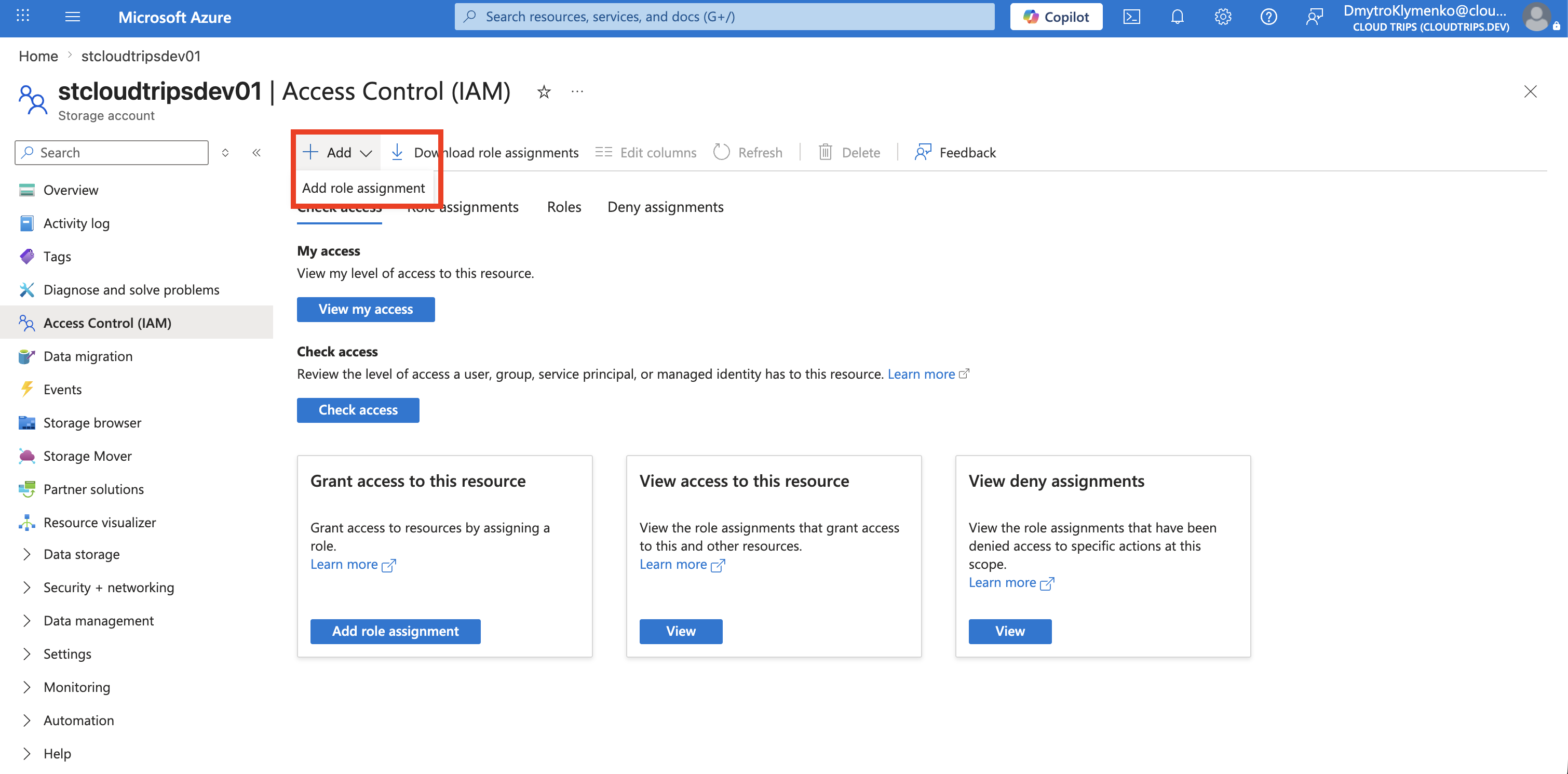
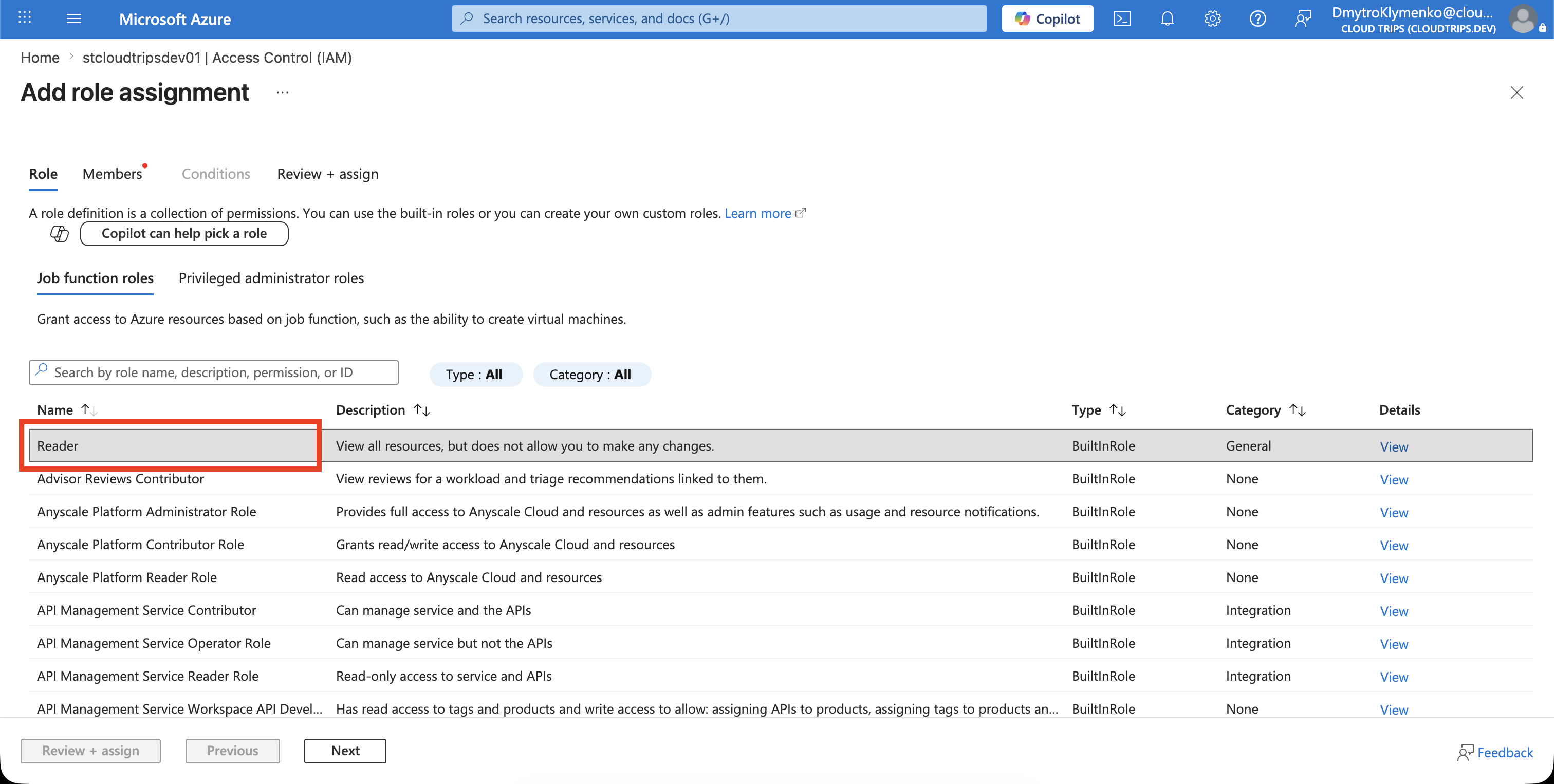
Assign Reader
On Role, select Reader.
On Members, select User, group, or service principal, then choose Joe Doe.
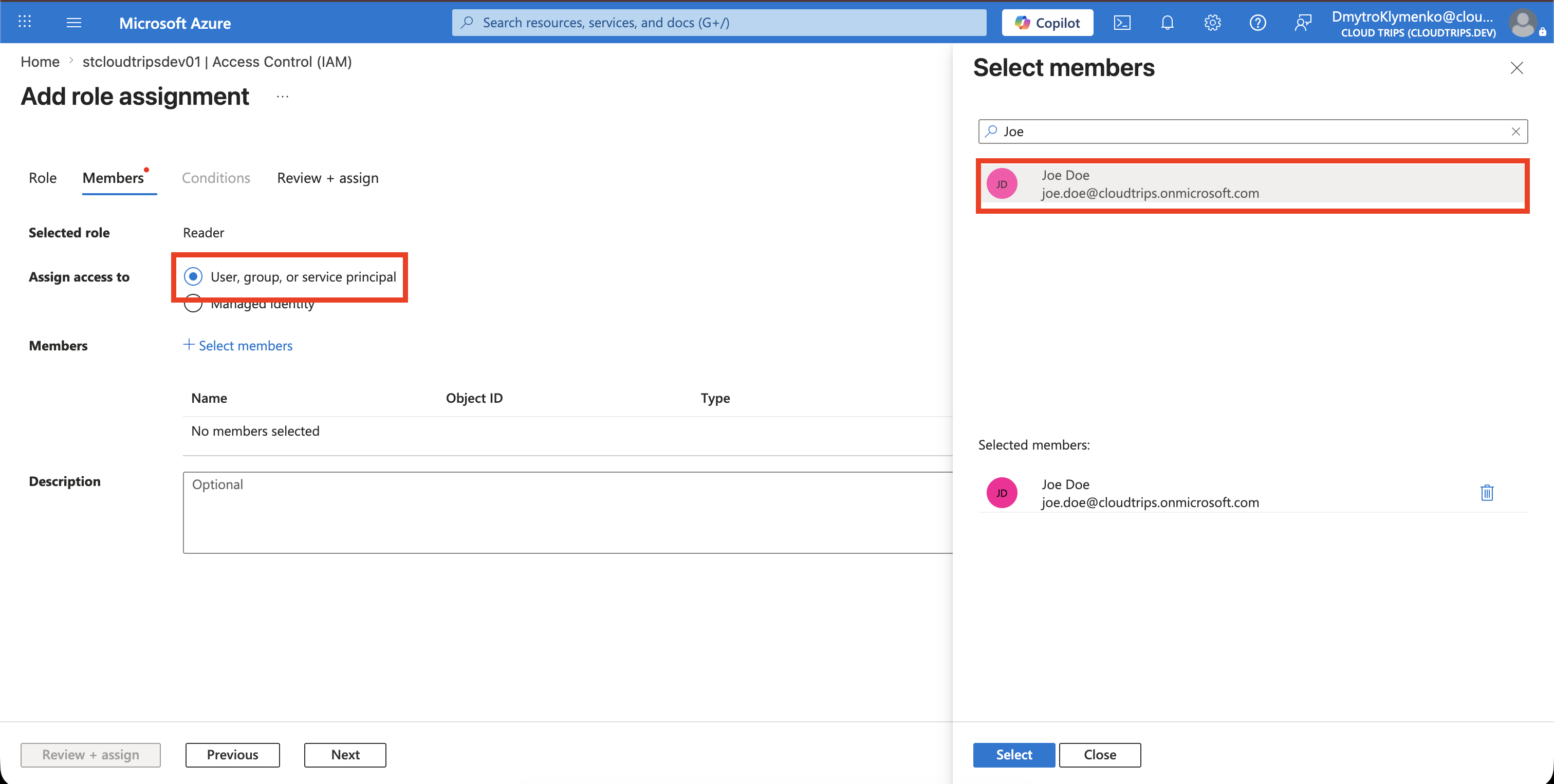
Review the assignment and select Review + assign.
Verify the Scope
Return to Access control (IAM) > Role assignments and confirm:
Role: Reader
Scope: This resource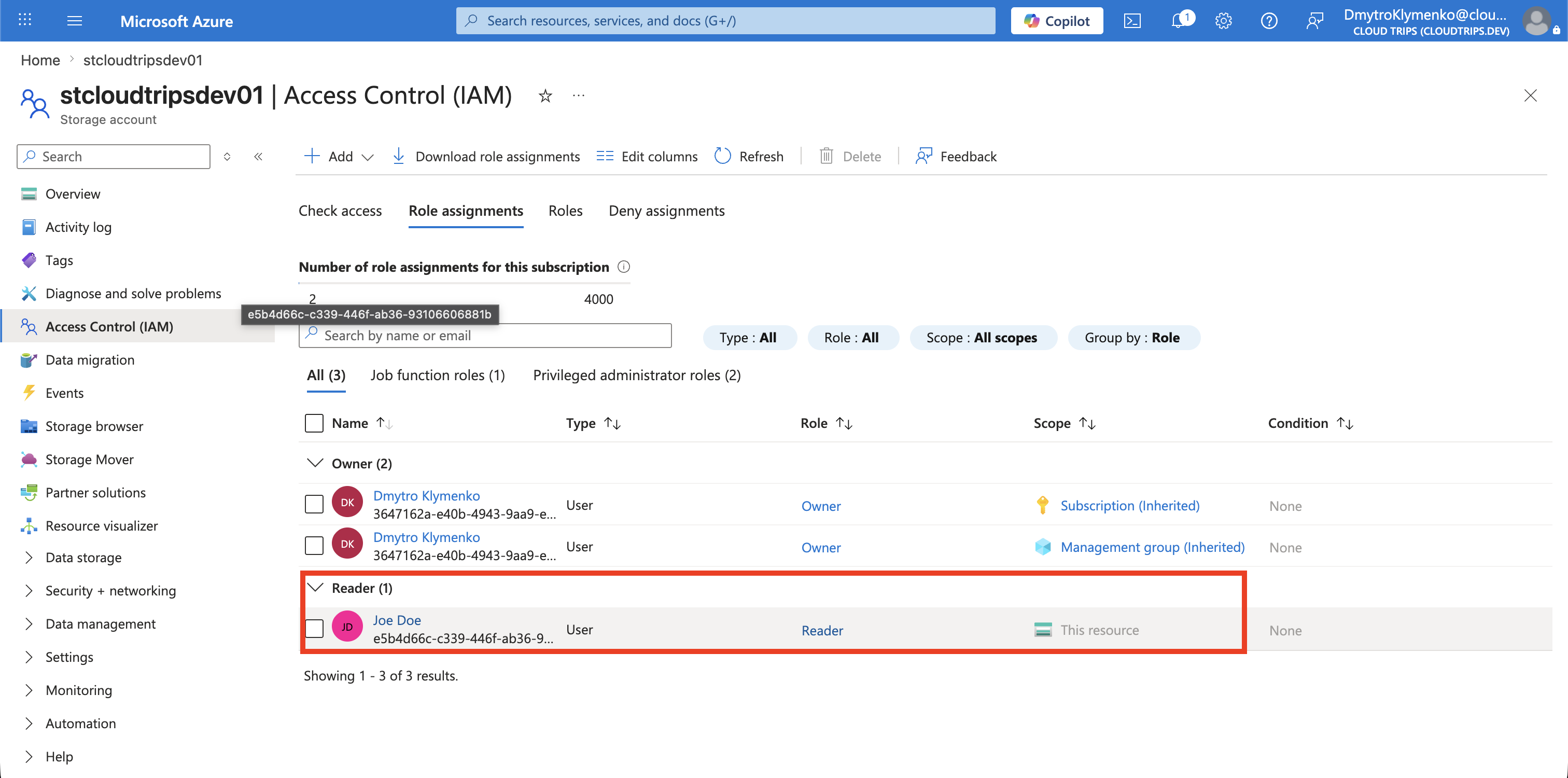
Joe can now view the stcloudtripsdev01 storage account configuration without receiving access to the other resources in rg-customer-portal-dev-weu.
The Reader role does not grant access to blob or file data. Assign a suitable storage data role separately if Joe must read stored data.
Assignments inherited from the subscription or resource group still apply. A resource-level assignment cannot remove broader access the user already has.