Cloud Adoption Needs Standard Patterns? Configure CAF Archetypes
CloudTrips has DEV and TEST subscriptions under Online, but a hierarchy alone does not make their governance consistent. Rules assigned separately to each subscription can drift over time.
CAF stands for the Microsoft Cloud Adoption Framework. It provides guidance for planning, adopting, governing, and managing cloud environments. Azure landing zones are part of its guidance for preparing subscriptions to host workloads.
A landing-zone archetype is a reusable governance pattern for one type of workload. It commonly combines a management-group scope with shared Azure Policy and RBAC assignments. It is not a separate Azure resource or portal page.
For CloudTrips:
CloudTrips
└── Landing Zones
    └── Online                    ← archetype scope
        ├── CloudTrips DEV        ← landing-zone subscription
        └── CloudTrips TEST       ← landing-zone subscription
DEV and TEST are environments, not separate archetypes. They belong under Online because they need the same basic governance pattern. Networking resources still remain inside each subscription.
Confirm the Archetype Scope
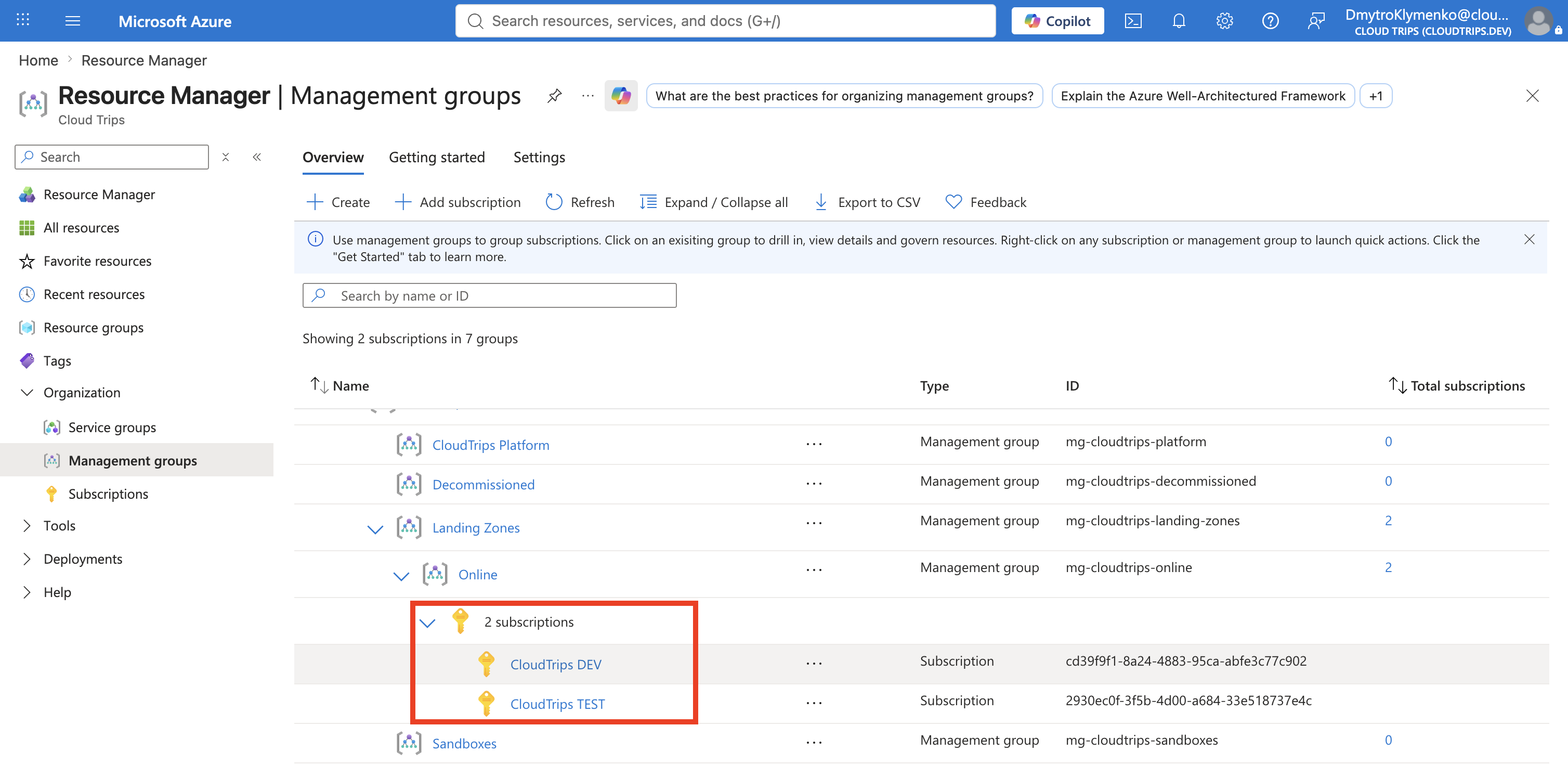
Open Management groups and confirm that CloudTrips DEV and CloudTrips TEST are both under Online.
Apply a Shared Baseline
Use one familiar rule to demonstrate the pattern. Open:
Policy
> Authoring
> Assignments
> Assign policy
Configure:
Scope: Online (mg-cloudtrips-online)
Policy definition: Allowed locations
Assignment name: CloudTrips Online - Allowed locations
Policy enforcement: Enabled
Allowed locations: West Europe, Germany West Central
No managed identity or remediation task is required because Allowed locations uses the Deny effect and does not modify resources.
Select Review + create, verify that the scope is Online, and select Create.
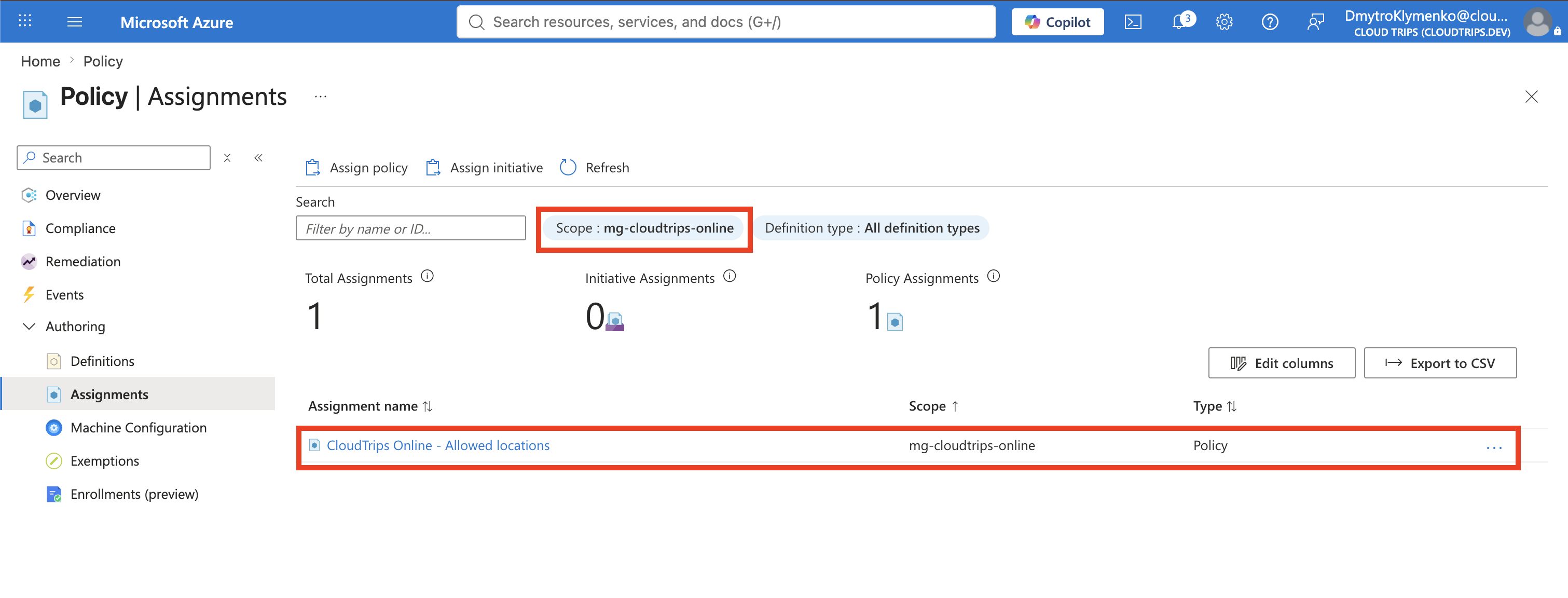
This single assignment is the beginning of the Online archetype. Other shared policy and RBAC assignments can be added at the same scope when required. In a full Azure Landing Zones infrastructure-as-code deployment, these assets can be collected in a formal archetype definition.1
Verify Inheritance
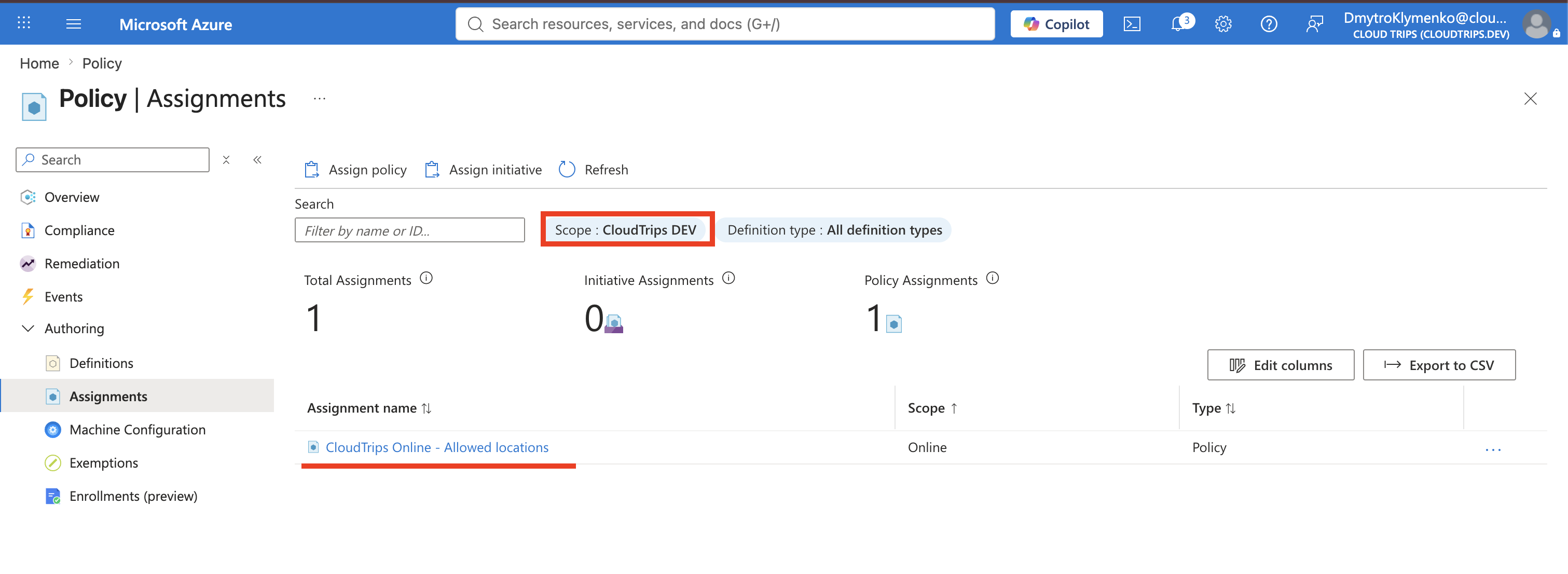
In Policy > Authoring > Assignments, set the scope filter first to CloudTrips DEV and then to CloudTrips TEST. Both subscriptions should show:
Assignment: CloudTrips Online - Allowed locations
Scope: Online
The subscriptions inherit the same rule because they share the same parent. Do not create separate DEV and TEST archetypes merely because they are different environments. Create another archetype only when a workload category has materially different requirements, such as a dedicated PCI environment.2
If an equivalent allowed-locations assignment still exists directly on DEV, remove it only after confirming that the inherited assignment has the same parameters. This leaves one shared control at Online instead of separate copies on every subscription.
The management group defines where the pattern applies, the shared assignments define the archetype, and DEV and TEST remain the actual landing-zone subscriptions.
Footnotes
-
Archetypes in the Azure Landing Zones library, Azure Landing Zones. ↩
-
Tailor Azure landing-zone archetypes, Microsoft Learn. ↩