Built-In Role Is Too Broad? Create a Custom Azure Role
A user needs to inspect, start, and restart virtual machines, but a built-in role grants additional permissions that the user does not need.
Create an Azure custom role containing only the required operations:
Role name: CloudTrips VM Operator
Can view virtual machines: Yes
Can start virtual machines: Yes
Can restart virtual machines: Yes
Can create, resize, or delete virtual machines: No
Can assign access: No
Create a custom role only after checking the available built-in roles. Built-in roles are maintained by Microsoft and should be preferred when one matches the requirement.
Understand Role Definitions
A role definition describes permissions but does not grant them to anyone. Access exists only after the role is assigned to a user, group, service principal, or managed identity at a scope.
Azure custom roles can contain:
Actionsfor allowed control-plane operationsNotActionsfor operations excluded from broad actionsDataActionsfor allowed data-plane operationsNotDataActionsfor excluded data-plane operationsAssignableScopesdefining where the role is available for assignment
Avoid broad wildcard permissions when explicit actions are sufficient. Wildcards can also include new operations added by a resource provider later.
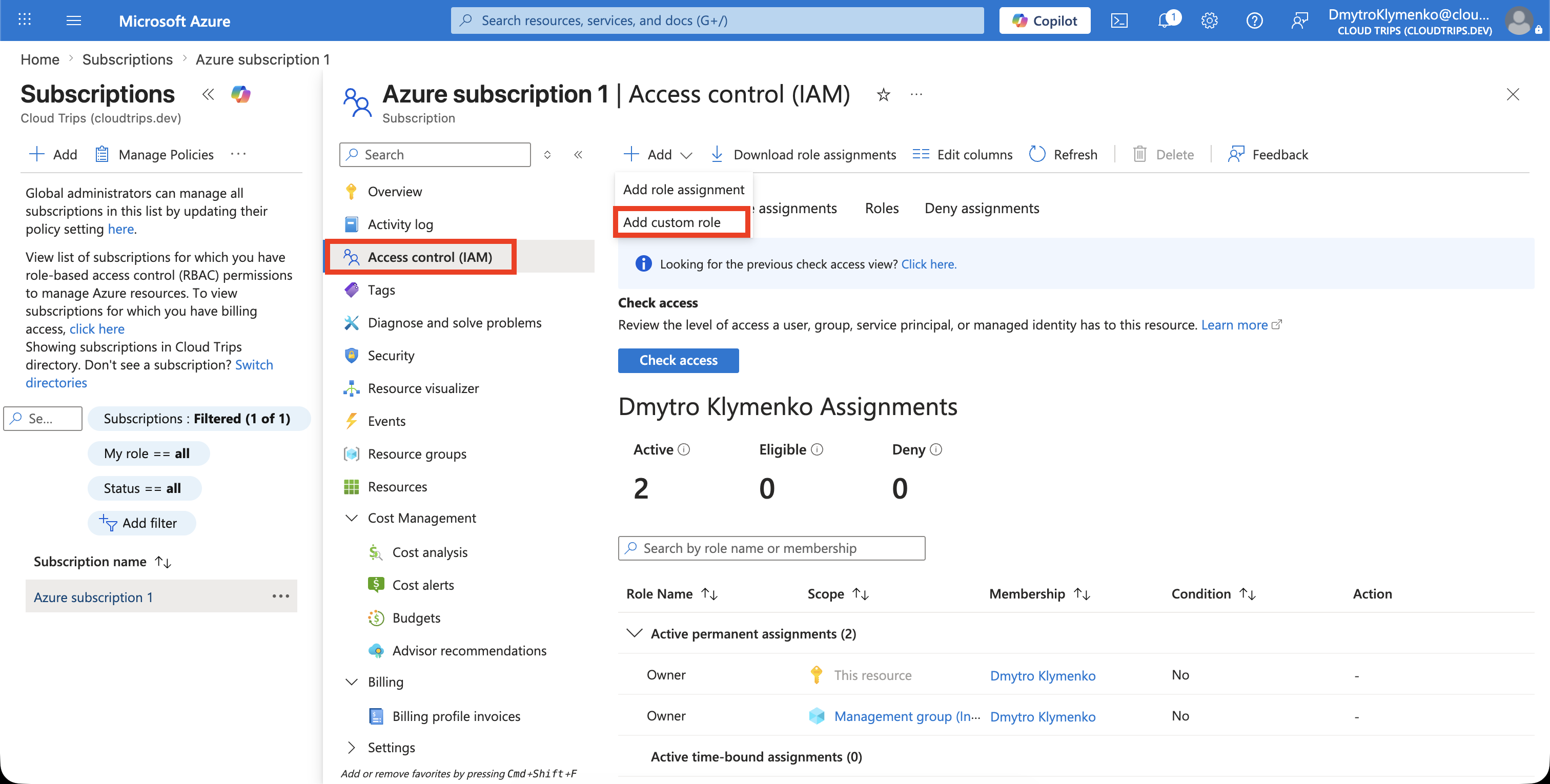
Open the Roles List
In the Azure portal, open:
Subscriptions
> Azure subscription 1
> Access control (IAM)
> Roles
Select:
+ Add > Add custom roleYou need permission to create custom roles, such as Owner or User Access Administrator, at the relevant scope.
Define the Role
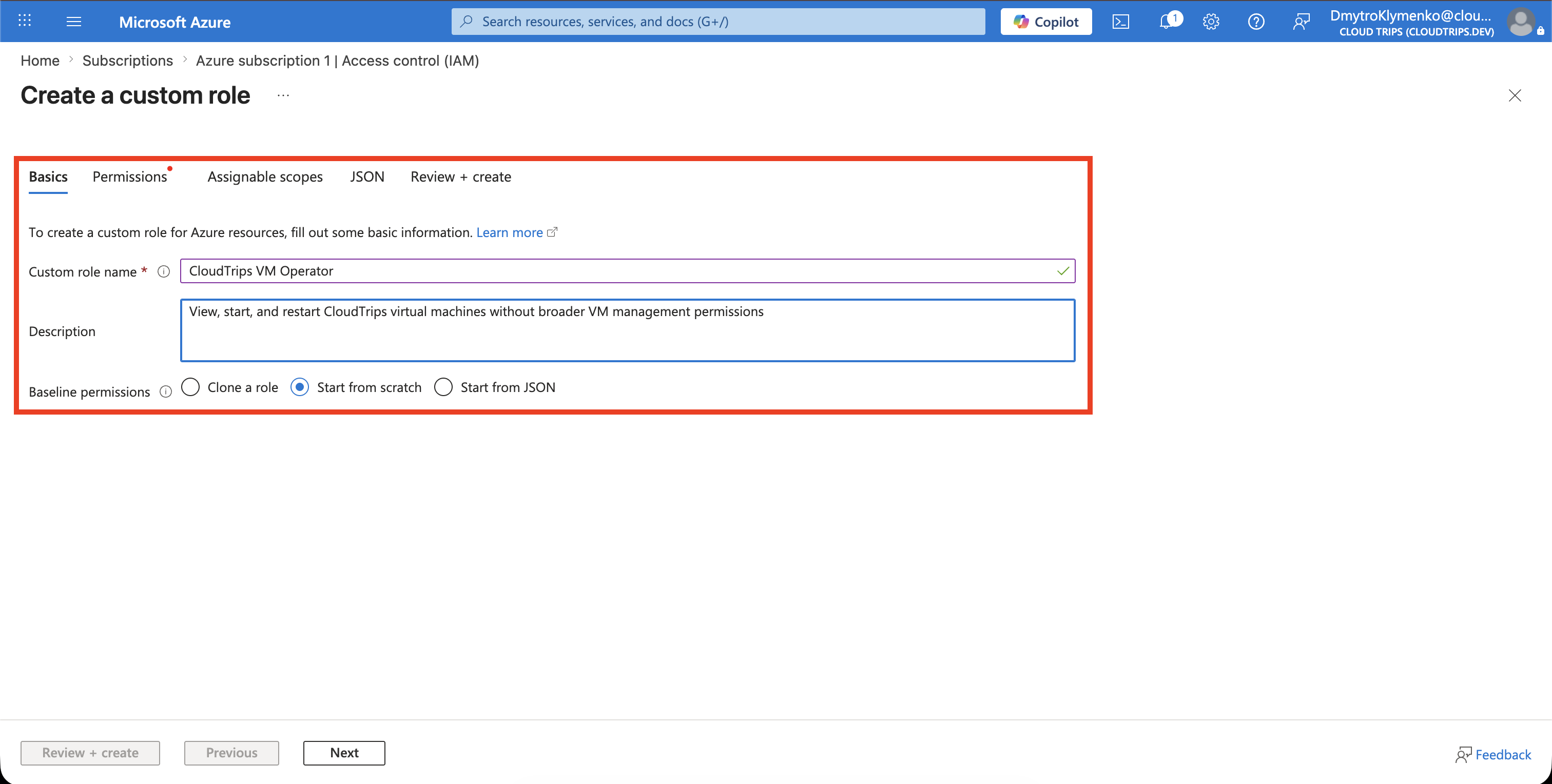
On the Basics tab, enter:
Custom role name: CloudTrips VM Operator
Description: View, start, and restart CloudTrips virtual machines without broader VM management permissions
Baseline permissions: Start from scratch
Use a clear description so reviewers understand why the role exists and what it must not allow.
Add Only the Required Permissions
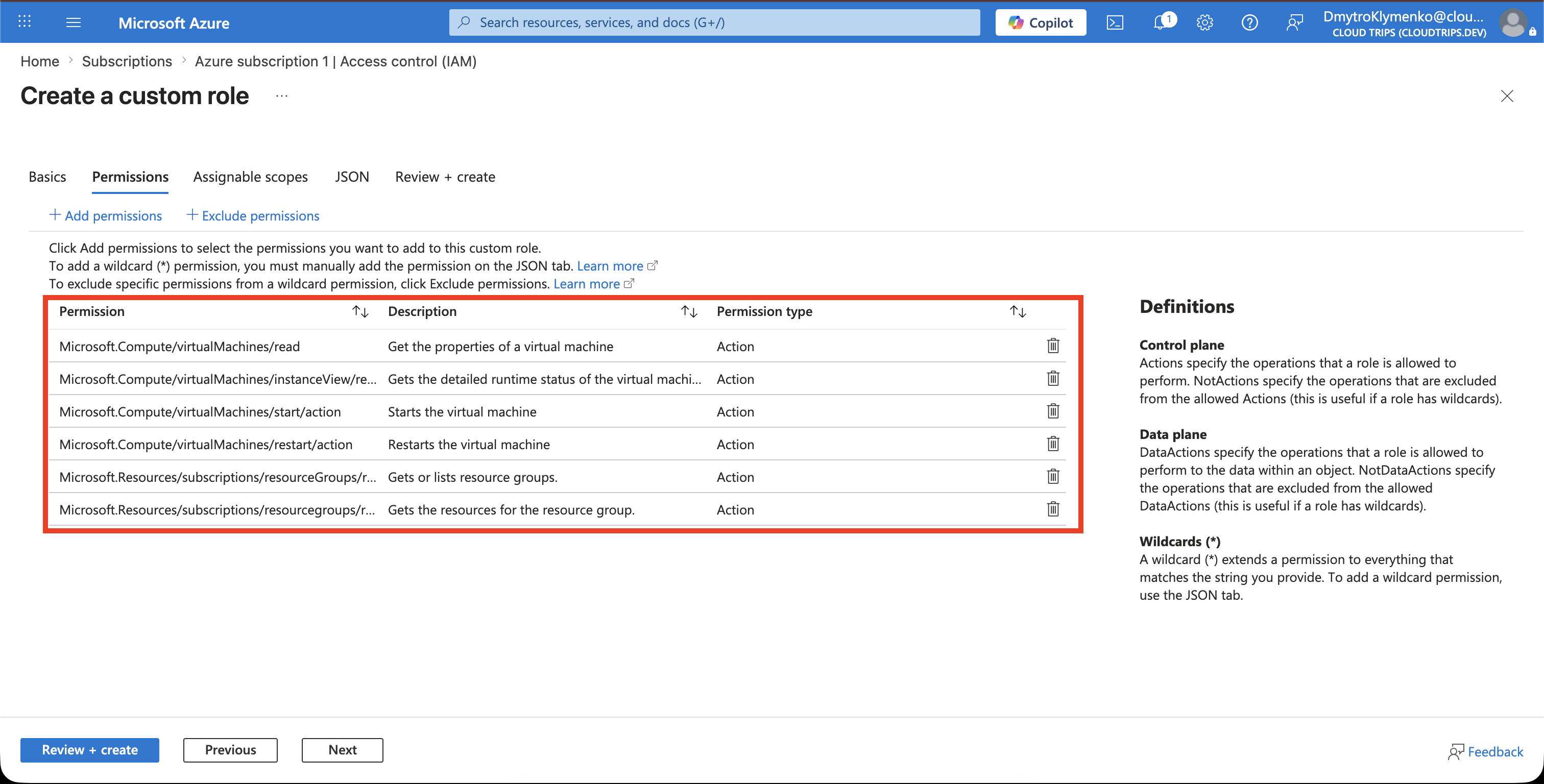
On the Permissions tab, select Add permissions. Search the Microsoft.Compute resource provider and add only the virtual-machine operations required for this role:
Microsoft.Compute/virtualMachines/read
Microsoft.Compute/virtualMachines/instanceView/read
Microsoft.Compute/virtualMachines/start/action
Microsoft.Compute/virtualMachines/restart/action
Also add the read operations required to discover the target resource group and its resources:
Microsoft.Resources/subscriptions/resourceGroups/read
Microsoft.Resources/subscriptions/resourceGroups/resources/read
Do not add VM write, delete, role-assignment, or wildcard permissions.
Set the Assignable Scope
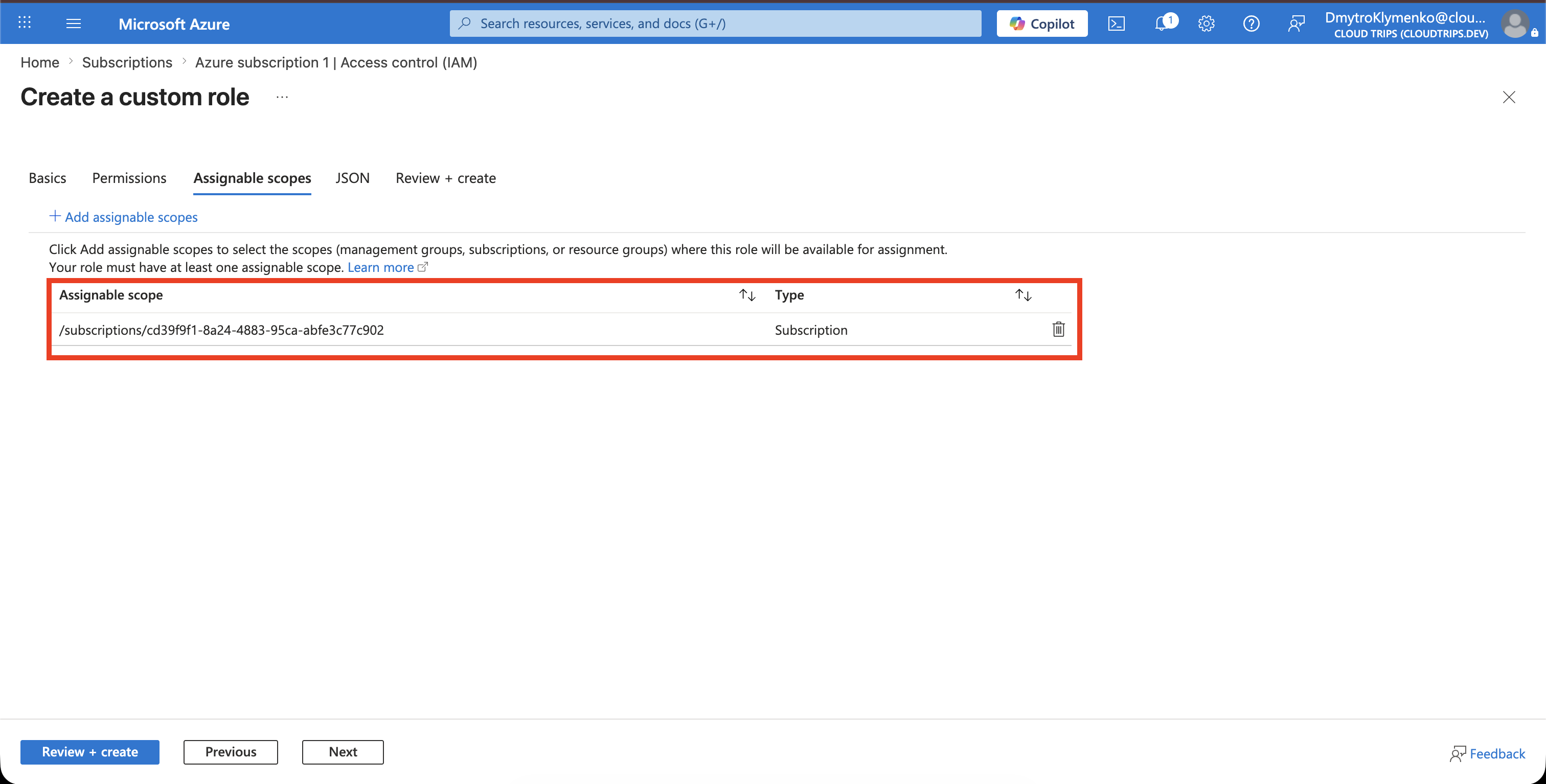
On Assignable scopes, keep the custom role available only where CloudTrips needs it:
Type: Subscription
Scope: Azure subscription 1
An assignable scope controls where the role can be assigned; it does not itself grant access across the subscription. The eventual role assignment can still use the narrower rg-customer-portal-dev-weu scope.
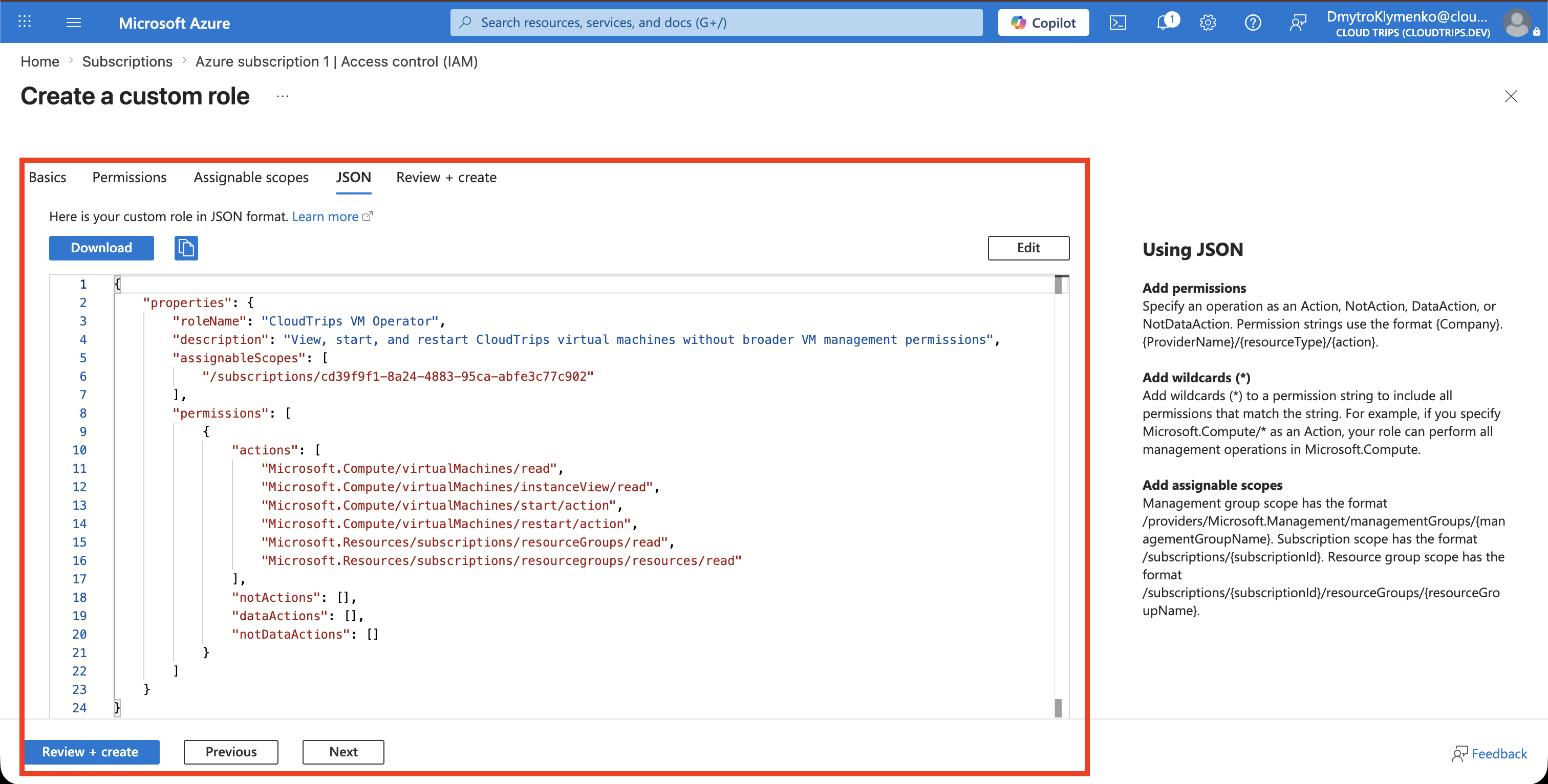
Review the JSON
On the JSON tab, verify that:
- the role name and description are correct
Actionscontains only the approved operationsDataActions,NotActions, andNotDataActionsare empty unless intentionally requiredAssignableScopescontains onlyAzure subscription 1
The portal generates a unique role ID. Do not copy an existing custom role ID when creating another role.
Create and Verify the Role
Select Review + create, review the definition, and select Create.
Return to:
Azure subscription 1
> Access control (IAM)
> Roles
Filter by CustomRole and confirm that CloudTrips VM Operator appears.
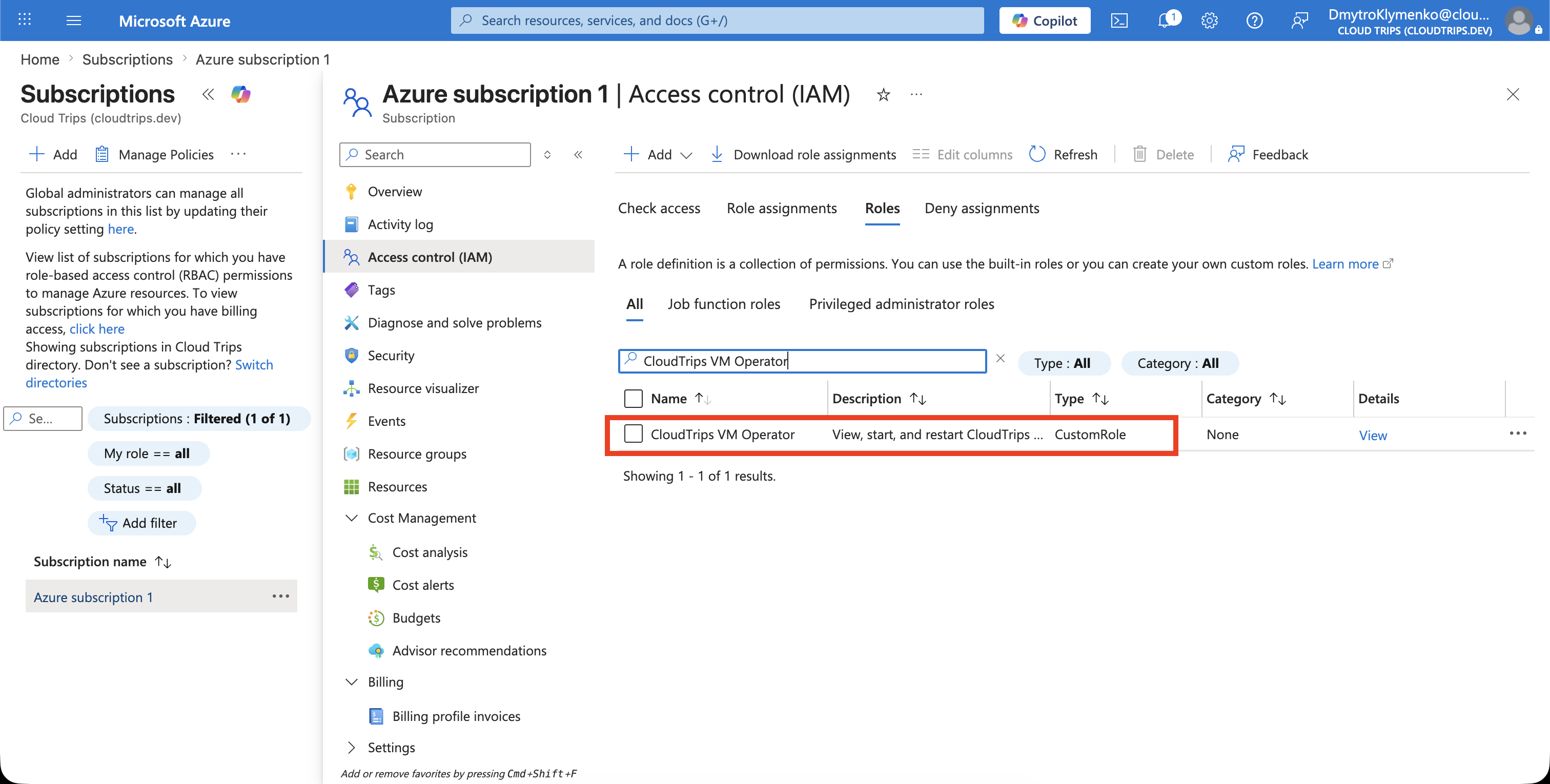
The custom role is now available, but nobody has access through it yet. Assign it separately to the intended Microsoft Entra group or user at the narrowest appropriate scope, such as rg-customer-portal-dev-weu, and test every allowed and denied operation.
Review custom roles when requirements or Azure services change. Remove unused roles to keep the authorization model understandable.