Company Needs a Custom Rule? Create a Custom Policy Definition
CloudTrips now requires every taggable resource to have at least one tag, but the tag name and value may vary between teams. Create a custom Azure Policy definition for this company-specific rule.
Use:
Definition location: Azure subscription 1
Name: CloudTrips - Require at least one tag
Description: Deny taggable resources that do not contain any tags
Category: Tags
Mode: Indexed
Effect: Deny
Why a Custom Definition Is Needed
The built-in Require a tag on resources definition checks for one configured tag name, such as Department. It does not mean “any tag.” CloudTrips needs a different rule: a resource is acceptable when its tags object contains at least one entry, regardless of the tag name or value.
Use Indexed mode for this tag rule. It evaluates resource types that support tags and location and avoids reporting non-taggable child resources as non-compliant.
The Deny effect blocks non-compliant create and update requests. Existing untagged resources are reported as non-compliant but are not deleted or changed.
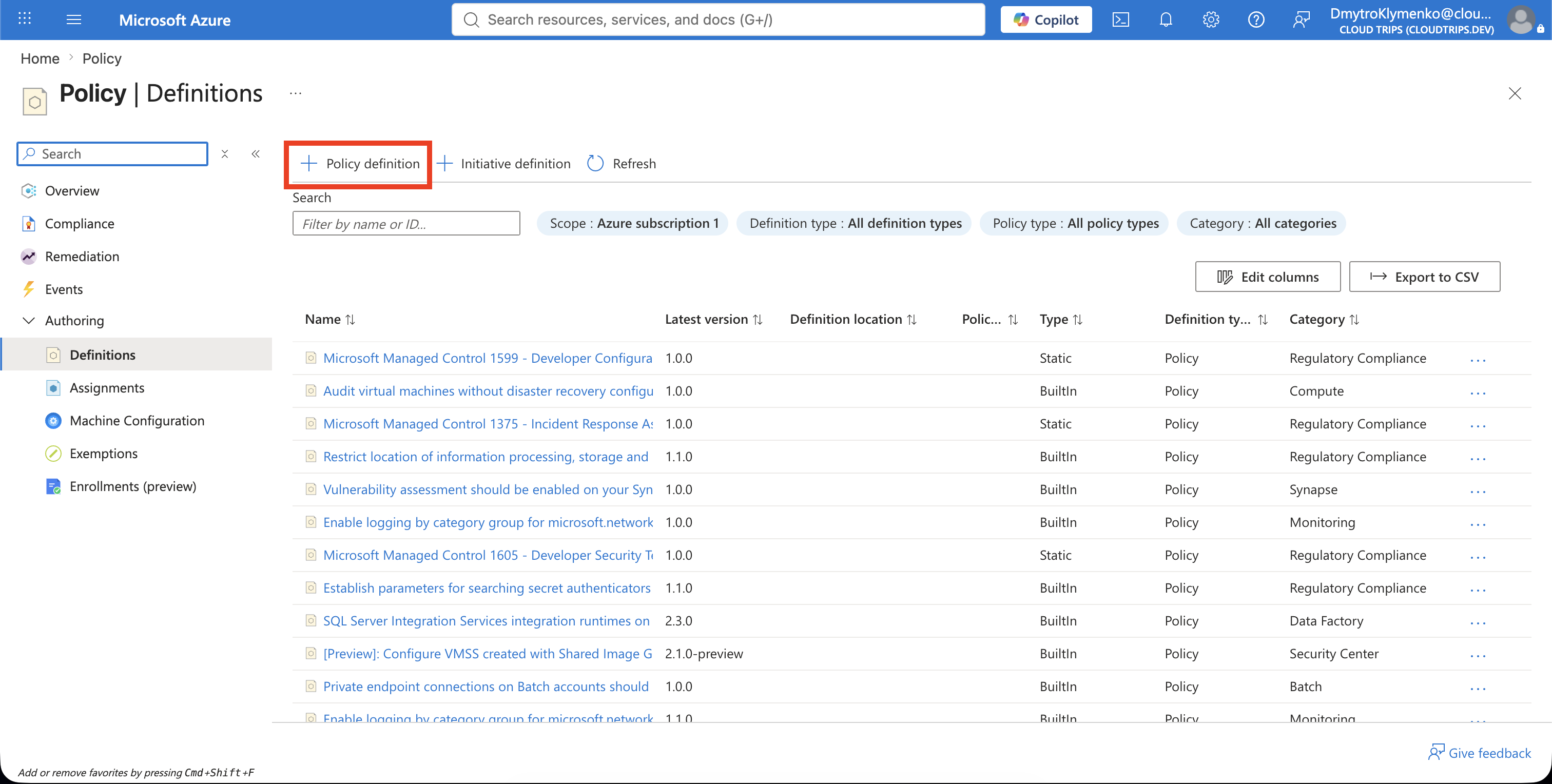
Open Policy Definitions
In the Azure portal, open:
Policy
> Authoring
> Definitions
Select Policy definition.
Configure the Definition
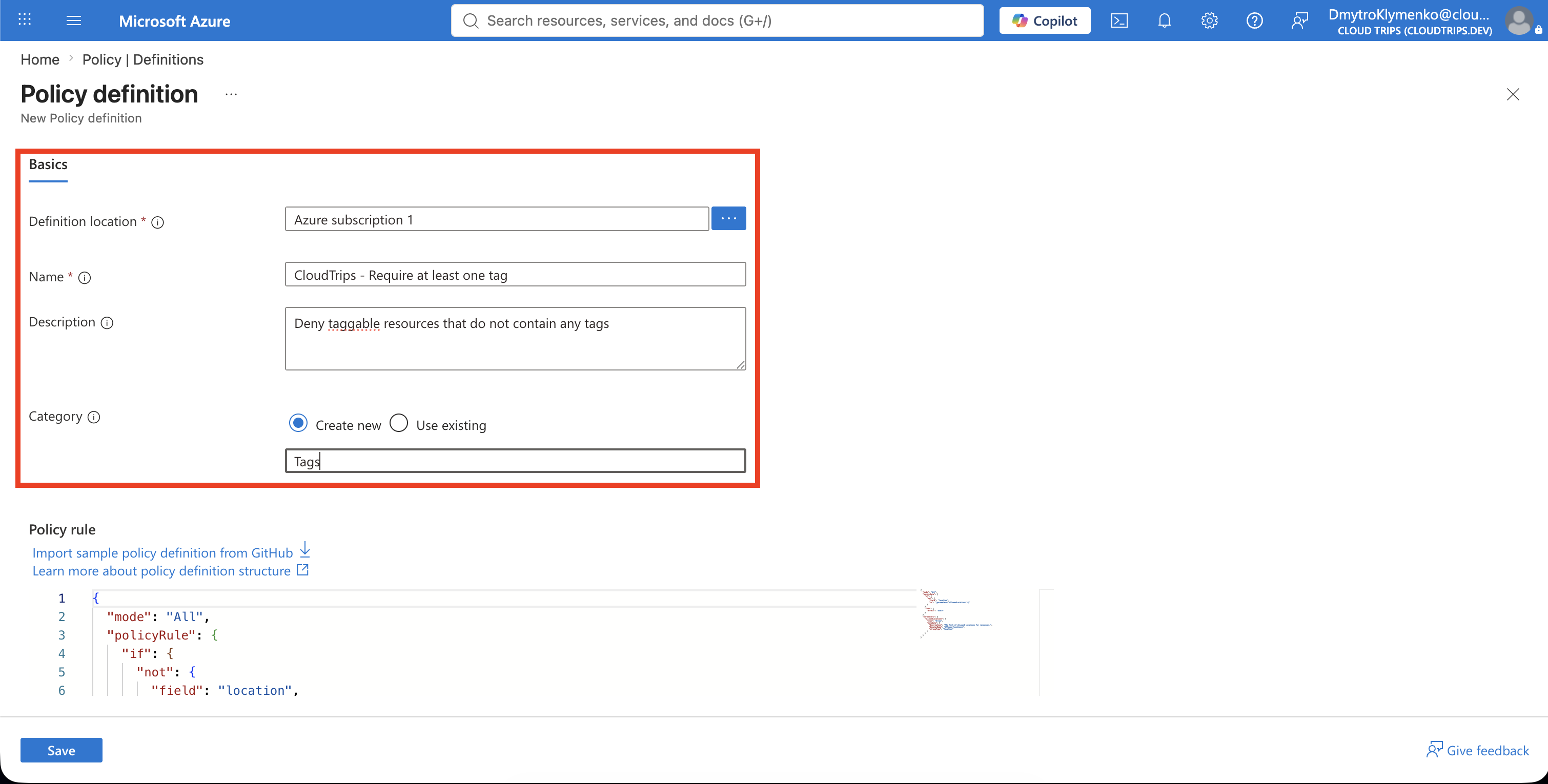
Enter:
Definition location: Azure subscription 1
Name: CloudTrips - Require at least one tag
Description: Deny taggable resources that do not contain any tags
Category: Tags
The definition location controls where the custom definition can be assigned. A subscription-level definition can govern resources in Azure subscription 1; use a management-group location when the same rule must be available to multiple child subscriptions.
Add the Policy Rule
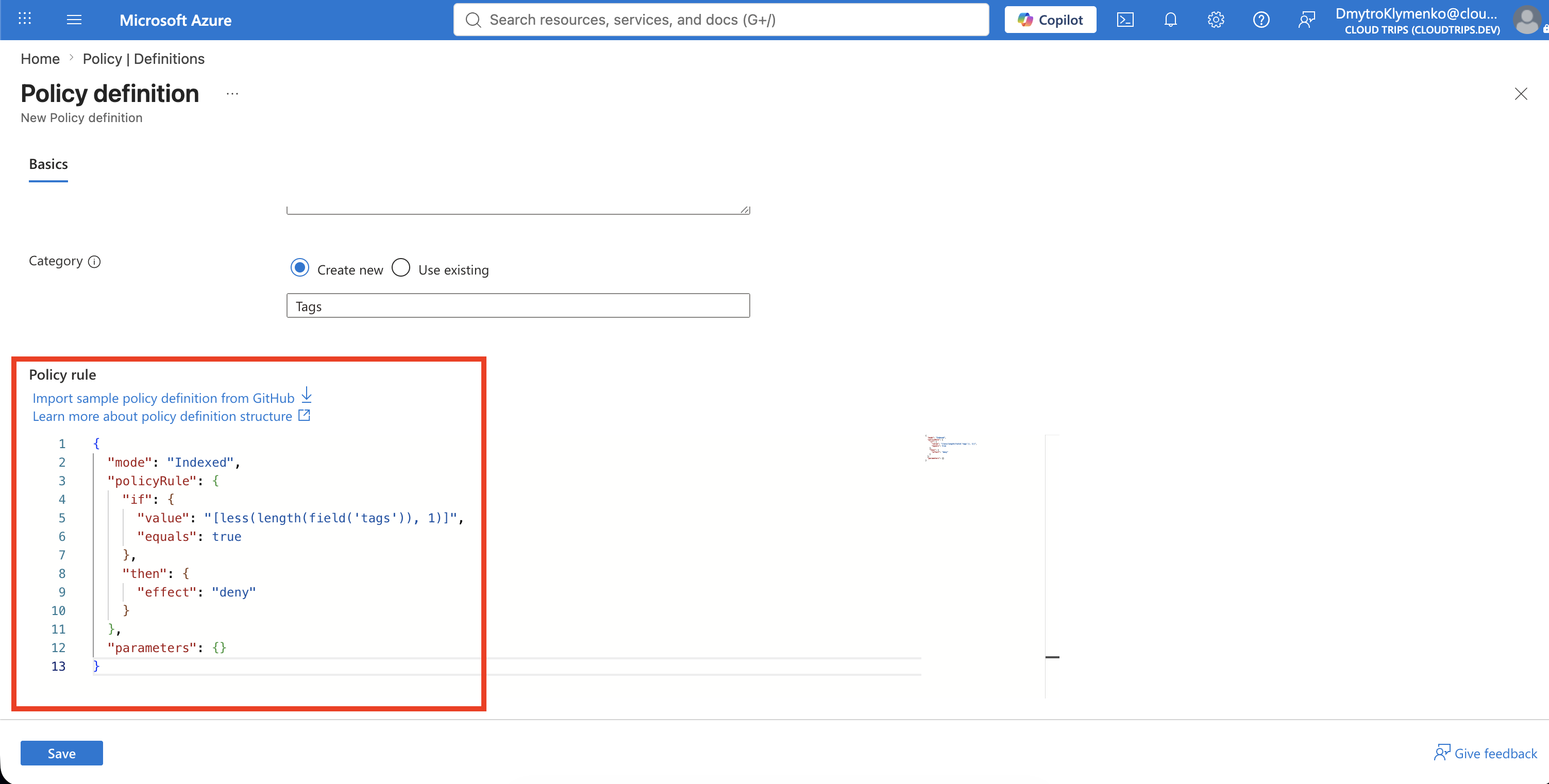
Replace the example in the policy editor with:
{
  "mode": "Indexed",
  "policyRule": {
    "if": {
      "value": "[less(length(field('tags')), 1)]",
      "equals": true
    },
    "then": {
      "effect": "deny"
    }
  },
  "parameters": {}
}
The expression reads the resource’s tags object, counts its entries, and returns true when the count is less than one. Azure then applies deny.
This definition has no parameters because the rule accepts any tag name and any tag value.
Create and Verify the Definition
Select Save. Return to Policy > Definitions, filter Type to Custom, and search for:
CloudTrips - Require at least one tagOpen the definition and confirm:
Policy type: Custom
Mode: Indexed
Category: Tags
Effect: Deny
Parameters: None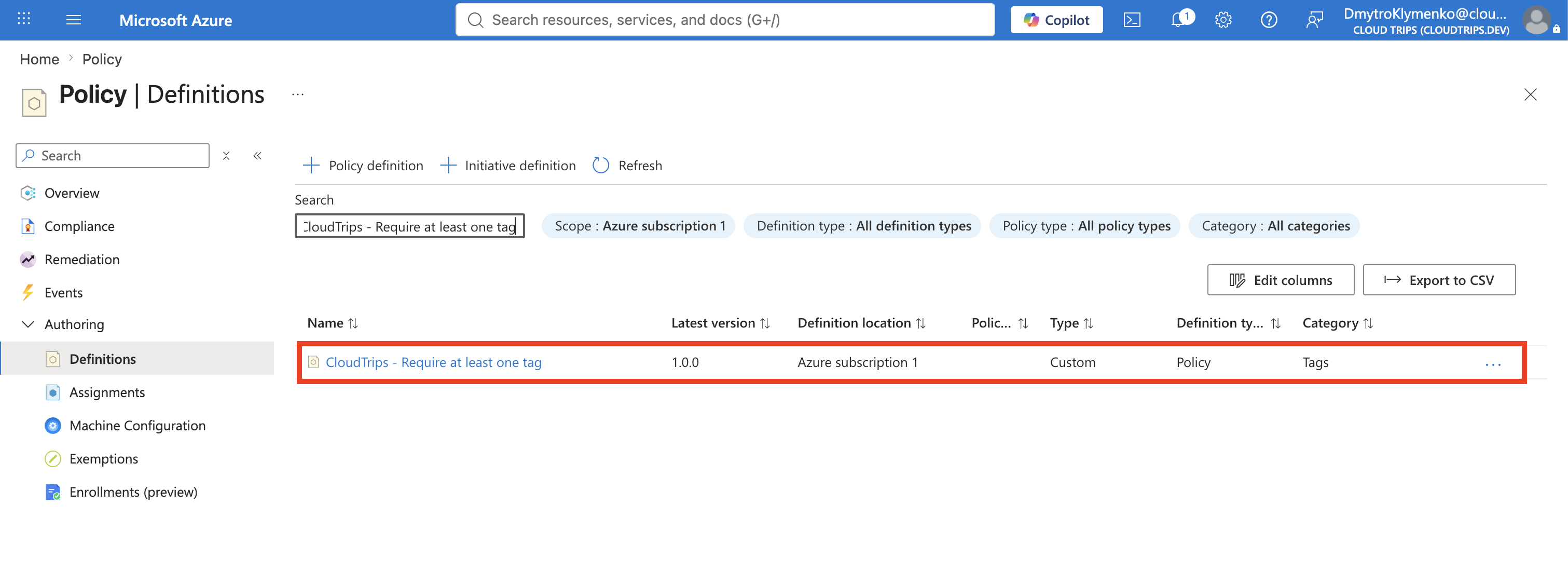
Creating a definition does not enforce it. The definition must be assigned directly or added to an initiative and assigned before it evaluates resources.
Assign the Custom Policy for the Test
Open the definition and select Assign, then configure:
Scope: Azure subscription 1
Exclusions: None
Policy definition: CloudTrips - Require at least one tag
Assignment name: CloudTrips - Require at least one tag
Policy enforcement: Enabled
No parameters, managed identity, or remediation task are required. Add this non-compliance message:
CloudTrips resources must contain at least one tag.Select Review + create, and then select Create.
Test the Custom Rule
For this isolated lab test, remove the other policy assignments created in earlier trips and leave only:
CloudTrips - Require at least one tagDo this only in the training subscription. Removing assignments in a governed environment can create a compliance gap.
Open Storage accounts > stcloudtripsdev01 > Tags. Make Department the storage account’s only tag:
Department: EngineeringAfter the custom assignment becomes effective, remove Department and select Apply. Azure should deny the update because removing the final tag would leave the resource with zero tags.
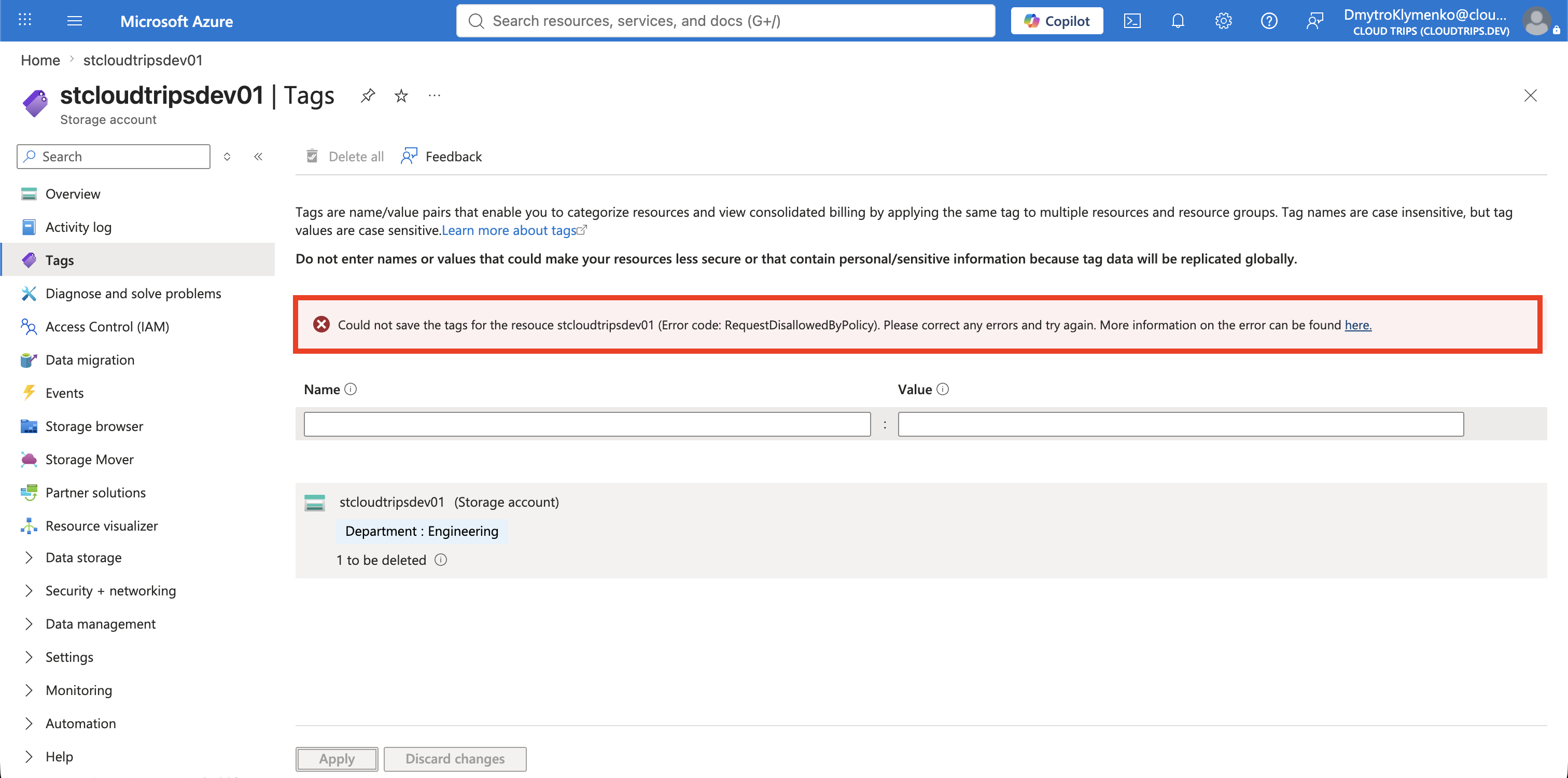
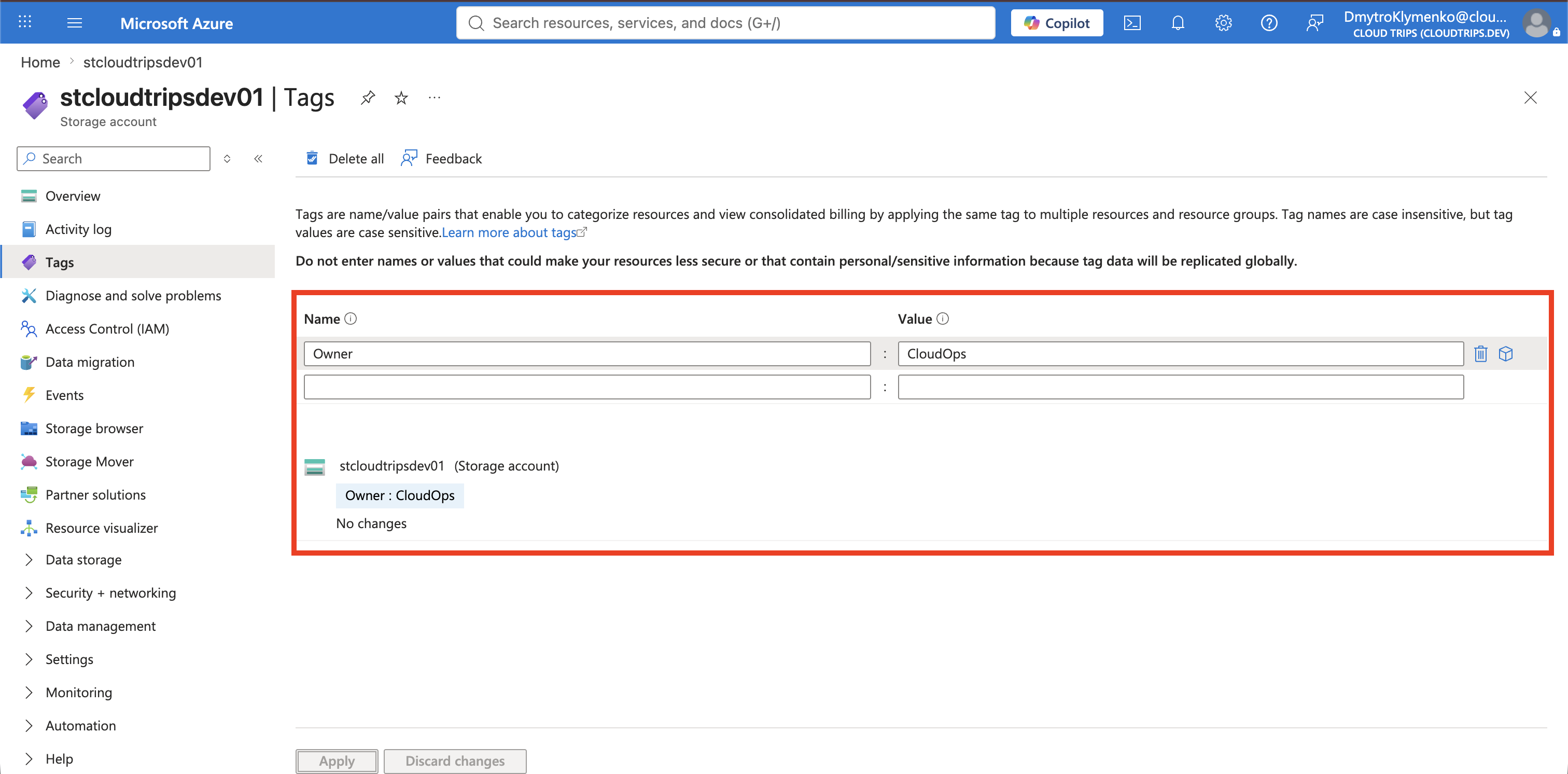
The custom policy did not deny the update because the tag was named Department; it denied the update because Department was the last remaining tag. To prove this, replace it in one update with a differently named tag:
Owner: CloudOpsRemove Department, add Owner: CloudOps, and select Apply. The update should succeed because the proposed storage-account state still contains one tag.
The company-specific rule is now assigned and verified: taggable resources must contain at least one tag, but no particular tag name or value is required.