Resource Is in the Wrong Group? Move It to the Correct Resource Group
A resource was deployed into the wrong resource group. Do not recreate it immediately.
If the resource type supports move operations, Azure Resource Manager can move it to the correct resource group. The move changes the resource’s management scope and resource ID, but it does not move the resource to another Azure region.
Example:
Subscription: Azure subscription 1
Source resource group: rg-misc-dev-weu
Destination resource group: rg-customer-portal-dev-weu
Resource: stcloudtripsdev01
Check Before Moving
Before starting, confirm:
- the resource type supports moving between resource groups
- all required dependent resources are selected
- the resource is in a succeeded state
- no read-only lock blocks the source, destination, or resource
- Azure Policy allows the resource in the destination group
- you have permission to move resources in both resource groups
Only select top-level resources. Child resources move automatically with their parent and cannot normally be moved separately.
Moving changes the resource ID because the resource-group name is part of that ID. Check dashboards, scripts, templates, alerts, and external systems that store the old resource ID.
Select the Resource
In the Azure portal, open:
Resource groups > rg-misc-dev-weuSelect the resource and choose:
Move > Move to another resource group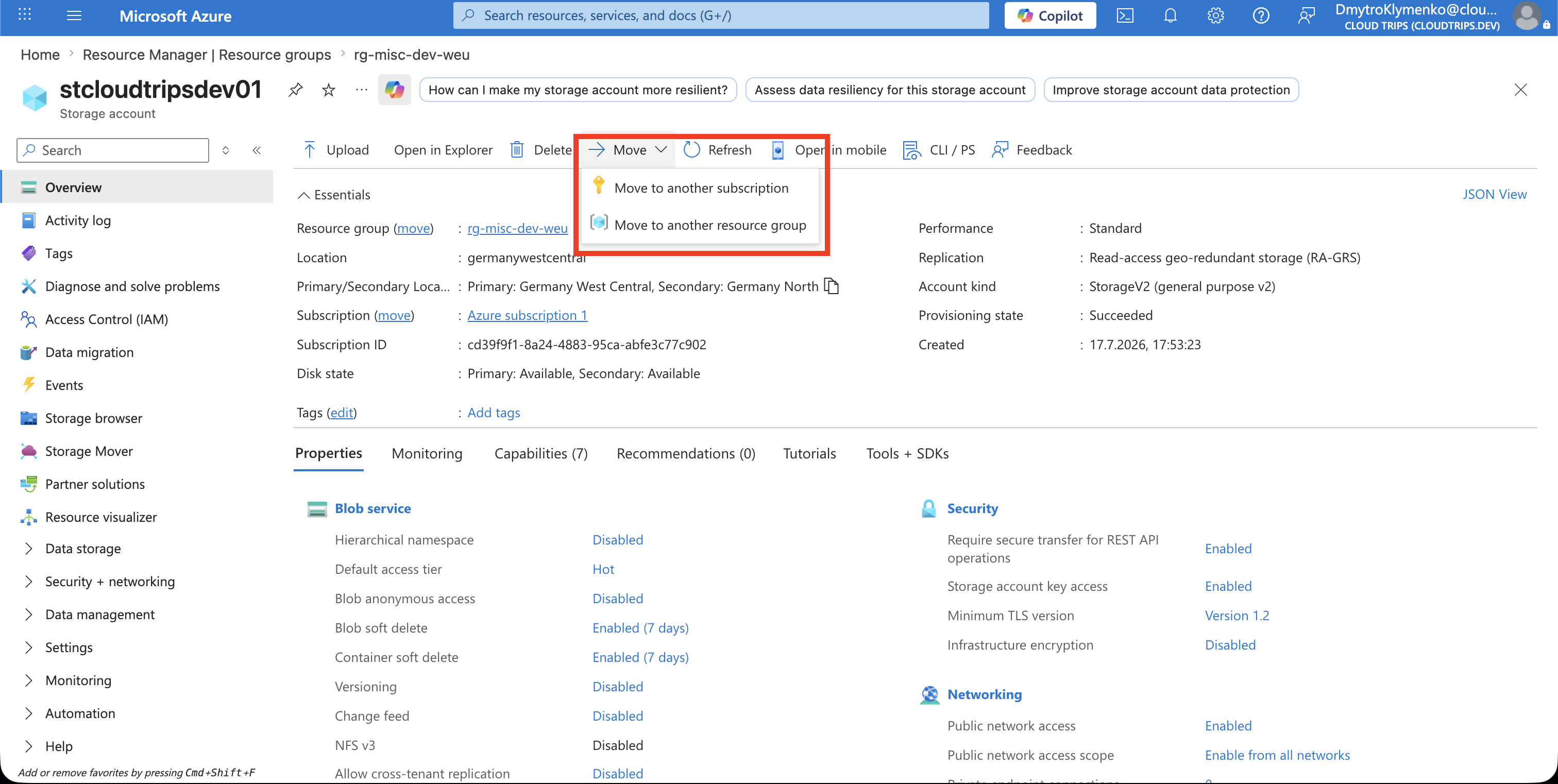
Choose the Destination
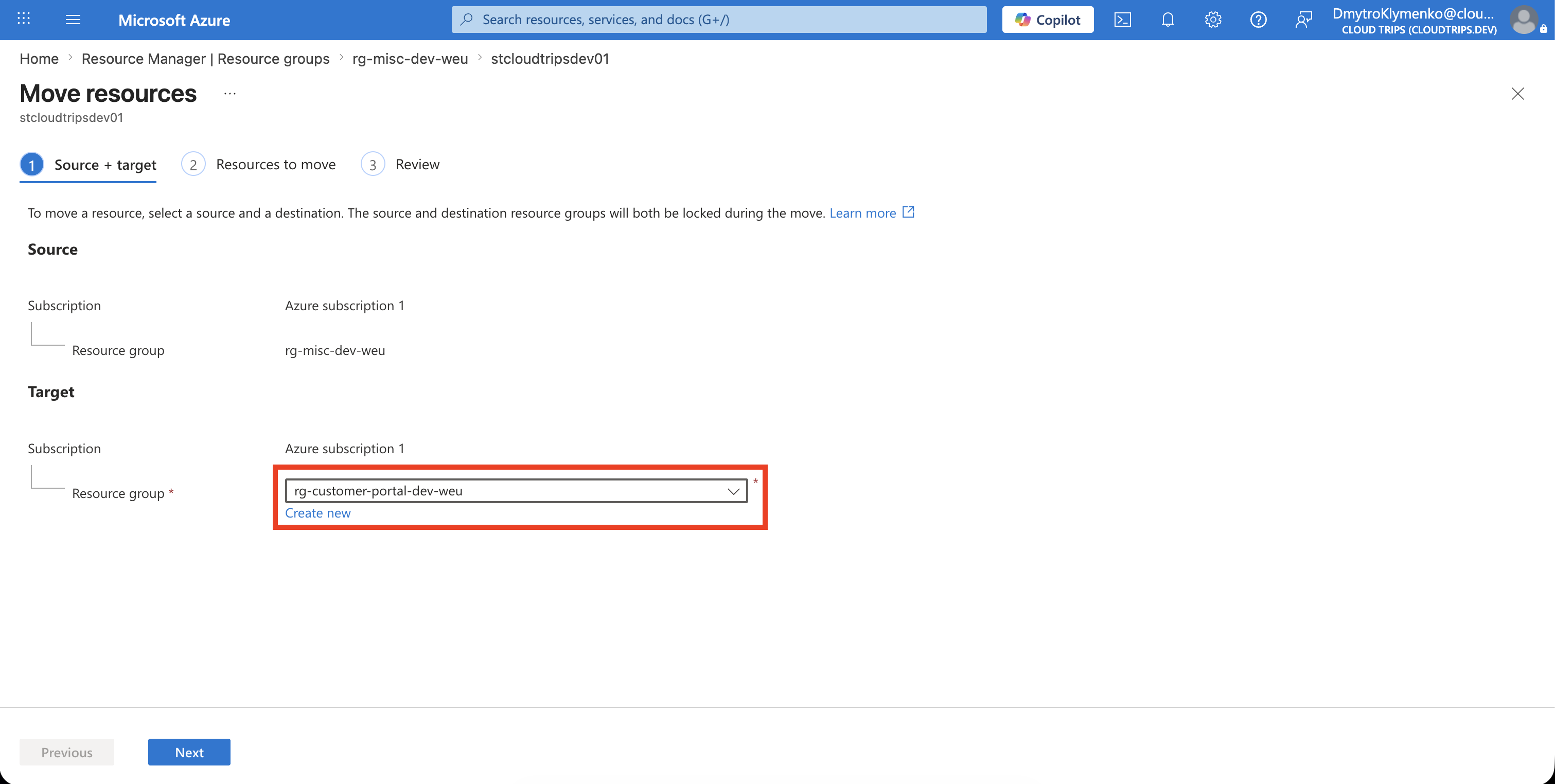
Keep the subscription set to:
Azure subscription 1Select the destination resource group:
rg-customer-portal-dev-weuInclude any dependent resources requested by Azure, and then select Next.
Wait for Validation
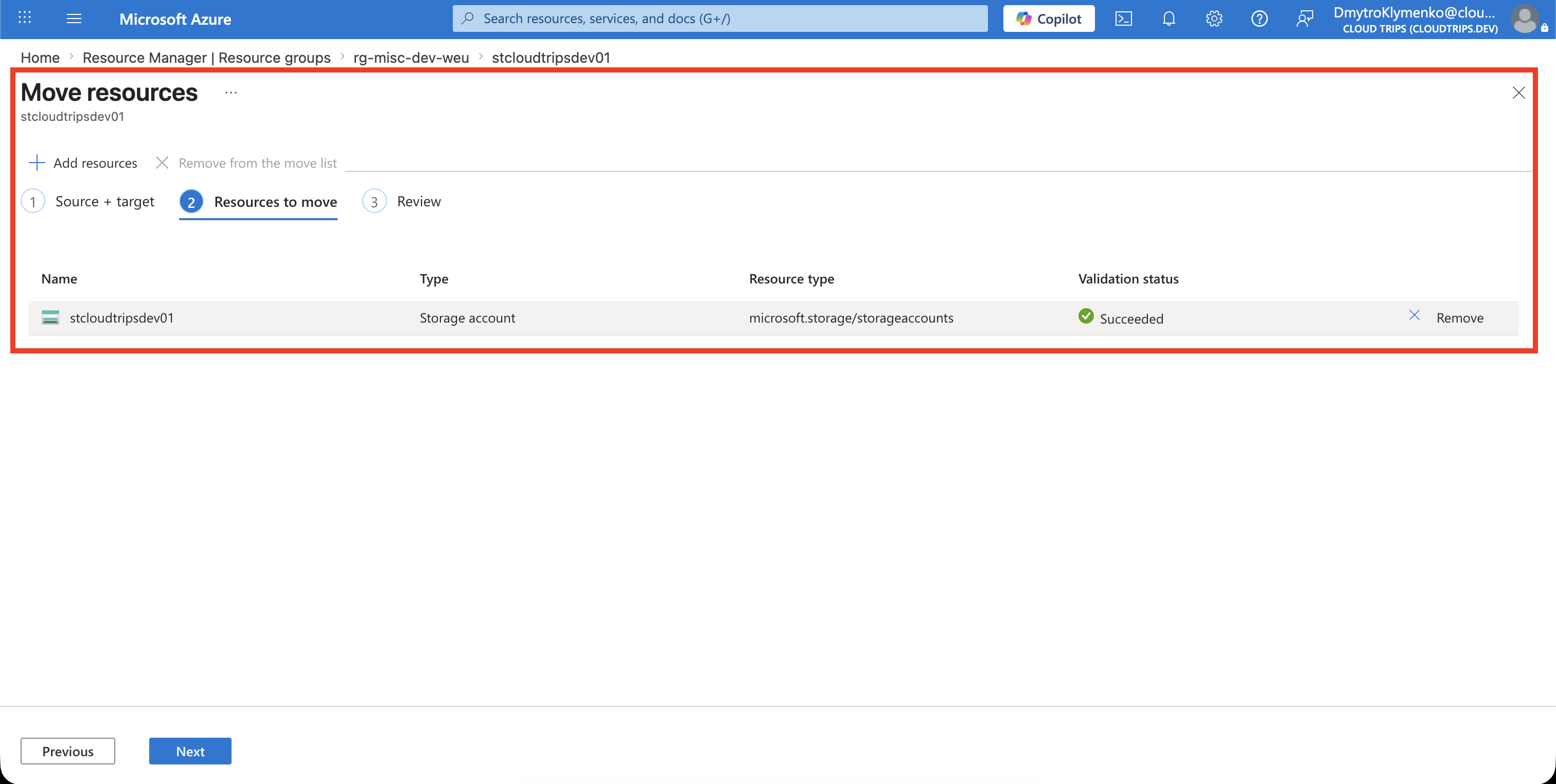
Azure validates whether the selected resources can be moved. Do not continue if validation reports an unsupported resource type, missing dependency, policy denial, lock, or failed provisioning state.
Resolve the reported issue and validate again.
Start the Move
After validation succeeds, acknowledge that tools and scripts might need to be updated with the new resource IDs. Select Move.
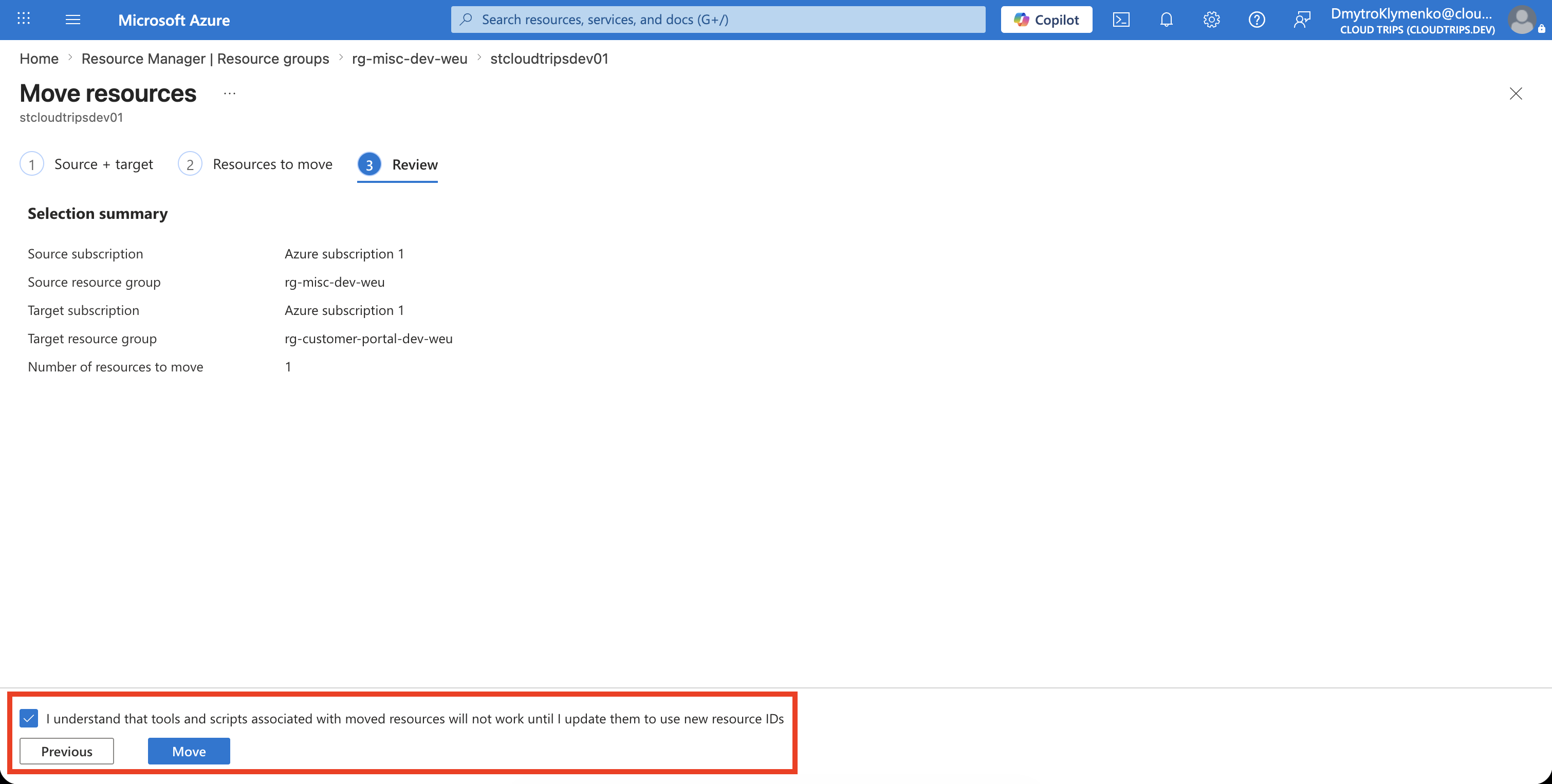
During the operation, Azure temporarily prevents create, update, and delete operations in the source and destination resource groups. Existing resources continue running. Wait for the completion notification before making other changes.
Verify the Result
Open:
Resource groups > rg-customer-portal-dev-weuConfirm that:
- the resource appears in the destination group
- the resource no longer appears in the source group
- the application still works
- monitoring, automation, and deployments use the new resource ID
- required RBAC assignments, policies, locks, budgets, and tags are effective at the new scope
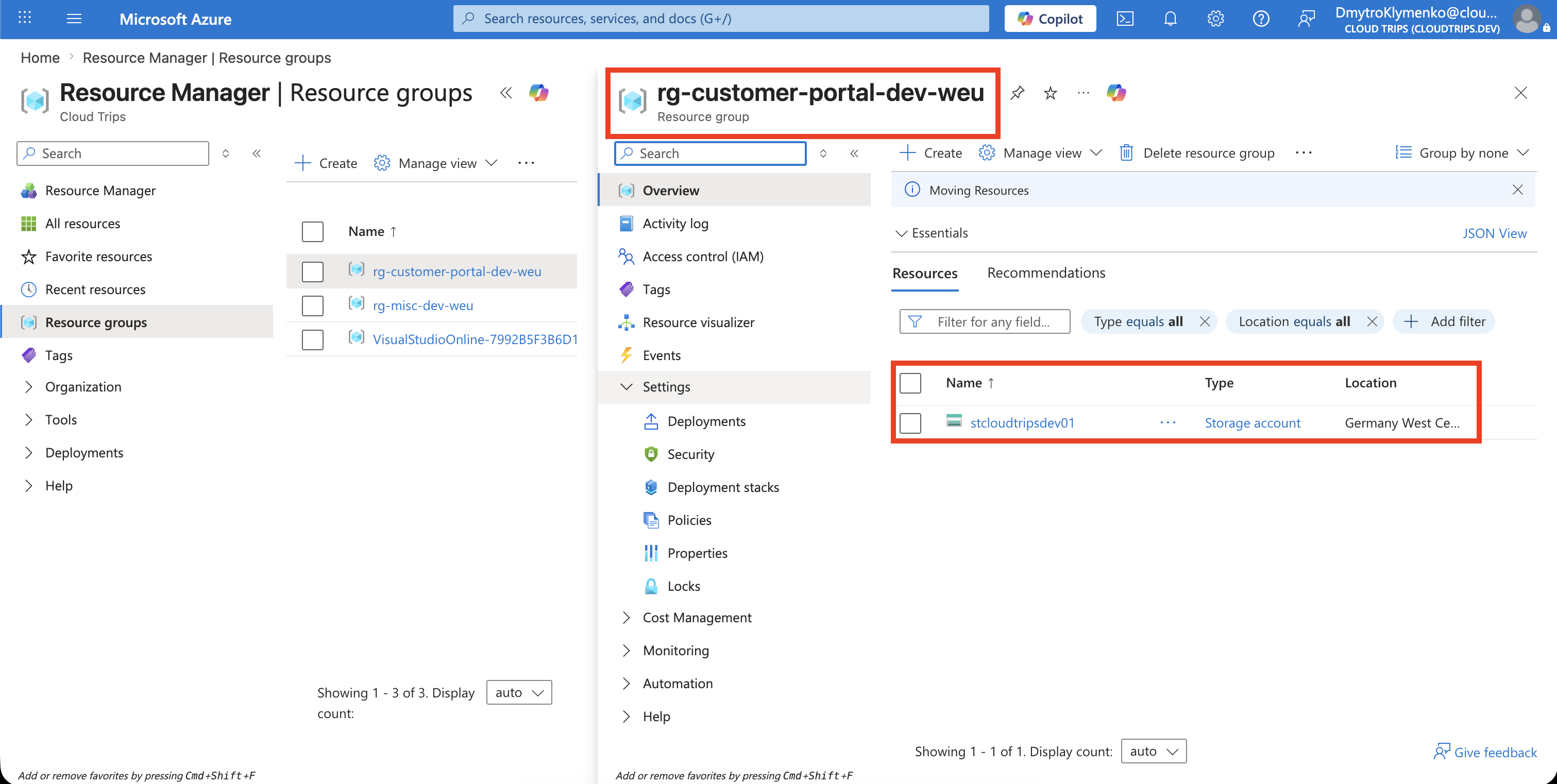
The resource now belongs to the correct project boundary without being redeployed or moved to another region.