Deployment Fails Because a Provider Is Missing? Register the Resource Provider
An Azure deployment can fail even when the resource configuration is correct because the subscription is not registered to use the required resource provider.
Typical error codes include:
MissingSubscriptionRegistration
NoRegisteredProviderFound
The error message normally identifies the missing provider namespace, for example:
The subscription is not registered to use namespace
'Microsoft.App'.
Register the namespace named in the error. Do not register every available provider.
Understand the Provider
A resource provider exposes the resource types and management operations for an Azure service:
Microsoft.App/containerApps
└── provider namespace: Microsoft.App
    resource type: containerApps
Provider registration enables Azure subscription 1 to use that provider’s API. It does not deploy a resource or grant users access to existing resources.
Many providers are registered automatically when a service is first used through the Azure portal or a deployment. Manual registration is required when automatic registration has not occurred or the deployment reports a missing provider.
Open Resource Providers
In the Azure portal, go to:
Subscriptions
> Azure subscription 1
> Settings
> Resource providers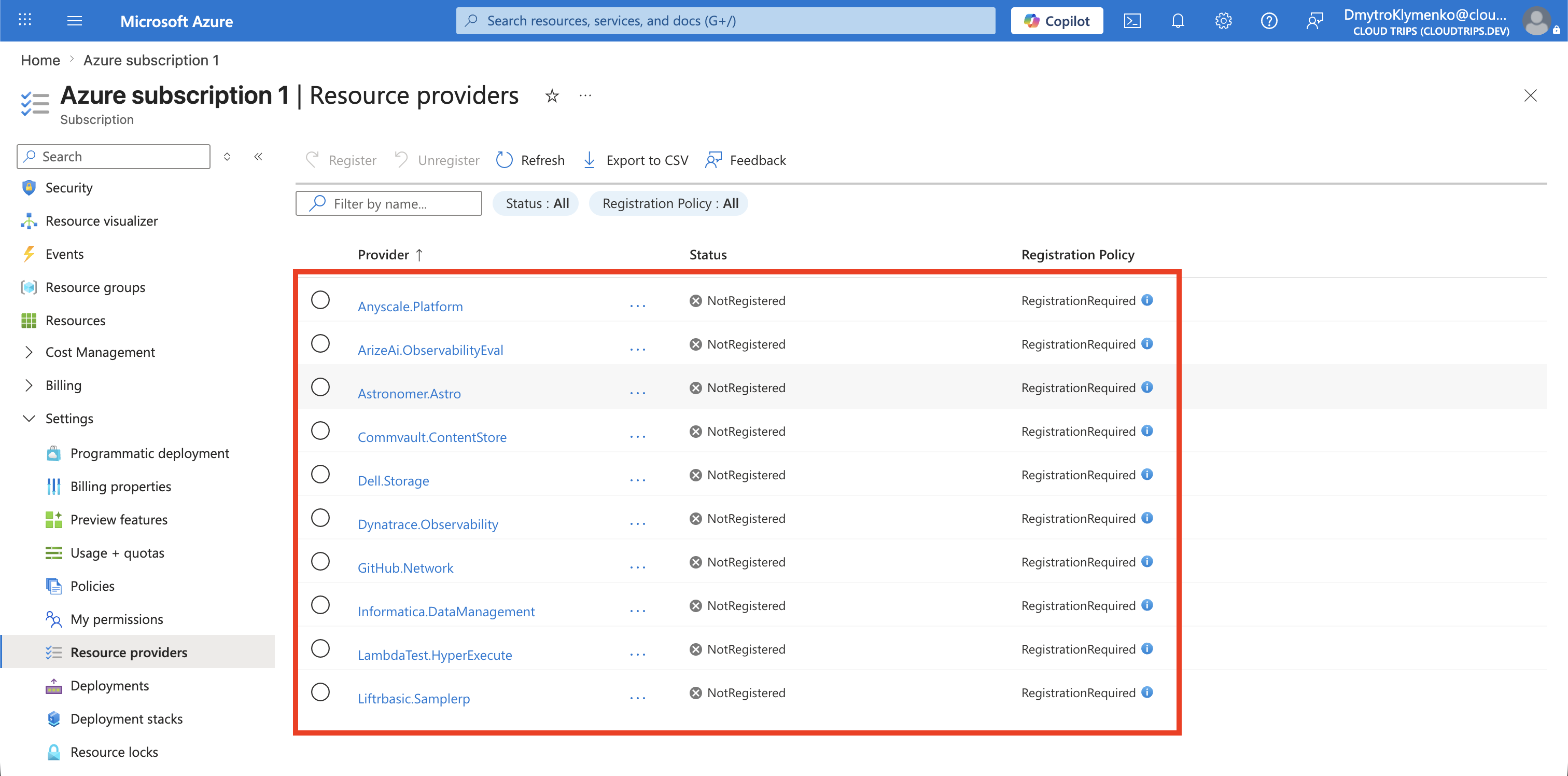
Find and Register the Provider
Search for the exact namespace from the error:
Microsoft.AppConfirm that its status is NotRegistered.
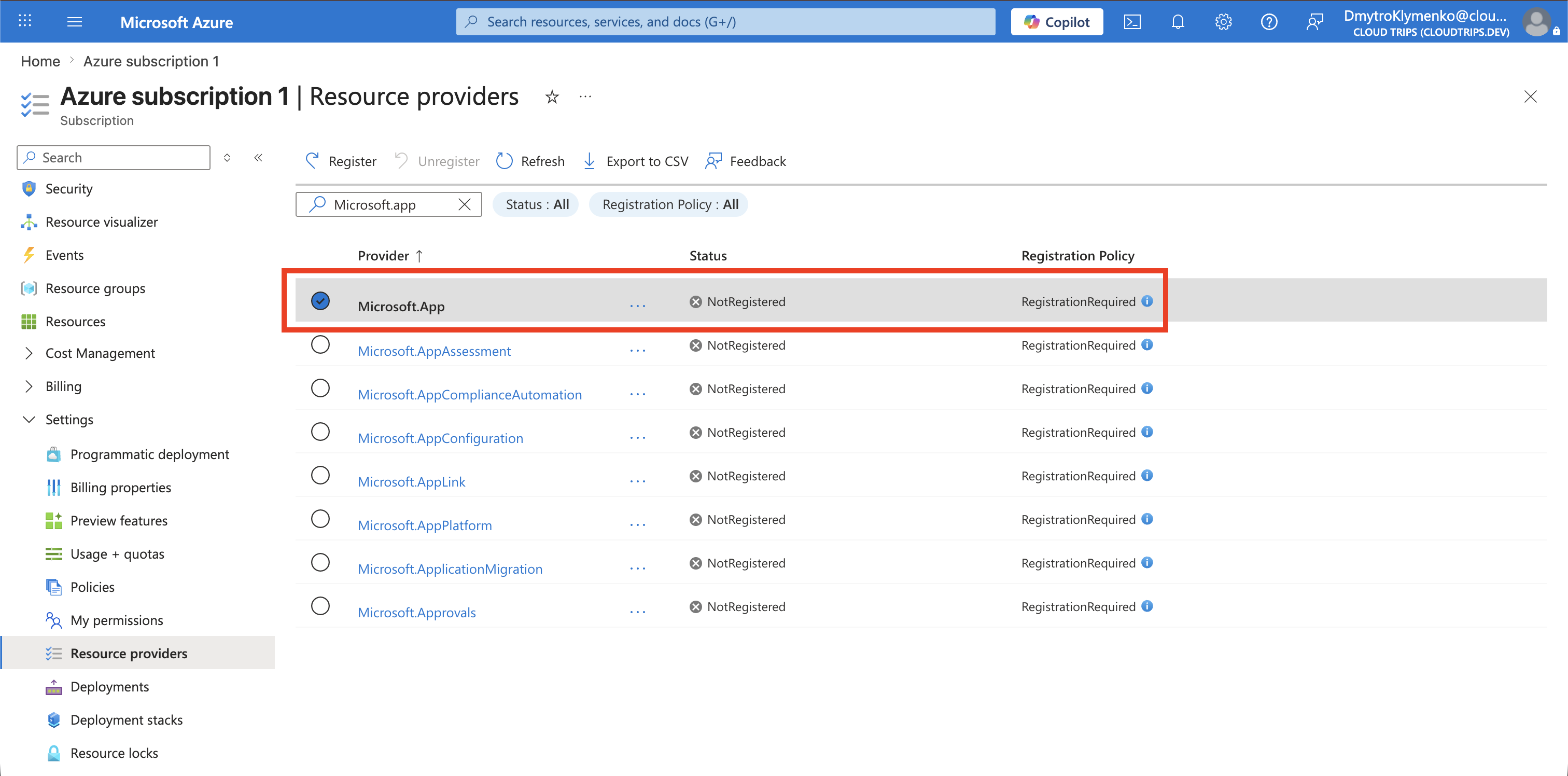
Select the provider and choose Register.
If Register is disabled, verify that you are signed in with the intended administrator account, selected Azure subscription 1, and have the required permission at subscription scope. Refresh your credentials after a recent role change before trying again.
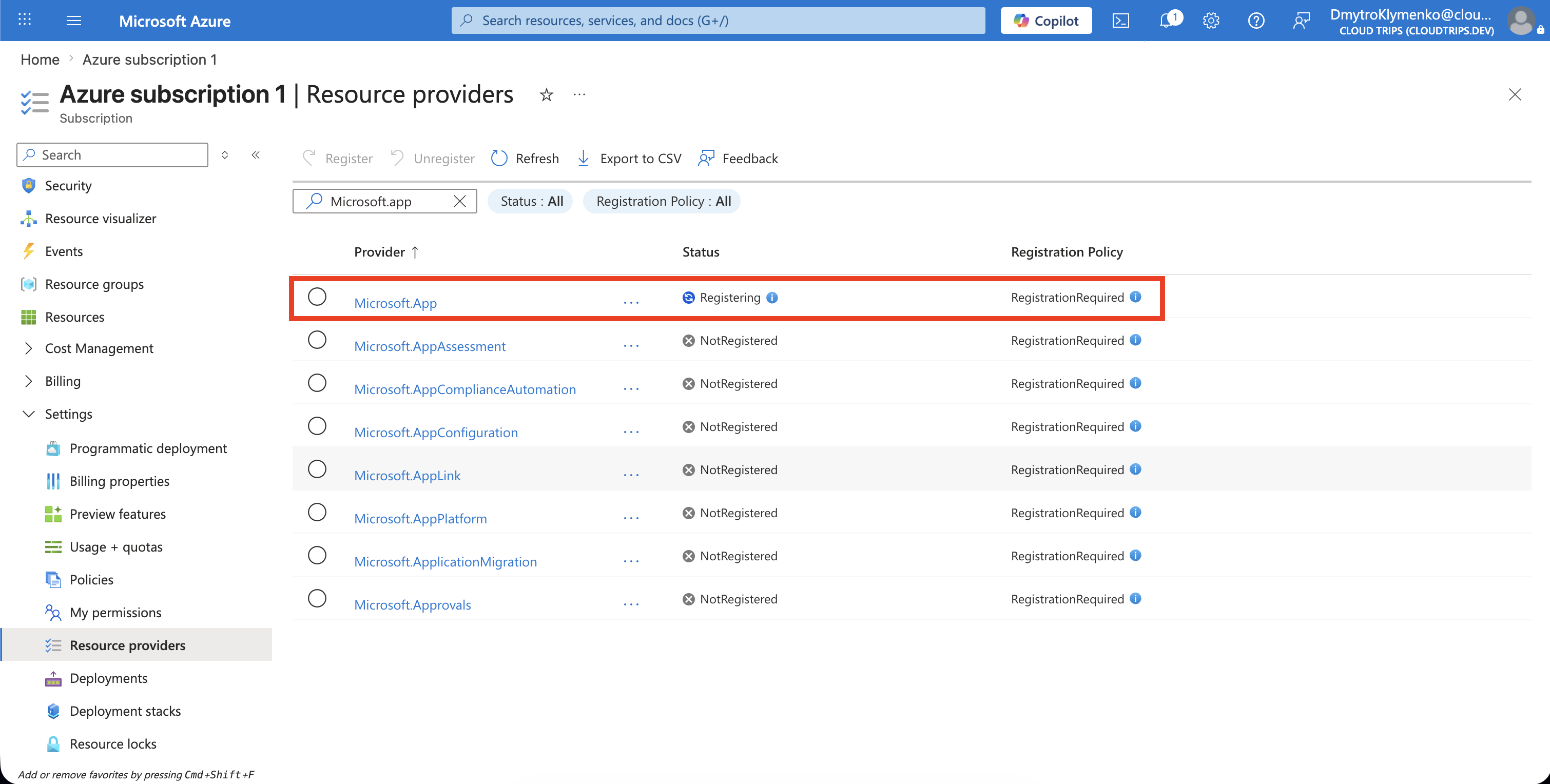
Wait for Registration
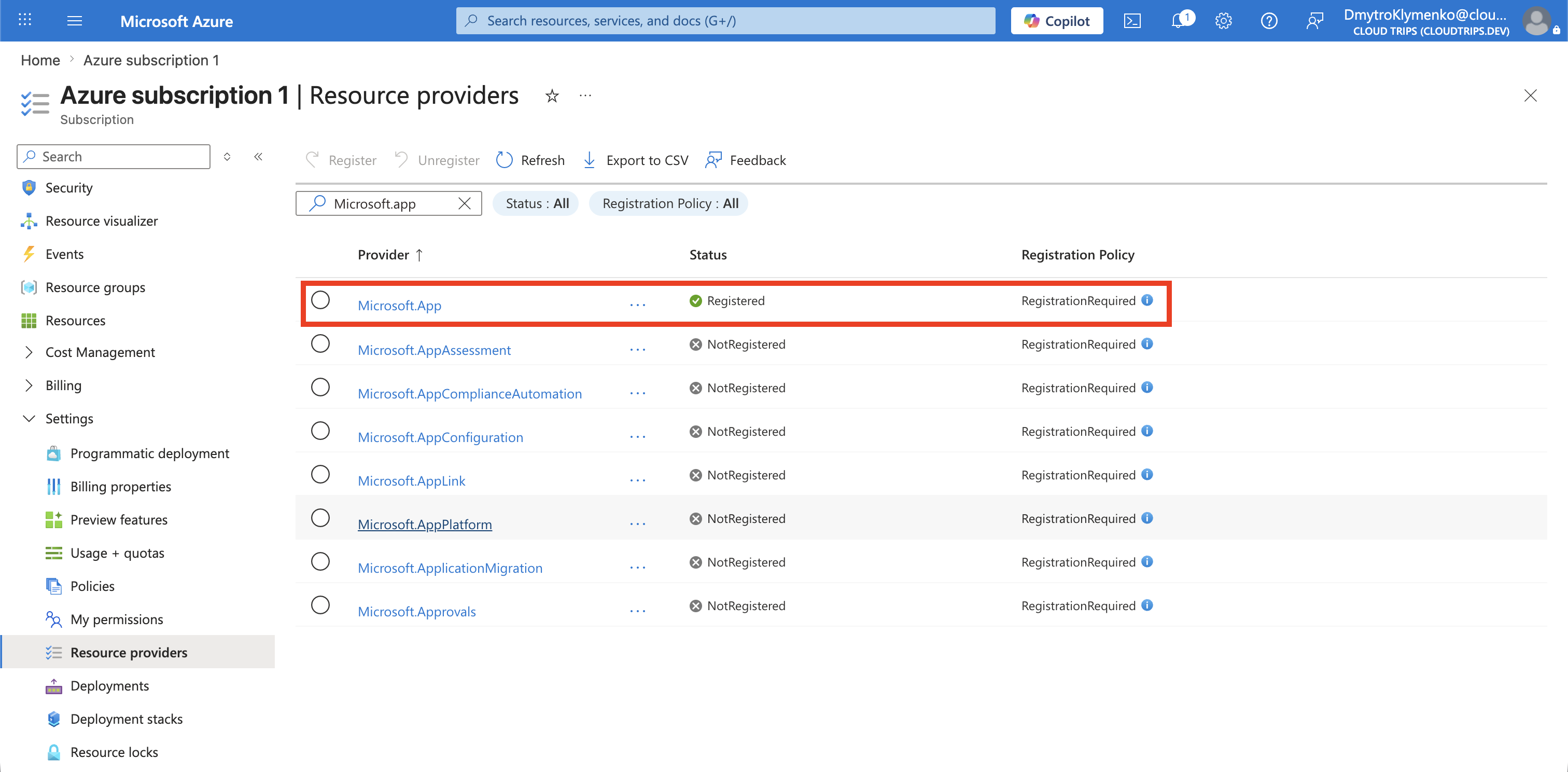
Registration is asynchronous. Refresh the provider list until the status changes from:
Registeringto:
RegisteredDo not repeatedly select Register while the operation is running.
Retry the Deployment
Return to the failed deployment and run it again without changing unrelated configuration.
Confirm that:
- the missing-provider error no longer appears
- the resource type is supported in the selected region
- the deployment uses a supported API version
- the resource reaches a successful provisioning state
If the same error remains, confirm that you registered the provider in the correct subscription. Then check the resource type’s supported regions and API versions.
Keep Registration Intentional
Register providers only when a workload needs them. Provider registration can add a corresponding enterprise application to the Microsoft Entra tenant and expands the services available to the subscription.
Before unregistering a provider, confirm that no resources from its namespace remain. Azure can block unregistration while provider resources still exist.