Web App Needs User Login? Use Authorization Code Flow
In enterprise systems, web applications often need to sign in users and call APIs on their behalf.
This pattern is used when:
- a user is present
- the application runs on a trusted server
- authentication is handled by Microsoft Entra ID
- the app needs delegated access to an API
In this example:
- CloudTrips Web App is the client application
- CloudTrips API is the resource application
- Employee is the signed-in user
Authentication is done with OAuth 2.0 Authorization Code Flow. Authorization is controlled with delegated permissions.
Architecture
Employee -> CloudTrips Web App -> Microsoft Entra ID -> CloudTrips APIThe browser signs in through Microsoft Entra ID.
The web app receives an authorization code.
The web app exchanges that code for tokens from the server side.
Demo Apps
This trip can be demonstrated with the local sample apps in:
examples/auth-code-flowThe demo contains:
CloudTrips-Webonhttp://localhost:5001CloudTrips-APIonhttp://localhost:5002
Use the demo redirect URI:
http://localhost:5001/signin-oidcFor production, use HTTPS and the real application URL.
Create CloudTrips API App
First, create the resource application.
Go to:
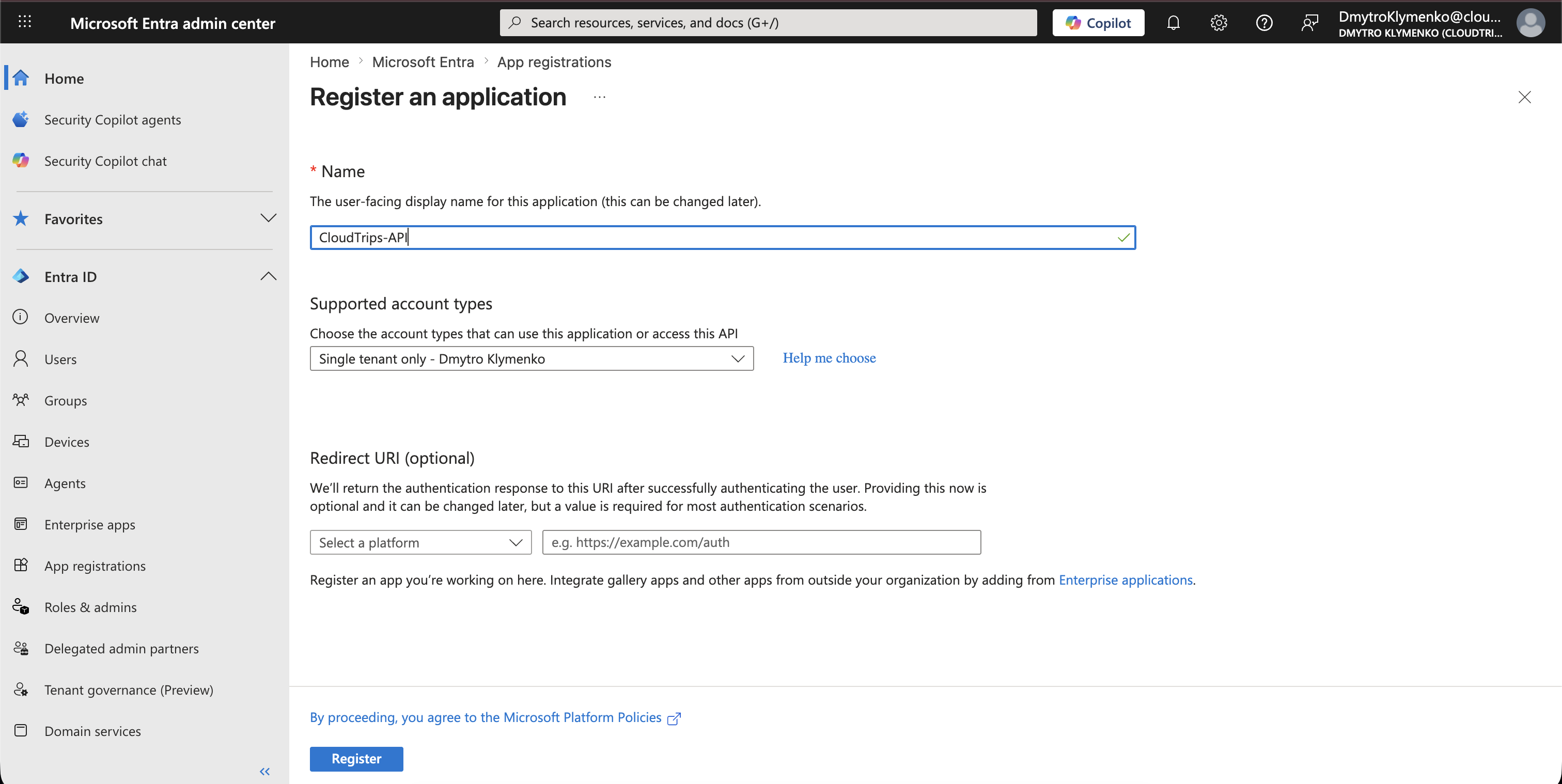
Entra ID > App registrations > New registrationCreate an application:
Name: CloudTrips-APIThis app registration represents the API that will receive and validate access tokens.
Expose API
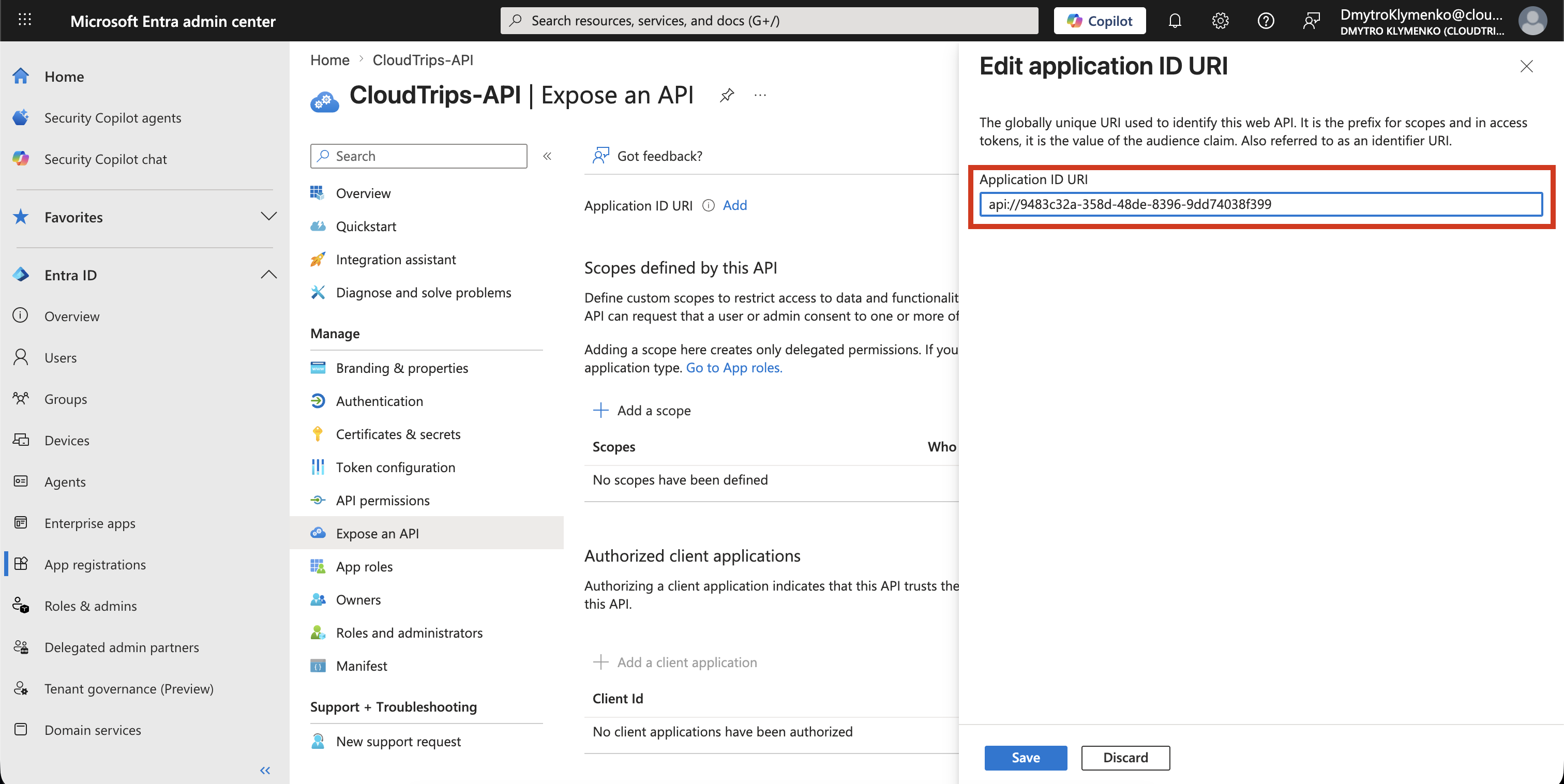
Inside CloudTrips-API, open:
Expose an APISet the Application ID URI:
api://<cloudtrips-api-application-id>This identifier becomes the audience for access tokens issued to the CloudTrips API.
Create Delegated Scope
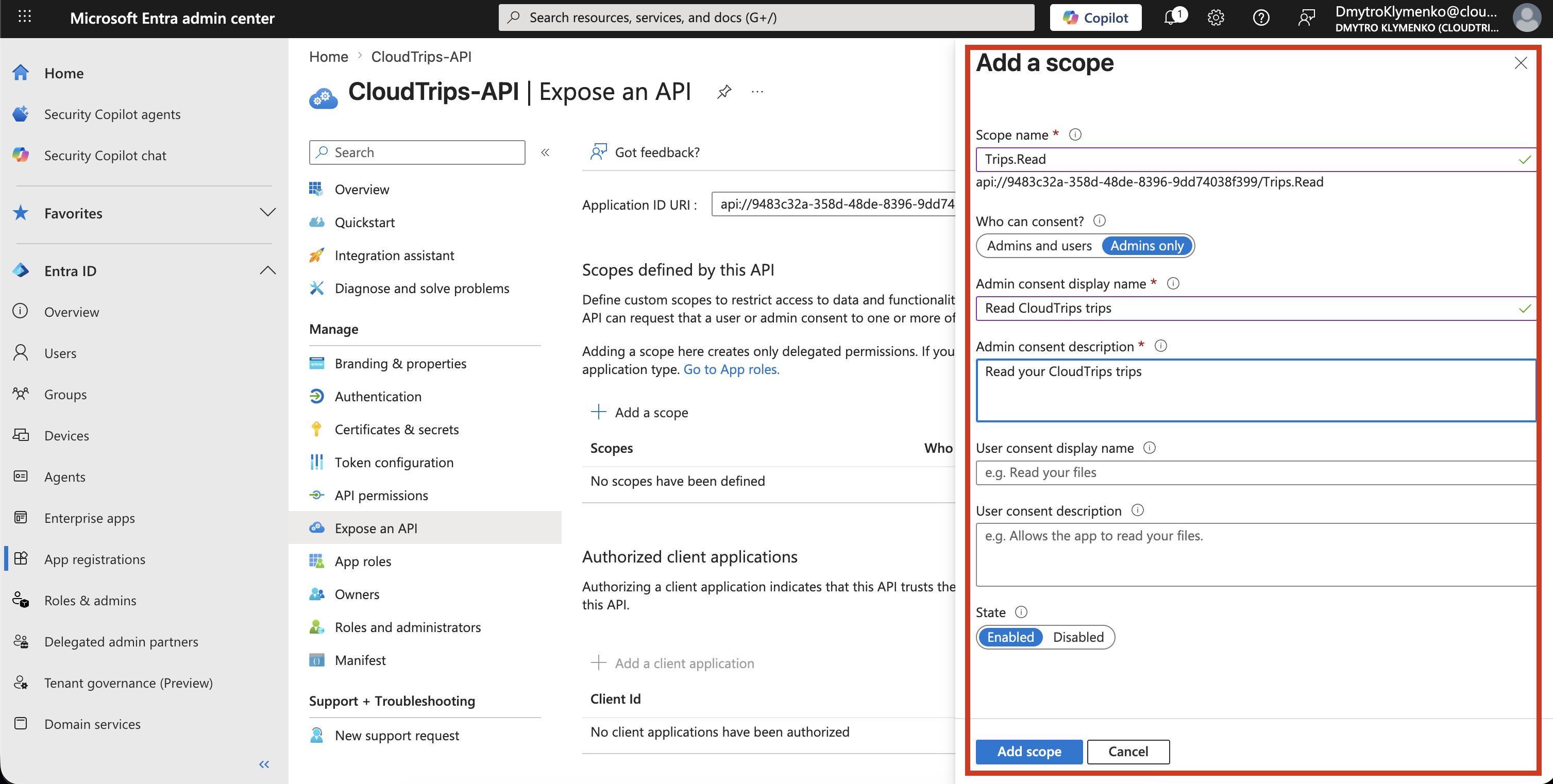
Inside CloudTrips-API, add a scope:
Expose an API > Add a scopeExample:
Scope name: Trips.Read
Who can consent: Admins and users
Admin consent display name: Read CloudTrips trips
User consent display name: Read your CloudTrips trips
State: Enabled
This defines user-delegated authorization.
The CloudTrips API can later check whether the incoming token contains the required scope.
Create CloudTrips Web App
Now create the client application.
Go to:
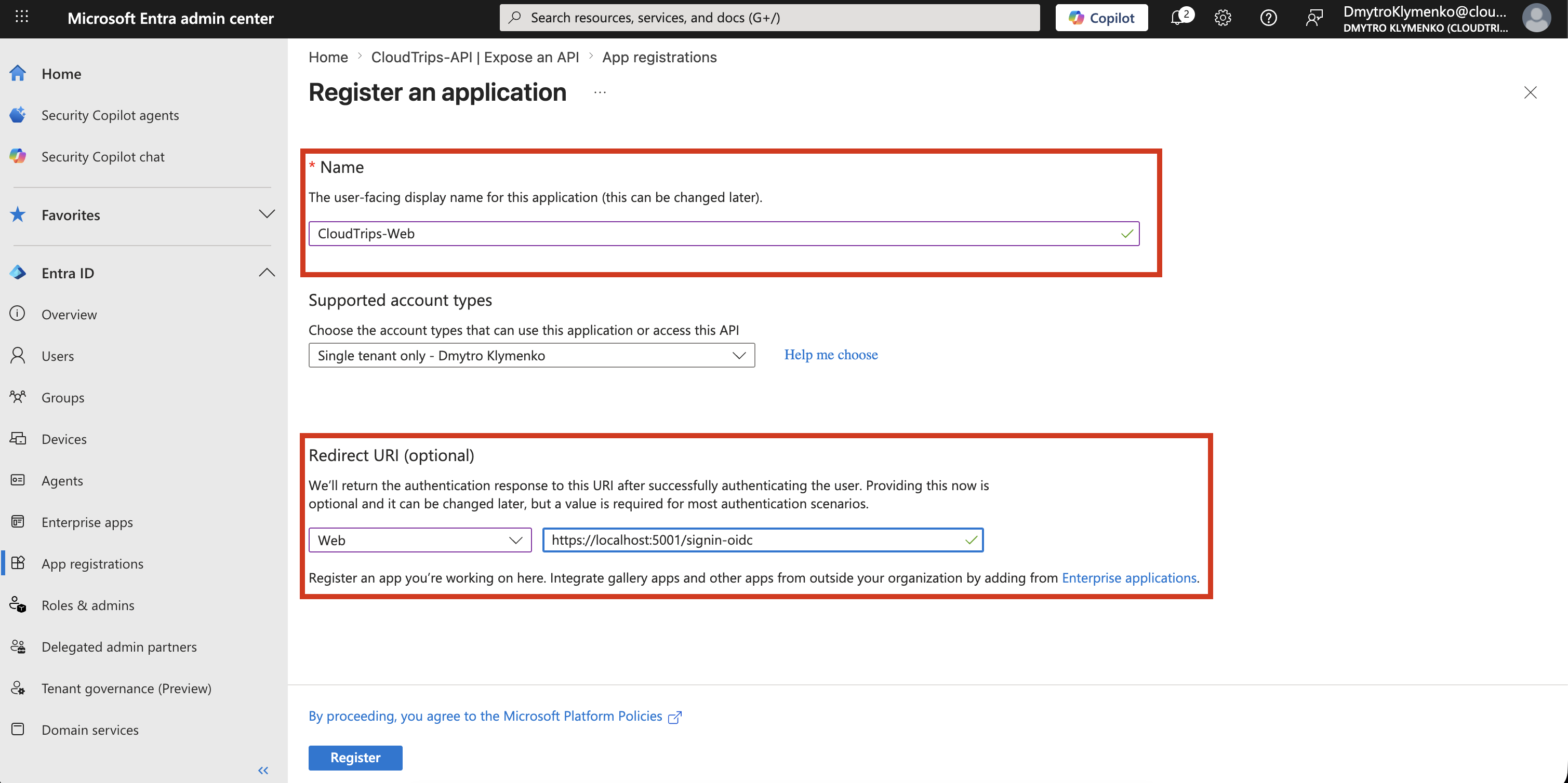
Entra ID > App registrations > New registrationCreate an application:
Name: CloudTrips-Web
Supported account types: Single tenant
Redirect URI platform: Web
Redirect URI: http://localhost:5001/signin-oidc
The redirect URI is where Microsoft Entra ID sends the browser after the user signs in.
For production, use the real application URL instead of localhost.
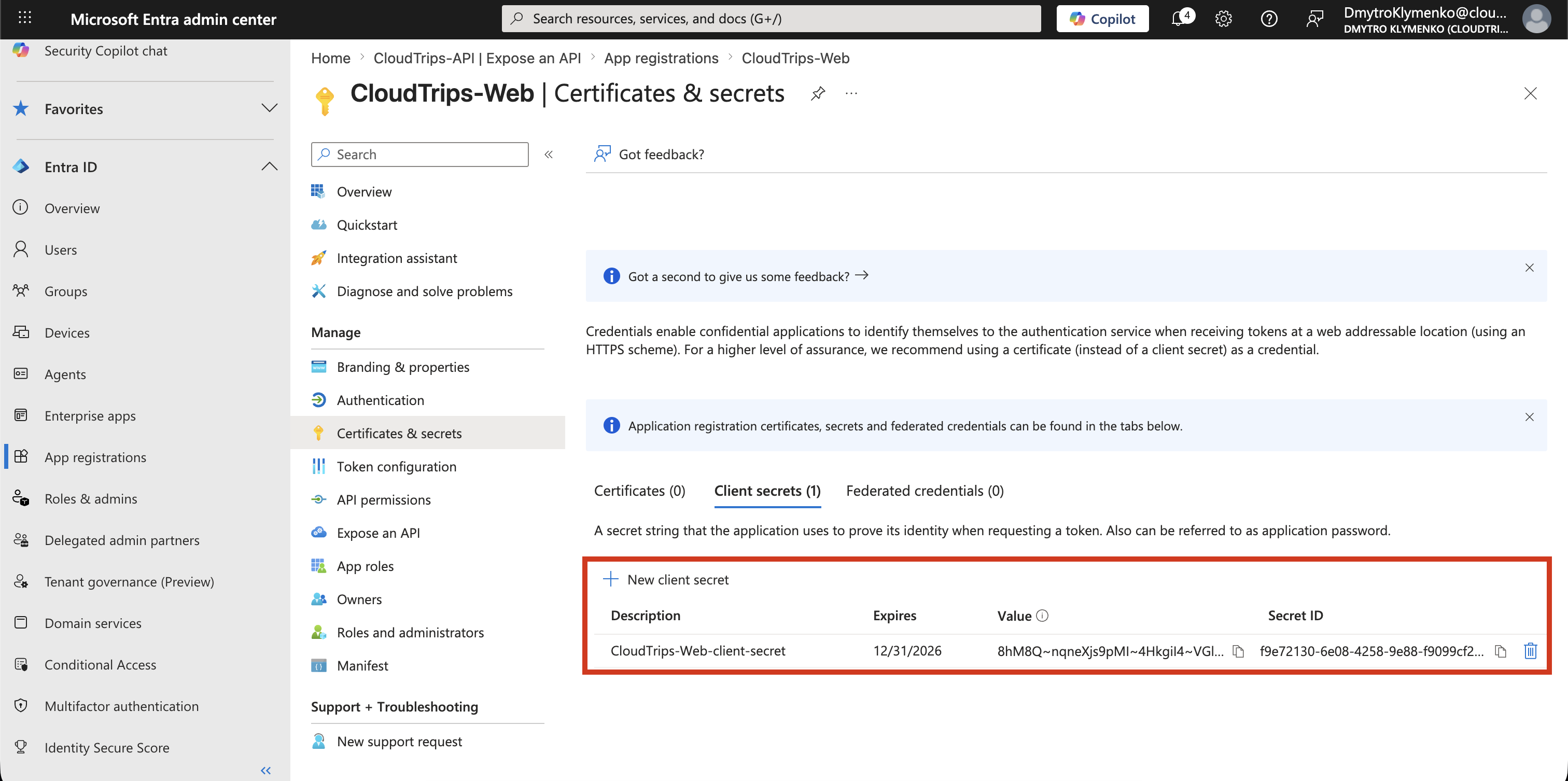
Create Client Secret
Inside CloudTrips-Web, create a client secret:
Certificates & secrets > New client secretStore the secret value securely.
The web app uses this secret when it exchanges the authorization code for tokens.
In real projects, prefer certificate-based credentials for production web apps where possible. If a client secret is used, rotate it regularly and never store it in source control.
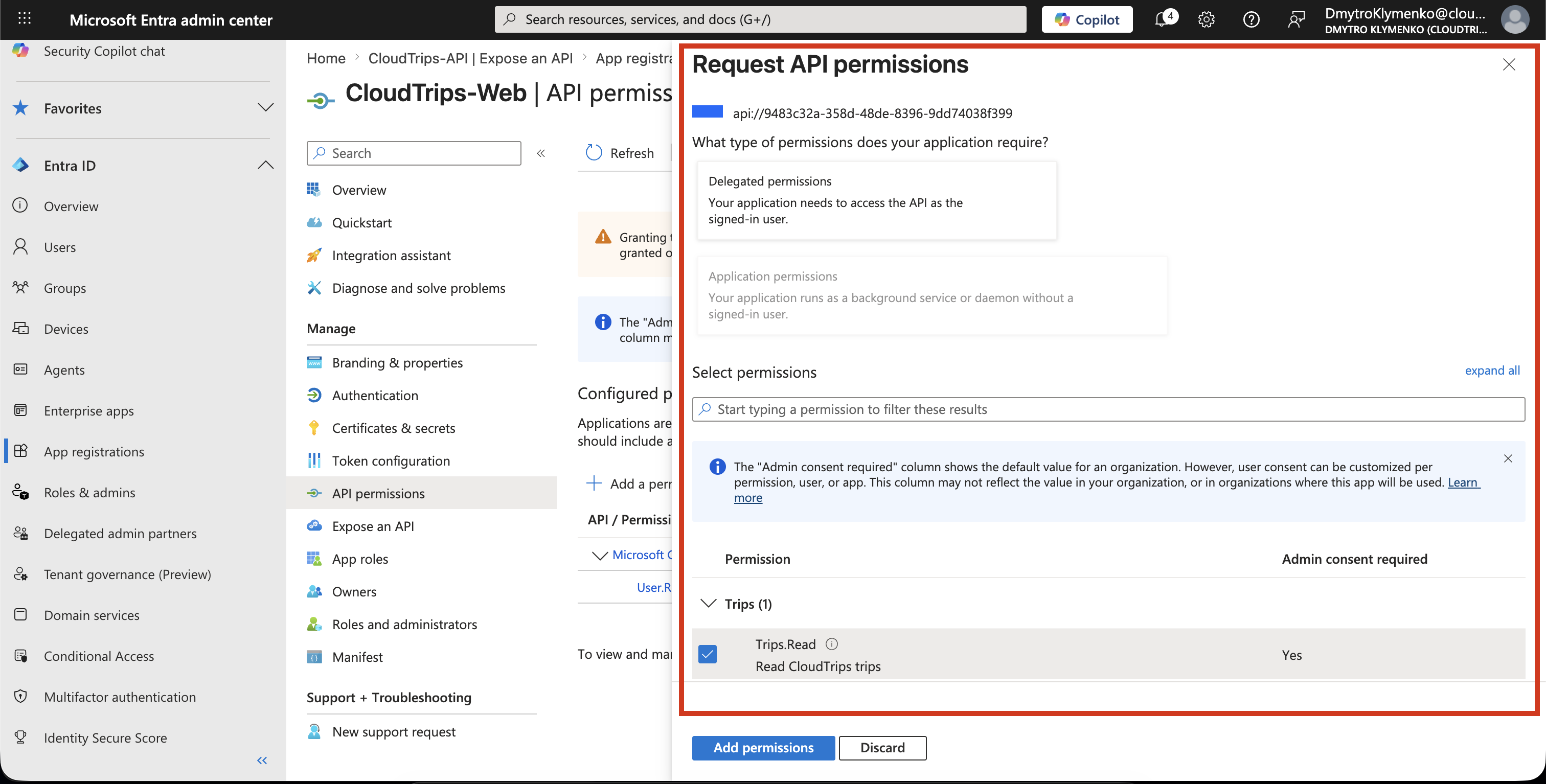
Add API Permission
Go to:
App registrations > CloudTrips-Web > API permissionsThen select:
Add a permissionChoose:
My APIs > CloudTrips-API > Delegated permissions > Trips.ReadThis allows the CloudTrips Web App to request an access token for the CloudTrips API on behalf of the signed-in user.
If your tenant requires administrator approval, click:
Grant admin consent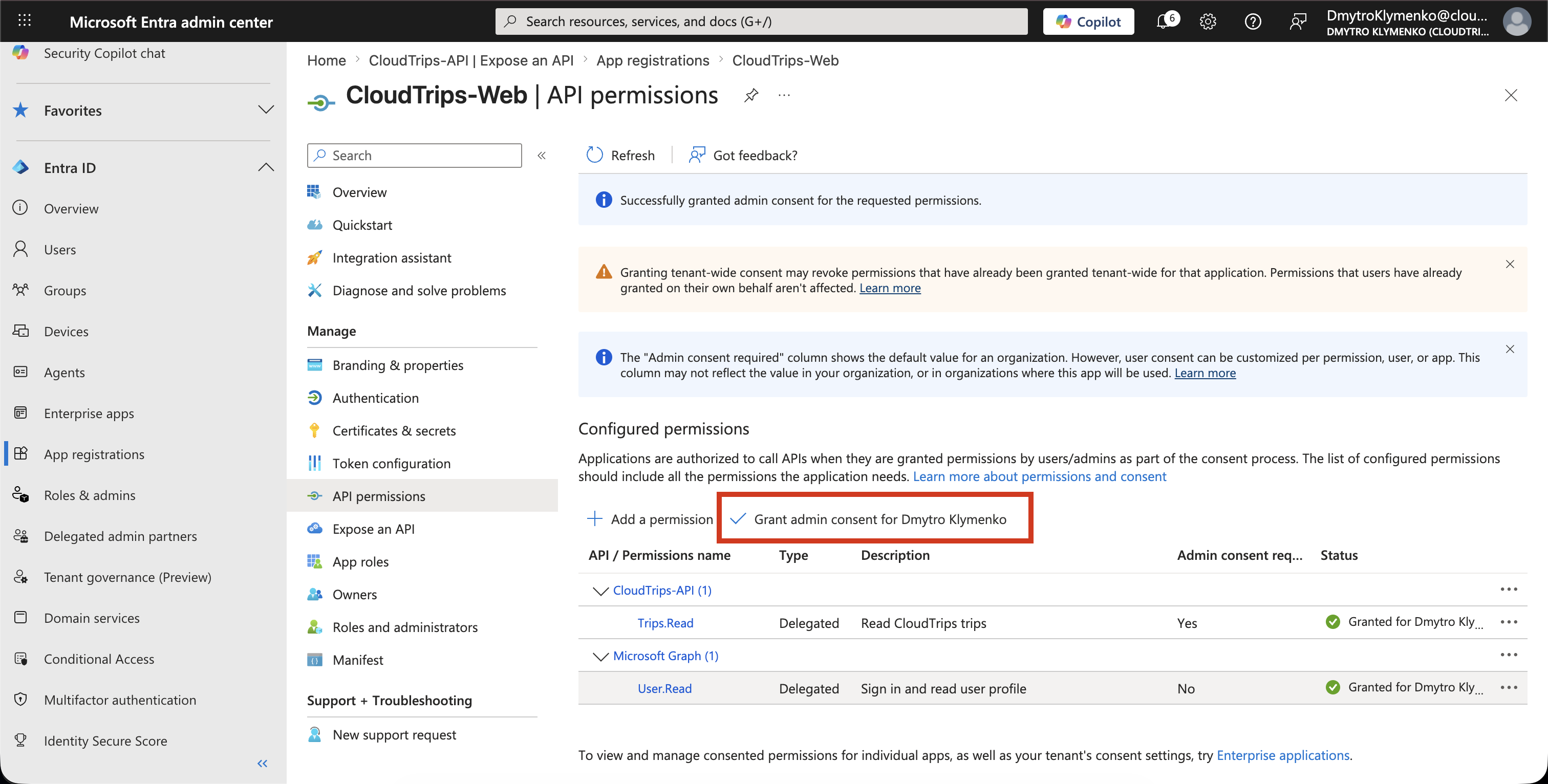
Authorization Code Flow at Runtime
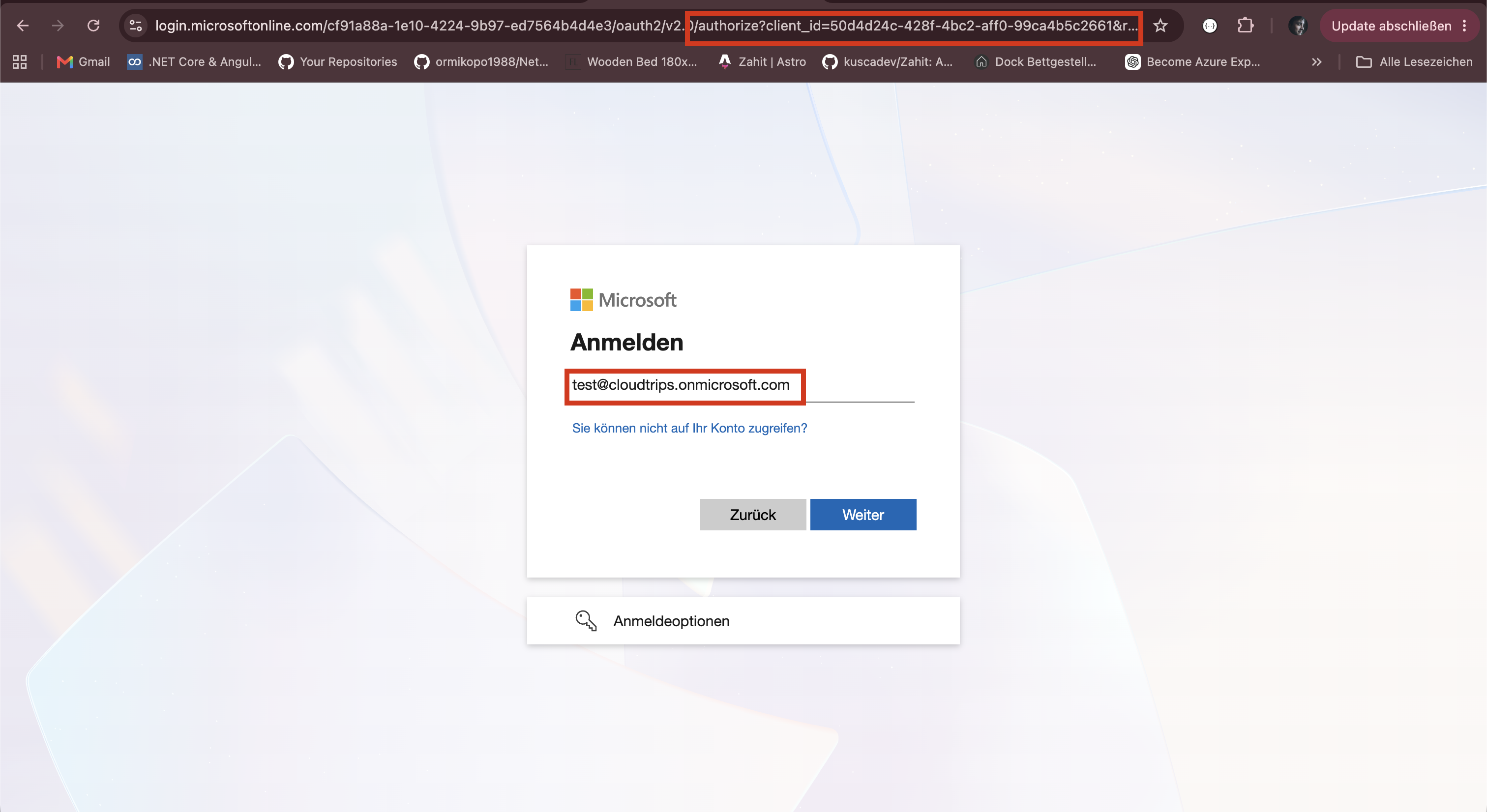
At runtime, the browser is redirected to Microsoft Entra ID:
GET https://login.microsoftonline.com/<tenant-id>/oauth2/v2.0/authorizeRequest parameters:
client_id=CLOUDTRIPS_WEB_CLIENT_ID
response_type=code
redirect_uri=http://localhost:5001/signin-oidc
response_mode=form_post
scope=openid profile offline_access api://<cloudtrips-api-application-id>/Trips.Read
state=<random-state-value>
The user signs in and completes any required Conditional Access or MFA challenge.
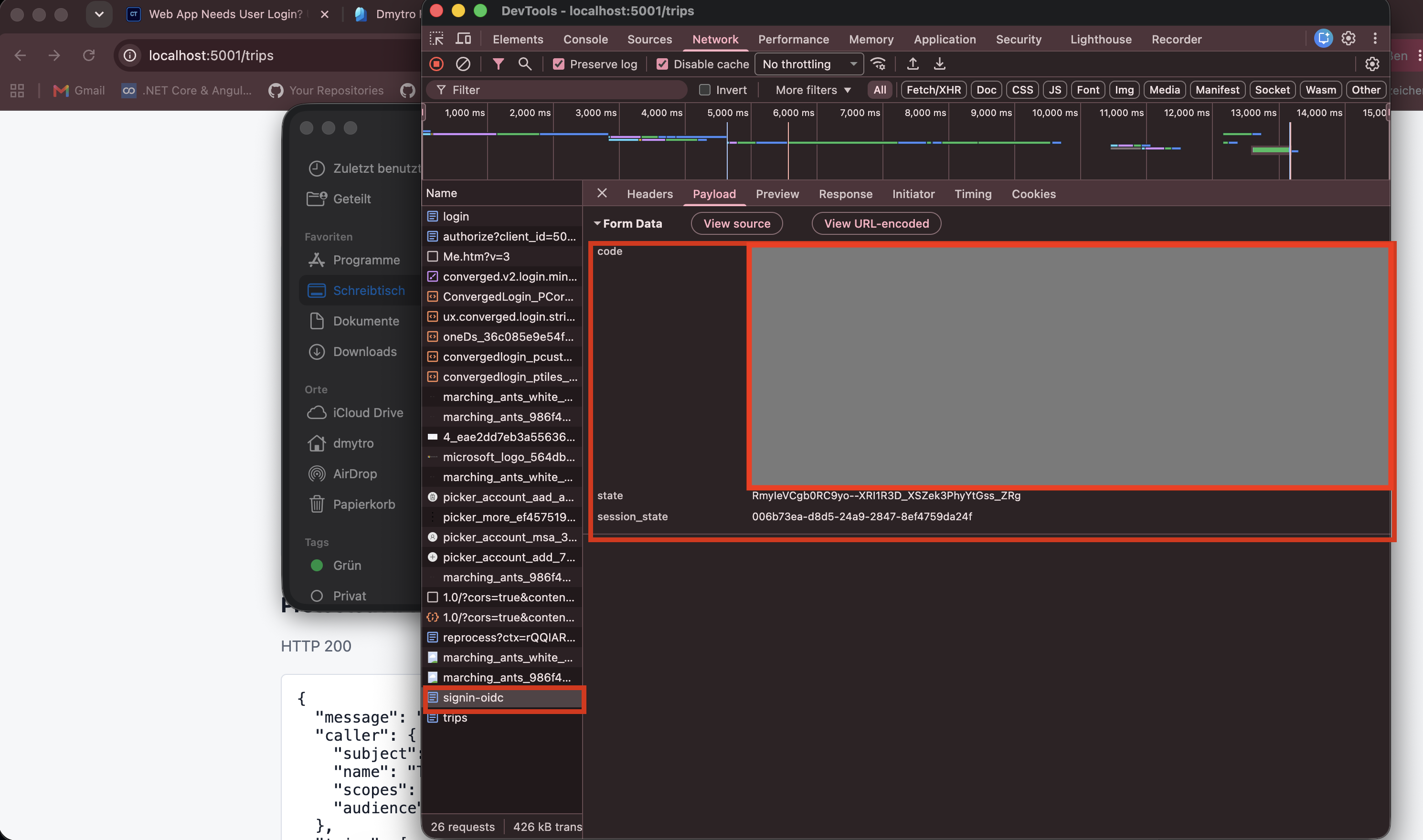
Microsoft Entra ID then redirects the browser back to:
http://localhost:5001/signin-oidcThe response contains an authorization code.
Exchange Code for Tokens
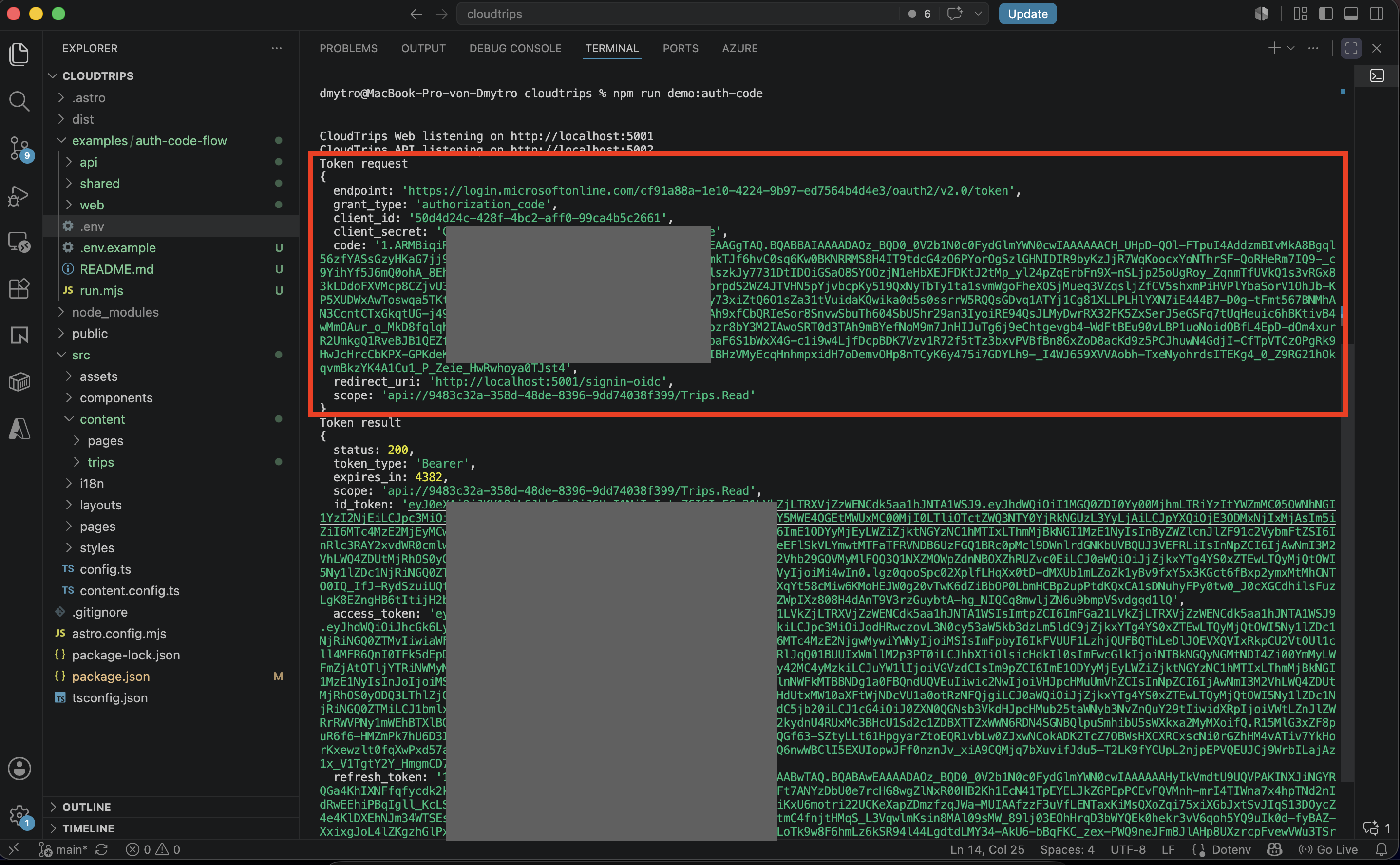
The web app sends the authorization code to Microsoft Entra ID from the server side:
POST https://login.microsoftonline.com/<tenant-id>/oauth2/v2.0/tokenRequest body:
client_id=CLOUDTRIPS_WEB_CLIENT_ID
client_secret=SECRET
grant_type=authorization_code
code=AUTHORIZATION_CODE
redirect_uri=http://localhost:5001/signin-oidc
scope=openid profile offline_access api://<cloudtrips-api-application-id>/Trips.Read
The client secret is sent only from the server.
It must never be exposed in browser JavaScript.
Token Result
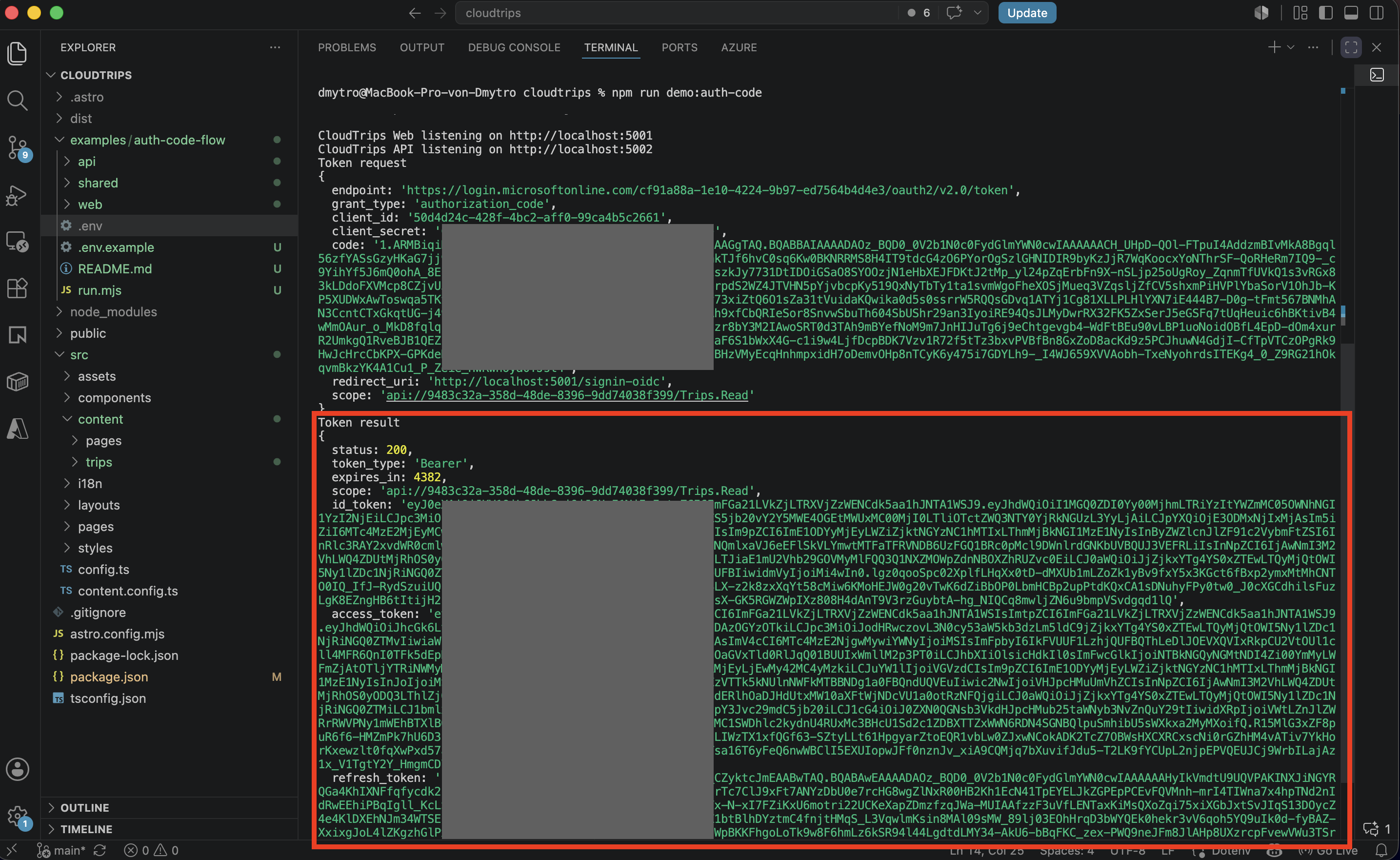
The token response usually contains:
- ID token for the signed-in user
- access token for the CloudTrips API
- refresh token if
offline_accesswas requested and allowed
The ID token proves who signed in to the web app.
The access token is sent to the CloudTrips API.
Access Token Claims
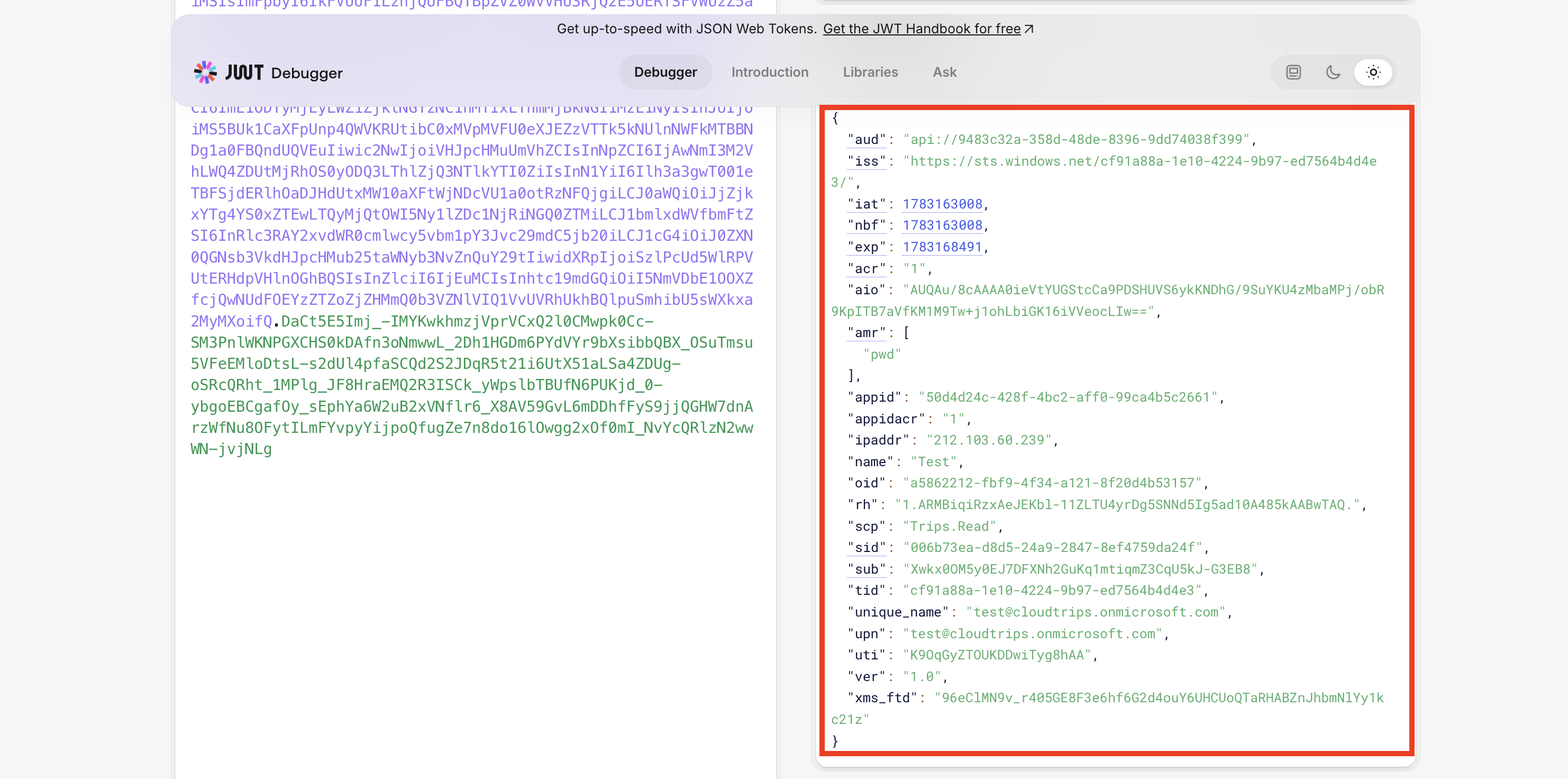
The access token contains:
- audience: CloudTrips API
- scope:
Trips.Read - user identity
- tenant ID
- token issuer
Important claims:
| Claim | Meaning |
|---|---|
aud |
API that should accept the token |
scp |
Delegated permissions granted to the client app |
sub |
Stable user identifier for this app |
tid |
Tenant ID |
iss |
Token issuer |
The CloudTrips API should validate the token before accepting the request.
At minimum, validate:
- signature
- issuer
- audience
- expiration
- required scope
Delegated Access
Authorization Code Flow creates a delegated token.
That means:
- a user signed in
- the web app acts on behalf of that user
- the API receives user context
- permissions appear in the
scpclaim
This is different from Client Credentials Flow.
Client Credentials Flow creates an application token with no user identity.
Extra: Add App Role Through a Group
Scopes answer this question:
What is the client app allowed to do on behalf of the user?App roles answer a different question:
What role does this signed-in user have inside the application?For example, CloudTrips may need an application role such as:
Trips.ApproverThis role can be assigned to a Microsoft Entra group. When a user from that group signs in and receives a token for the CloudTrips API, the access token can contain a roles claim.
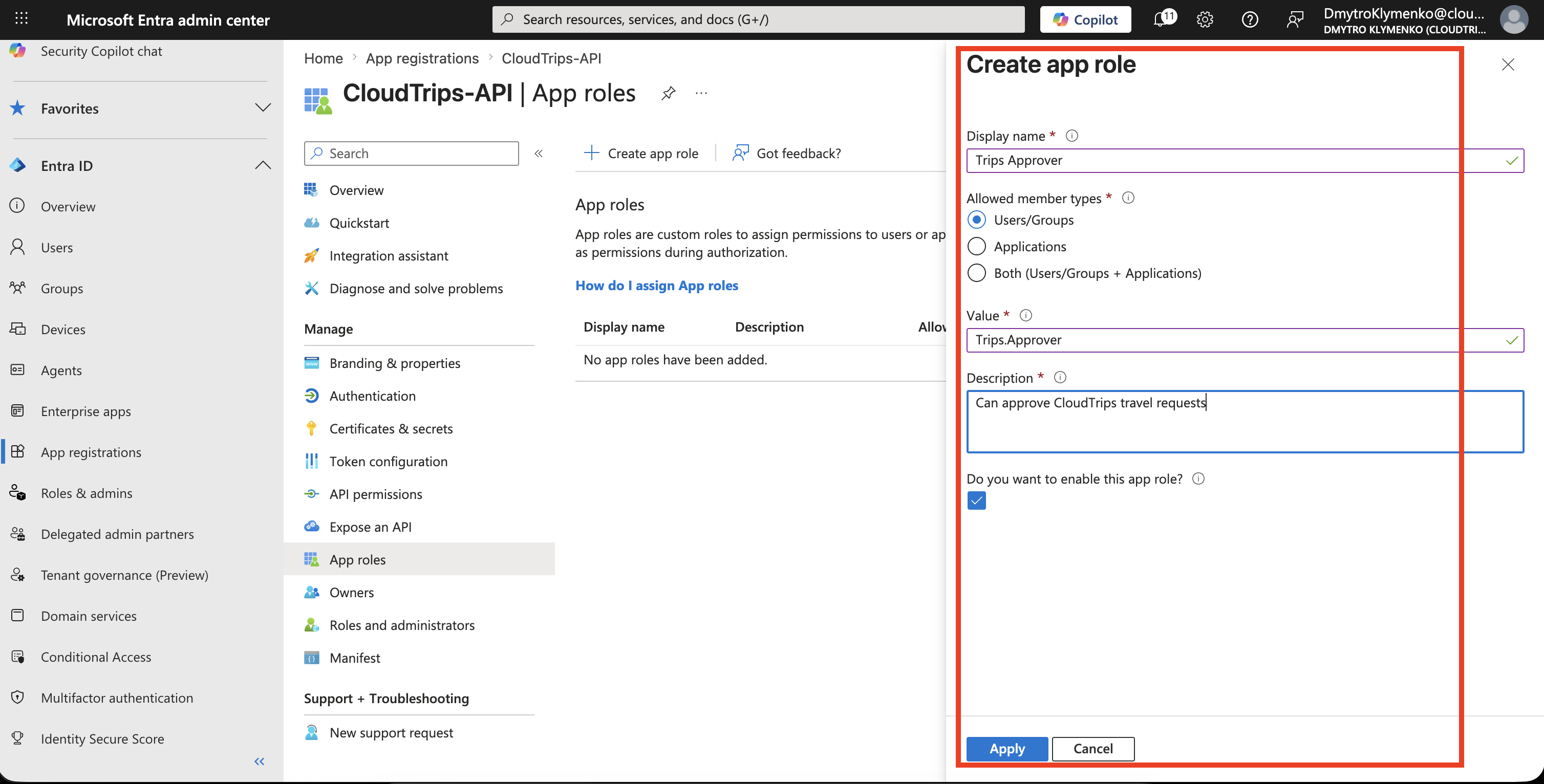
Create a User App Role
Inside CloudTrips-API, open:
App roles > Create app roleExample:
Display name: Trips Approver
Allowed member types: Users/Groups
Value: Trips.Approver
Description: Can approve CloudTrips travel requests
Do you want to enable this app role: Yes
This role belongs to the resource application, because the CloudTrips API is the app that will read and enforce the role.
Assign a Group to the App Role
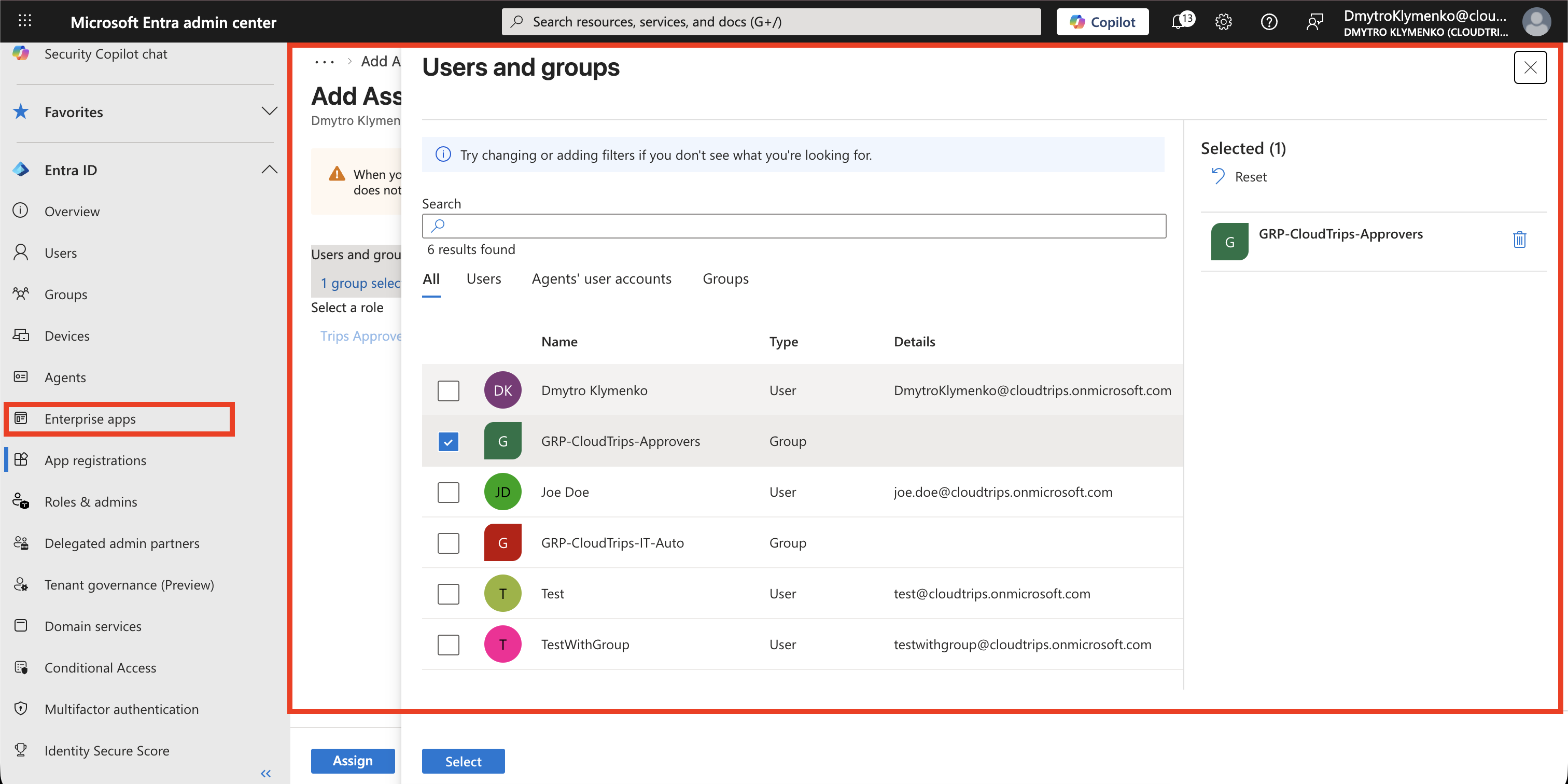
Open the Enterprise Application for the API:
Entra ID > Enterprise applications > CloudTrips-APIThen go to:
Users and groups > Add user/groupSelect a group:
GRP-CloudTrips-ApproversSelect the role:
Trips ApproverNow every user in that group receives the application role when getting a token for the CloudTrips API.
The user may need to sign out and sign in again before the new role appears in the token.
Role Claim Result
After the user signs in again, decode the access token.
The token can now contain both:
{
  "scp": "Trips.Read",
  "roles": [
    "Trips.Approver"
  ]
}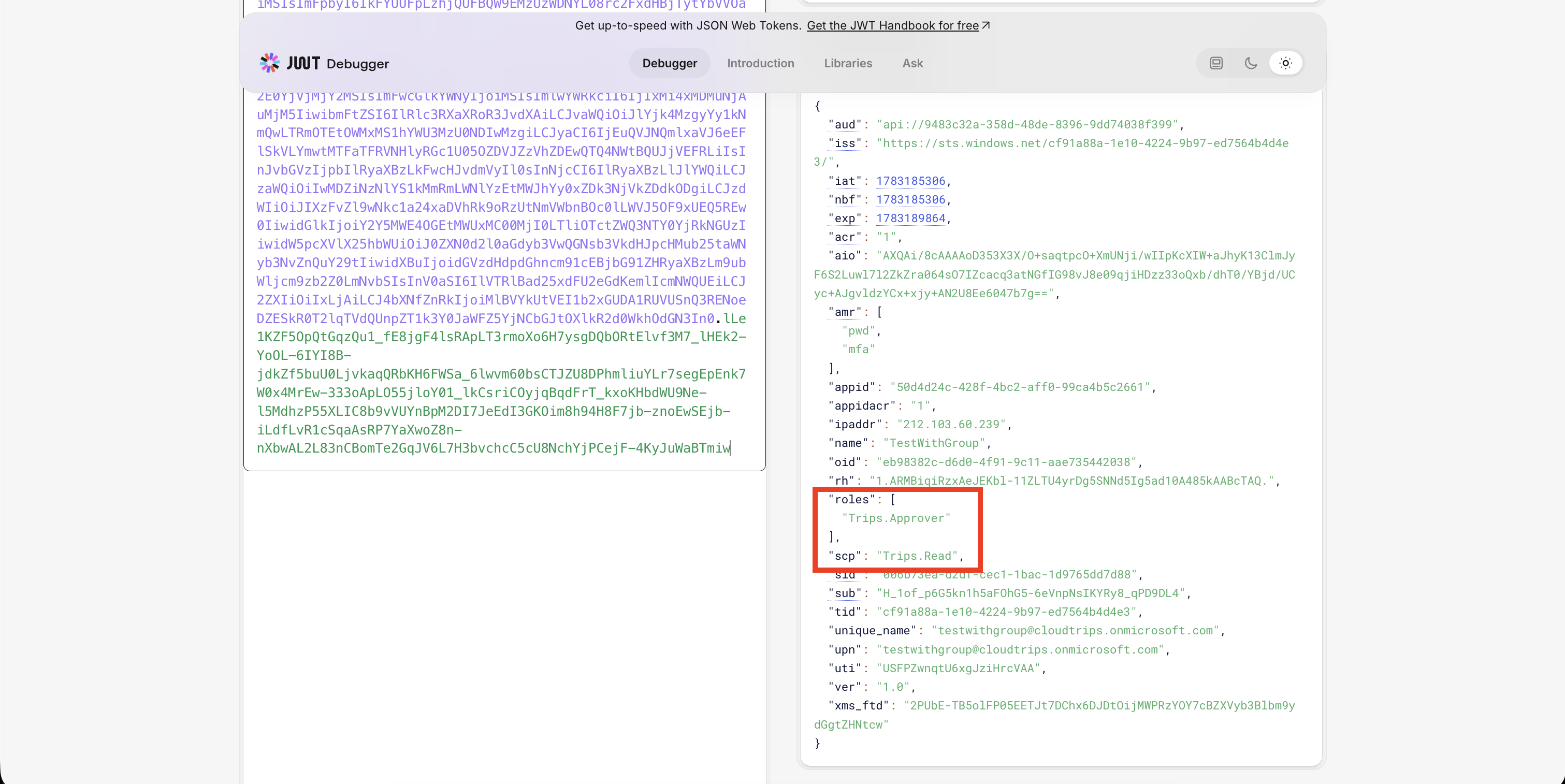
The CloudTrips API can then check both values:
scpconfirms delegated permission to call the APIrolesconfirms the user’s application role
For example:
Allow reading trips if scp contains Trips.Read
Allow approving trips if roles contains Trips.Approver
This is usually cleaner than checking raw group IDs in the API. Group IDs are tenant-specific, harder to read, and large group memberships can cause token overage behavior.
Enterprise Note
Real enterprise environments usually have multiple stages:
- DEV
- TEST or STAGE
- PROD
If these environments use different application URLs or different API deployments, create separate App Registrations per environment.
Example:
CloudTrips-Web-DEV
CloudTrips-Web-TEST
CloudTrips-Web-PROD

CloudTrips-API-DEV
CloudTrips-API-TEST
CloudTrips-API-PROD
This provides:
- isolated redirect URIs
- separated client credentials
- safer production consent boundaries
- clearer token audiences
- cleaner auditing and troubleshooting
Key Comparison
| Flow | User Present | Token Type | Common Use |
|---|---|---|---|
| Authorization Code | Yes | Delegated | Server-side web app |
| Client Credentials | No | Application | Background system integration |
| Managed Identity | No | Application | Azure-hosted workload |