Old Apps Use Insecure Sign-In? Block Legacy Authentication
Some old clients and protocols do not support modern authentication or multifactor authentication.
That makes them dangerous.
For these sign-ins, the Microsoft Entra pattern is:
Block legacy authentication.
This pattern is used when:
- old Office clients or mail protocols still try to sign in
- legacy protocols do not support MFA
- attackers can use password spray or credential stuffing against old endpoints
- the tenant needs a security baseline before stronger Conditional Access policies
In this example:
- CloudTrips tenant wants to block insecure sign-in
- Legacy authentication clients are Exchange ActiveSync clients and other old clients
- Conditional Access blocks the sign-in after first-factor authentication
The shape is:
Find legacy sign-ins -> create policy from template -> review exclusions -> test in report-only -> turn onWhat Counts as Legacy Authentication
Legacy authentication usually means older protocols or clients that do not use modern authentication.
Common examples include:
Exchange ActiveSync clients
Other clients using legacy authentication
Older mail protocols
Older Office clients
Scripts using basic authentication
These flows often cannot satisfy MFA.
That is why blocking legacy authentication is one of the most important identity protections.
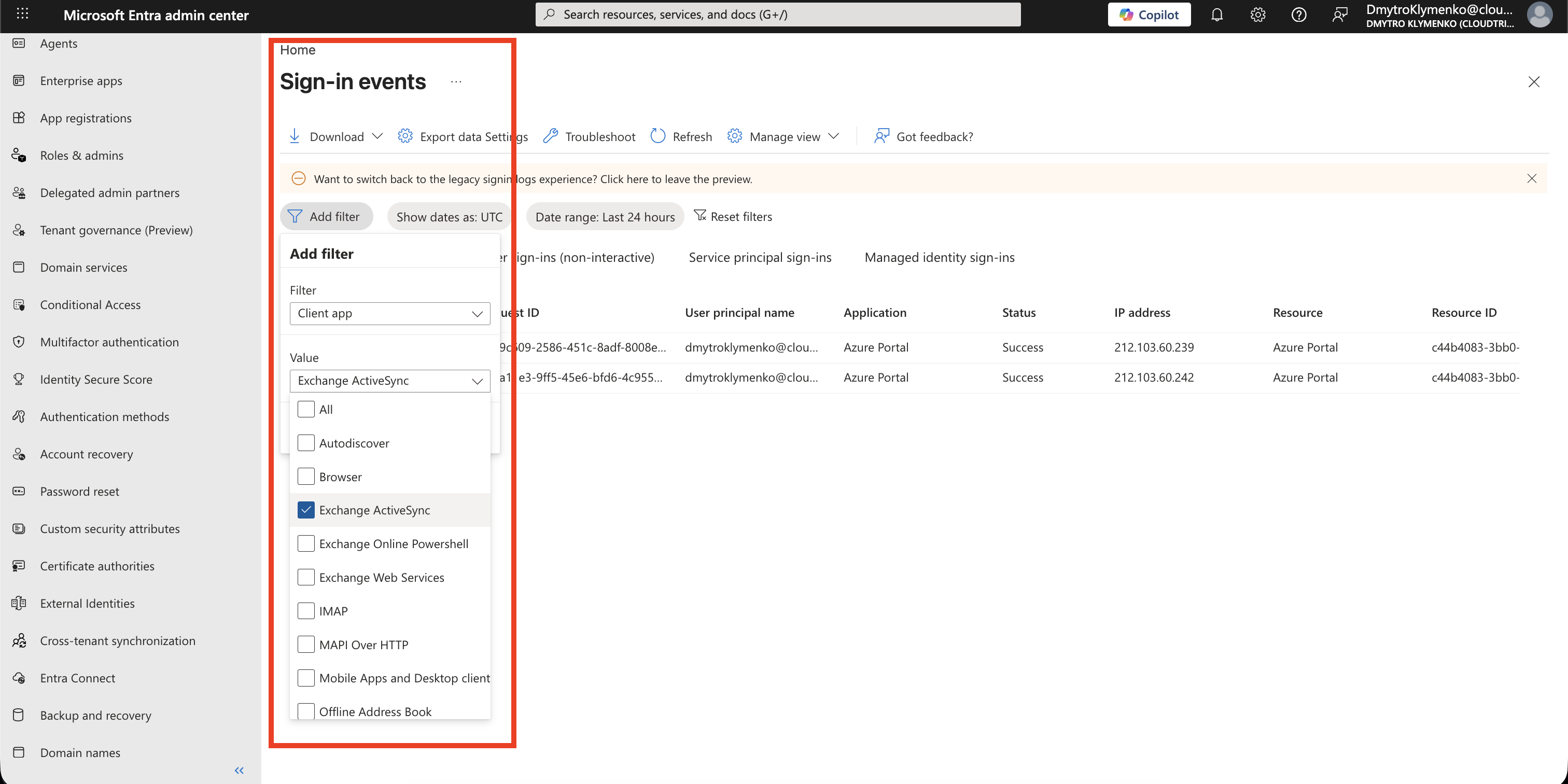
Check Legacy Authentication Usage
Before blocking, check whether anyone still uses legacy authentication.
Go to:
Entra ID > Monitoring & health > Sign-in logsAdd or show the column:
Client AppThen filter by legacy authentication client apps.
Also check:
User sign-ins (non-interactive)This helps you find service accounts, old clients, or applications that might break when the policy is enforced.
Start from the Conditional Access Template
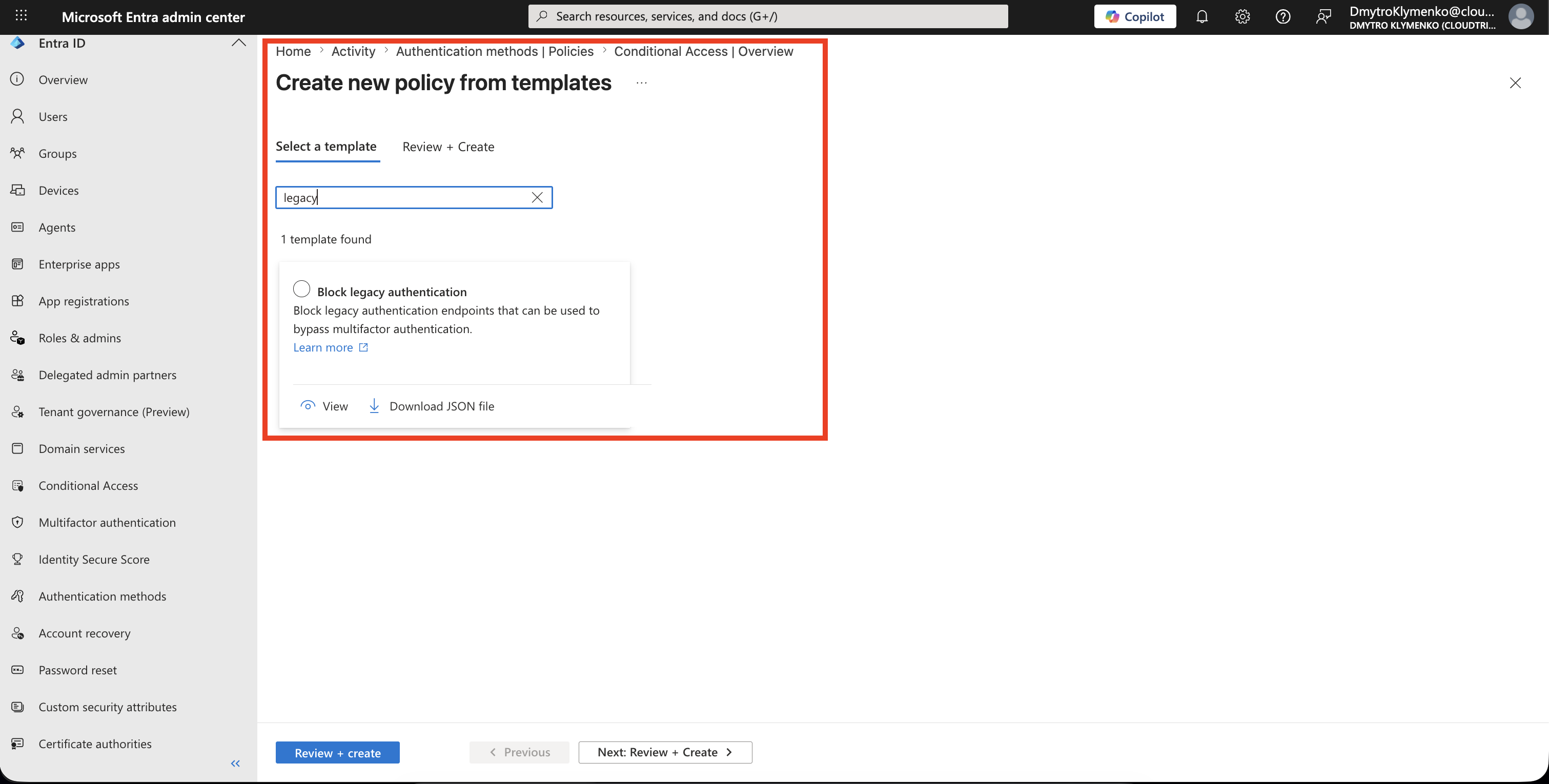
Go to:
Entra ID > Conditional Access > PoliciesSelect:
New policy from templateChoose the template:
Block legacy authenticationThis creates a policy with the legacy authentication clients condition and block grant already prepared.
Review the Template Summary
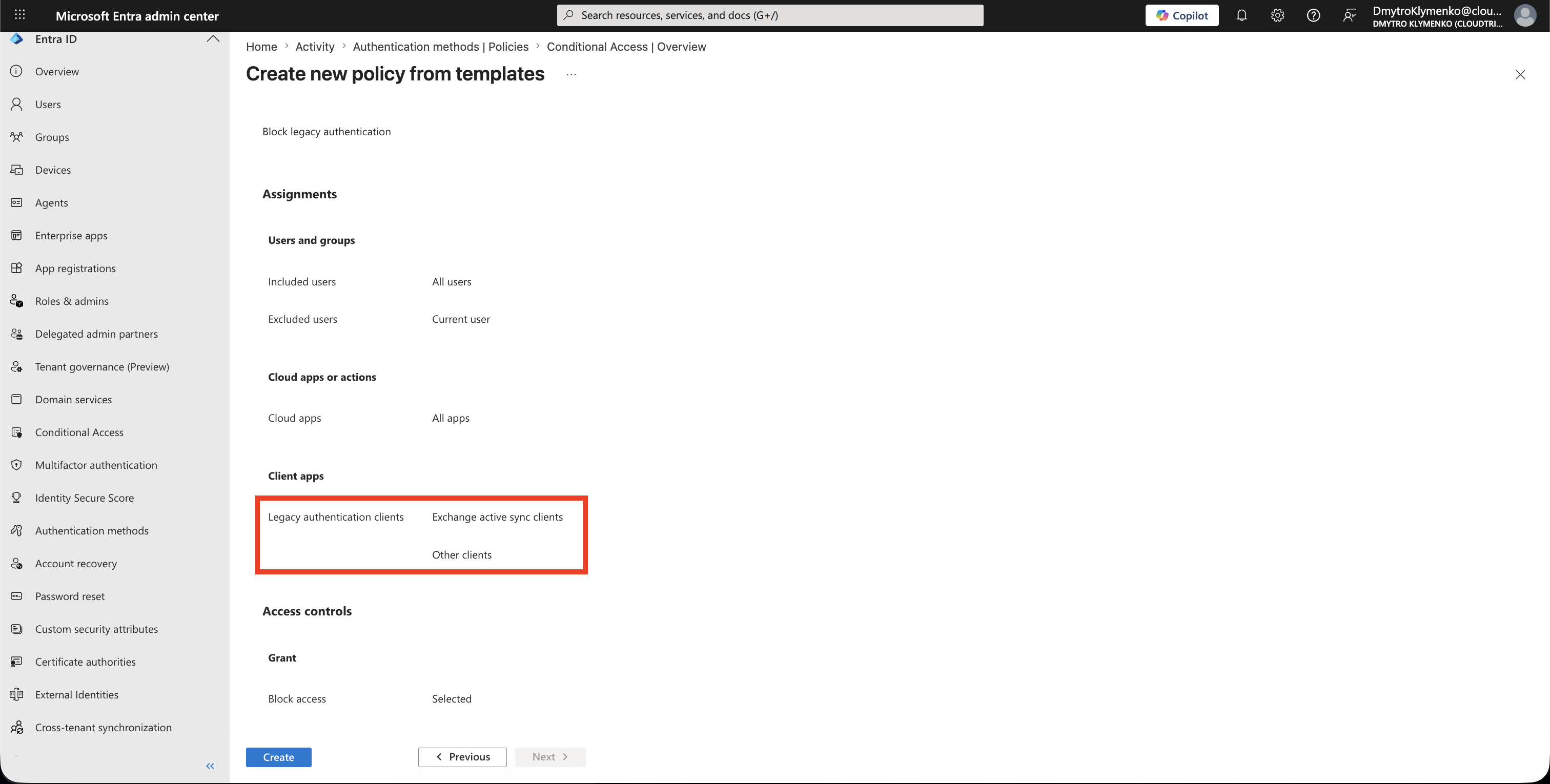
The template should create the same core policy shape you would build manually:
Users: All users
Target resources: All resources
Client apps: Legacy authentication clients
  - Exchange ActiveSync clients
  - Other clients
Grant: Block access
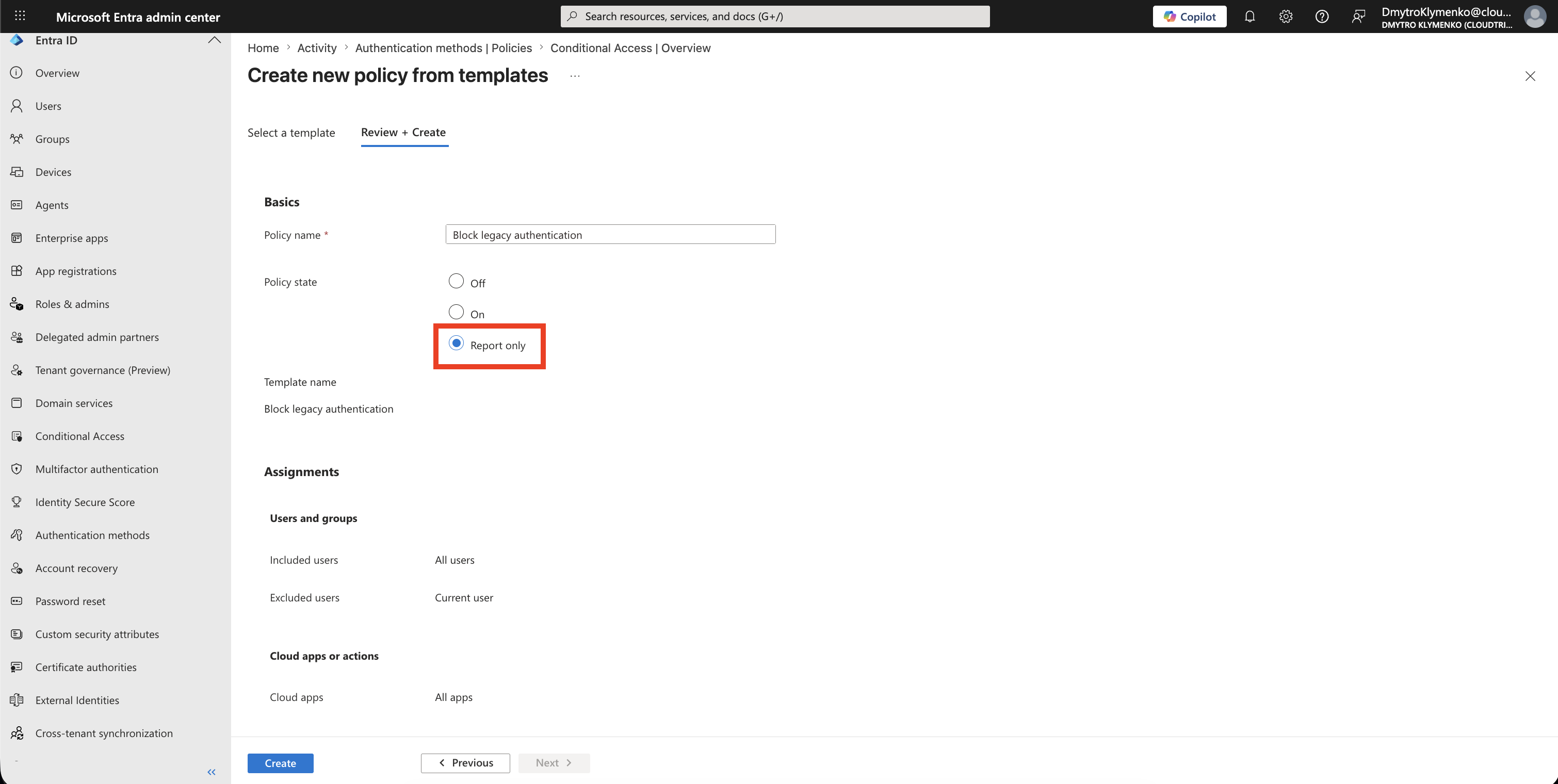
Give the policy a clear name, for example:
CA-Block-Legacy-Authentication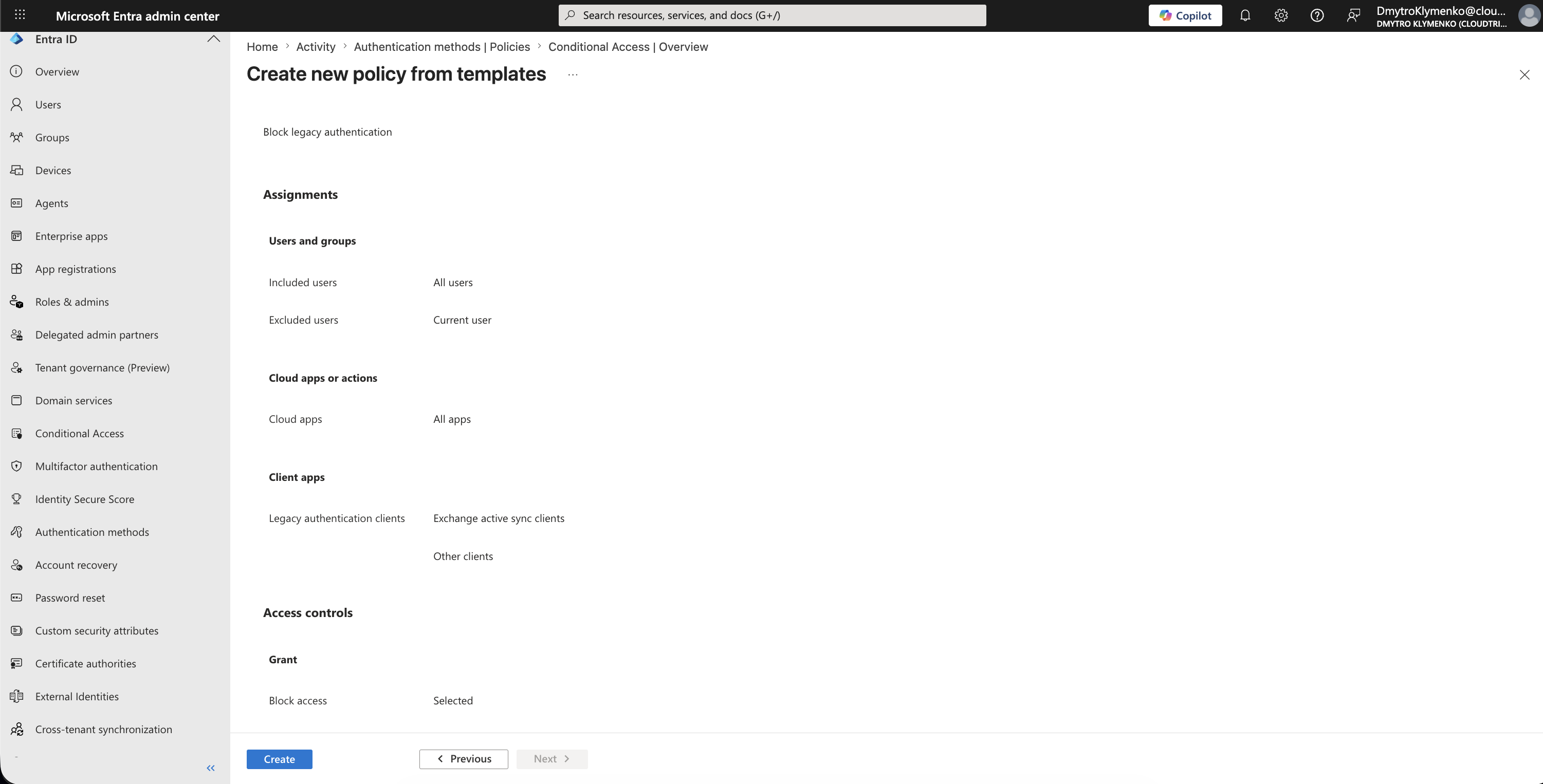
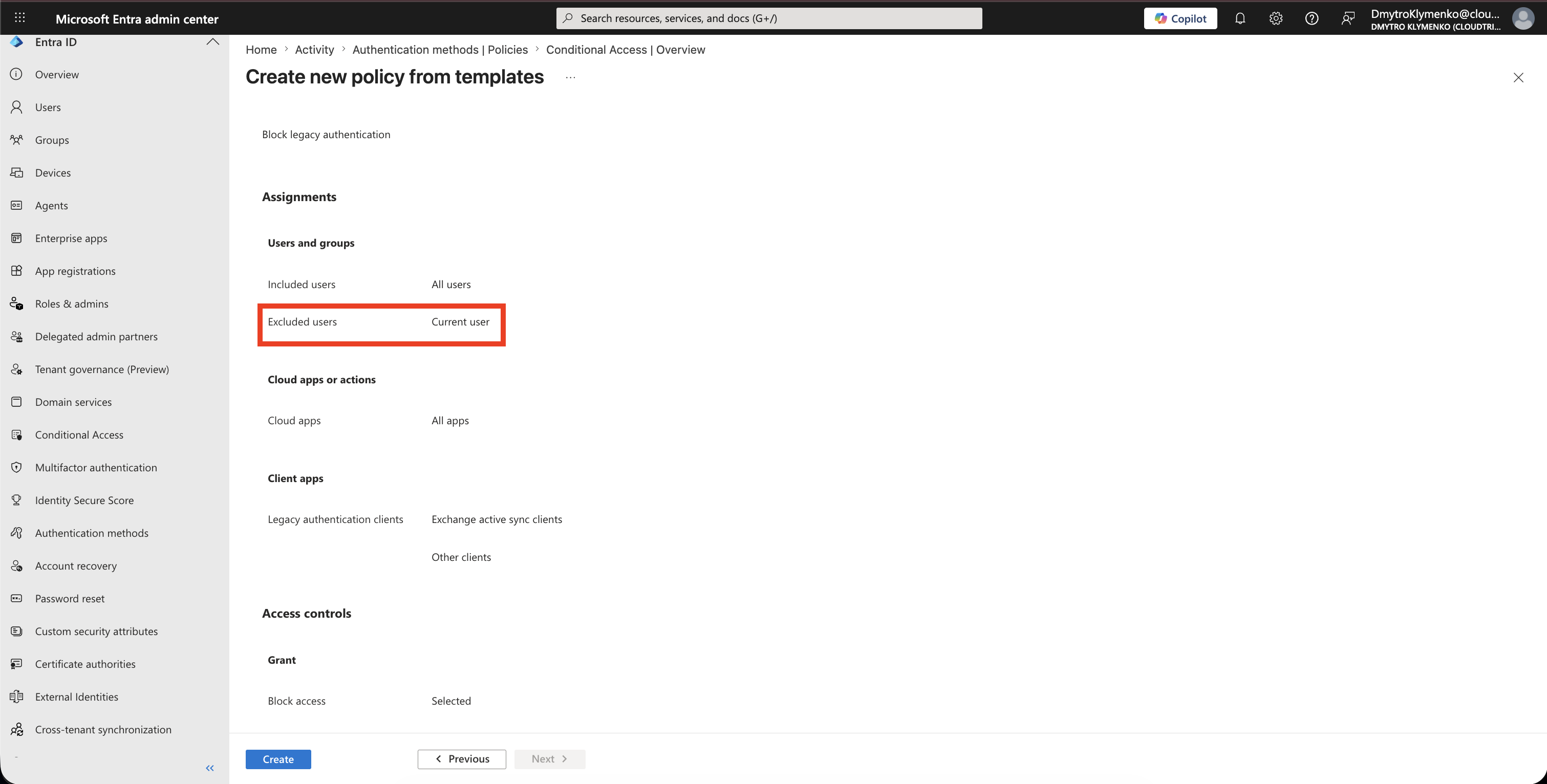
Exclude Emergency and Required Accounts
Under:
ExcludeExclude your emergency access account.
Microsoft also recommends reviewing service accounts and special accounts that might still depend on old protocols.
Do not keep long-term exceptions casually.
If an account still needs legacy authentication, treat it as technical debt and plan a replacement.
Confirm the Legacy Authentication Clients Condition
Open the client apps condition and confirm that the policy targets:
Legacy authentication clients
Exchange ActiveSync clients
Other clients
These are the client app types that represent legacy authentication in Conditional Access.
Start in Report-Only Mode
Set:
Enable policy: Report-onlyReport-only lets you see the impact without blocking users immediately.
Review results before turning the policy on.
Review Policy Impact
After report-only data appears, review:
Entra ID > Monitoring & health > Sign-in logsLook for Conditional Access results from:
CA-Block-Legacy-AuthenticationIf legitimate systems still appear, migrate them to modern authentication before enforcement.
Turn Policy On
When testing is complete, change:
Enable policy: OnNow legacy authentication requests are blocked.
Enterprise Note
Legacy authentication blocking can break old clients and scripts.
That is good when the client is unsafe, but painful when nobody knew it still existed.
Before enforcement:
- check interactive and non-interactive sign-in logs
- identify owners of old clients
- migrate mail clients to modern authentication
- replace scripts that use basic authentication
- exclude only emergency access accounts
- keep exceptions temporary and documented
If your tenant uses Security defaults, legacy authentication may already be blocked without a custom Conditional Access policy.
Use Conditional Access when you need controlled rollout, report-only testing, exclusions, or enterprise-specific targeting.