Background App Needs Access? Use Managed Identity
This trip continues from:
Client Credentials Flow using App Registrations (D365 to Middleware API)
Now we replace caller authentication with:
Managed Identity, without a client secret and without a caller-side app registration.
Architecture
D365 -> Azure Function (Managed Identity) -> Middleware APIThe Azure Function becomes the trusted runtime component. It uses its managed identity to request a token for the Middleware API.
Create User Assigned Managed Identity
Go to:
Azure Portal > Managed Identities > CreateCreate the identity:
Type: User Assigned Managed Identity
Name: mi-d365-function-integration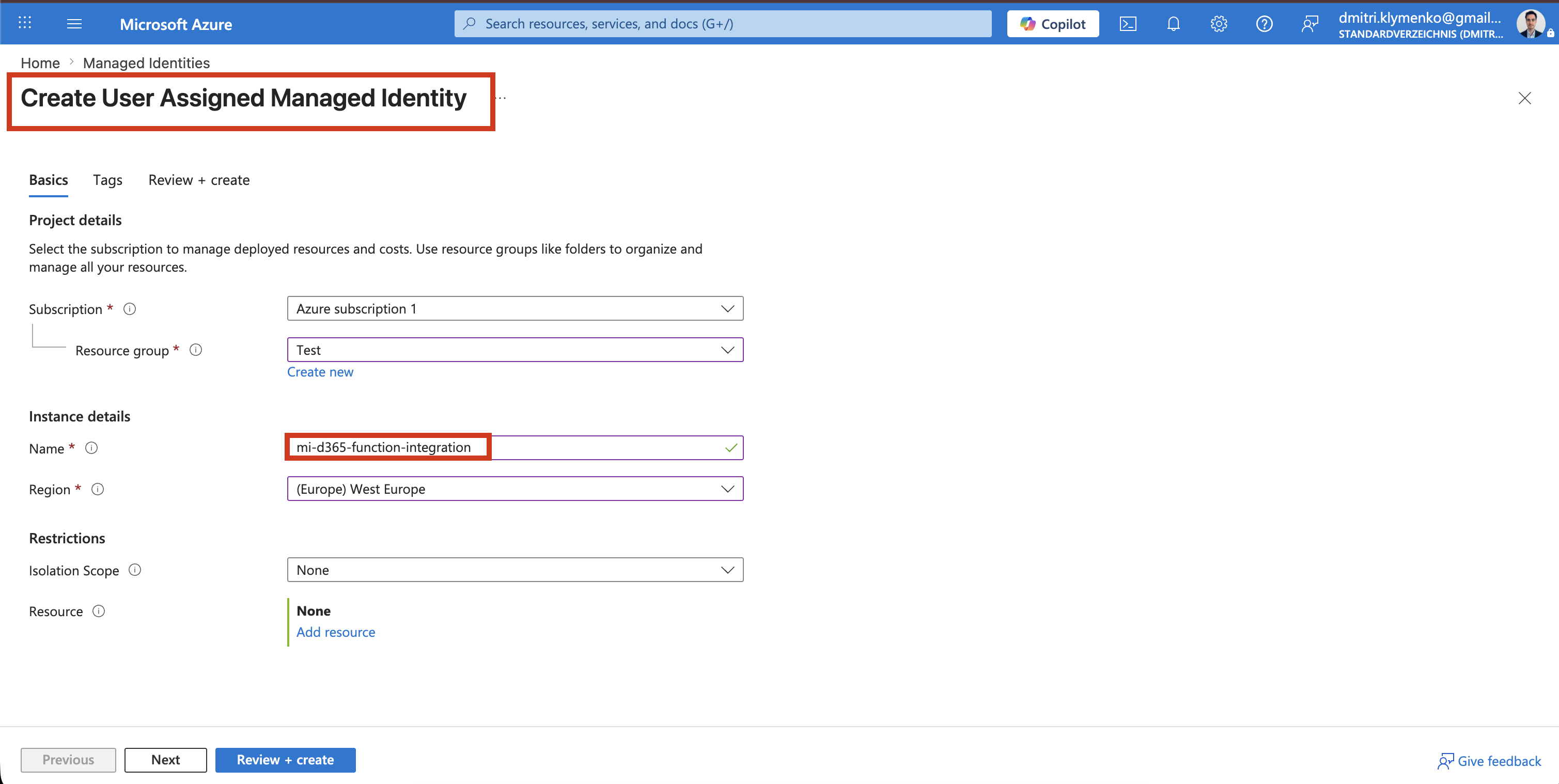
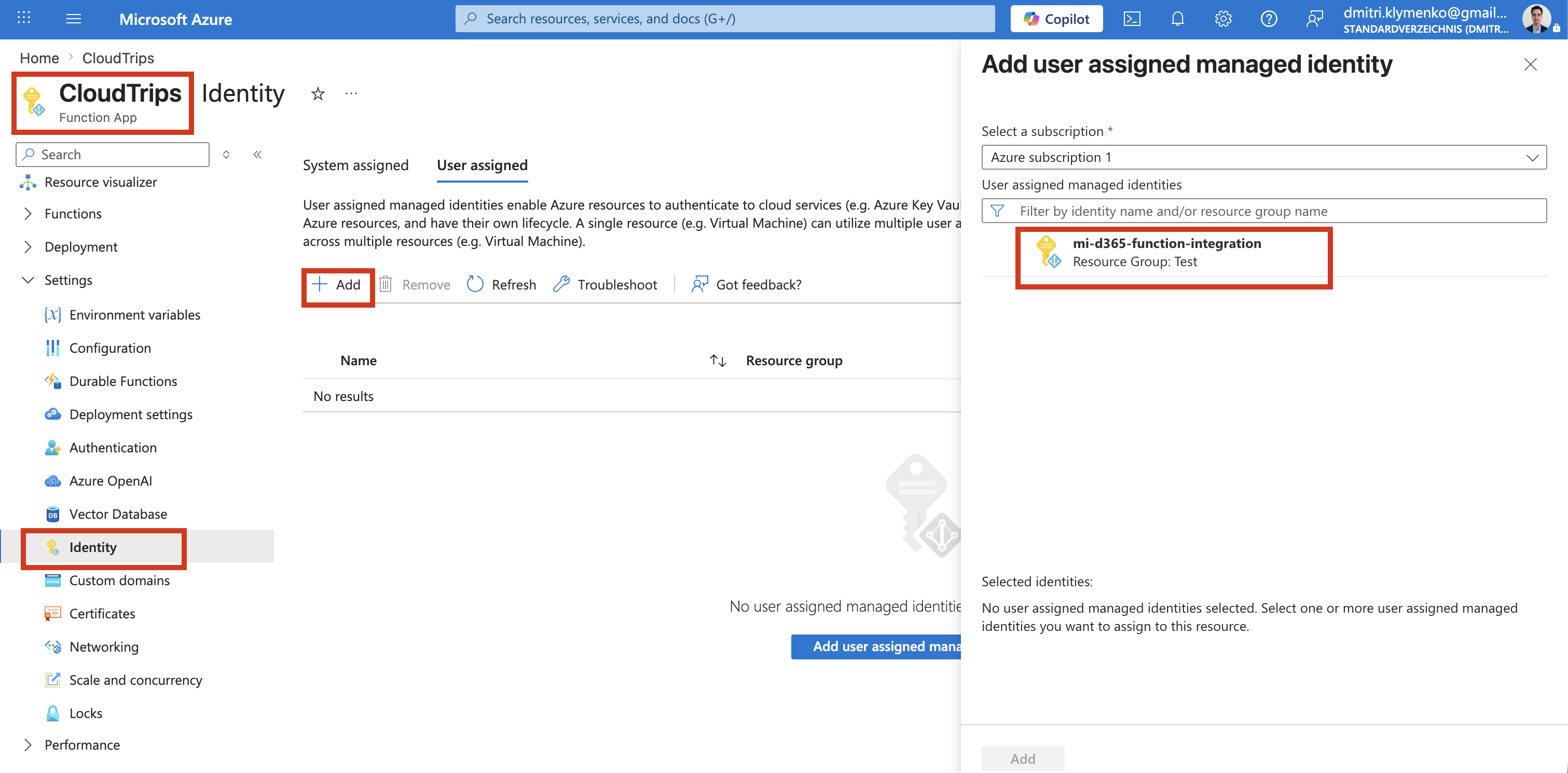
Assign Managed Identity to Azure Function
Open the Function App and go to:
Function App > Identity > User assigned > AddAttach:
mi-d365-function-integrationThe Function App can now authenticate as this managed identity.
Identity Concept
There are three related identity objects that are easy to confuse.
App Registration Object ID
- definition layer
- stores application configuration
- used for OAuth setup
- not used for runtime access assignment
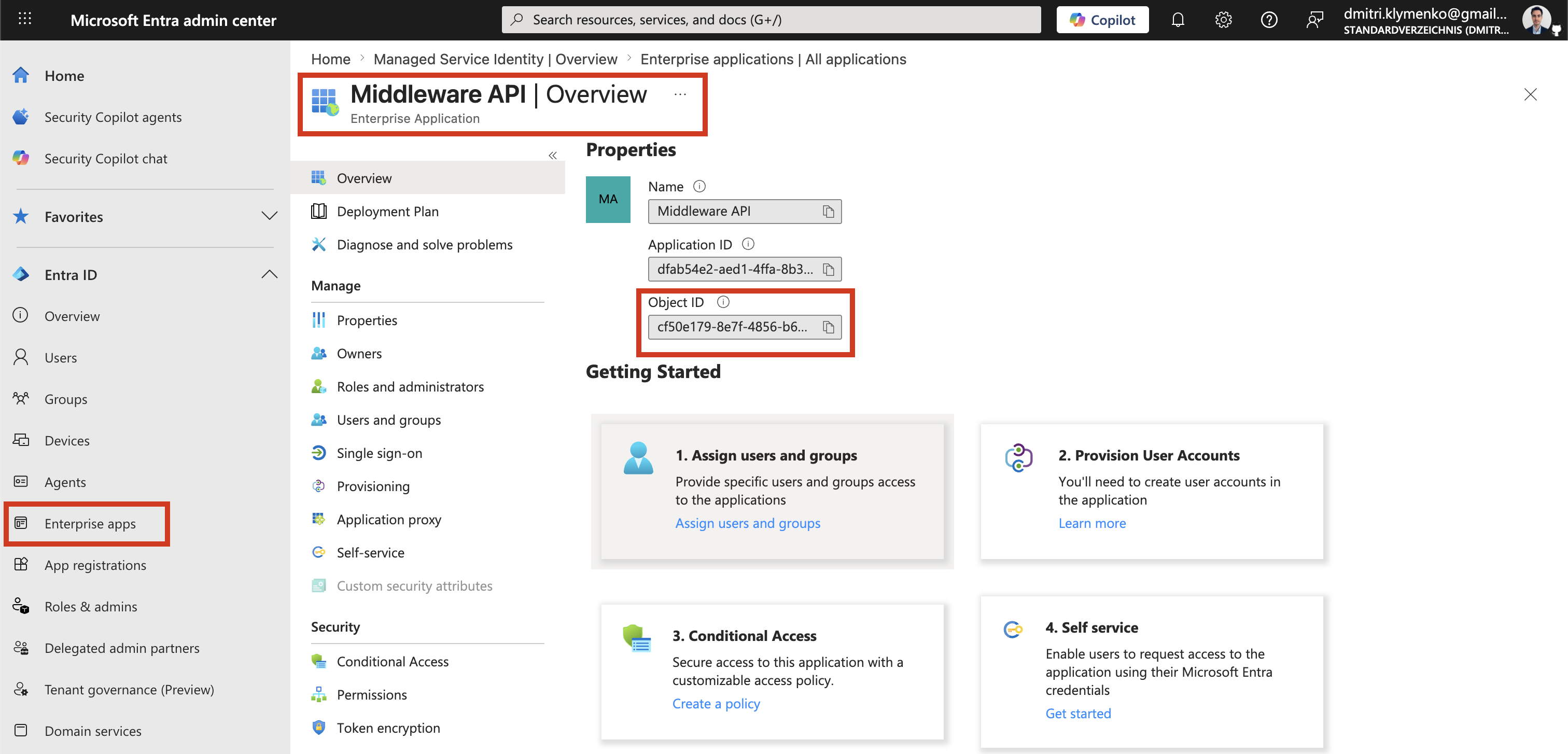
Enterprise Application Object ID
- runtime identity in the tenant
- also called the Service Principal
- represents the actual identity that receives permissions
- used in authorization
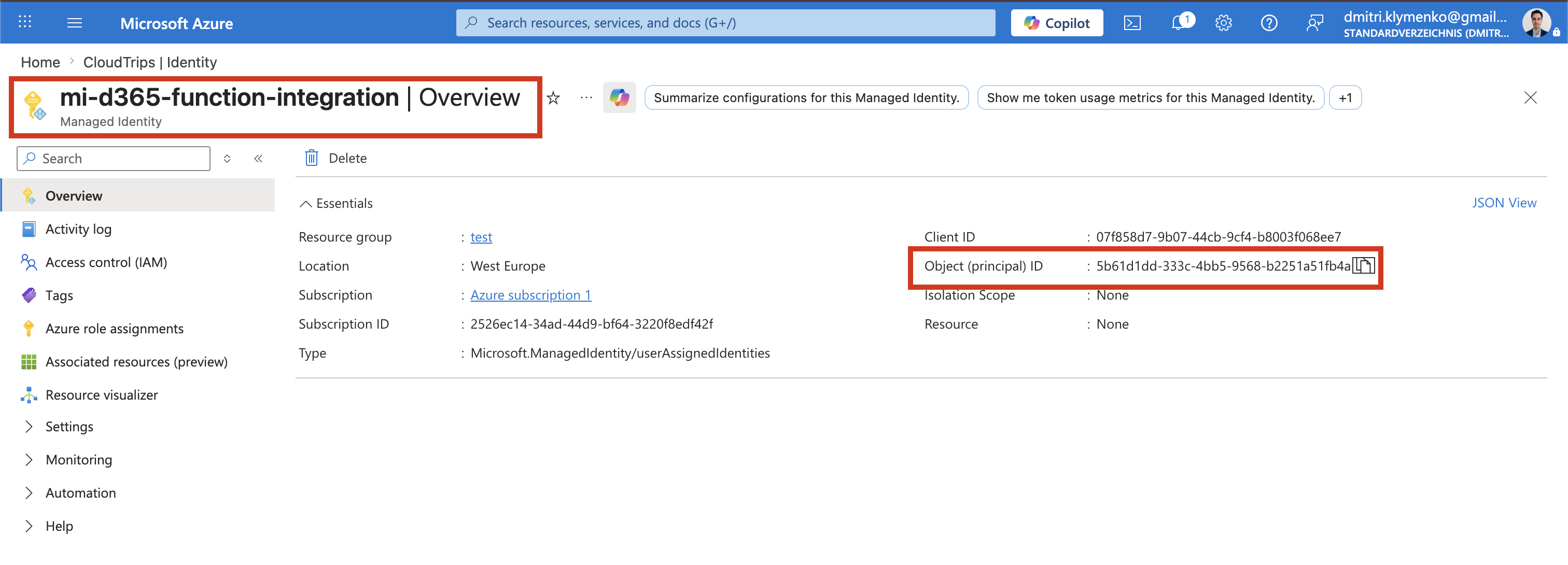
Managed Identity Object ID
- automatically created Service Principal
- represents the Azure resource identity
- used for authentication and Microsoft Graph operations
Important rule:
Only Service Principal Object IDs are used in Graph API calls and App Role assignmentsAssign App Role to Managed Identity
This is the core step.
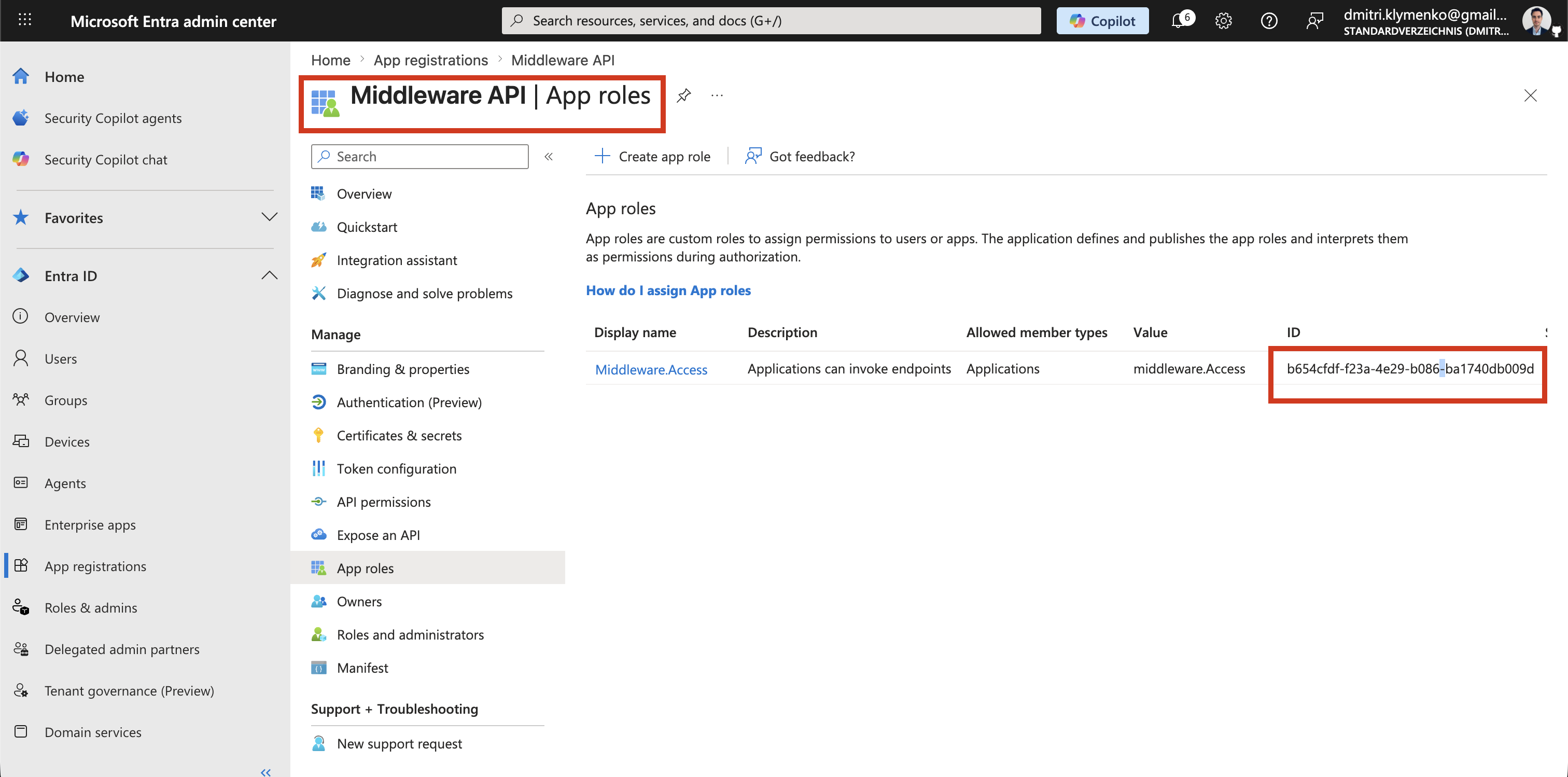
The Middleware API already exposes an App Role such as:
middleware.accessNow we grant that role to the managed identity.
Use Microsoft Graph through Azure CLI:
az rest --method POST \
  --uri "https://graph.microsoft.com/v1.0/servicePrincipals/<MI_OBJECT_ID>/appRoleAssignments" \
  --body '{
    "principalId": "<MI_OBJECT_ID>",
    "resourceId": "<MIDDLEWARE_API_SP_OBJECT_ID>",
    "appRoleId": "<Middleware.Access_ROLE_ID>"
  }'
What Each Value Means
| Field | Meaning |
|---|---|
principalId |
Managed Identity Service Principal Object ID, the caller |
resourceId |
Middleware API Service Principal Object ID, the target API |
appRoleId |
App Role ID for Middleware.Access |
Important Clarification
In Entra ID, there are multiple Object IDs.
The App Registration Object ID defines configuration.
The Enterprise Application Object ID is the Service Principal used for runtime authorization.
The Managed Identity Object ID is also a Service Principal. This is the object we use as the caller in the POST request above.
Therefore:
Managed Identity Object ID = Service Principal Object IDRuntime Behavior
When the Azure Function executes:
- Managed Identity requests a token automatically
- Entra ID issues an access token
- token contains the assigned App Role
- Middleware API validates the audience and role
Managed Identity -> Entra ID -> Access Token -> Middleware APIKey Comparison
| Approach | Secrets | Caller App Registration | Security |
|---|---|---|---|
| Client Credentials | Yes | Required | Medium |
| Managed Identity | No | Not needed | High |