Azure DevOps Pipeline Needs Azure Access? Configure Azure DevOps Federation
An Azure DevOps pipeline needs Azure access without storing a client secret or private certificate key.
Use an Azure Resource Manager service connection with workload identity federation:
Pipeline requests a short-lived token
-> Microsoft Entra validates the federated trust
-> Microsoft Entra issues an Azure access token
-> pipeline accesses its authorized resources
Prepare the Demo
Create or select a dedicated resource group:
rg-azdo-federation-demoThe demo connection will receive only Reader access to this resource group.
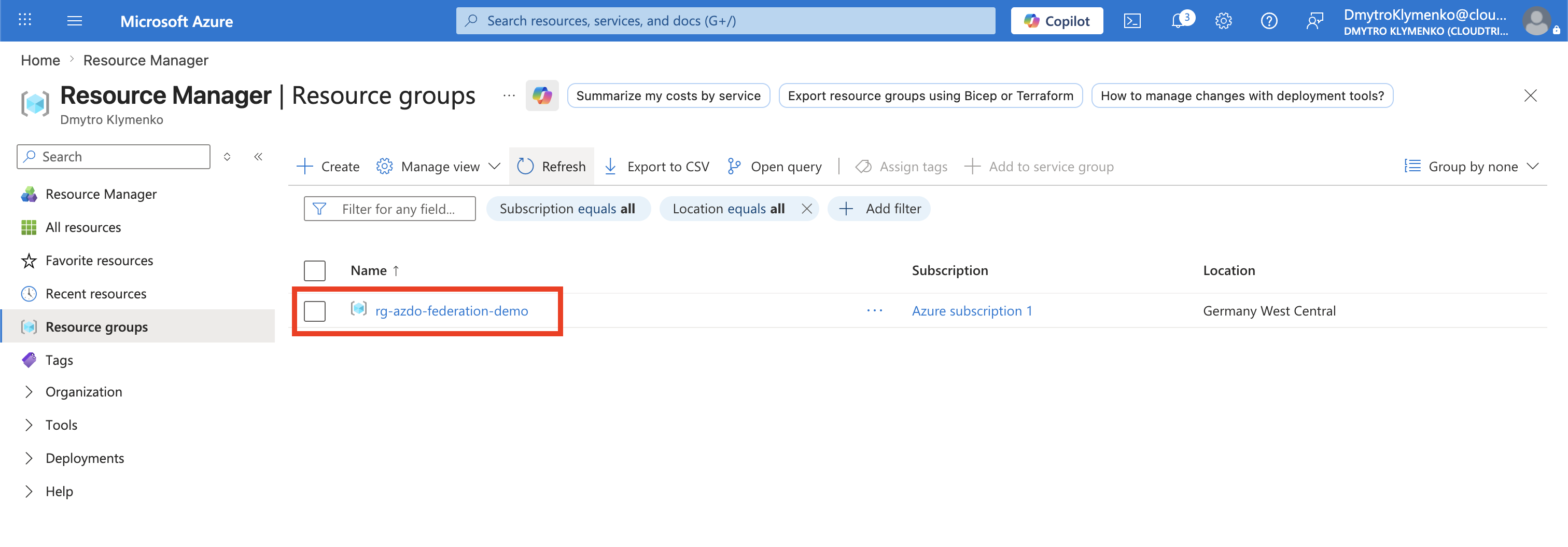
You need permission to create service connections in the Azure DevOps project, create the Microsoft Entra identity, and assign an Azure role.
Create the Service Connection
In the Azure DevOps project, open:
Project settings
> Pipelines
> Service connections
> New service connection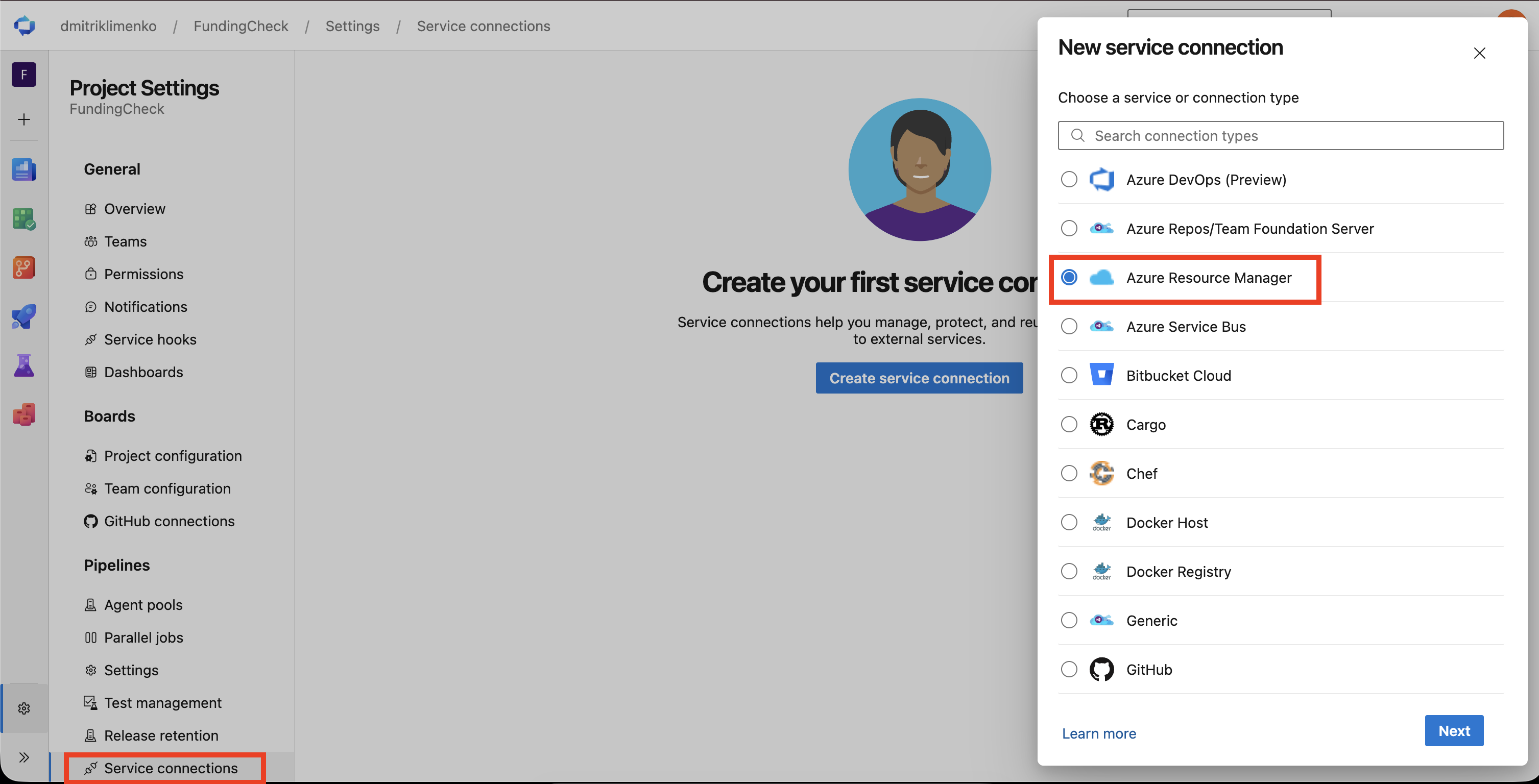
Select Azure Resource Manager, then choose:
App registration (automatic)
Credential: Workload identity federation
The exact labels can vary slightly. The authentication method must be workload identity federation, not a secret.
Configure:
Scope level: Subscription
Subscription: <demo subscription>
Resource group: rg-azdo-federation-demo
Service connection name: azure-wif-demo
Do not enable Grant access permission to all pipelines. Authorize only the demo pipeline later.
Select Save.
Verify Azure Permissions
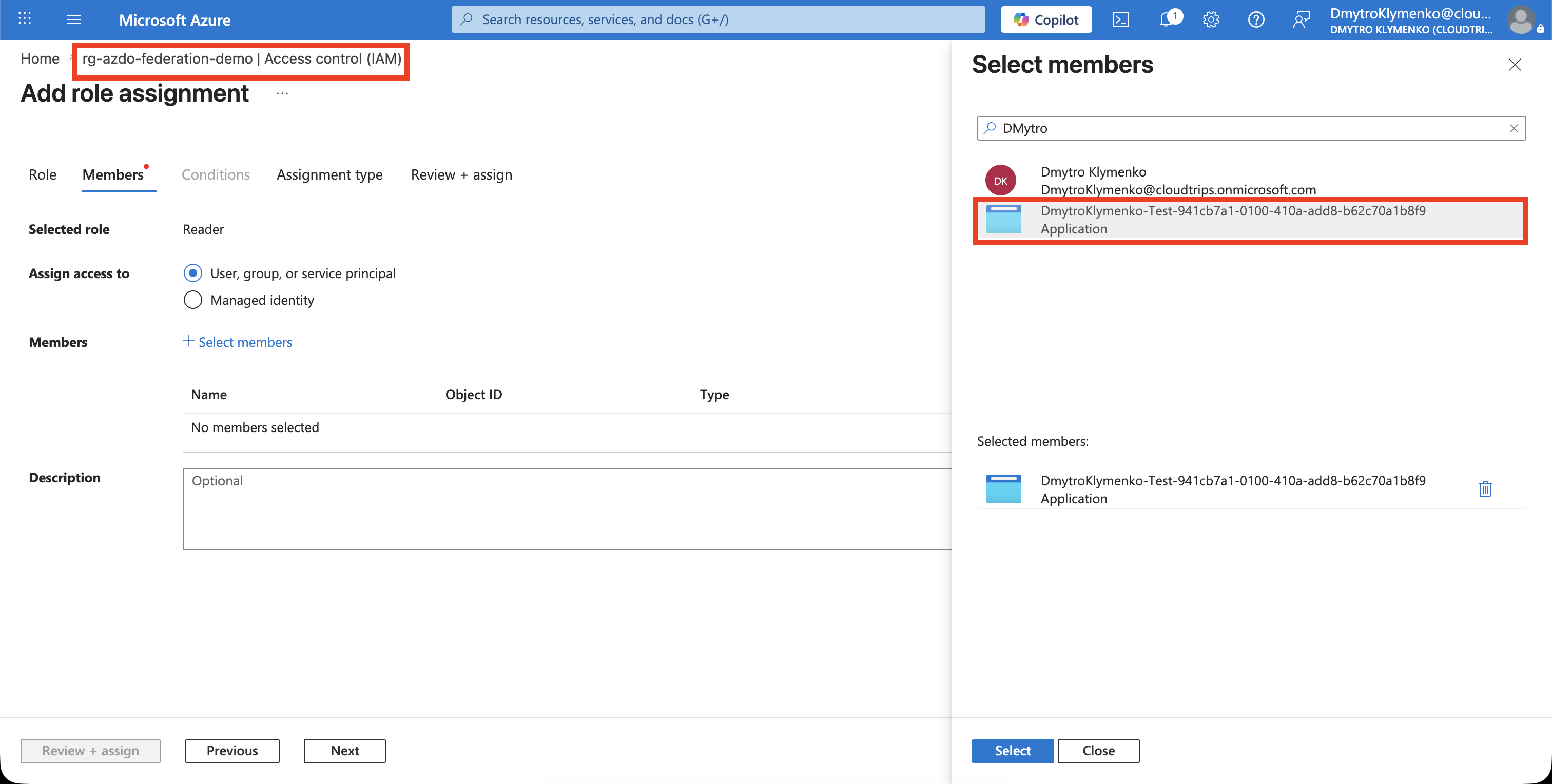
Open the demo resource group:
Access control (IAM)
> Role assignments
Confirm that the service principal created for the connection has:
Role: Reader
Scope: rg-azdo-federation-demo
Replace any broader automatically assigned role with Reader for this demo.
Create the Verification Pipeline
Add azure-pipelines.yml to the repository:
trigger: none

pool:
  vmImage: ubuntu-latest

steps:
  - task: AzureCLI@2
    displayName: Verify federated Azure access
    inputs:
      azureSubscription: azure-wif-demo
      scriptType: bash
      scriptLocation: inlineScript
      inlineScript: |
        az account show --output table
        az group show --name rg-azdo-federation-demo --output table
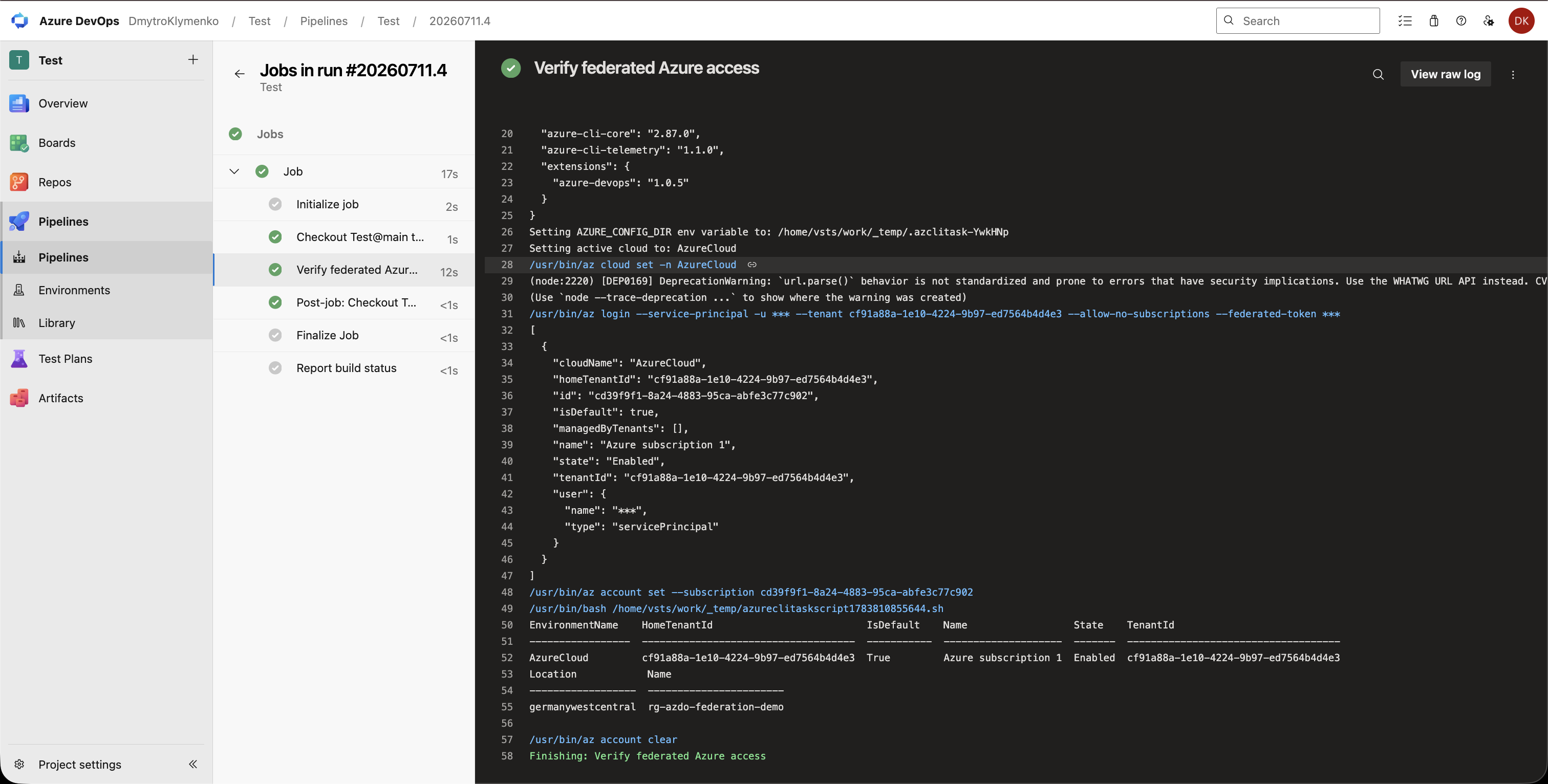
The azureSubscription value must exactly match the service connection name. The task authenticates through the connection; the YAML needs no client secret.
Authorize and Run
Create the pipeline from azure-pipelines.yml and select Run.
On the first run, permit this pipeline to use azure-wif-demo. Do not grant access to every pipeline.
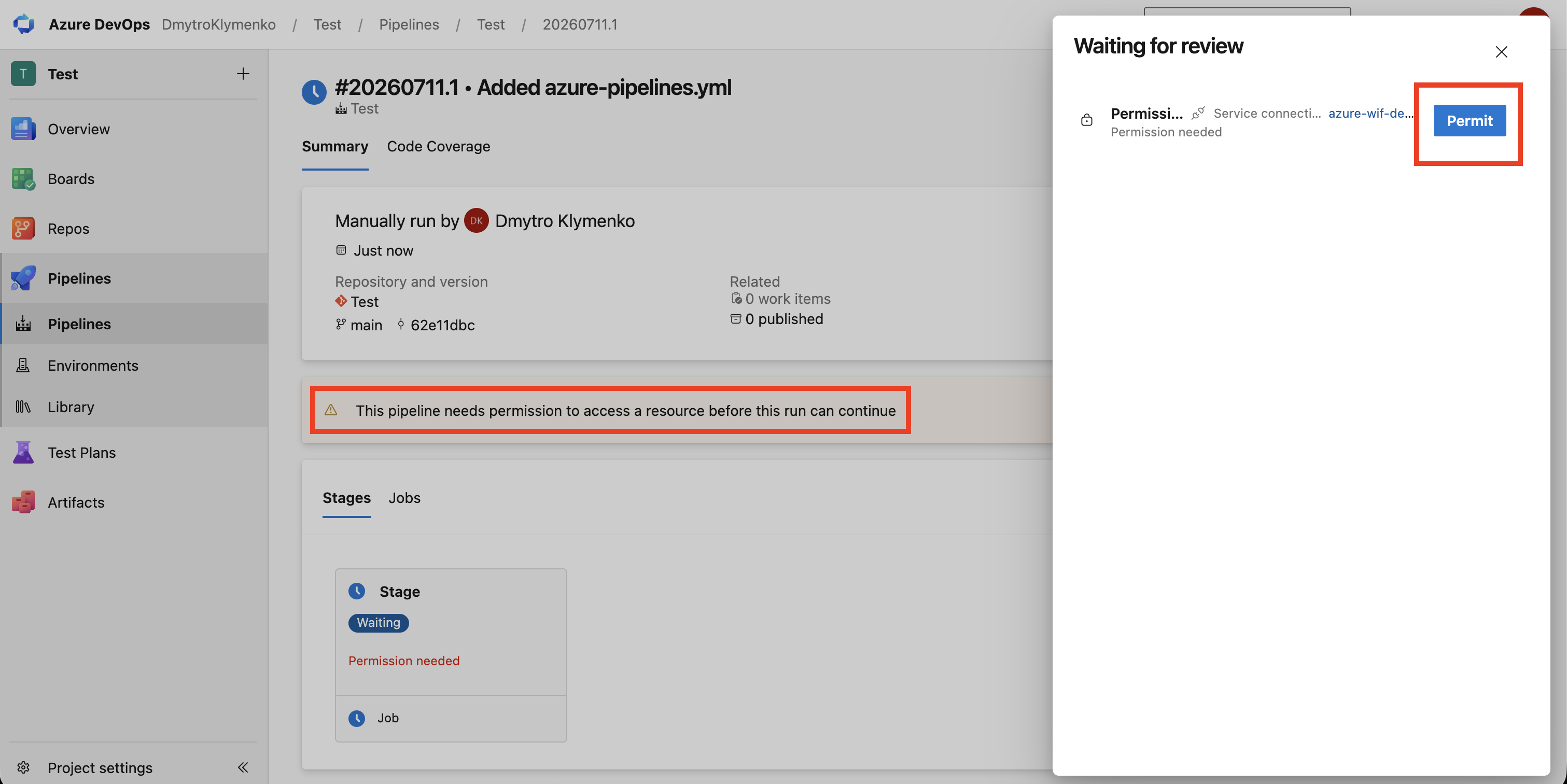
The task should display the expected subscription and resource group.
Troubleshooting
If it fails, verify that the service connection name matches the YAML, the pipeline is authorized, the connection is ready, and the identity still has its Azure role. Self-hosted agents require Azure CLI 2.30 or later.
Enterprise Note
- create separate connections for each application and environment
- scope access to the required resource group or resource
- grant only the required Azure role
- authorize selected pipelines instead of all pipelines
- add approvals and checks to production service connections
- monitor service-connection use and Azure activity logs
- remove unused connections, identities, and role assignments
Workload identity federation removes stored authentication secrets. It does not replace least-privilege authorization, pipeline reviews, approvals, or monitoring.