Company Wants Custom Domain Login? Add a Custom Domain
Users should sign in with the organization’s real email domain instead of the default onmicrosoft.com domain.
Add the organization’s DNS domain to Microsoft Entra ID, prove ownership with a DNS record, and then use the verified domain for user sign-in names.
Understand the Scope
Every Microsoft Entra tenant has an initial domain like:
cloudtrips.onmicrosoft.comYou cannot delete or rename the initial domain.
You can add a custom domain, for example:
cloudtrips.devAfter the domain is verified, users can have sign-in names such as:
alex@cloudtrips.devAdding a custom domain does not move DNS hosting, create mail records, configure Exchange Online, or change authentication security by itself. It only proves that the tenant owns the DNS name and allows Microsoft Entra ID to use it for identities.
Prerequisites
You need:
- access to the Microsoft Entra tenant
- the
Domain Name Administratorrole or a higher role that can manage domains - access to the public DNS zone at the domain registrar or DNS provider
- the exact domain name you want to add
Use a domain that your organization owns. Do not use a domain that is already verified in another Microsoft Entra tenant.
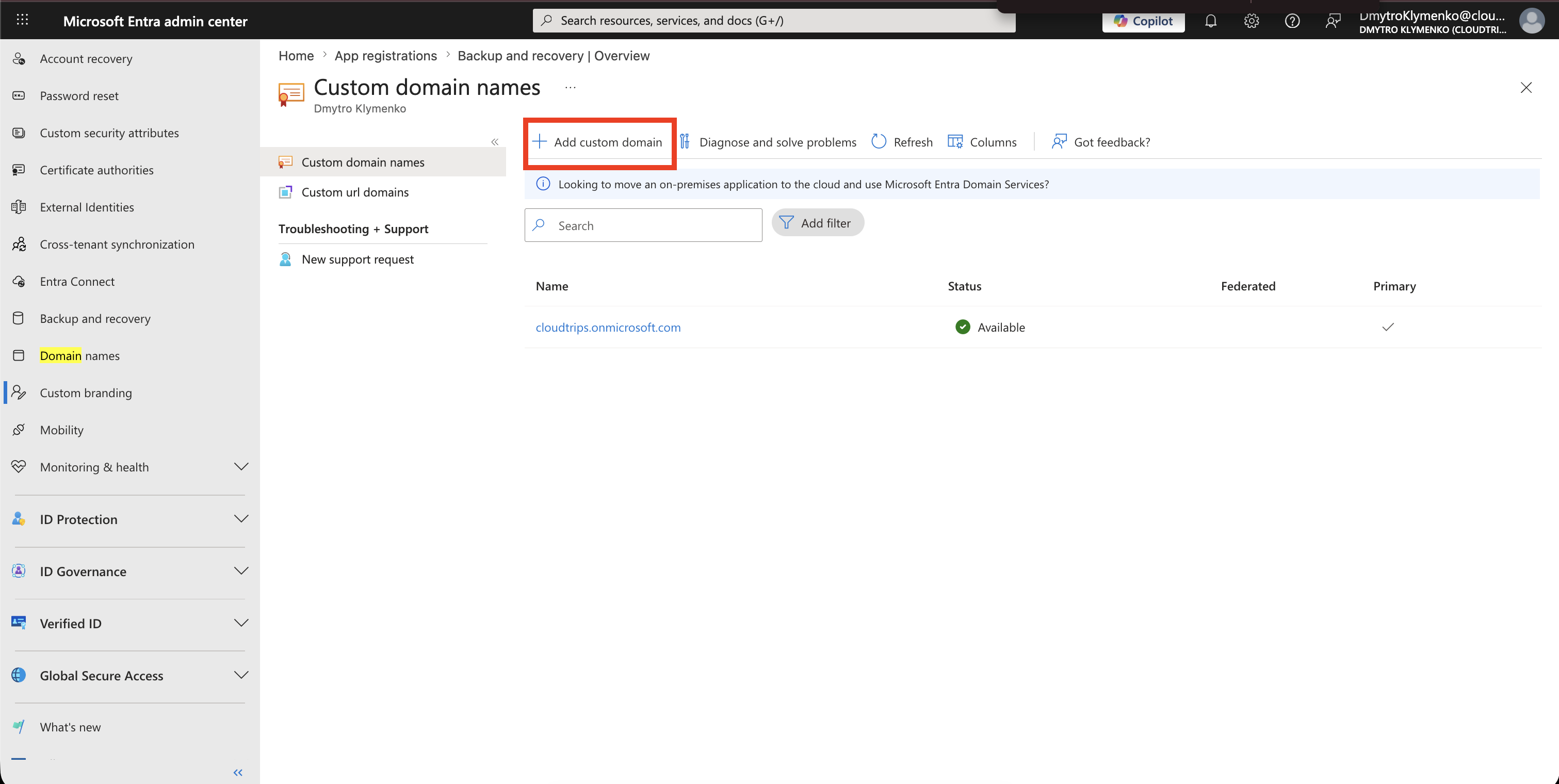
Open Domain Names
In the Microsoft Entra admin center, go to:
Entra ID
> Domain names
Select Add custom domain.
Add the Domain
Enter the full domain name, including the top-level domain.
Example:
cloudtrips.devSelect Add domain.
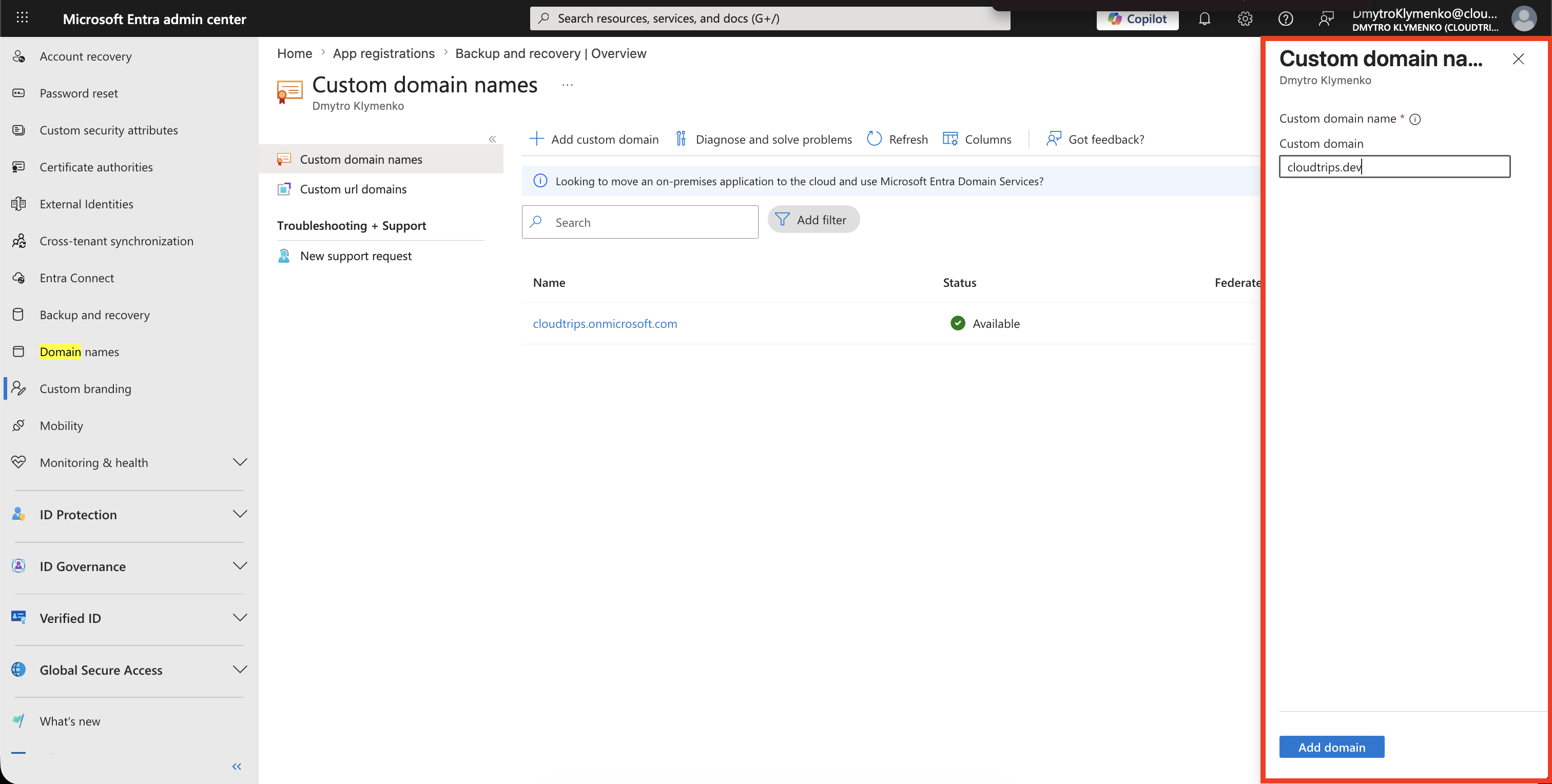
Microsoft Entra creates the domain in an unverified state and shows the DNS record that must be added.
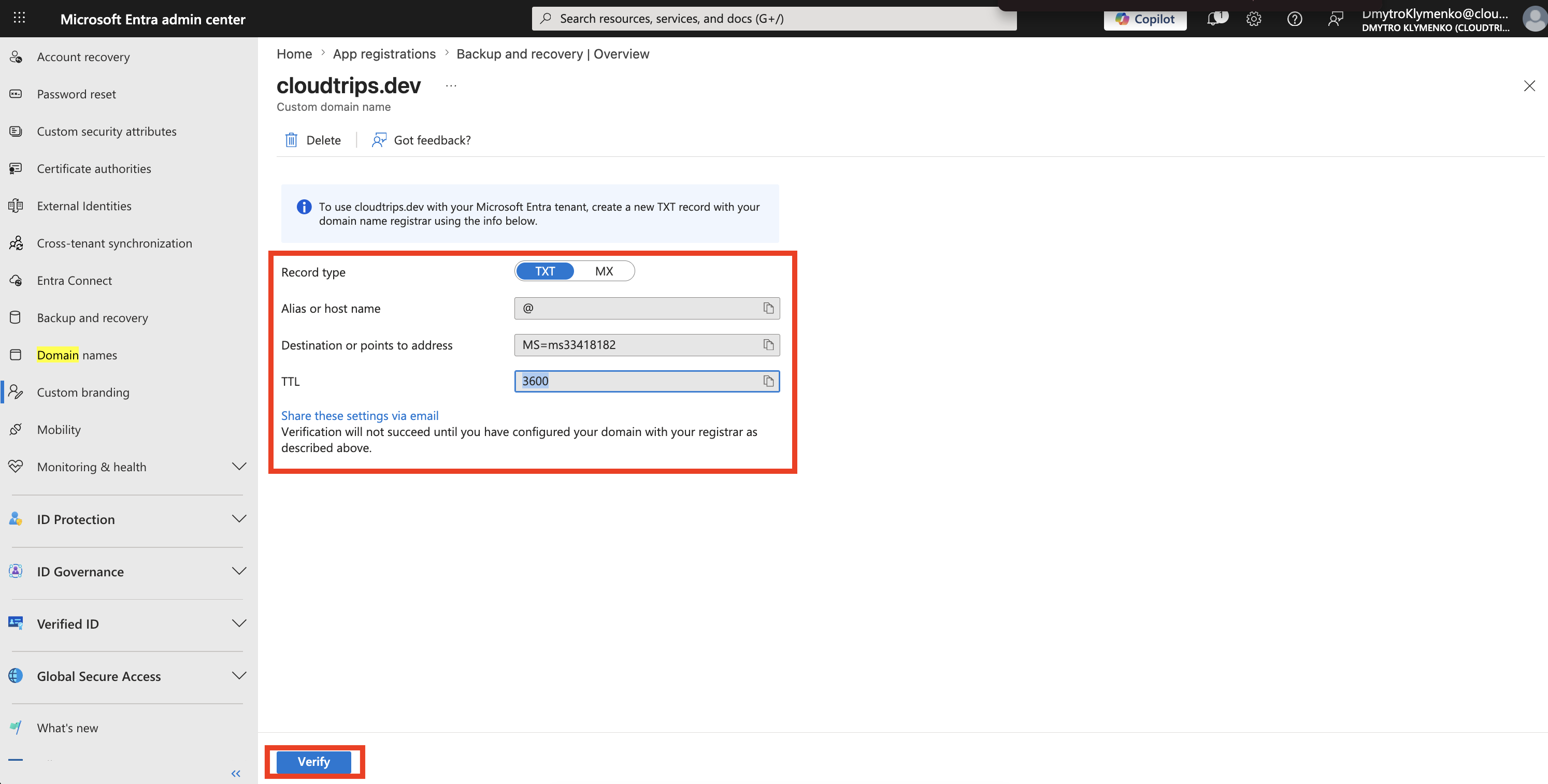
Copy the Verification Record
On the new domain page, copy the TXT verification record.
It normally includes:
Type: TXT
Name or host: @
Value: MS=ms...
TTL: 3600 seconds
Use TXT unless your DNS provider cannot create TXT records. Microsoft Entra can also provide an MX option, but TXT is the cleaner choice for ownership verification.
Add the DNS Record
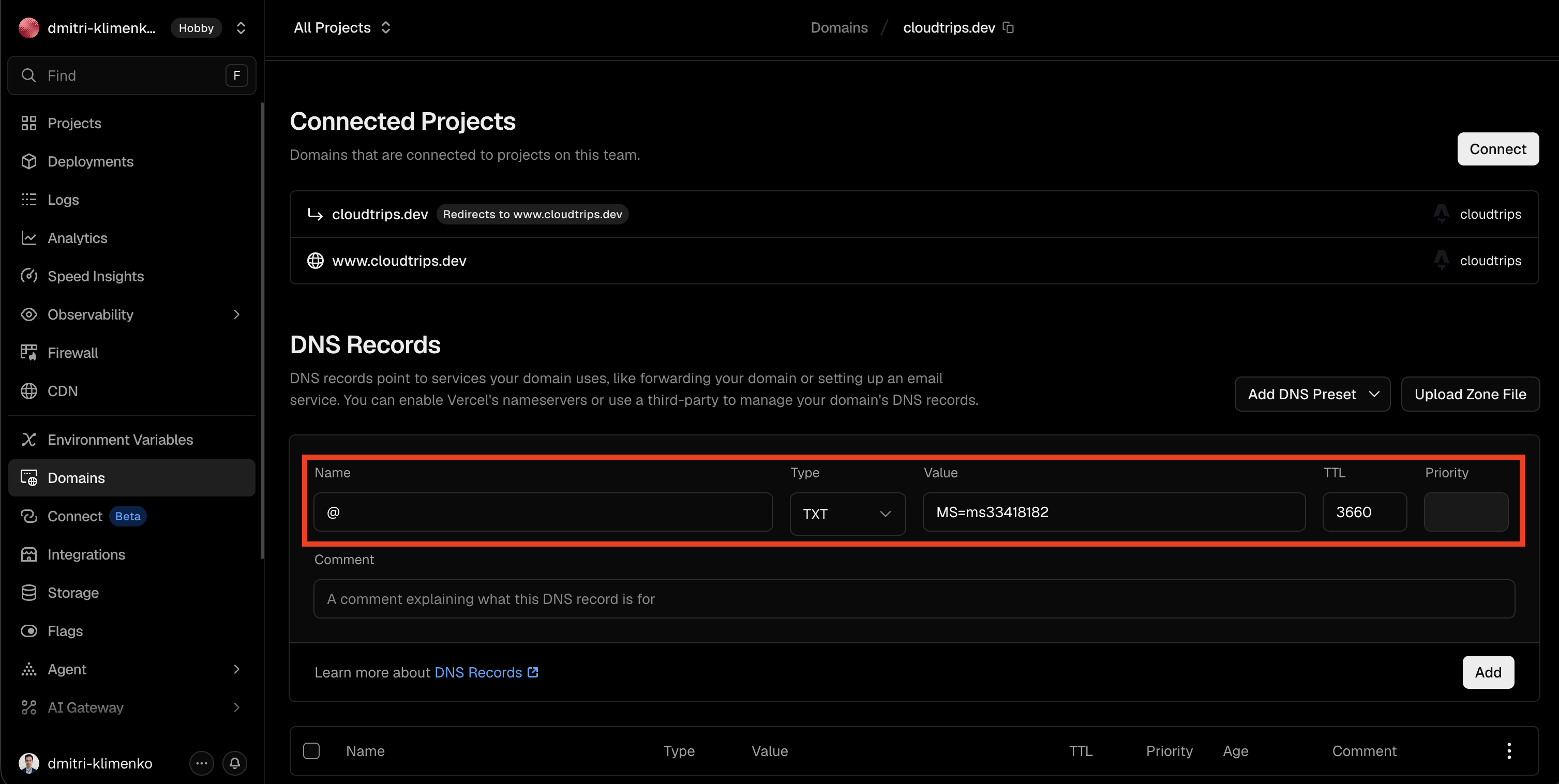
Open the domain’s DNS provider and create the TXT record exactly as shown in Microsoft Entra.
Common DNS provider field mapping:
| Microsoft Entra field | DNS provider field |
|---|---|
| Type | TXT |
| Name or host | @ or blank, depending on the provider |
| Value or destination | MS=ms... |
| TTL | 3600 or 1 hour |
Save the record.
Verify the Domain
Return to:
Entra ID
> Domain names
> your custom domain
Select Verify.
If verification fails, wait and try again. DNS propagation can be quick, but it can also take longer depending on the DNS provider.
Check:
- the TXT value matches exactly
- the record was added to the correct public DNS zone
- the host/name field is correct for the provider
- the domain is not already verified in another tenant
Use the Domain for a Test User
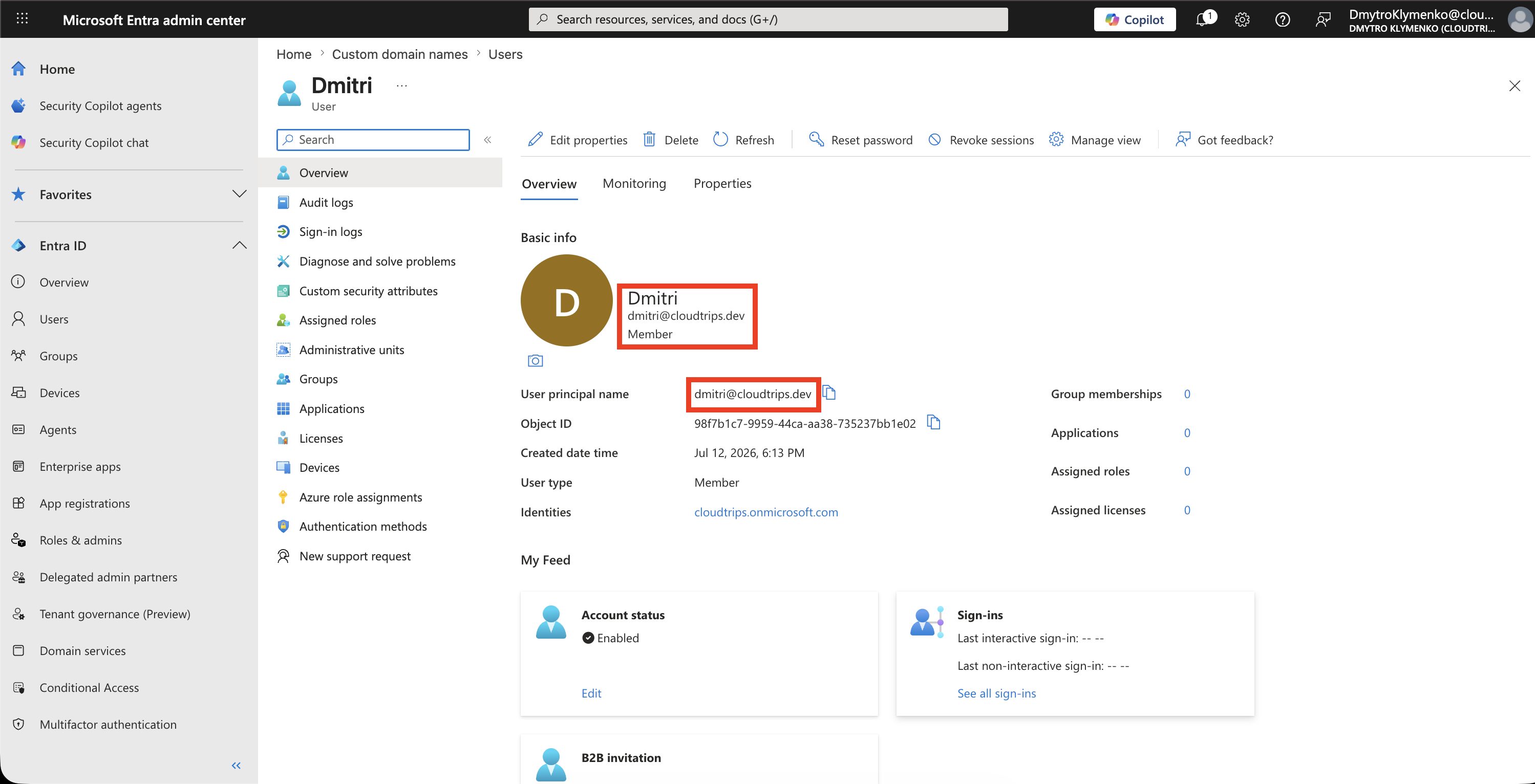
After the domain shows as Verified, create or update a test user with the new domain.
Example:
dmitri@cloudtrips.devFor a demo, use one test user only. You do not need to rename production users.
Test Sign-In
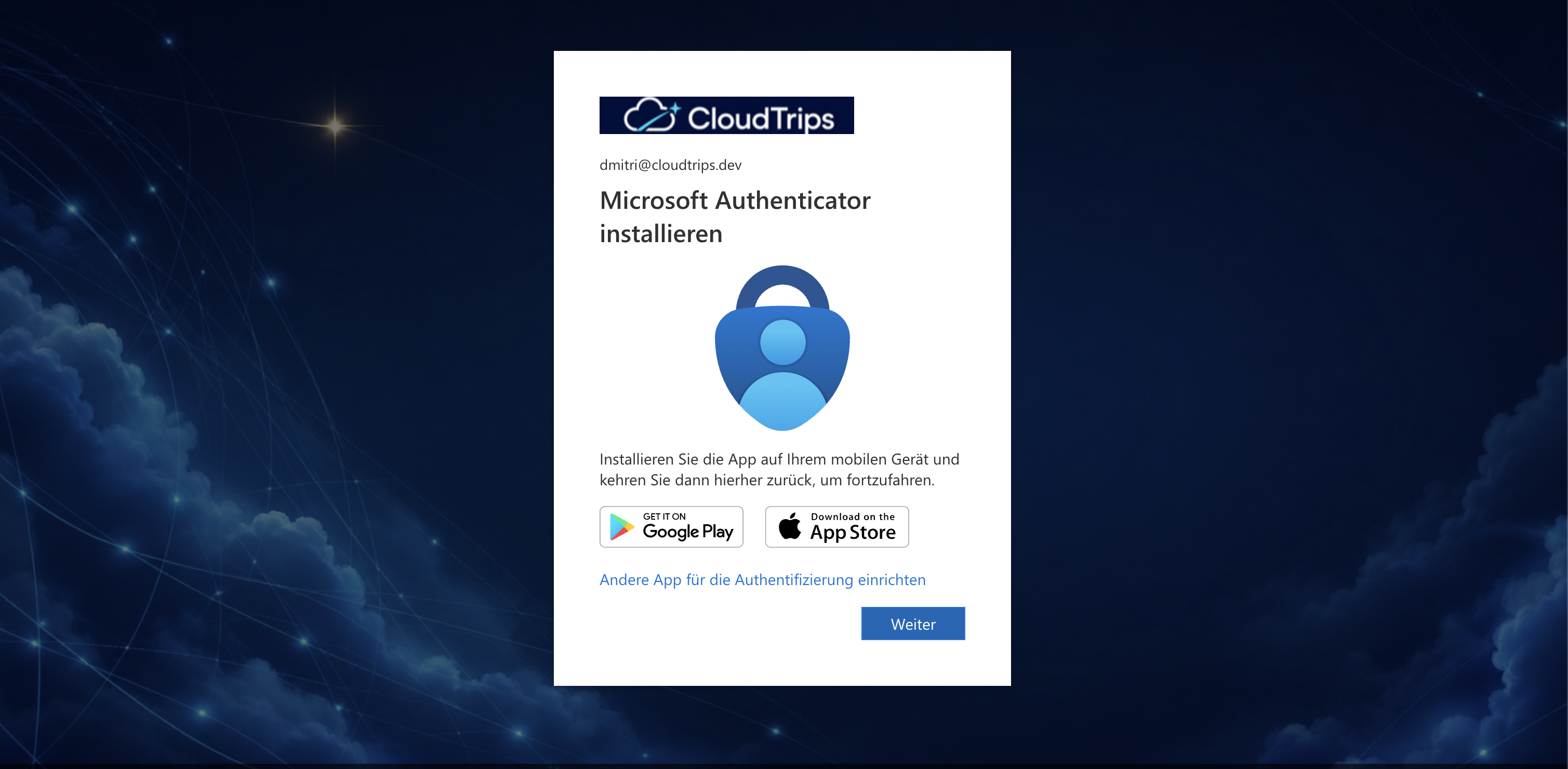
Open a private browser window and start a Microsoft 365 or Entra-protected app sign-in.
Enter the test user’s new sign-in name:
dmitri@cloudtrips.devConfirm that Microsoft Entra accepts the domain and continues to the correct tenant sign-in experience.
Optional: Make the Domain Primary
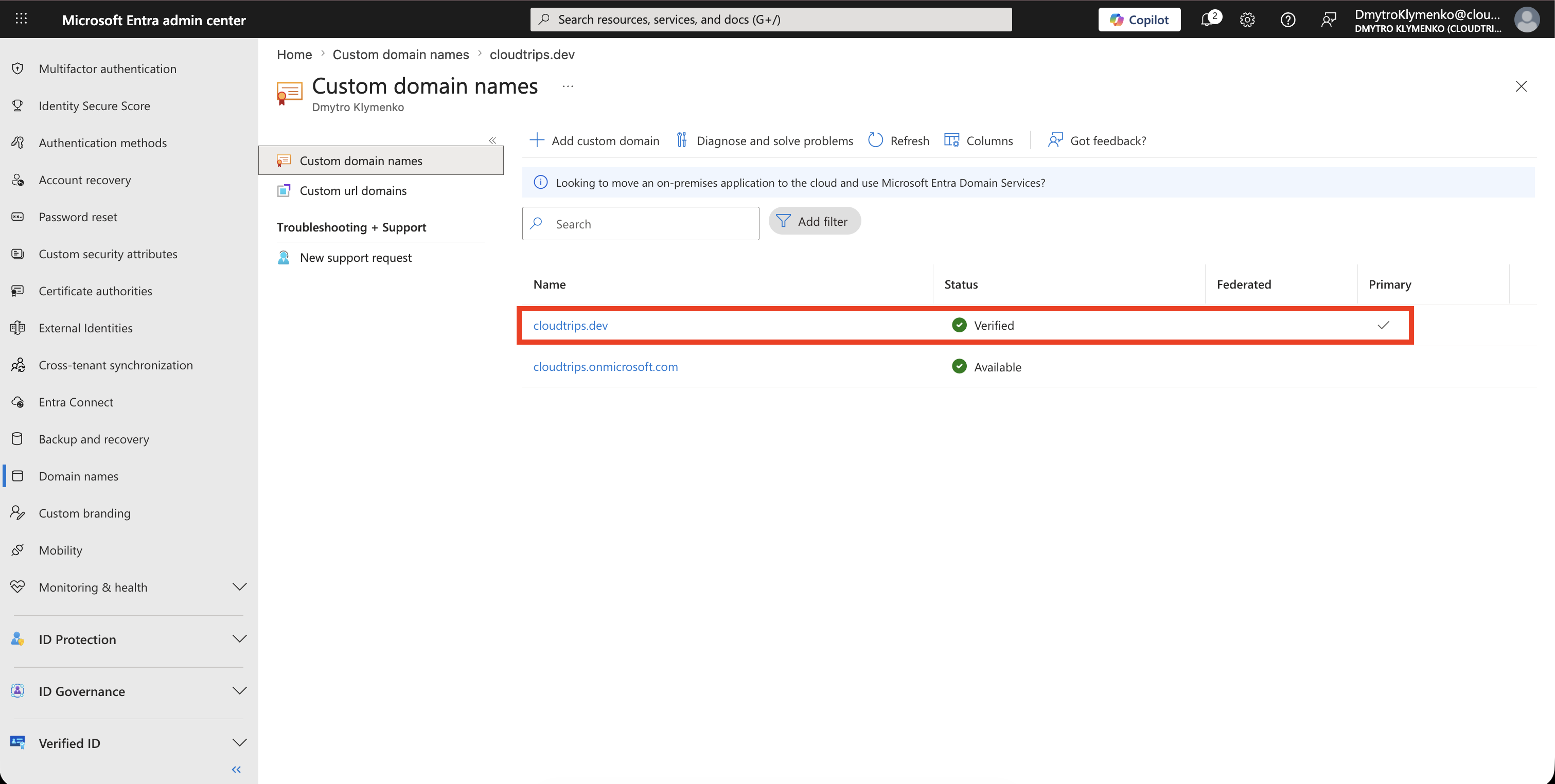
If this is the organization’s main sign-in domain, return to:
Entra ID
> Domain names
Select the verified domain and choose Make primary.
Do this only after the domain is verified and after you confirm that identity, mail, and application owners are ready for the change.
Enterprise Note
- coordinate the change with DNS, identity, messaging, and application owners
- verify the domain before assigning it to many users
- keep the
onmicrosoft.comdomain because Microsoft Entra requires it - do not delete DNS records that are still required by Microsoft 365 services
- check whether the domain is already used in another tenant before the demo
- use a test user for screenshots
- avoid exposing real user names, tenant IDs, or DNS provider account details in public screenshots
A custom domain makes sign-in names recognizable. The security value comes from correct ownership verification and controlled rollout, not from the domain name alone.