Workload Should Not Store Secrets? Configure Workload Identity Federation
A CI/CD workload needs to access Azure, but storing a long-lived client secret in the repository or pipeline creates avoidable risk.
Microsoft Entra workload identity federation replaces the stored secret with a trust relationship:
GitHub Actions requests a short-lived OIDC token
-> Microsoft Entra validates the token claims
-> Microsoft Entra exchanges it for an access token
-> the workflow accesses only its authorized Azure resources
This trip uses GitHub Actions as the external workload. The same federation model also supports other OpenID Connect identity providers, Kubernetes workloads, and supported CI/CD platforms.
When to Use Workload Identity Federation
Use workload identity federation when:
- a workload runs outside Azure and supports OpenID Connect
- a CI/CD job needs to authenticate to Azure without storing a client secret or private certificate key
- credentials should not be stored or rotated in the pipeline
- access must be restricted to a specific repository, branch, tag, pull request, or environment
For a workload hosted on an Azure service that supports managed identities, use a managed identity directly when possible.
Understand the Trust
The federated identity credential does not contain a secret. It tells Microsoft Entra which external tokens it can trust.
Microsoft Entra validates these claims:
| Claim | Purpose |
|---|---|
iss |
Identifies the external token issuer |
sub |
Identifies the exact workload, such as a repository branch |
aud |
Identifies Microsoft Entra as the intended token-exchange audience |
For a GitHub Actions workflow on the main branch, the trust is typically:
Issuer: https://token.actions.githubusercontent.com
Subject: repo:<organization>/<repository>:ref:refs/heads/main
Audience: api://AzureADTokenExchange
The subject is case-sensitive and must match the workflow context exactly. Wildcards are not supported in a standard federated identity credential.
Prerequisites
Prepare:
- a GitHub repository with an Actions workflow
- the GitHub organization and repository names
- the branch or GitHub environment that should be trusted
- an Azure subscription and target resource
- permission to manage the app registration
- permission to assign the required Azure role
Use a dedicated app registration for the workload. Do not reuse an application that has unrelated permissions.
Create or Open the App Registration
In the Microsoft Entra admin center, go to:
Entra ID
> App registrations
> New registration
Create an app registration with a descriptive workload name, or open the existing app that currently uses the secret.
Example:
GitHub deployment workload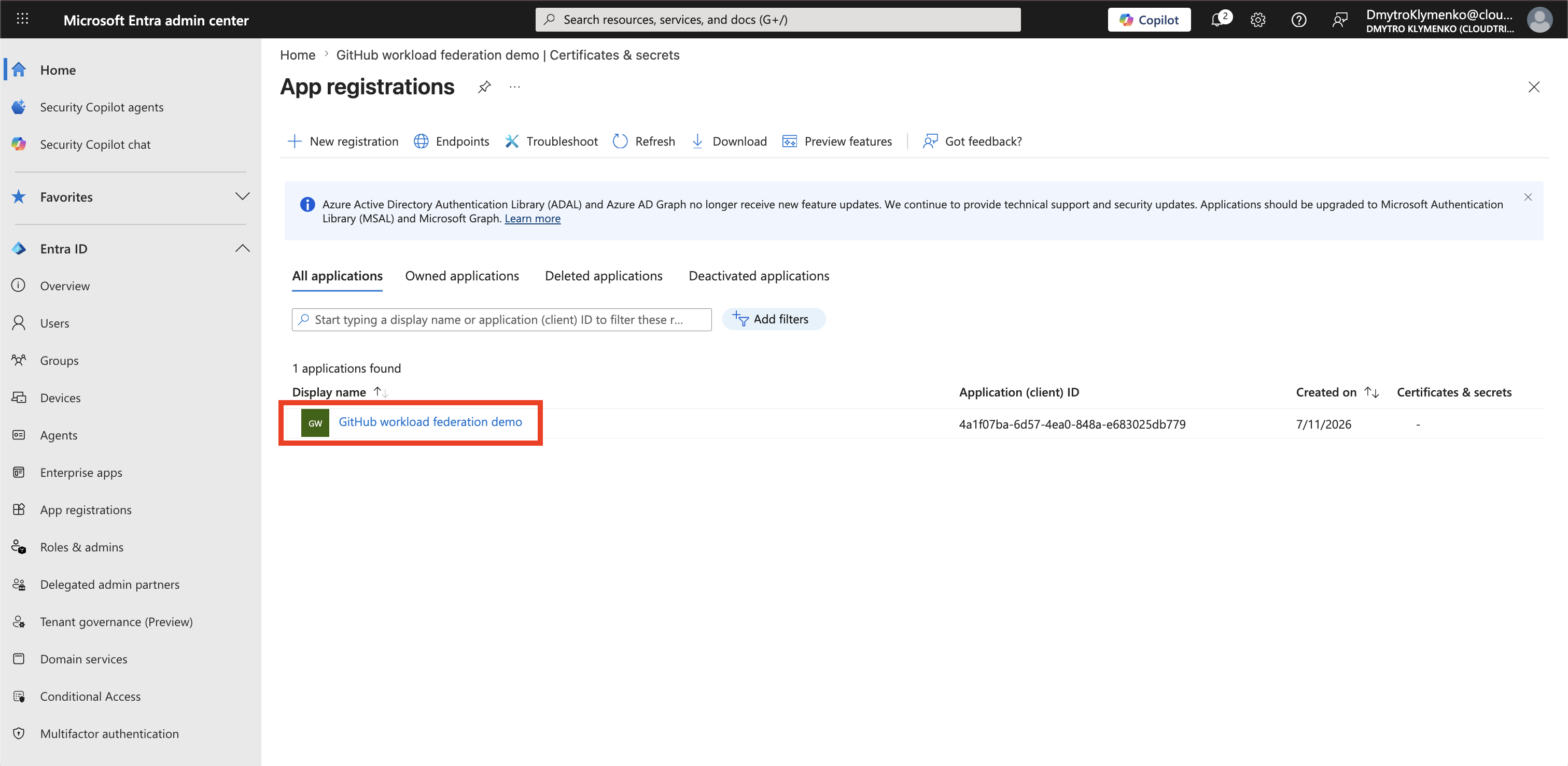
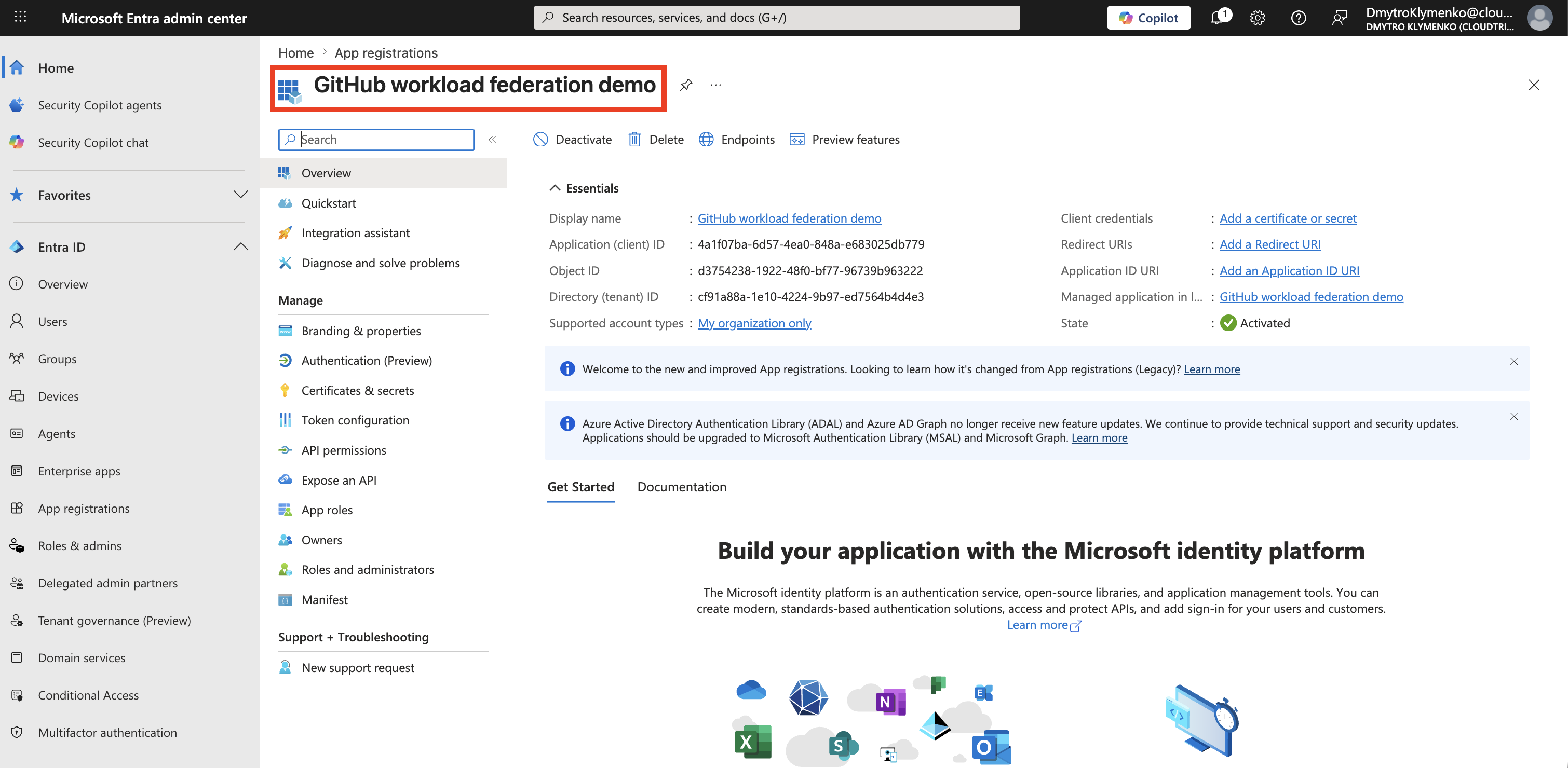
Record the Application and Tenant IDs
On the app registration Overview page, record:
Application (client) ID
Directory (tenant) ID
The workflow uses these identifiers, but they are not secrets.
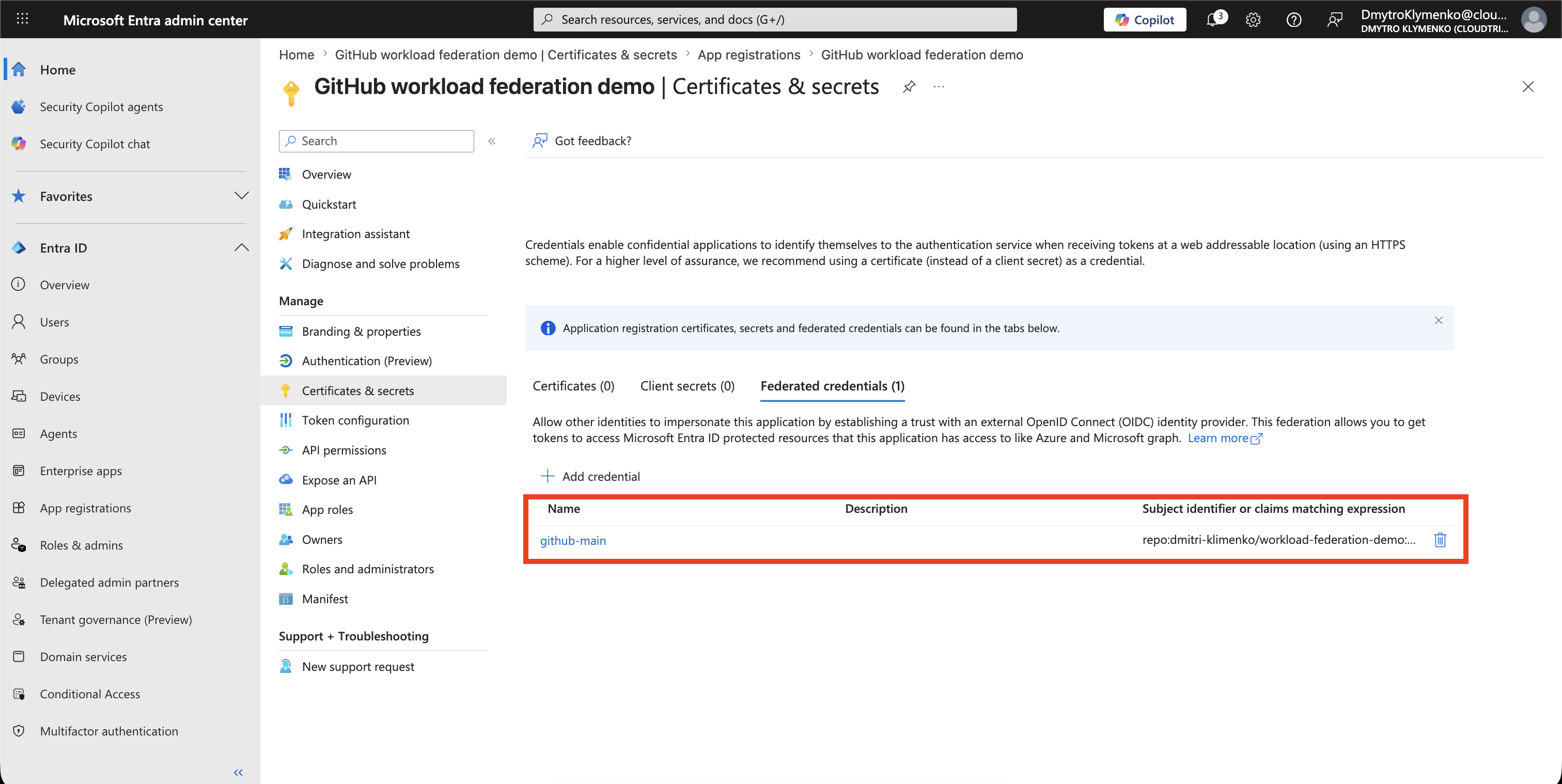
Add the Federated Credential
Open:
Certificates & secrets
> Federated credentials
> Add credential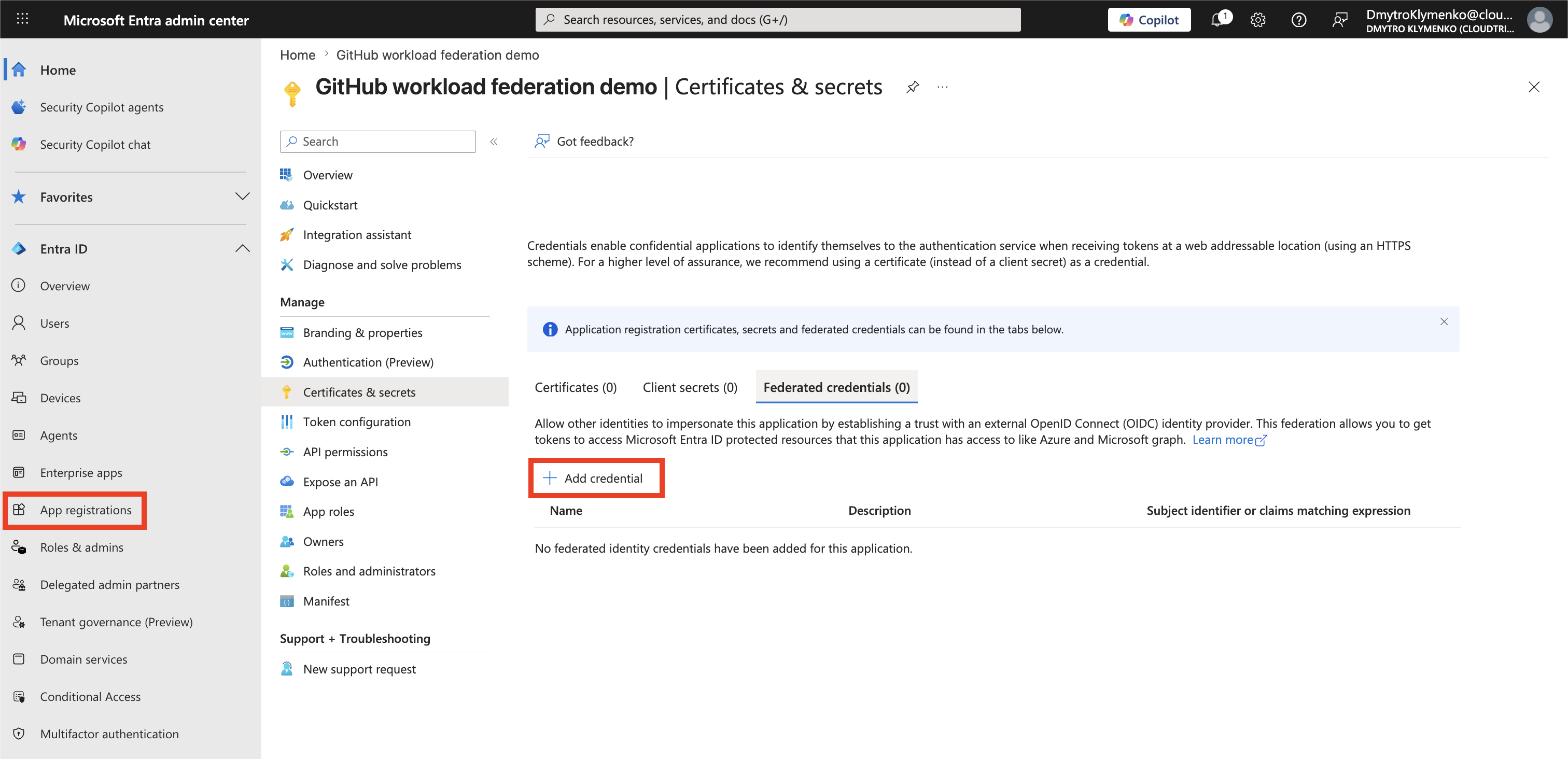
Select:
Federated credential scenario: GitHub Actions deploying Azure resourcesConfigure the trust for the demo:
Organization: <GitHub organization>
Repository: <repository>
Entity type: Branch
GitHub branch name: main
Name: github-main
Microsoft Entra generates the issuer, subject, and audience from these values.
Tip: For the initial test, trust only a dedicated demo repository and its
mainbranch. Add separate federated credentials later for approved environments, branches, tags, or pull-request workflows.
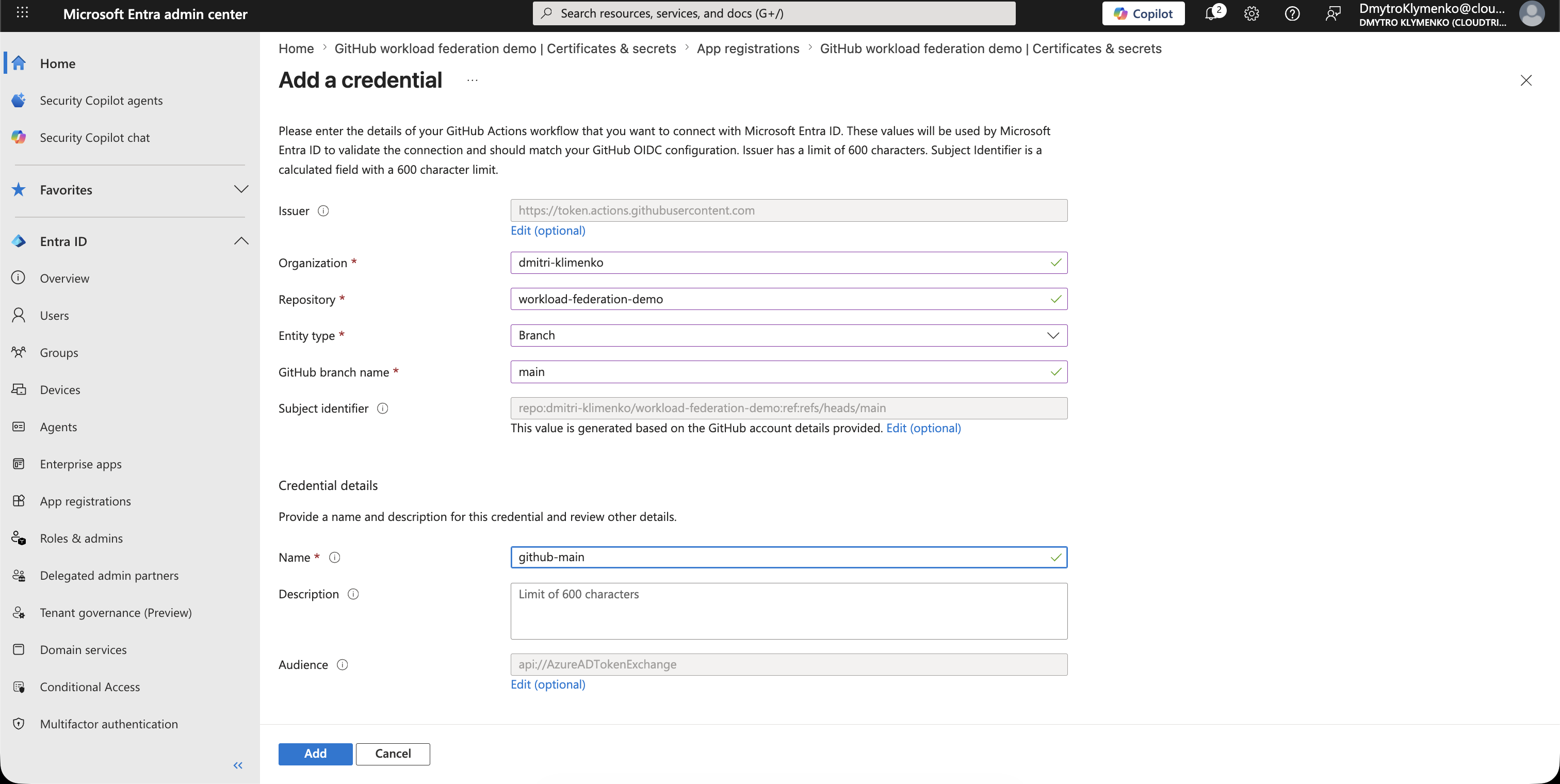
Select Add and confirm that the credential appears on the Federated credentials tab.
Grant Access to the Target Resource
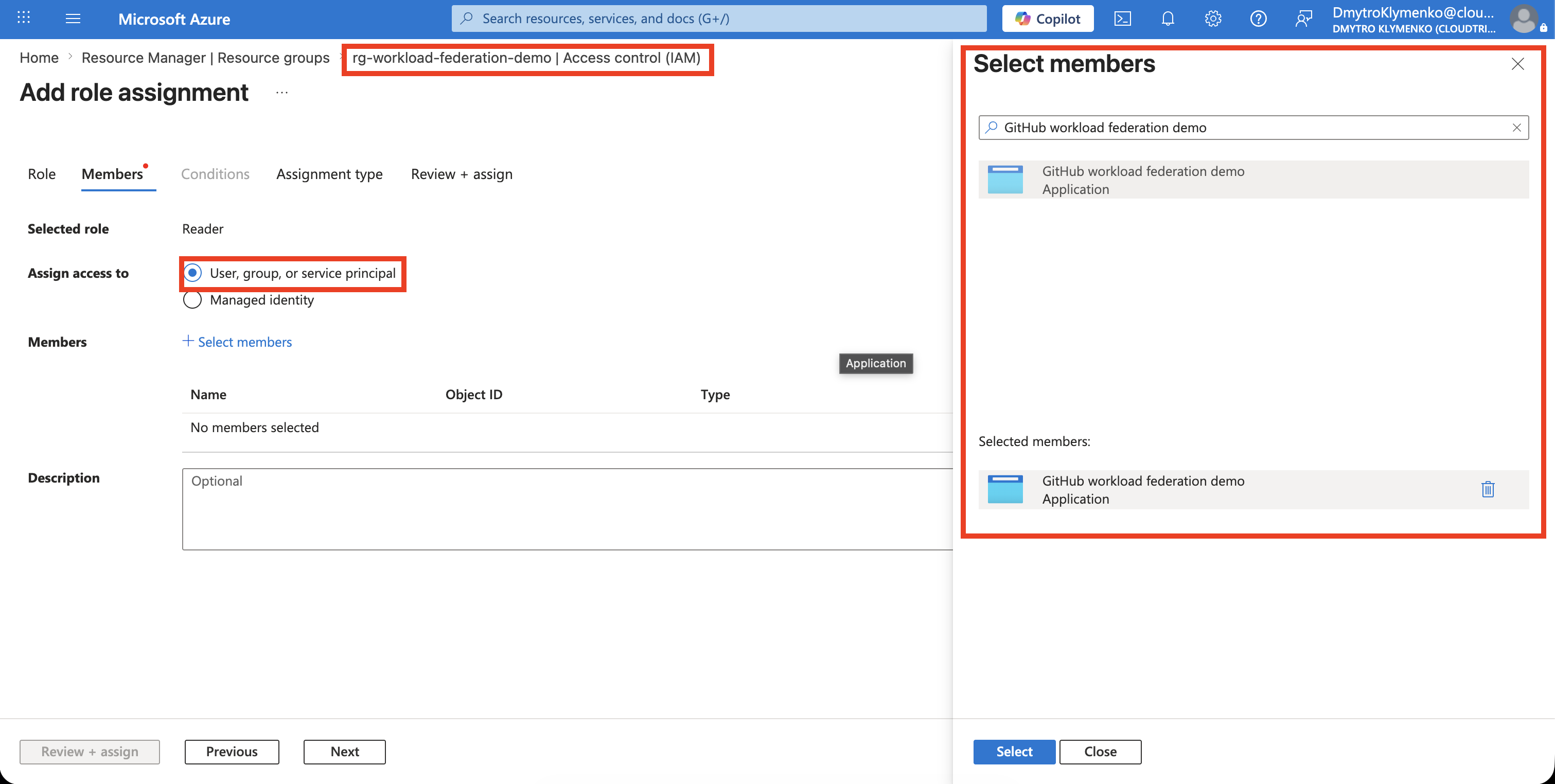
Federation authenticates the workload, but it does not grant access by itself.
Open the Azure resource or the narrowest appropriate scope and select:
Access control (IAM)
> Add role assignment
Select the least-privileged role required by the workflow, and assign it to the service principal for the app registration.
Avoid assigning Owner or Contributor at subscription scope when the workflow needs access to only one resource group or resource.
Configure the GitHub Actions Workflow
Allow the workflow to request a GitHub OIDC token:
permissions:
  id-token: write
  contents: read
Sign in to Azure with the federated identity:
jobs:
  deploy:
    runs-on: ubuntu-latest
    permissions:
      id-token: write
      contents: read
    steps:
      - uses: actions/checkout@v4

      - name: Sign in to Azure
        uses: azure/login@v2
        with:
          client-id: ${{ vars.AZURE_CLIENT_ID }}
          tenant-id: ${{ vars.AZURE_TENANT_ID }}
          subscription-id: ${{ vars.AZURE_SUBSCRIPTION_ID }}

      - name: Verify the Azure context
        run: az account show --output table
In the GitHub repository, open:
Settings
> Secrets and variables
> Actions
> Variables
> New repository variable
Create these three repository variables:
AZURE_CLIENT_ID: <Application (client) ID from the app registration>
AZURE_TENANT_ID: <Directory (tenant) ID>
AZURE_SUBSCRIPTION_ID: <ID of the Azure subscription used by the workflow>
Run and Verify the Workflow
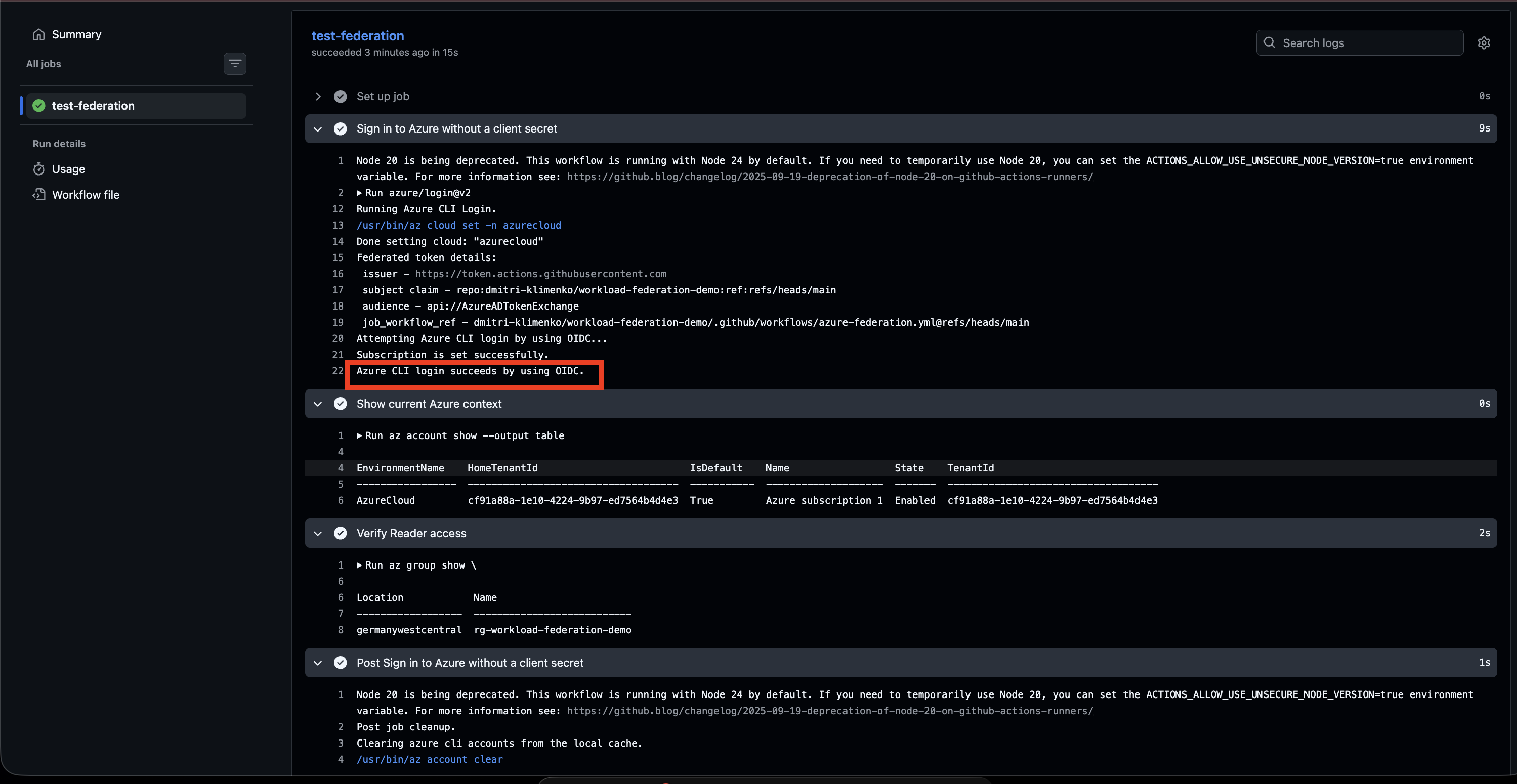
Run the workflow from the trusted main branch.
The Azure sign-in step should succeed without a client secret, and the verification step should show the expected subscription.
If sign-in fails, compare the federated credential with the token context:
correct GitHub organization and repository
correct entity type
exact branch, tag, pull request, or environment name
id-token: write permission present
correct client, tenant, and subscription IDs
Enterprise Note
Recommended checklist:
- create a dedicated workload identity
- trust only the required repository and execution context
- use a separate federated credential for each approved context
- grant least-privileged access at the narrowest Azure scope
- protect production GitHub environments with approvals
- pin third-party GitHub Actions to trusted versions or commit SHAs
- monitor workload identity sign-ins and Azure activity
- remove unused federated credentials and role assignments
Workload identity federation removes stored authentication secrets. It does not replace authorization, workflow security, branch protection, environment approvals, or monitoring.