Team Needs Shared Permissions? Create a Security Group
When a team needs access to Azure resources, the correct approach is to use security groups in Microsoft Entra ID instead of assigning permissions directly to users.
This enables scalable and manageable access control.
Open Entra Groups
Go to Microsoft Entra ID:
Entra ID > GroupsThis is where identity groups are managed.
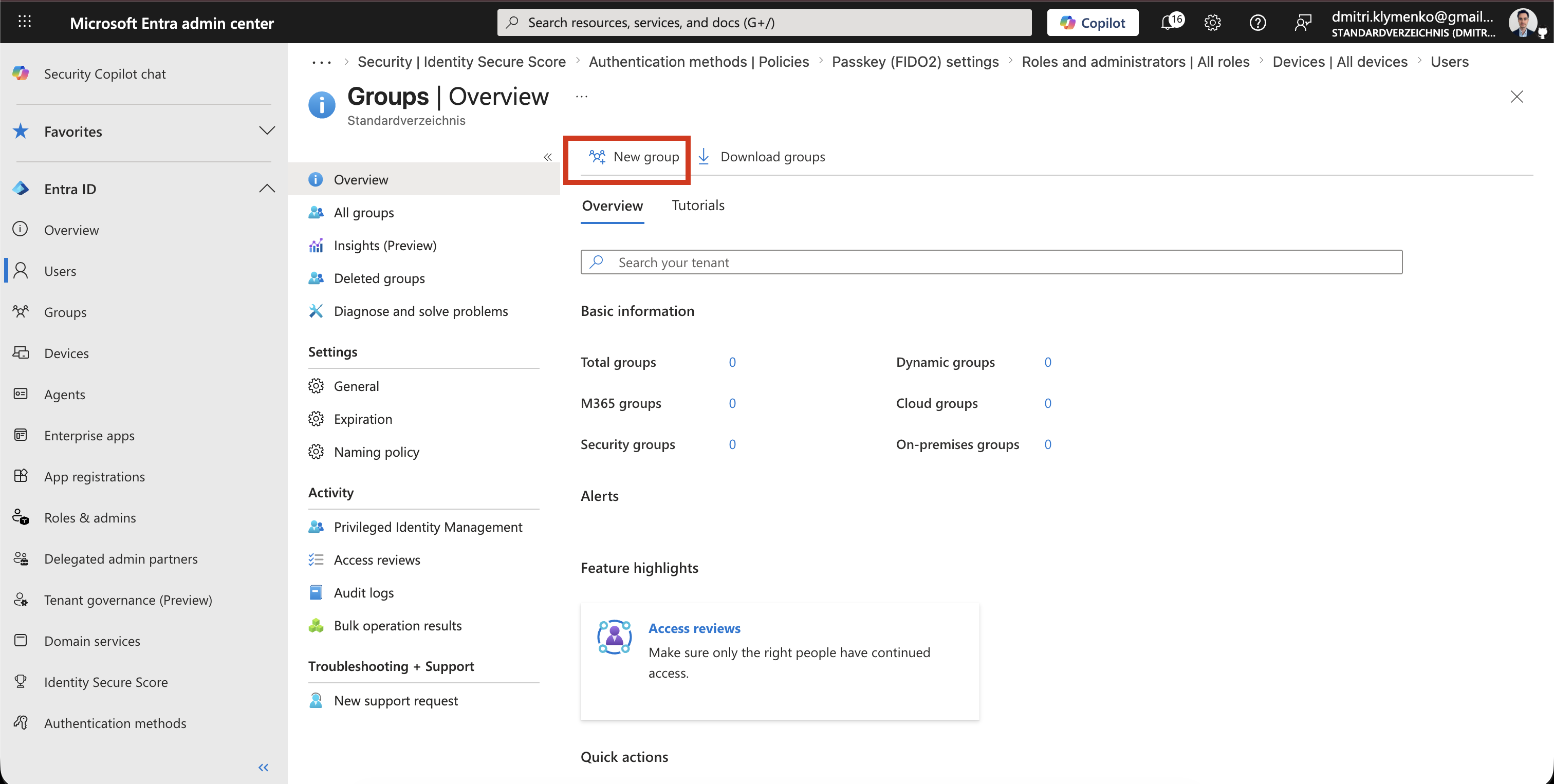
Create Security Group
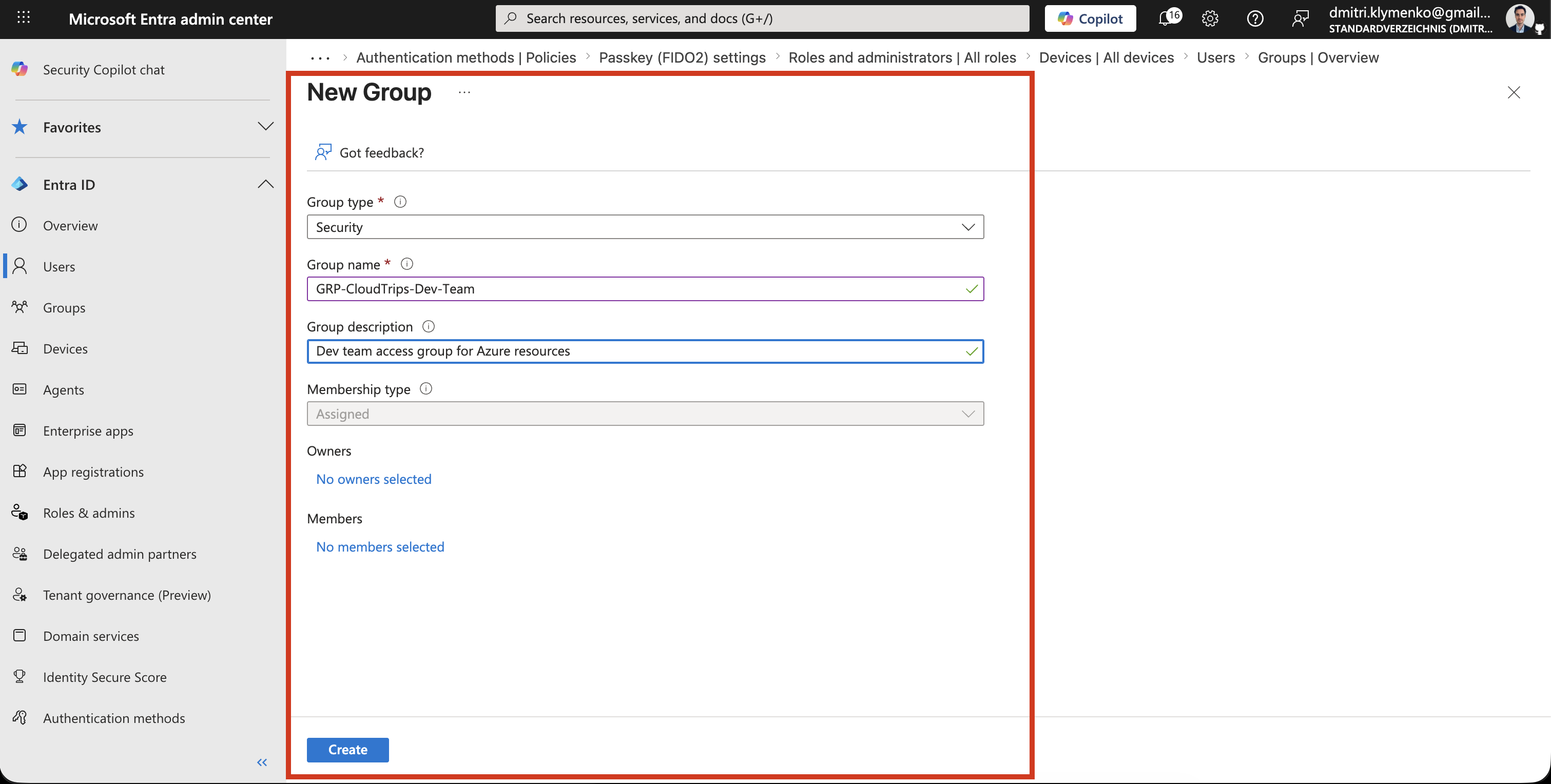
Create a new group:
Group type: Security
Group name: GRP-CloudTrips-Dev-Team
Description: Dev team access group for Azure resources
Add members later or during creation.
Open Azure Subscription IAM
Now move to Azure subscription:
Access control (IAM)This is where permissions are assigned.
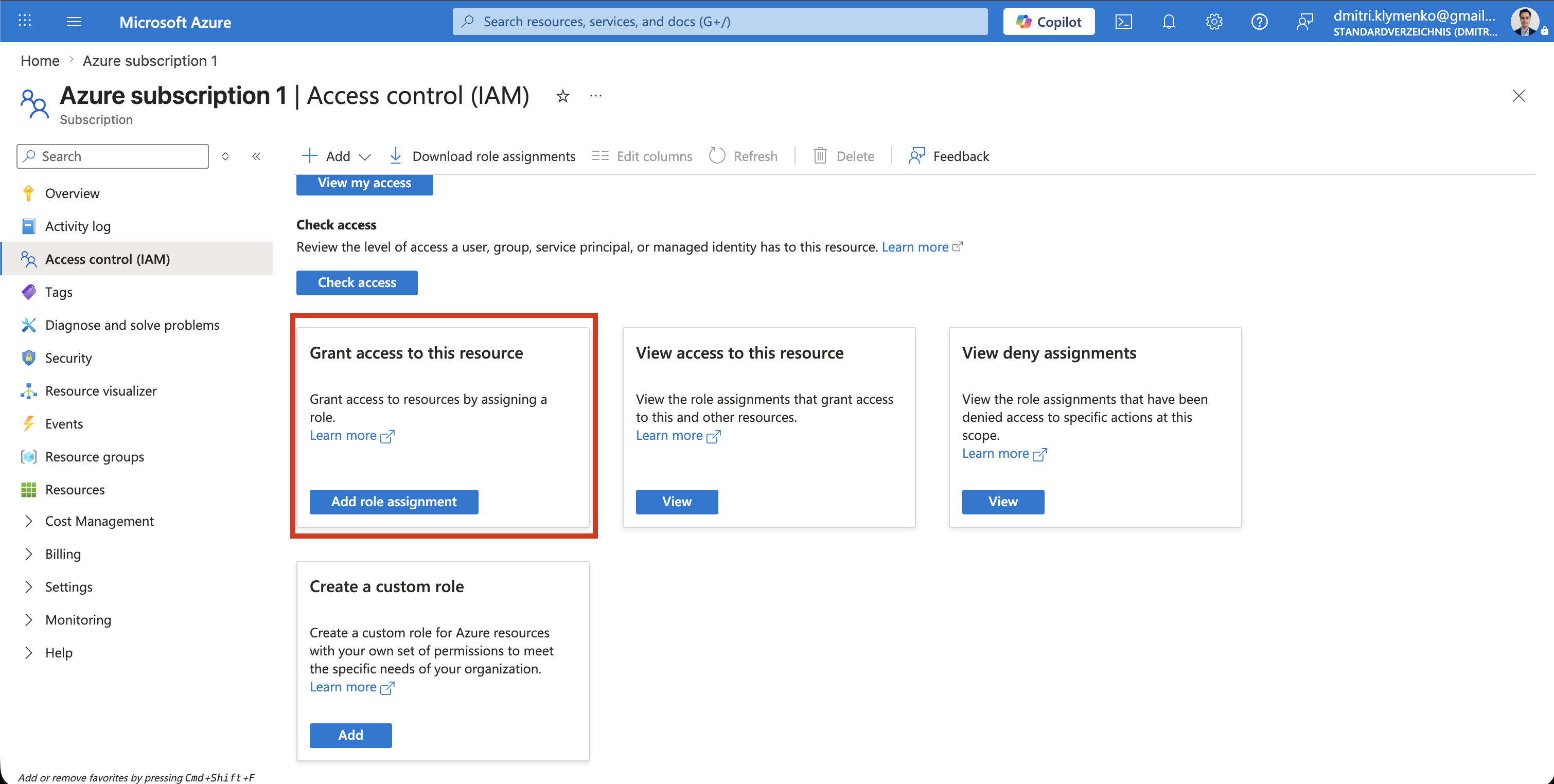
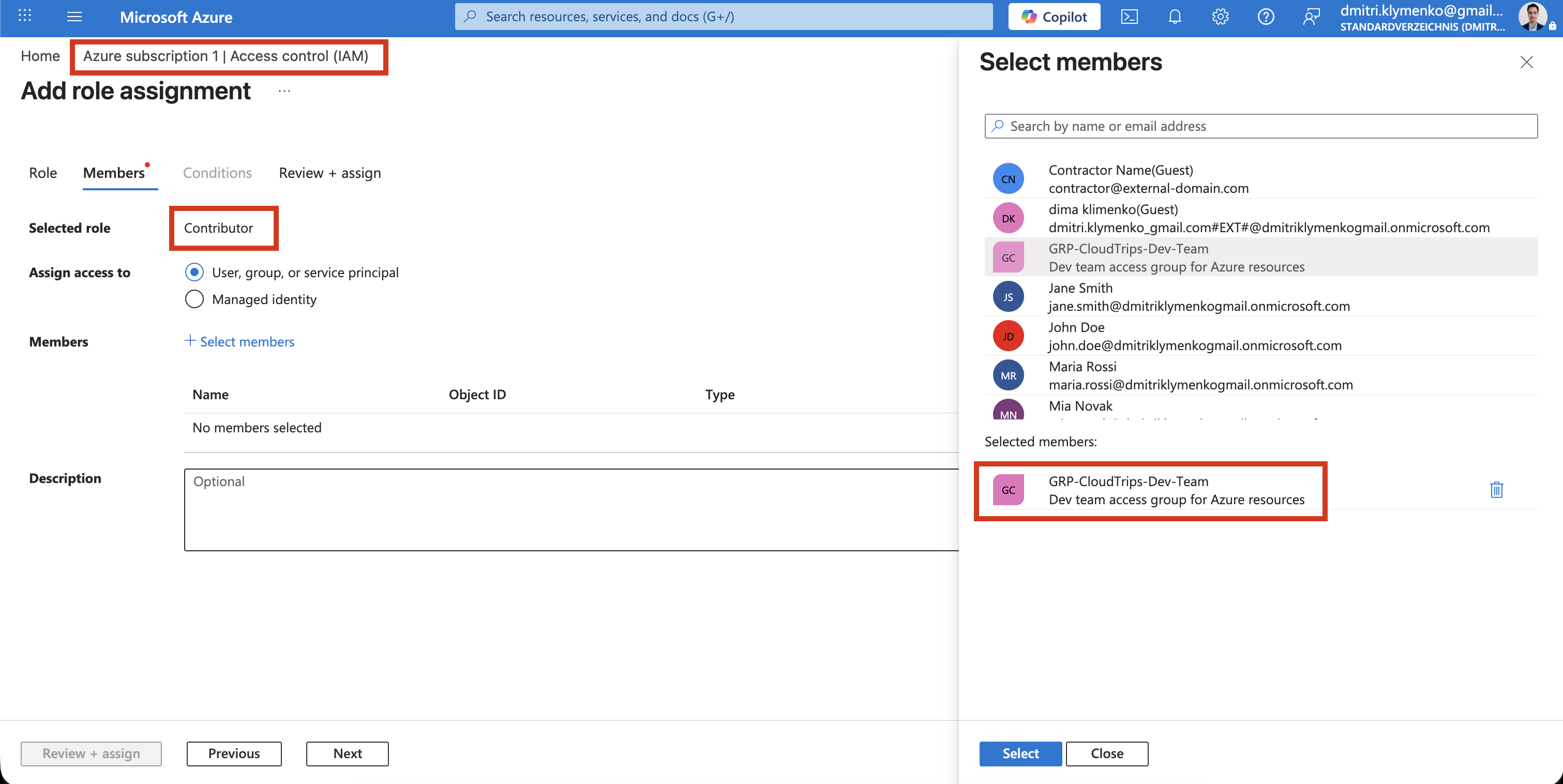
Assign Group to Contributor Role
Click:
Grant access to this resourceThen assign:
- Role: Contributor
- Member: GRP-CloudTrips-Dev-Team
This connects the Entra group to Azure permissions.
Result
After assignment:
- users in the group automatically inherit access
- no individual role assignments needed
- access is managed centrally via Entra group