Admin Account Needs Extra Protection? Require MFA for Admins
Administrator accounts are high-value targets.
If an attacker gets access to an admin account, they can manage users, roles, applications, policies, and Azure resources. A password alone is not enough protection.
In Microsoft Entra ID, the clean enterprise solution is to require multifactor authentication for privileged administrator roles using Conditional Access.
Open Conditional Access Policies
Go to:
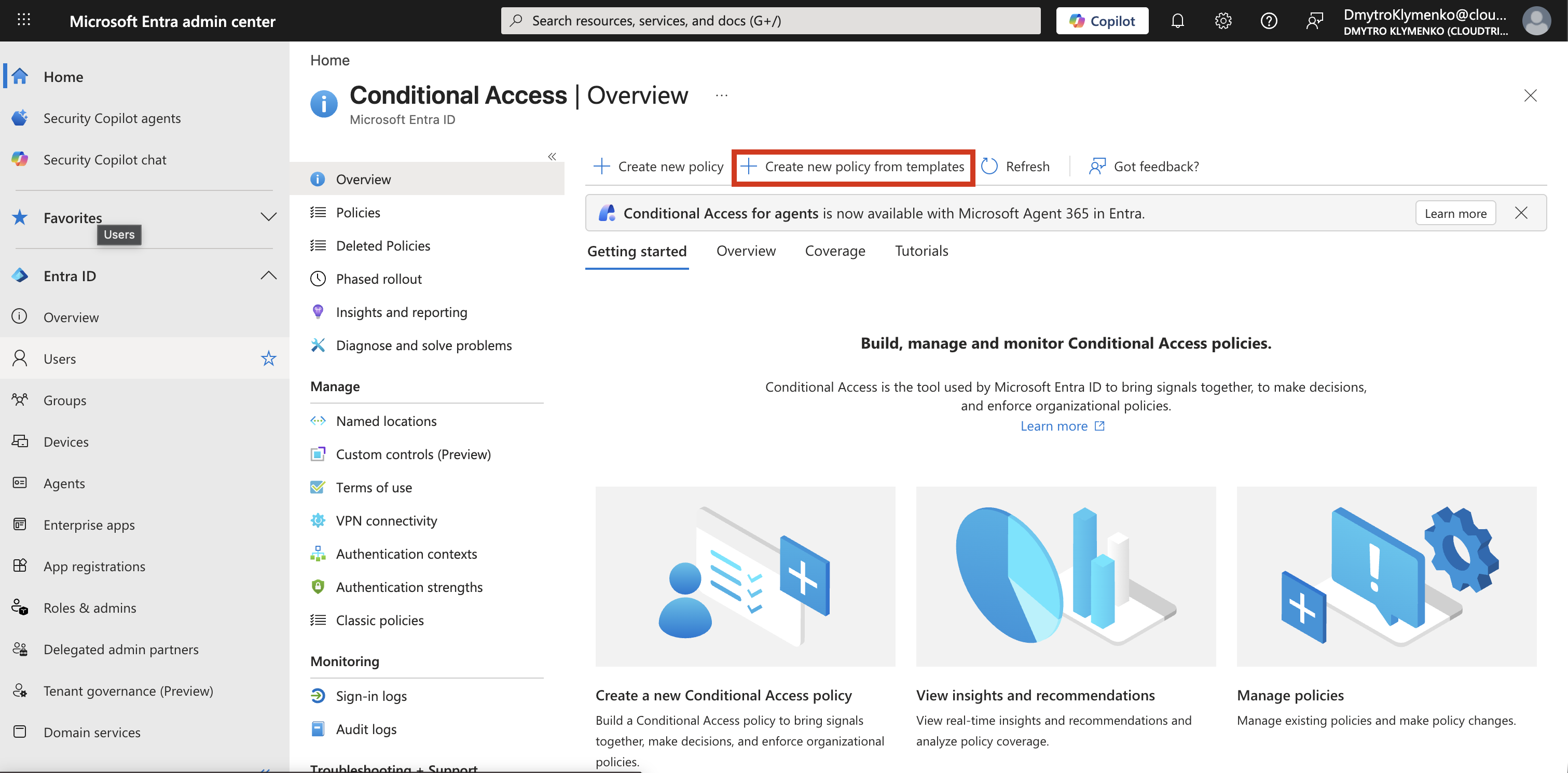
Microsoft Entra ID > Protection > Conditional Access > PoliciesSelect:
New policy from templateThis opens Microsoft’s predefined Conditional Access templates.
Select the Admin MFA Template
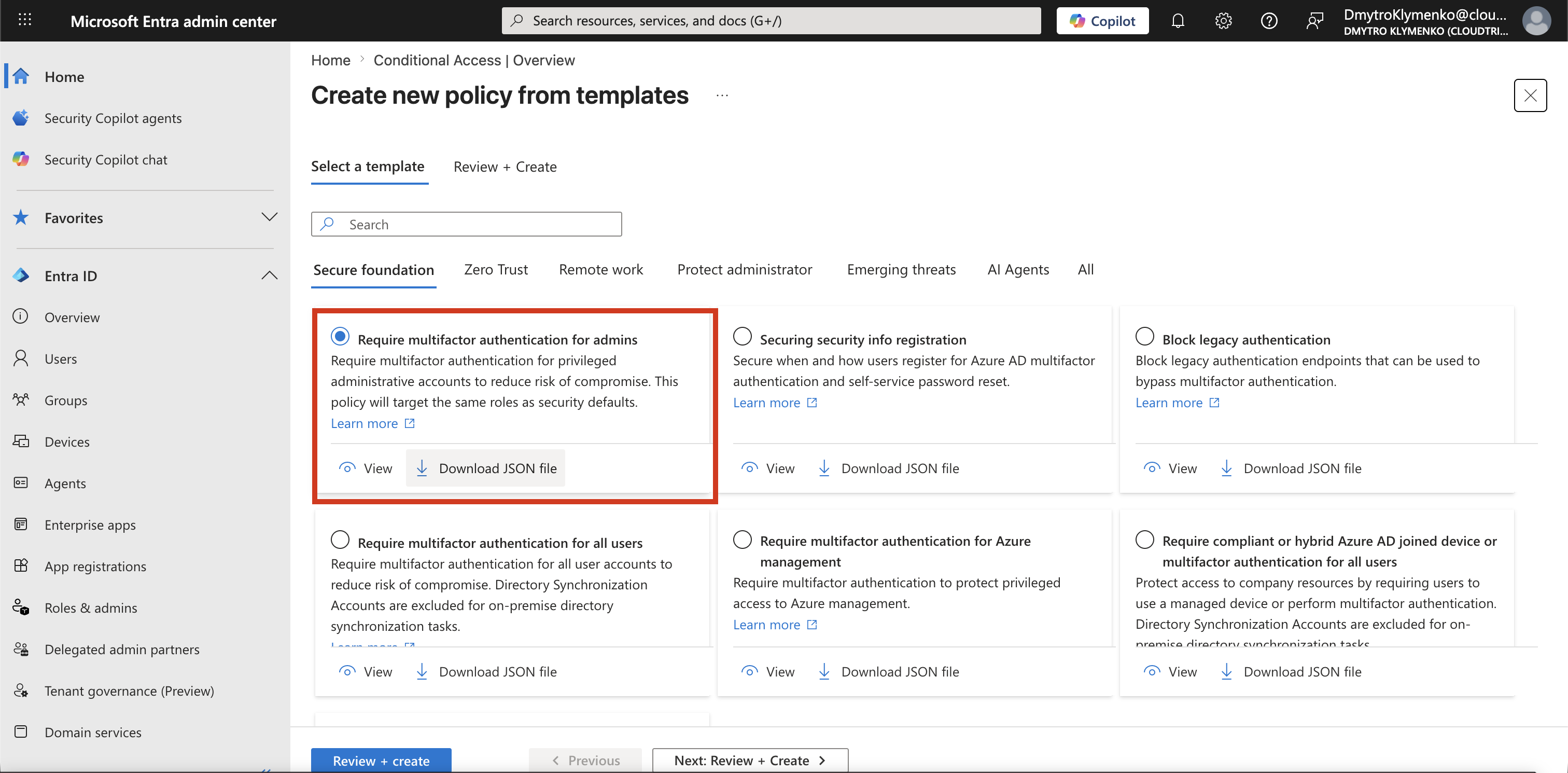
Choose the template:
Require multifactor authentication for adminsThis template is designed to protect privileged administrator roles.
Review the Created Policy
After selecting the template, review the policy configuration.
The policy targets privileged administrator roles and requires multifactor authentication.
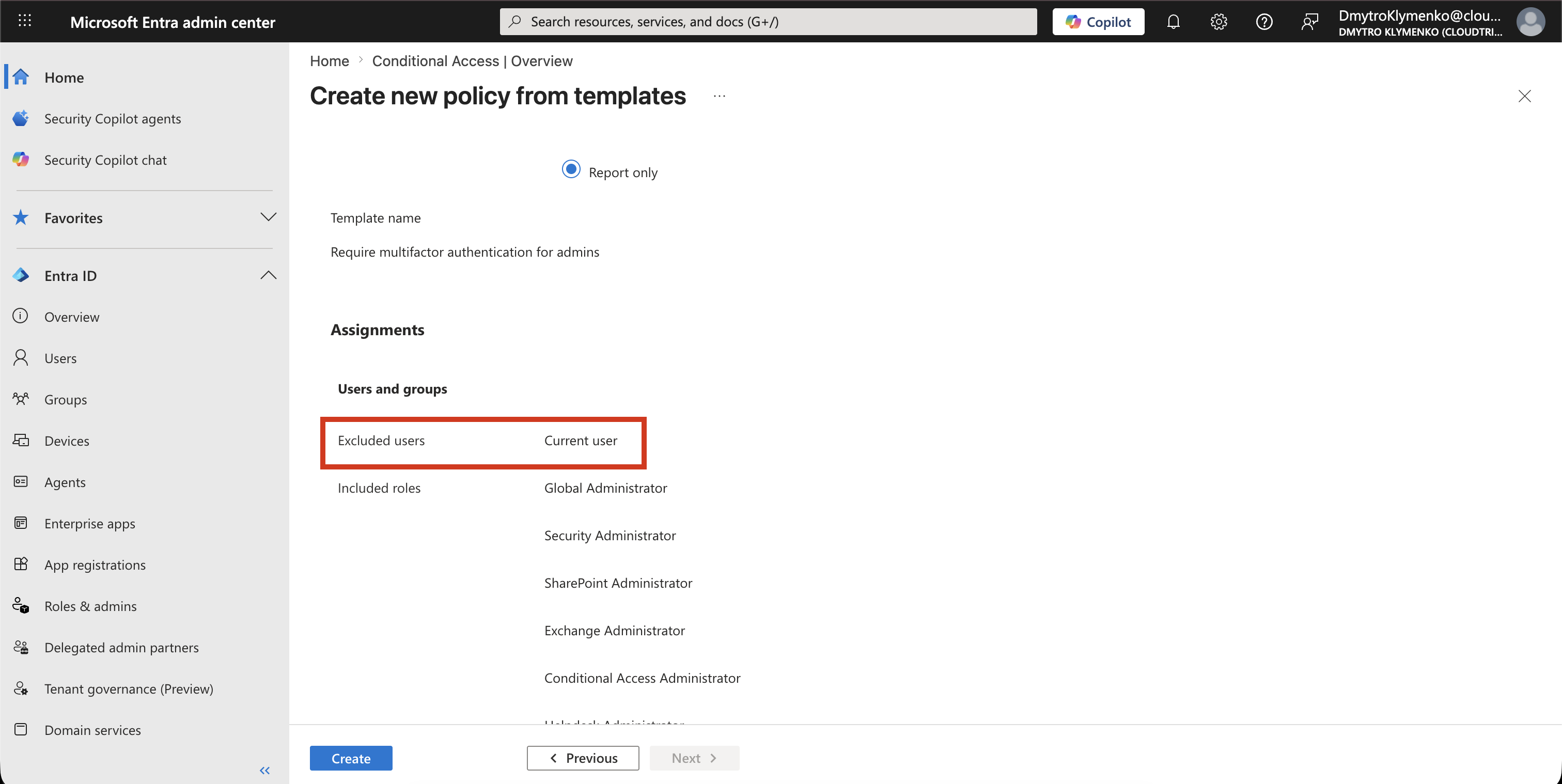
Typical targeted roles include:
Global Administrator
Privileged Role Administrator
Conditional Access Administrator
Security Administrator
User Administrator
Application Administrator
The goal is simple:
Admin sign-in > MFA required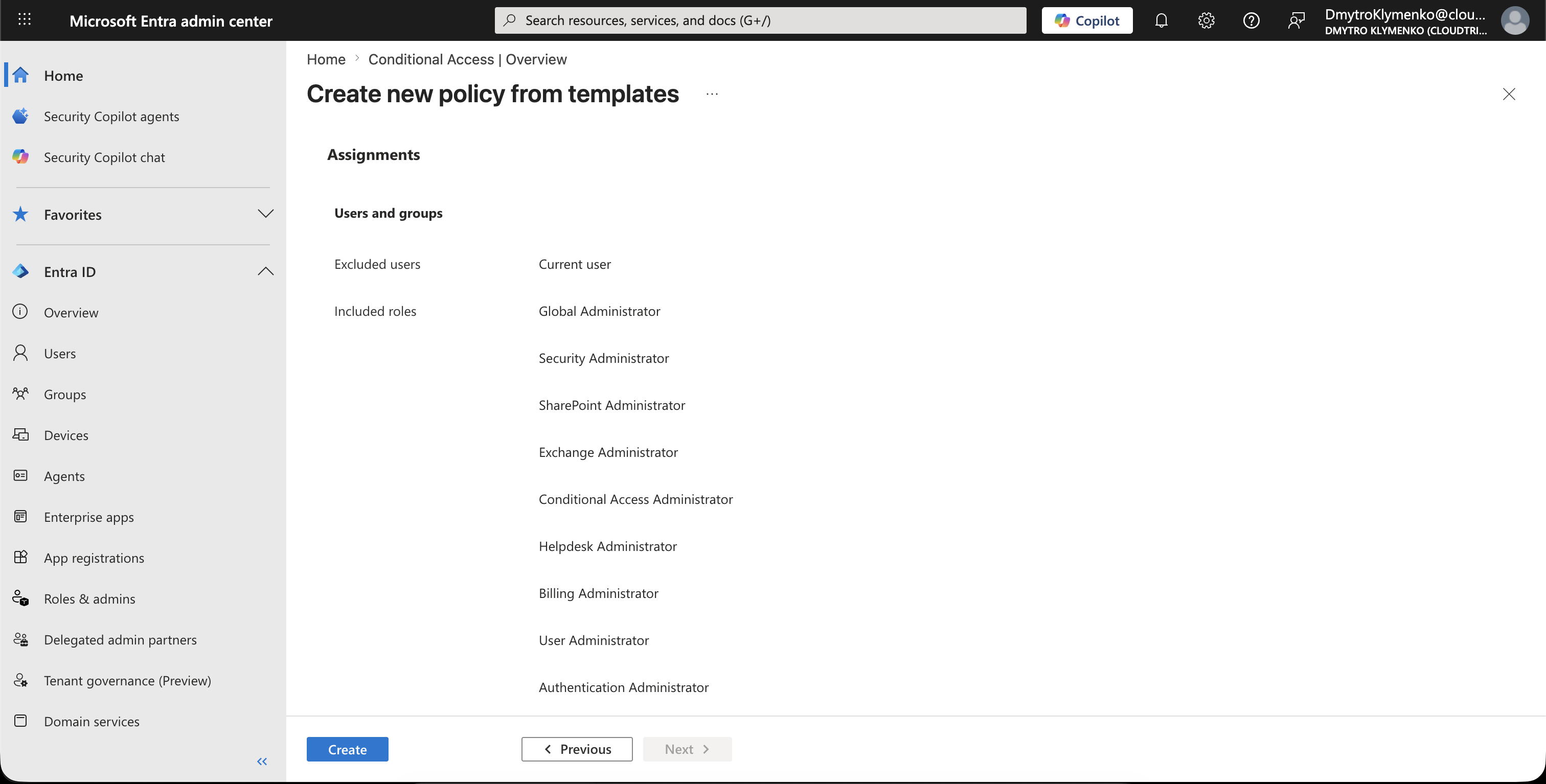
Check the MFA Grant Control
In the policy grant controls, multifactor authentication is required.
This means an administrator can still sign in, but only after completing an additional authentication challenge.
The important configuration is:
Grant access
Require multifactor authentication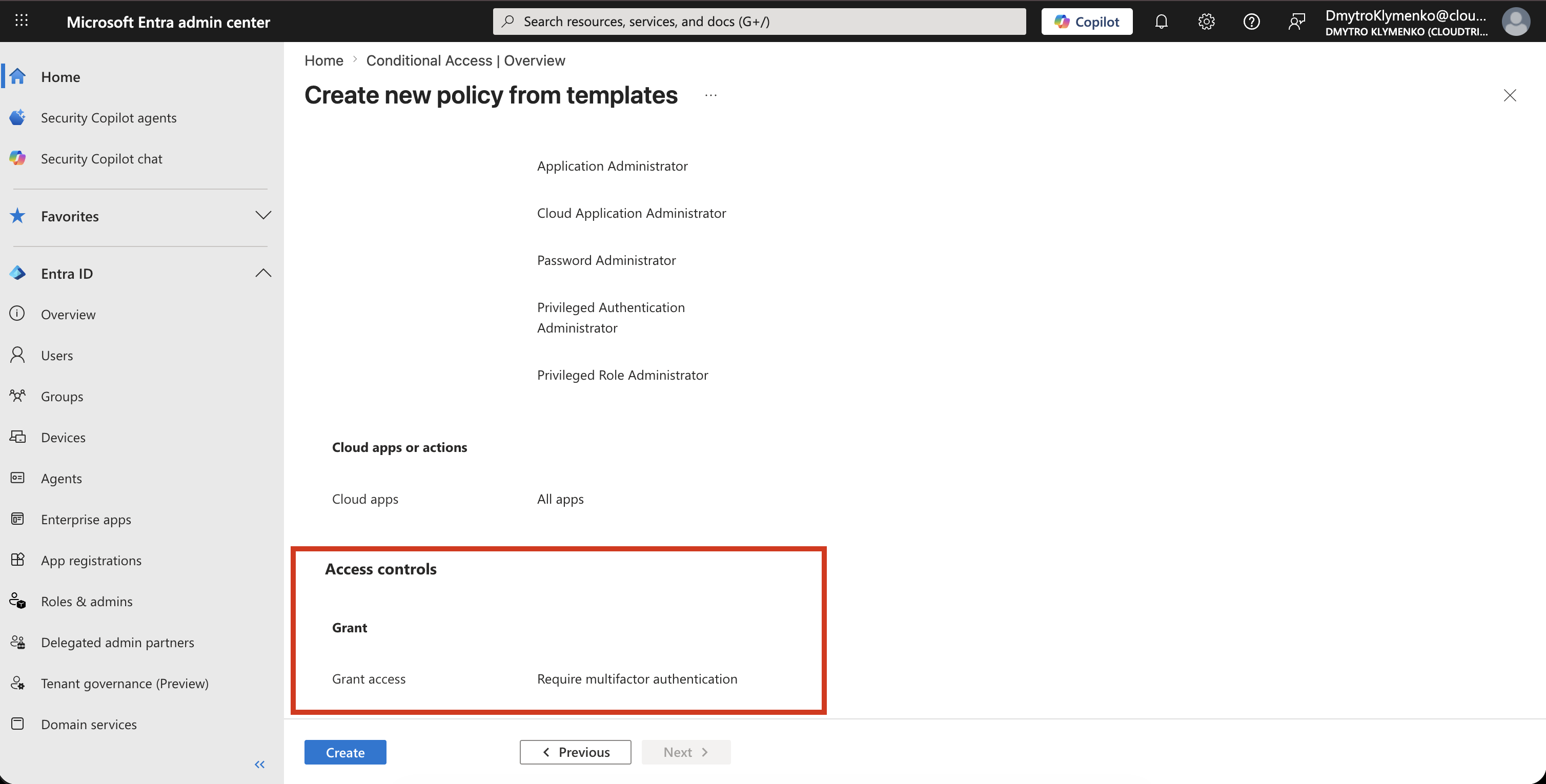
Start with Report-Only Mode
Before enabling the policy directly, start with:
Report-onlyReport-only mode lets you see what the policy would do without actually enforcing it.
After testing, switch the policy to:
On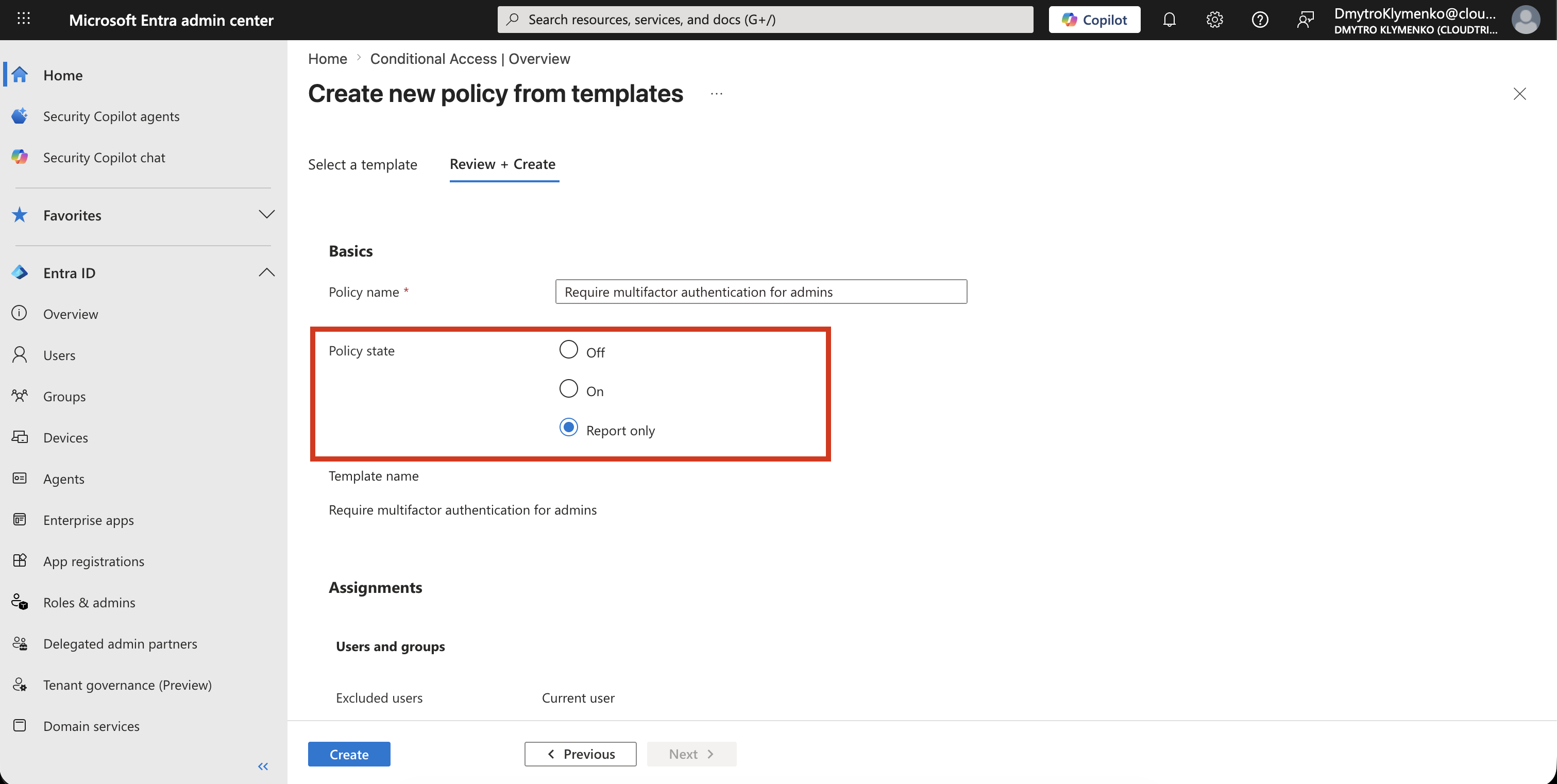
Exclude Emergency Access Account
Before enabling the policy, make sure there is an emergency access account.
This account is often called a break-glass account.
It should be excluded from the policy so that you do not lock yourself out of the tenant.
Result
After the policy is enabled, administrator accounts must complete MFA when signing in to protected resources.
This reduces the risk that a stolen admin password alone can compromise the tenant.