User Was Deleted by Mistake? Restore Deleted User
In Microsoft Entra ID, deleted users are not immediately permanently removed.
Instead, they are moved into a Deleted users state, where they can be restored within the retention period.
This allows recovery of accidentally deleted accounts without recreating everything manually.
Open Deleted Users
Go to:
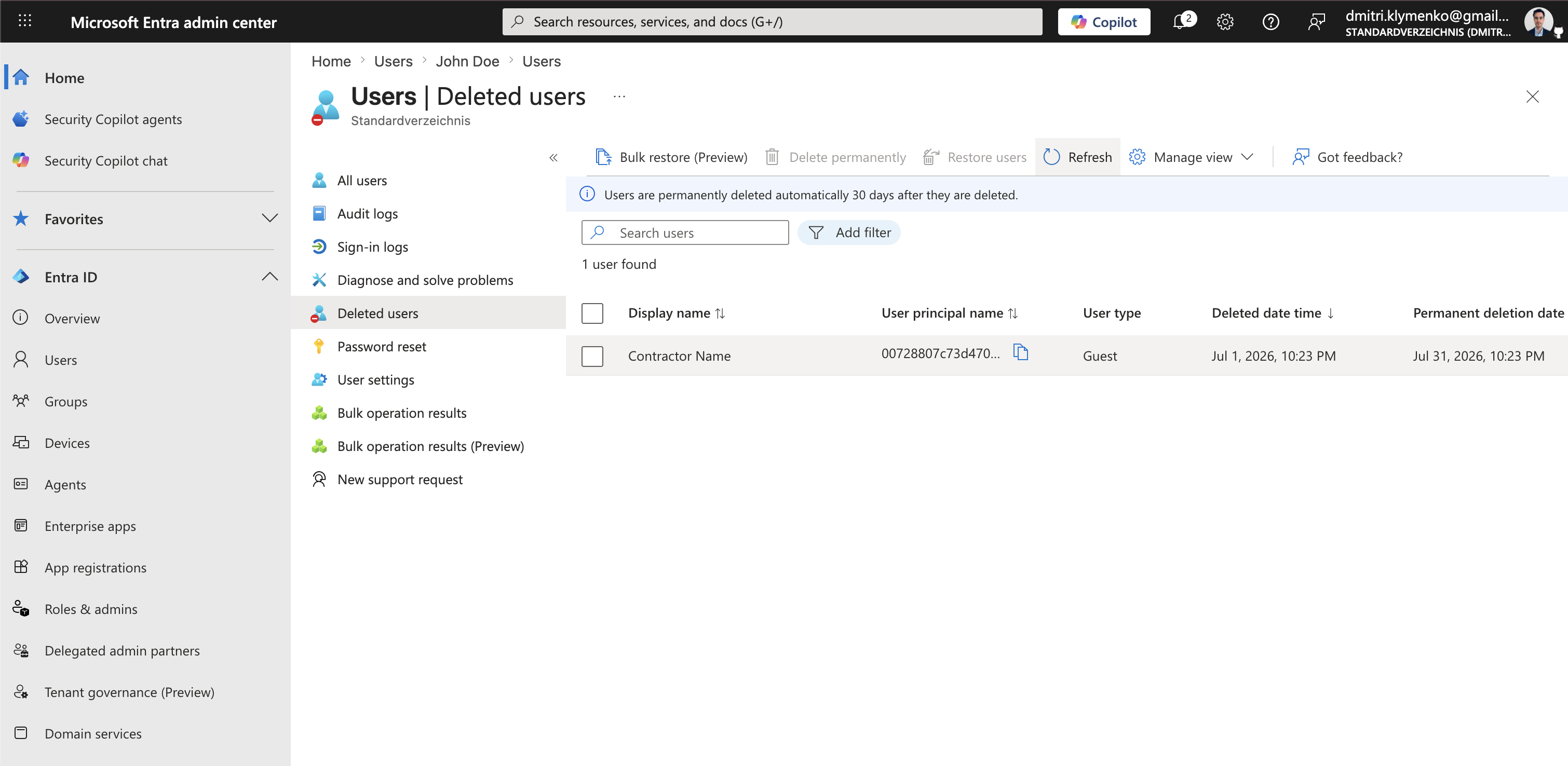
Entra ID > Users > Deleted usersThis view shows user accounts that are currently available for restoration.
Find the Deleted User
In the deleted users list:
- search for the user, for example John Doe
- select the account
You will see:
- user identity information
- restore option
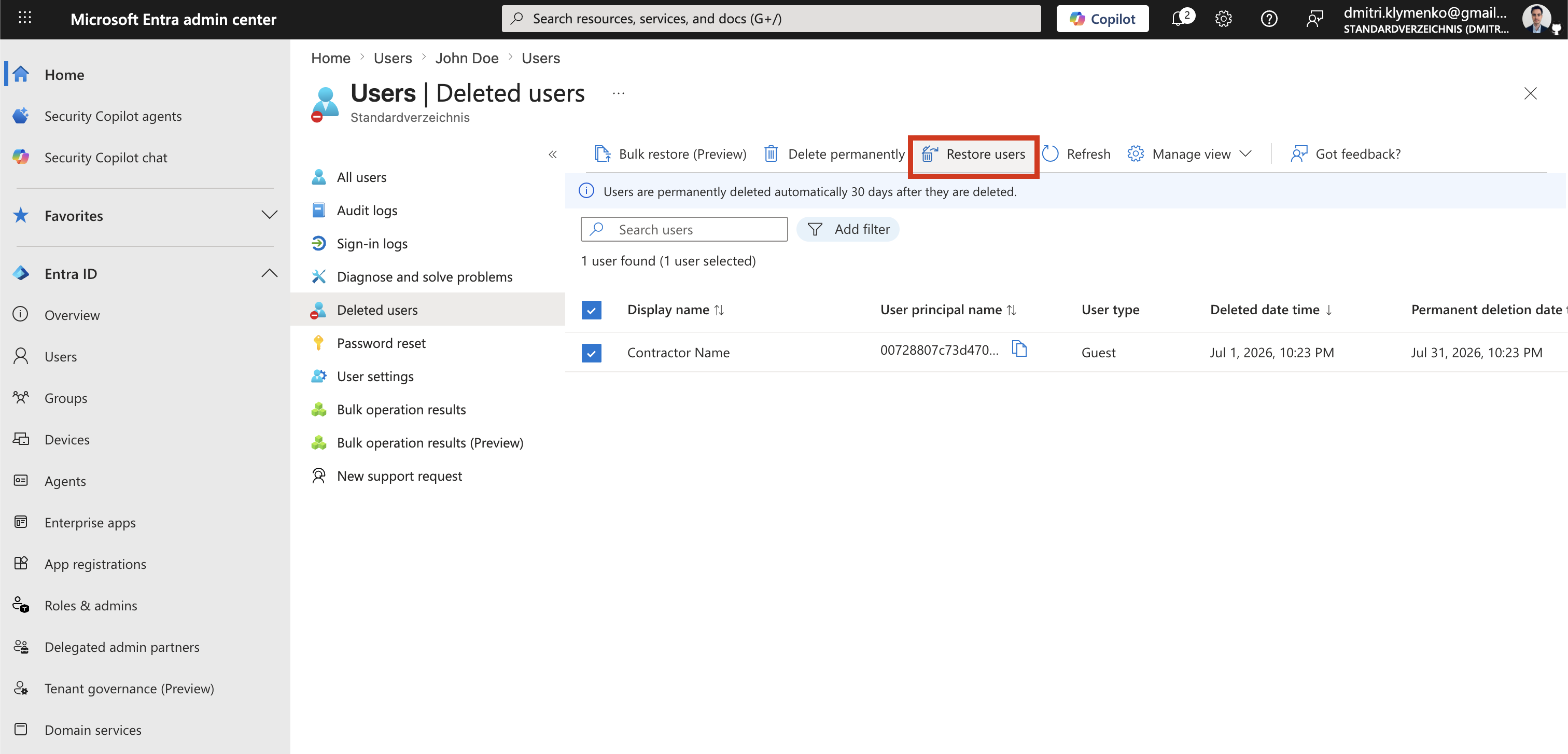
Restore User
Select:
Restore userThis action:
- recreates the user object
- restores the original User Principal Name, if available
- restores group memberships, if still valid
- reactivates the identity in Entra ID
After Restore
Once restored:
- user can regain access to Microsoft services
- sign-in becomes possible again
- previous assignments may need verification
Result
After restore:
- user is active again in Entra ID
- identity is recovered without full recreation
- business impact is minimized