Connected Resources Are Difficult to Maintain? Use References and Dependencies
The CloudTrips storage account now exists, but the application also needs a private container for uploaded files. Building the complete resource names manually and maintaining a separate deployment order makes connected resources easy to break.
Use Bicep references to describe this hierarchy:
Storage account
└── Blob service: default
    └── Private container: uploads
Bicep will infer that the storage account must exist before the Blob service and that the Blob service must exist before the container.
This trip builds on: Use Bicep Parameter Files. Complete it first because this lab extends the same
main.bicepand environment parameter files.
Add the Container Input
Add this parameter to main.bicep:
@description('Private blob container used for application uploads.')
@minLength(3)
@maxLength(63)
param containerName string = 'uploads'
The default gives every environment an uploads container. A parameter file
can override the value later without changing the resource definition.
Add the Connected Resources
Add these resources after storageAccount:
resource blobService 'Microsoft.Storage/storageAccounts/blobServices@2025-06-01' = {
  parent: storageAccount
  name: 'default'
  properties: {
    containerDeleteRetentionPolicy: {
      enabled: true
      days: 7
    }
    deleteRetentionPolicy: {
      enabled: true
      days: 7
    }
  }
}

resource uploadsContainer 'Microsoft.Storage/storageAccounts/blobServices/containers@2025-06-01' = {
  parent: blobService
  name: containerName
  properties: {
    publicAccess: 'None'
  }
}
Add a new output:
output containerId string = uploadsContainer.idThe symbolic references establish both the relationship and the order:
parent: storageAccountconnects the Blob service to the storage accountparent: blobServiceconnects the container to the Blob serviceuploadsContainer.idreturns the deployed child-resource ID
No explicit dependsOn block is required. Because the child resources directly
reference their parents, Bicep creates the dependencies automatically.
Inspect the Inferred Dependencies Without Saving JSON
Compile the Bicep file and display resources that contain generated dependencies:
az bicep build \
  --file main.bicep \
  --stdout |
  jq '.resources[] | select(.dependsOn != null) | {type, dependsOn}'
This command does not create a JSON file. --stdout sends the generated ARM
JSON directly to jq, which filters it and prints the result in the terminal.
The filtered terminal output should show that the Blob service depends on the storage account and that the container depends on the Blob service.
Use an explicit dependsOn only when one resource must wait for another and
Bicep cannot infer that relationship from a symbolic reference.
Preview the TEST Change
Select the CloudTrips TEST subscription:
az account set \
  --subscription "<CloudTrips TEST subscription name or ID>"
Run what-if with the existing TEST parameter file:
az deployment group what-if \
  --resource-group rg-cloudtrips-bicep-test-weu \
  --parameters environments/test.bicepparam
Confirm that the preview keeps the existing storage account and proposes the
connected Blob resources. The uploads container must have:
publicAccess: None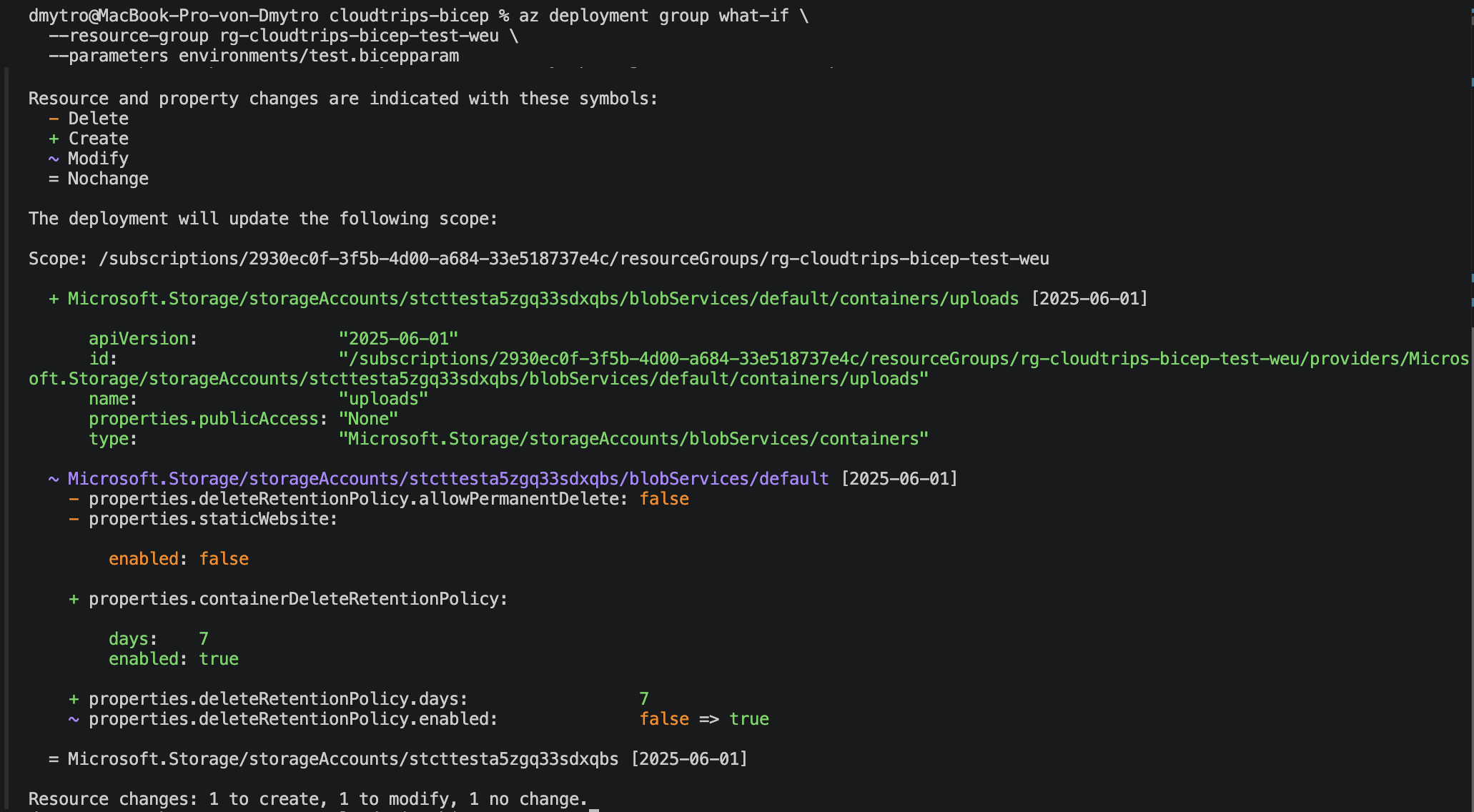
Deploy the Connected Resources
Apply the reviewed deployment:
az deployment group create \
  --name deploy-cloudtrips-storage-test-dependencies \
  --resource-group rg-cloudtrips-bicep-test-weu \
  --parameters environments/test.bicepparam \
  --query "properties.{state:provisioningState,outputs:outputs}" \
  --output yaml
Confirm that the state is Succeeded and copy the returned containerId.
Verify the Child Resource
Use the output to inspect the container through Azure Resource Manager:
container_id="<containerId output>"

az resource show \
  --ids "$container_id" \
  --api-version 2025-06-01 \
  --query "{name:name,type:type,publicAccess:properties.publicAccess}" \
  --output table
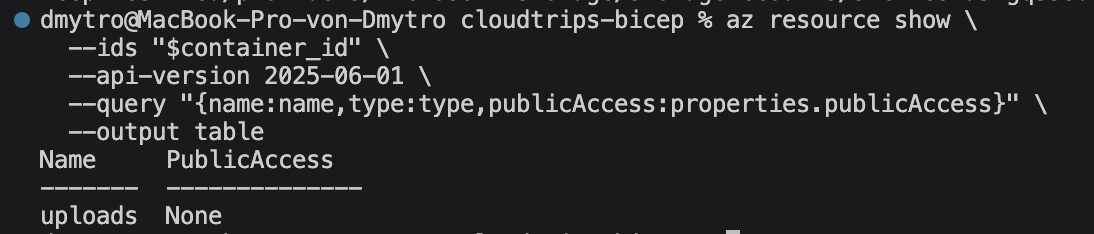
Verify:
Name: uploads
Type: Microsoft.Storage/storageAccounts/blobServices/containers
PublicAccess: None
The terminal result confirms that uploads exists. PublicAccess: None means
that the container is private and does not allow anonymous access.
The connected resources now use symbolic references instead of repeated resource-name strings. Bicep maintains their hierarchy and deployment order, and changing the storage-account naming rule does not require repairing every child-resource name.