Inbound Firewall Publishing Needed? Configure Firewall DNAT
The CloudTrips VM has no public IP, which prevents direct connections from the internet. A temporary web service on that VM now needs one controlled public entry point without making the VM itself public.
Azure offers several ways to publish a workload. A public IP on the VM is the simplest option but exposes that VM directly. Load Balancer distributes TCP or UDP connections across backends. Application Gateway and Front Door are better suited to HTTP/HTTPS applications that need Layer 7 routing or a Web Application Firewall. Use Firewall DNAT when an existing central firewall must publish a private TCP or UDP service and apply its rules, logging, and later IDPS inspection to the connection.
Configure Destination Network Address Translation (DNAT) on Azure Firewall. DNAT accepts a connection on the firewall’s public IP and port, replaces that public destination with the VM’s private IP and port, and forwards the connection.
This trip builds on Firewall Rules Need Central Management? Create a Firewall Policy. Keep its firewall, associated policy, public IP, route, private VM, and Bastion connection.
The connection path becomes:
Your computer
  -> Azure Firewall public IP:80
  -> DNAT
  -> Private VM IP:80
The VM remains private. Internet clients target the firewall, not the VM.
Stabilize the Private Destination
Start vm-cloudtrips-bastion-test-weu. On its Networking page, open the
attached network interface and select Settings > IP configurations.
Open the VM’s IP configuration and change Private IP address assignment to
Static, keeping the currently assigned address. Select Save and record
that private IP.
DNAT needs a dependable translation target. Making the existing address static prevents a later address change from leaving the rule pointed at the wrong VM.
Start a Temporary Web Server
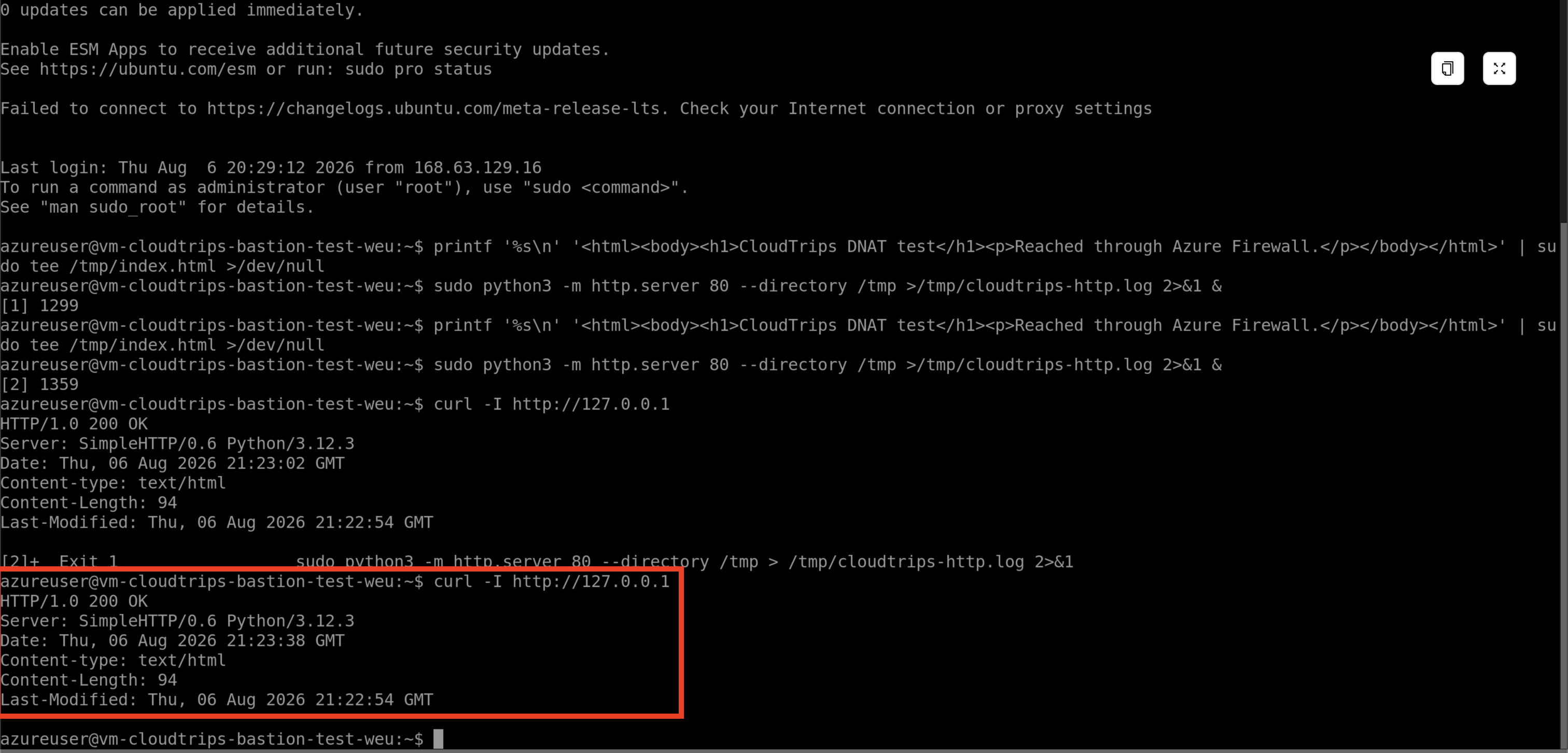
Connect to the VM through Connect > Bastion. Run:
printf '%s\n' '<html><body><h1>CloudTrips DNAT test</h1><p>Reached through Azure Firewall.</p></body></html>' | sudo tee /tmp/index.html >/dev/null
sudo nohup python3 -m http.server 80 --bind 0.0.0.0 --directory /tmp >/tmp/cloudtrips-http.log 2>&1 &
curl -I http://127.0.0.1
The final command should return HTTP/1.0 200 OK. It proves that the web
server is listening locally before the firewall is involved. Keep the VM
running for the external test. nohup keeps the temporary server running when
the Bastion terminal closes. If starting it again reports Exit 1 while the
local curl still returns 200 OK, an earlier server already owns port 80; do
not start another copy.
This Python server is only a short-lived lab endpoint. It is not a production web-server configuration.
Record the Two Public Addresses
Open afw-cloudtrips-test-weu, select its public IP configuration, and record
the IP address of pip-cloudtrips-afw-test-weu. This is the destination that
internet clients will contact.
On the computer from which you will run the browser test, open a terminal and run:
curl -4 https://api.ipify.orgRecord the returned IPv4 address and append /32, for example
203.0.113.10/32. A /32 identifies exactly one IPv4 address. Use your real
result in the rule; the example address is only documentation.
Restricting the source to your current public address makes the temporary endpoint reachable from your connection rather than from the entire internet. If you enable or disable a VPN before testing, check the address again.
Create the DNAT Rule
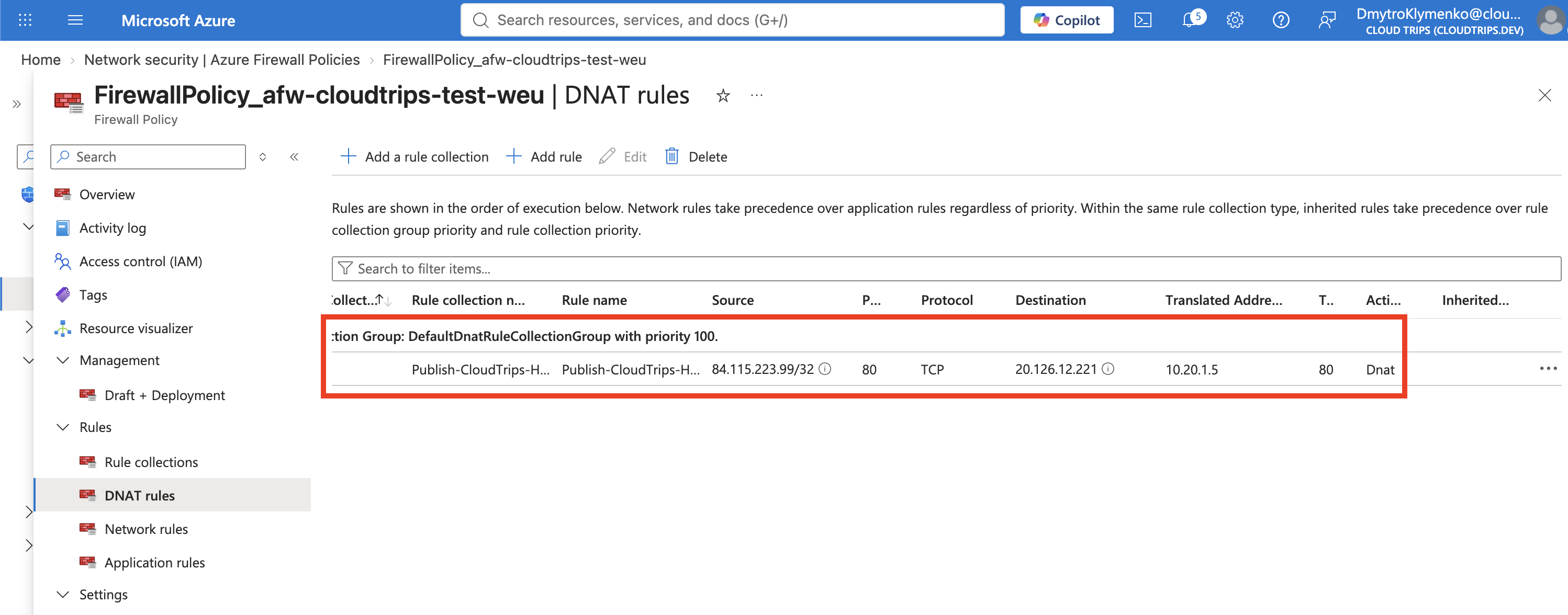
From the firewall overview, open its associated Firewall Policy. Under Settings > Rules, select DNAT rules > Add a rule collection.
Configure the collection:
Rule collection name: Publish-CloudTrips-HTTP
Priority: 200
Rule collection action: DNAT
Rule collection type: DNAT
Rule collection group: DefaultDnatRuleCollectionGroup
Configure its rule:
Rule name: Publish-Test-Web
Source type: IP Address
Source: <your-current-public-ip>/32
Protocol: TCP
Destination ports: 80
Destination (Firewall IP address): The public IP of pip-cloudtrips-afw-test-weu
Translated type: IP Address
Translated address: The private IP of vm-cloudtrips-bastion-test-weu
Translated port: 80
Select Add and wait until the policy and firewall provisioning states are Succeeded.
DNAT rules are evaluated before network and application rules. When this rule
matches, Azure Firewall translates and allows the connection, so a separate
firewall network rule is not required. The earlier
Allow-Microsoft-Web application rule controls outbound web traffic and does
not apply to this inbound connection.
No NSG change is required for this lab. After DNAT, the VM sees the connection
as coming from an Azure Firewall private instance in AzureFirewallSubnet.
The existing NSG’s default AllowVNetInBound rule permits that VNet traffic.
Test the Published Endpoint
On the same computer whose public IP was entered in the rule, open:
http://<firewall-public-ip>The browser should show:
CloudTrips DNAT test
Reached through Azure Firewall.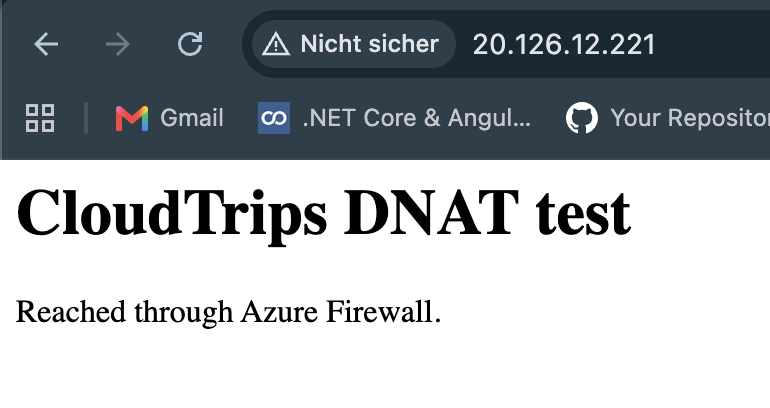
This proves the complete path: the connection reached the firewall public IP, matched the source and port in the DNAT rule, and was translated to the private VM. Opening the VM’s private IP directly from the internet would still fail.
Azure Firewall DNAT works at the network and transport layers. It does not inspect HTTP paths, headers, cookies, or application attacks. A public web application that needs those controls should use a Web Application Firewall (WAF), typically through Application Gateway or Azure Front Door.
Continue or Clean Up
The following trips upgrade this firewall for Premium TLS inspection and then enable IDPS. If you are continuing, leave the DNAT rule and all firewall resources in place. Close the Bastion session and deallocate the VM until the next test.
If you are stopping, delete Publish-CloudTrips-HTTP from the Firewall Policy
to close the public endpoint. Then stop or delete the VM. Follow the cleanup in
the preceding Firewall Policy trip if the complete firewall lab is finished.