VM Needs an Internet Address? Create a Public IP
A future CloudTrips virtual machine must accept an explicitly approved
connection from the internet. Its private address in snet-app cannot be
reached directly from outside the VNet.
Create a public IP address that can later be attached to the VM’s network interface. The public IP is a separate Azure resource; creating it does not create a VM, place anything in a subnet, or open a network port.
This trip uses the CloudTrips TEST network resource group created in App Needs a Private Network? Create a VNet.
Do not give every VM a public IP. If a VM only needs outbound internet access, use an explicit shared outbound design such as Azure NAT Gateway or Azure Firewall. A VM should receive a direct public IP only when the requirement and inbound security rules are clear.
Plan the Address
Use:
Subscription: CloudTrips TEST
Resource group: rg-cloudtrips-network-test-weu
Region: West Europe
Name: pip-cloudtrips-vm-test-weu
IP version: IPv4
SKU: Standard
Tier: Regional
Assignment: Static
Availability zone: Zone-redundant
Routing preference: Microsoft network
Standard is the current public IP SKU for this workload. Standard IPv4 addresses use static allocation, so Azure reserves one address until the public IP resource is deleted. Zone-redundant prevents the IP resource from depending on one availability zone.
Create the Public IP
In the Azure portal, search for Public IP addresses, open the service, and select Create.
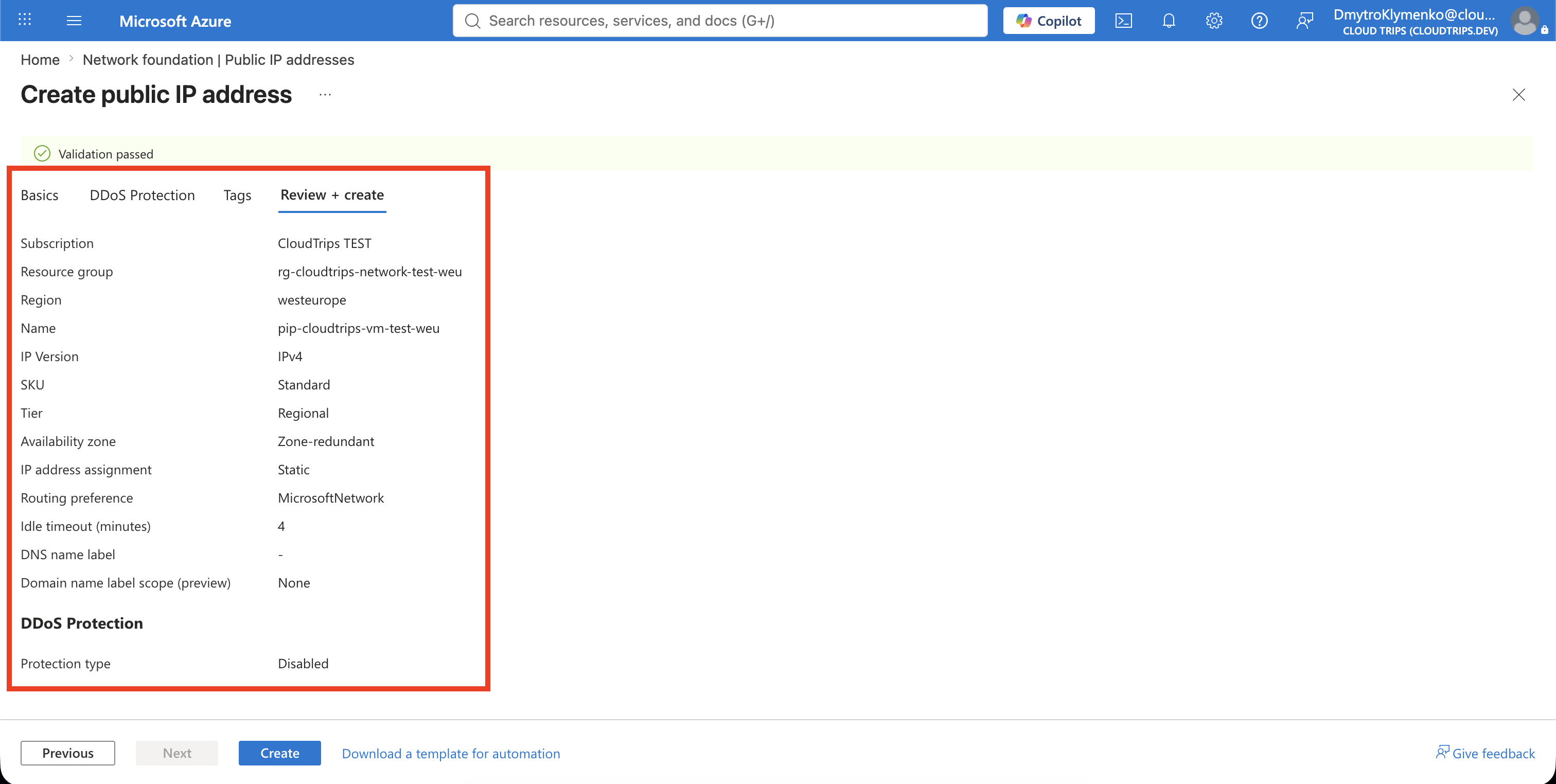
Configure:
Subscription: CloudTrips TEST
Resource group: rg-cloudtrips-network-test-weu
Region: West Europe
Name: pip-cloudtrips-vm-test-weu
IP Version: IPv4
SKU: Standard
Tier: Regional
IP address assignment: Static
Availability zone: Zone-redundant
Routing preference: Microsoft network
Idle timeout: 4 minutes
DNS name label: Leave empty
Do not enable an additional paid DDoS protection plan for this exercise.
On Tags, add:
Application: CloudTrips
Environment: TEST
Purpose: VM
Select Review + create, and then select Create.
Verify the Reserved Address
Open pip-cloudtrips-vm-test-weu and confirm:
SKU: Standard
Tier: Regional
IP address assignment: Static
Availability zone: Zone-redundant
Associated to: Not associated
Azure displays the assigned public IPv4 address on Overview. Do not paste that live address into the trip.
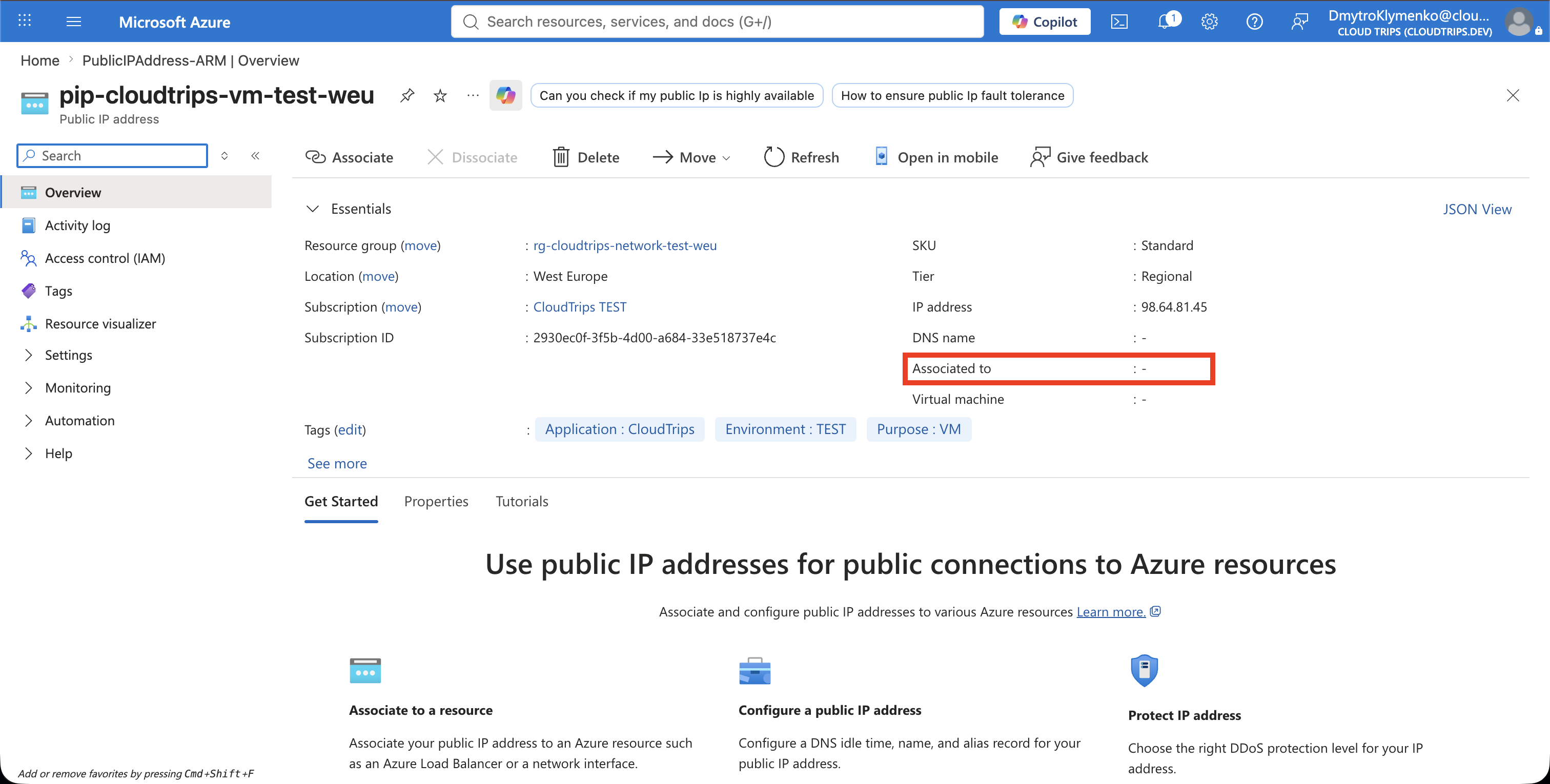
Not associated is expected. The address has been reserved, but no network
interface uses it yet. A later trip will associate it with a VM.
A Standard public IPv4 address can incur charges while it exists. Keep it only if you are continuing with the next networking trips. Otherwise, select Delete; deleting the resource releases the address and it cannot be recovered.