Traffic Must Use a Custom Path? Create a Route Table
Azure automatically routes traffic within a VNet and toward the internet. That default behavior is not enough when CloudTrips must explicitly control where traffic from an application subnet can go.
Create a route table containing a user-defined route (UDR). A route table is associated with a subnet and tells Azure which next hop to use for a destination. It does not allow traffic like an NSG; it selects the path for traffic that the security rules already permit.
This trip builds on: Need to See Why Traffic Is Blocked? Evaluate Effective NSG Rules.
Plan a Safe Custom Route
CloudTrips reserves 10.30.0.0/16 for a future services network. The
application subnet must not send traffic there until an approved firewall or
routing appliance is available.
Use:
Route table: rt-cloudtrips-app-test-weu
Associated subnet: vnet-cloudtrips-test-weu/snet-app
Route name: Block-Future-Services
Destination: 10.30.0.0/16
Next hop type: None
The None next hop discards matching traffic. The destination is outside the
current 10.20.0.0/16 VNet, so this route does not interrupt communication
inside the existing VNet or normal internet access. A production route can
later replace None with a working virtual appliance or virtual network
gateway.
Create the Route Table
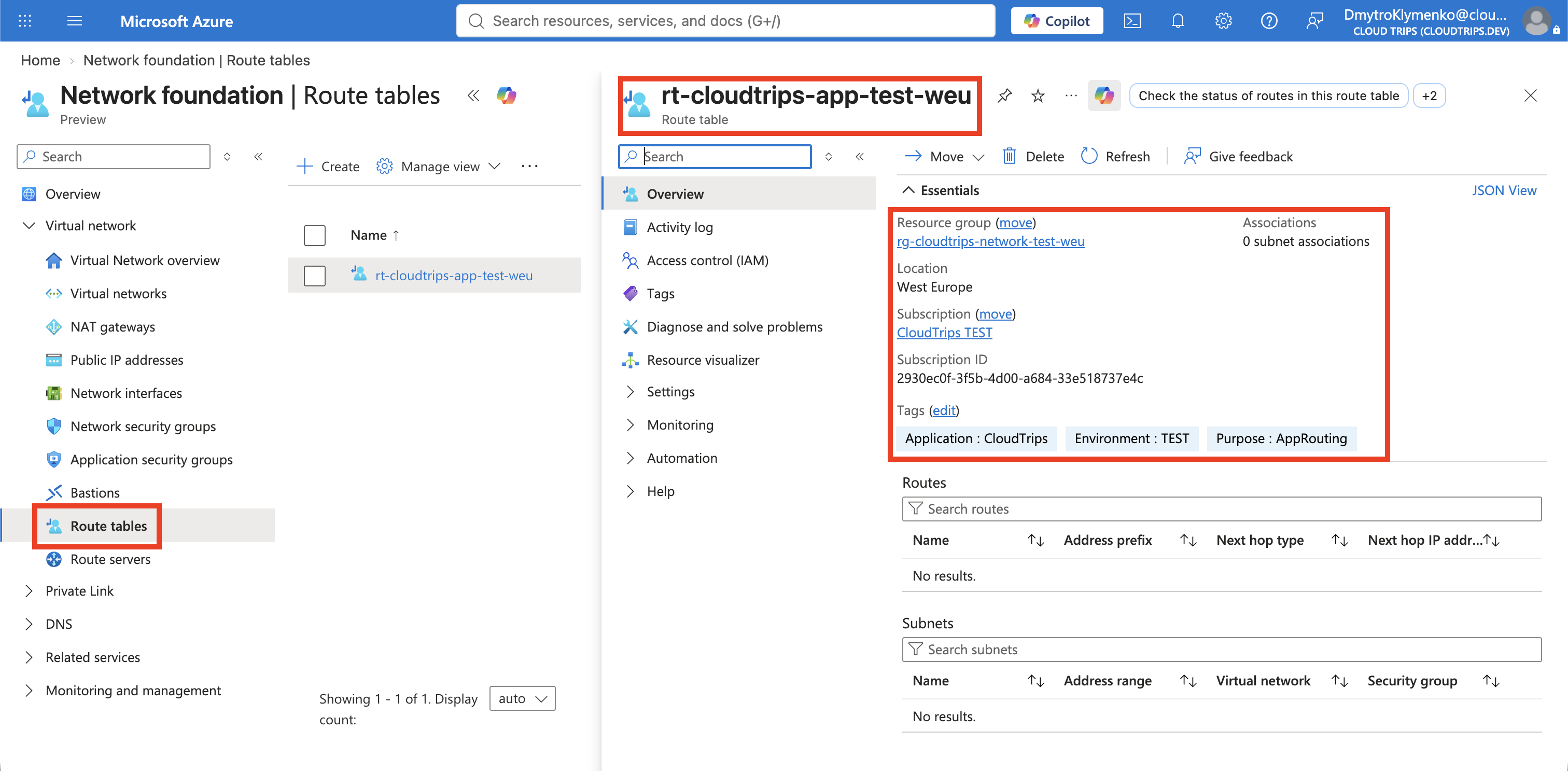
In the Azure portal, search for Route tables, open the service, and select Create.
Configure:
Subscription: CloudTrips TEST
Resource group: rg-cloudtrips-network-test-weu
Region: West Europe
Name: rt-cloudtrips-app-test-weu
Enable peering routes: Yes
Leave peering routes enabled so that routes learned through future VNet peerings remain available. CloudTrips has no peering yet, so this setting does not change the result of this exercise.
On Tags, add:
Application: CloudTrips
Environment: TEST
Purpose: AppRouting
Select Review + create, and then select Create.
Add the User-Defined Route
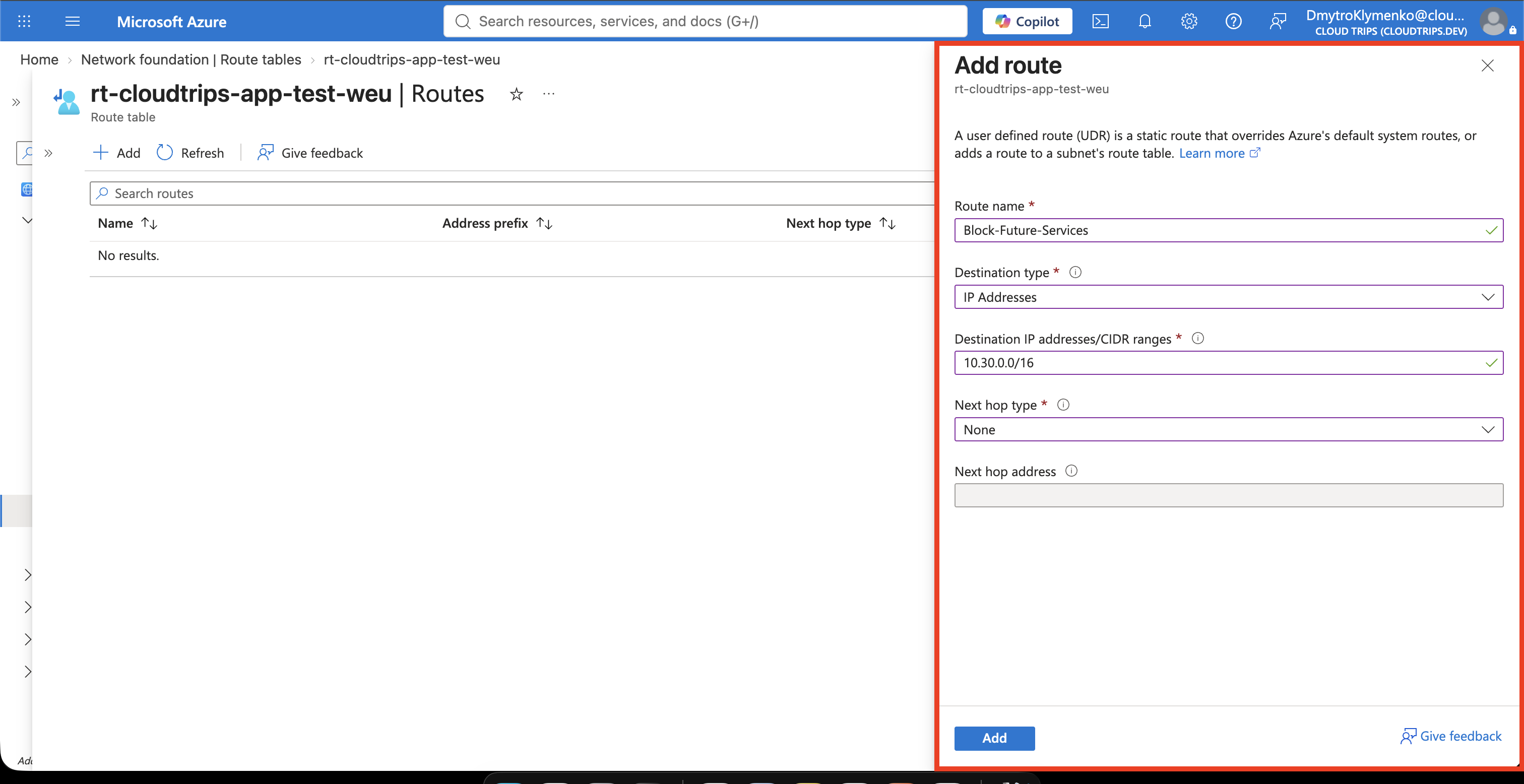
Open rt-cloudtrips-app-test-weu, select Settings > Routes, and select
Add.
Configure:
Route name: Block-Future-Services
Destination type: IP Addresses
Destination IP addresses/CIDR ranges: 10.30.0.0/16
Next hop type: None
Select Add.
Azure selects routes using the most specific matching address prefix. This
route therefore affects destinations inside 10.30.0.0/16; it is not a general
internet route.
Associate the Route Table with the Subnet
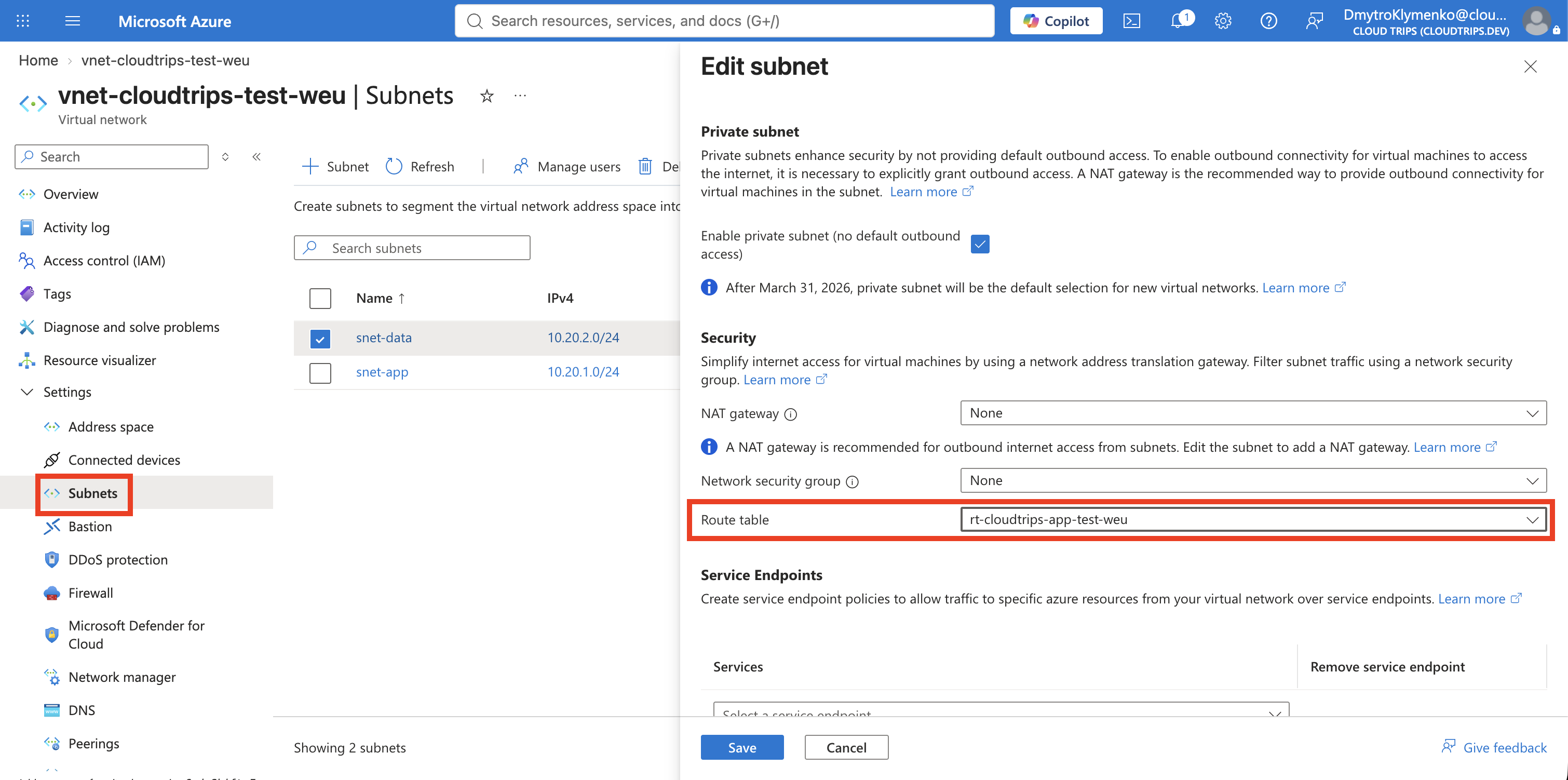
A route table has no effect until it is associated with a subnet. Search for
Virtual networks, open vnet-cloudtrips-test-weu, and select Settings >
Subnets. Open snet-app, set:
Route table: rt-cloudtrips-app-test-weuKeep the existing NSG association unchanged and select Save. A route table is associated with each subnet that should use it, not with the complete VNet or directly with a NIC.
Verify the Association
Open Cloud Shell, select Bash, and run:
az network vnet subnet show \
  --resource-group rg-cloudtrips-network-test-weu \
  --vnet-name vnet-cloudtrips-test-weu \
  --name snet-app \
  --query "{Subnet:name,RouteTable:routeTable.id}" \
  --output yaml
RouteTable should end with:
/routeTables/rt-cloudtrips-app-test-weuThe NSG still decides whether traffic is permitted. For permitted traffic, the
route table now decides the next hop. Traffic from snet-app to
10.30.0.0/16 is discarded, while existing VNet and internet routes remain
available.