Need to See Why Traffic Is Blocked? Evaluate Effective NSG Rules
A configured NSG rule does not always explain the final result. A subnet-level NSG, a NIC-level NSG, default rules, and centrally applied security admin rules can all contribute to whether traffic is allowed or denied.
Use effective security rules to see the combined rules Azure applies to one network interface. This helps answer questions such as: Why is port 443 allowed while port 22 remains blocked?
This trip builds on: Rule Should Target App Servers Only? Create an Application Security Group.
Why a Temporary VM Is Required
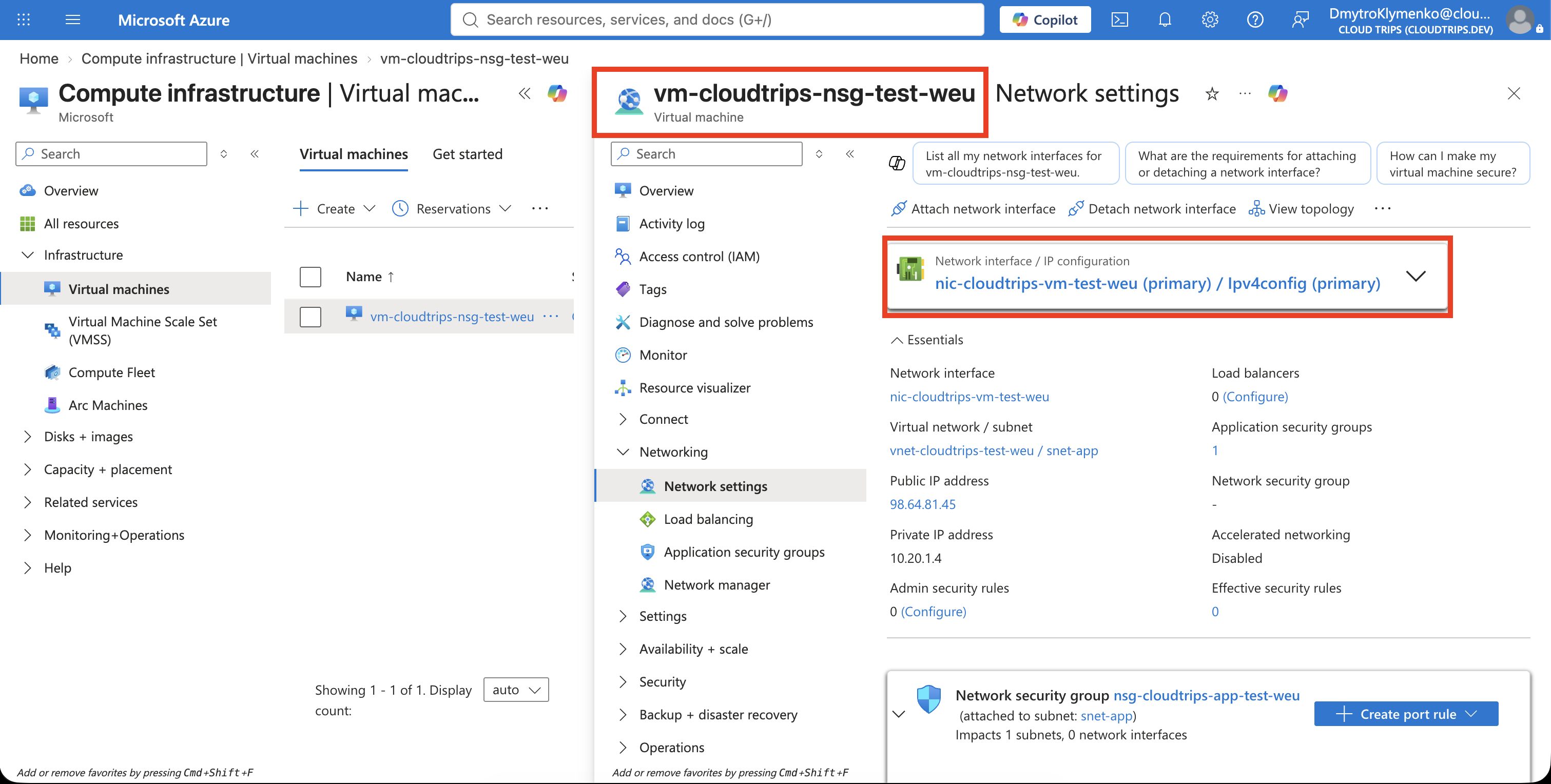
Azure calculates effective security rules only for a NIC attached to a running
VM. nic-cloudtrips-vm-test-weu is currently standalone, so it cannot produce
an effective-rules result yet.
Create a small temporary Linux VM using the existing NIC. The VM is required only for this diagnostic exercise and does not replace the later Compute trip that explores VM configuration in detail.
The VM incurs compute charges while it runs. The command below configures its OS disk to be deleted with the VM and the existing NIC to be detached and preserved.
Create the Temporary VM
Open Cloud Shell, select Bash, and run:
az vm create \
  --resource-group rg-cloudtrips-network-test-weu \
  --name vm-cloudtrips-nsg-test-weu \
  --location westeurope \
  --zone 3 \
  --nics nic-cloudtrips-vm-test-weu \
  --image Canonical:0001-com-ubuntu-server-jammy:22_04-lts-gen2:latest \
  --size Standard_D2s_v3 \
  --admin-username azureuser \
  --generate-ssh-keys \
  --os-disk-name osdisk-cloudtrips-nsg-test-weu \
  --os-disk-size-gb 30 \
  --storage-sku Standard_LRS \
  --os-disk-delete-option Delete \
  --nic-delete-option Detach
Standard_D2s_v3 is available for this subscription in availability zone 3, so
--zone 3 places the VM there explicitly. The portal’s monthly estimate assumes
continuous operation; delete the VM after the test so that it runs only for the
time needed.
--generate-ssh-keys creates or reuses an SSH key in Cloud Shell, but SSH
remains blocked because the NSG has no inbound allow rule for port 22.
Confirm that the VM is running:
az vm get-instance-view \
  --resource-group rg-cloudtrips-network-test-weu \
  --name vm-cloudtrips-nsg-test-weu \
  --query "instanceView.statuses[?starts_with(code, 'PowerState/')].displayStatus" \
  --output tsv
Continue when the result is VM running.
Open Effective Security Rules
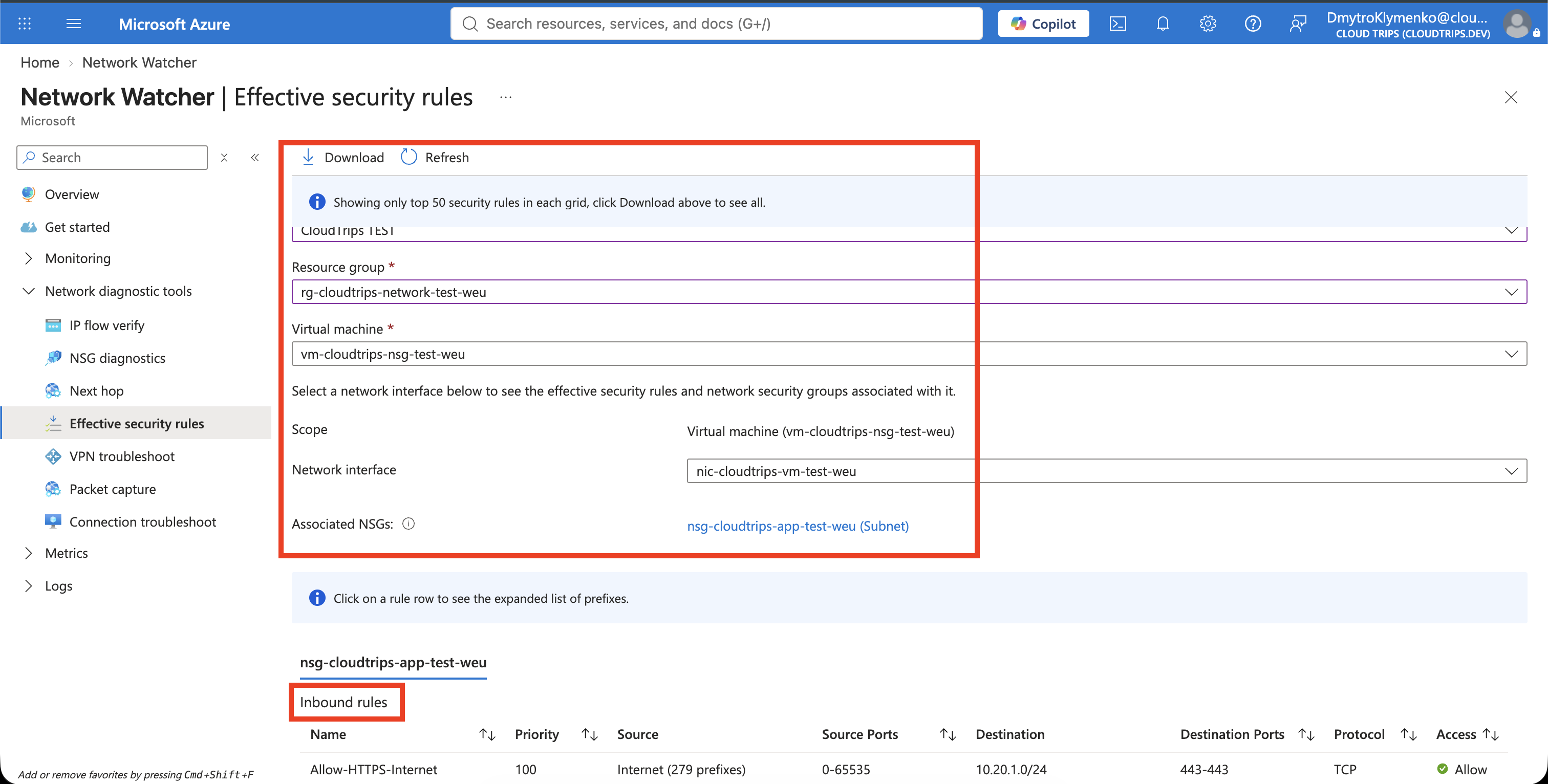
In the Azure portal, search for Network Watcher and open:
Network diagnostic tools > Effective security rulesSelect:
Subscription: CloudTrips TEST
Resource group: rg-cloudtrips-network-test-weu
Virtual machine: vm-cloudtrips-nsg-test-weu
Network interface: nic-cloudtrips-vm-test-weu
The NSG is attached to snet-app, so the rules shown here come from that subnet.
An NSG can instead be attached directly to a NIC, or NSGs can be attached at
both levels. When both are present, the traffic must be allowed by both NSGs.
Interpret the Inbound Result
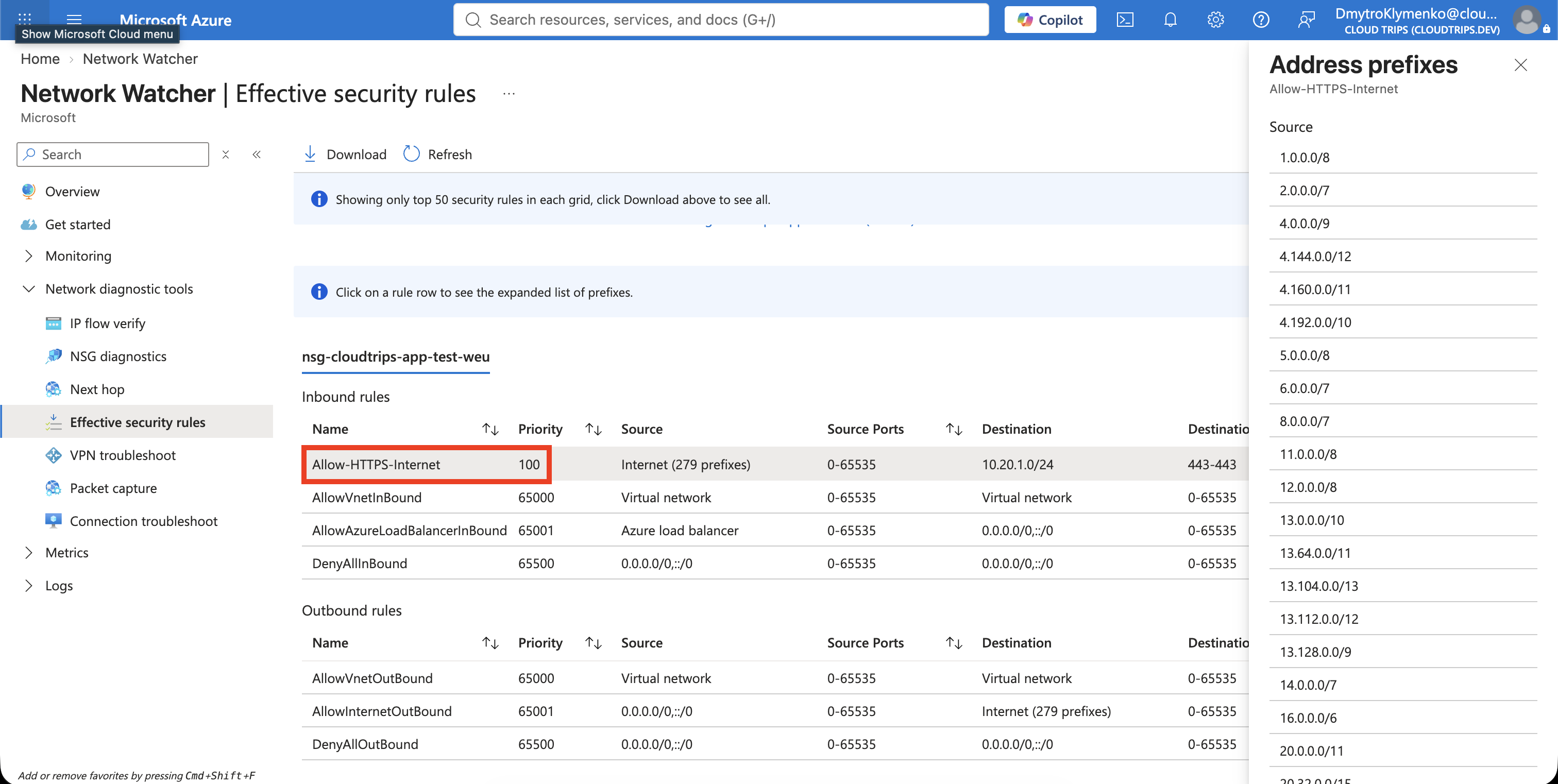
Under Inbound rules, find:
Allow-HTTPS-Internet: priority 100, TCP 443, Allow
AllowVNetInBound: priority 65000, Allow
AllowAzureLoadBalancerInBound: priority 65001, Allow
DenyAllInBound: priority 65500, Deny
The HTTPS rule applies because Ipv4config belongs to
asg-cloudtrips-app-test-weu. Internet traffic to TCP port 443 matches the
custom rule at priority 100 and is allowed before Azure reaches the default
deny rule.
Internet traffic to port 22 does not match the HTTPS rule. With no other
matching allow rule, evaluation reaches DenyAllInBound, which explains why
SSH is blocked. A network-level allow result also does not guarantee that an
application responds; the operating-system firewall and listening process
still matter.
Remove the Temporary VM
Delete the temporary VM immediately after collecting the evidence:
az vm delete \
  --resource-group rg-cloudtrips-network-test-weu \
  --name vm-cloudtrips-nsg-test-weu \
  --yes
Because the delete options were set during creation, Azure deletes
osdisk-cloudtrips-nsg-test-weu and detaches the existing NIC. Confirm that the
NIC remains and is standalone again:
az network nic show \
  --resource-group rg-cloudtrips-network-test-weu \
  --name nic-cloudtrips-vm-test-weu \
  --query "{Name:name,AttachedVM:virtualMachine.id}" \
  --output yaml
Name should show the NIC and AttachedVM should be empty. The NIC, public IP,
NSG, ASG, and subnet remain ready for later networking trips. The public IP can
continue to incur charges while it exists.