Cloud Security Posture Needs Improvement? Review Defender for Cloud
Your subscription now contains several services with separate security settings. A missed setting can leave data exposed or recovery unprotected, and checking every resource manually takes time. Microsoft Defender for Cloud assesses supported resources and gathers recommendations in one place. This is Cloud Security Posture Management (CSPM): finding and tracking weaknesses in cloud configuration.
Use your CloudTrips TEST subscription and its existing resources, including kv-ctappweu. This exercise starts with the free Foundational CSPM capabilities.
Check the Subscription’s Coverage
Open Microsoft Defender for Cloud → Environment settings → CloudTrips TEST → Defender plans. Confirm Foundational CSPM is available for the subscription; it is normally enabled by default. Complete initial onboarding if prompted.
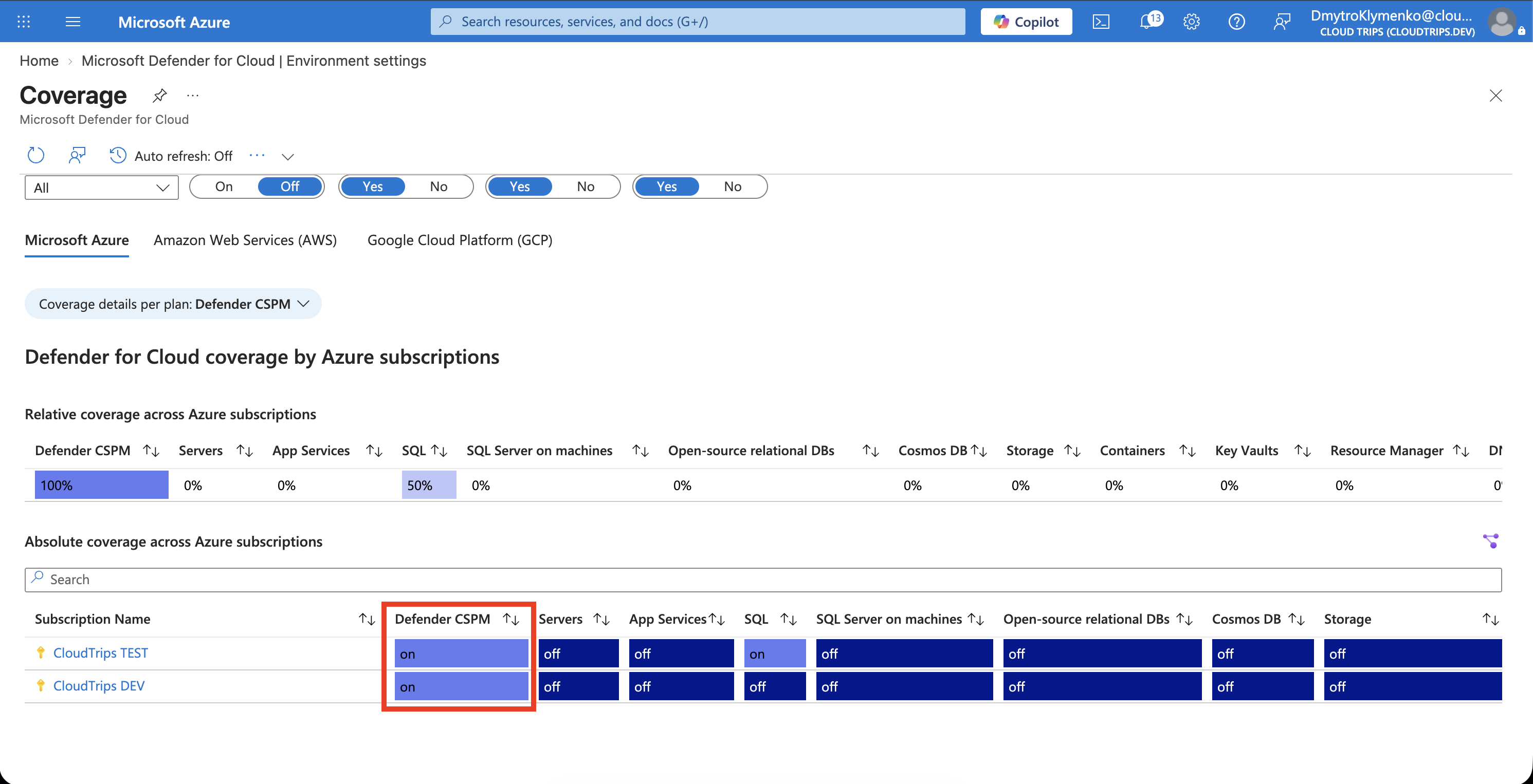
Check the selected subscription and distinguish Foundational CSPM from the paid Defender CSPM plan. Foundational coverage provides recommendations and Secure Score; the paid plan adds capabilities such as attack-path analysis. Keep existing plan selections for this exercise. Each workload protection plan has its own coverage and price.
Under the subscription’s Security policy / Security standards, confirm the Microsoft Cloud Security Benchmark (MCSB) is assigned. It supplies baseline assessments. Enable it if missing and you have policy-assignment permissions. New assessments can take several hours to populate.
Investigate Secure Score
Open Security posture, select your subscription, and review Secure Score. Open a contributing recommendation through Recommendations or the score’s security controls.
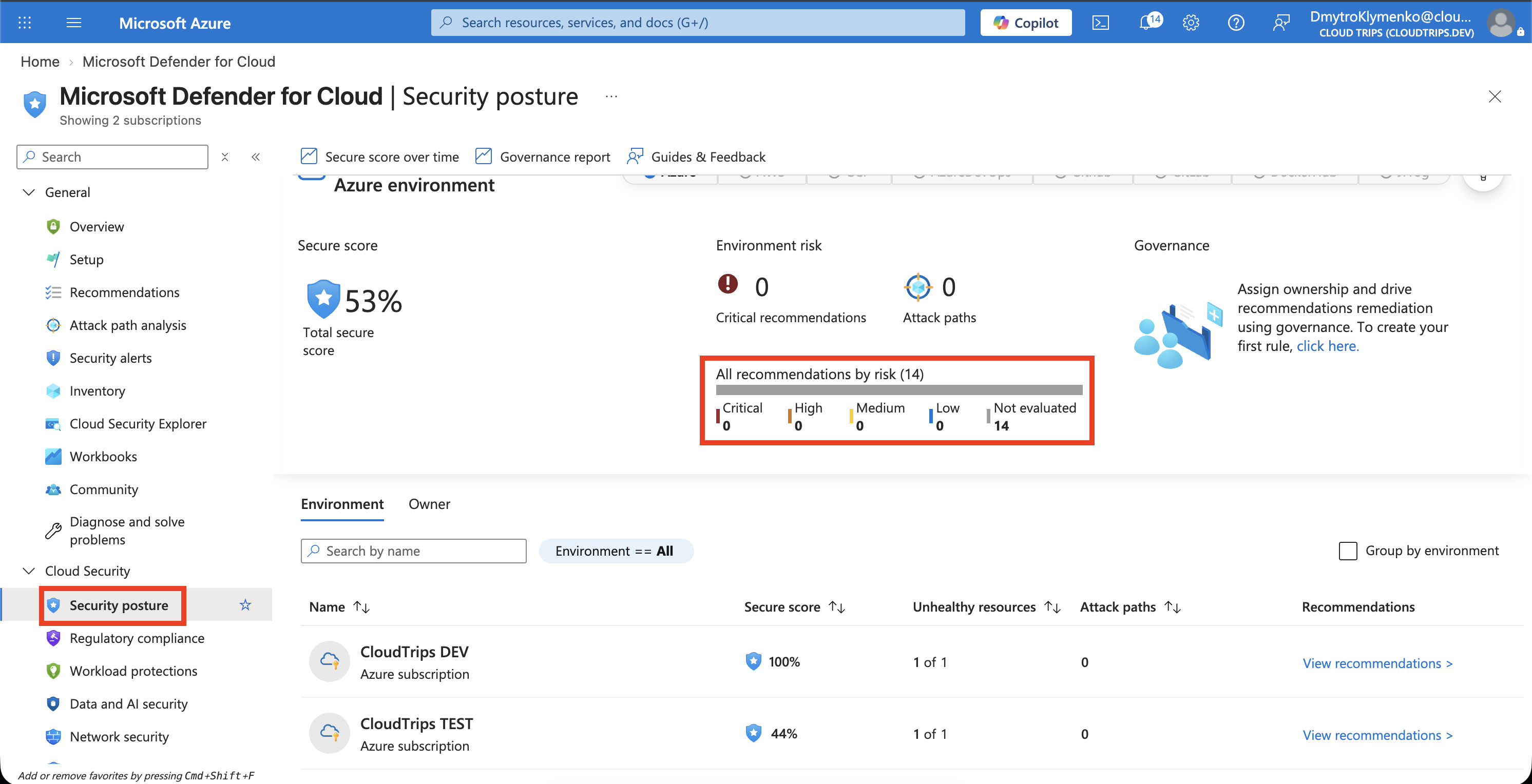
Record your actual score and inspect one affected resource, the assessed setting, and the remediation instructions. Secure Score summarizes selected security controls; its percentage reflects assessed configuration against those controls. Values depend on your resources and assessment results.
For a small improvement, look for a recommendation to set an expiration date on a Key Vault secret. If present, open kv-ctappweu → Secrets → demo-api-password → current version, enable an expiration date after your planned lab work, and save. Record the change and check the recommendation again after reassessment. Score changes depend on the whole contributing control, so one resource fix may leave the score unchanged.
If that recommendation is absent, choose another applicable finding on a disposable lab resource, review its impact, and follow its remediation steps. An empty list in a new subscription means assessment results may still be pending.
Review Compliance Controls
Open Regulatory compliance → Microsoft Cloud Security Benchmark. Expand a control and inspect its associated assessments and resources.
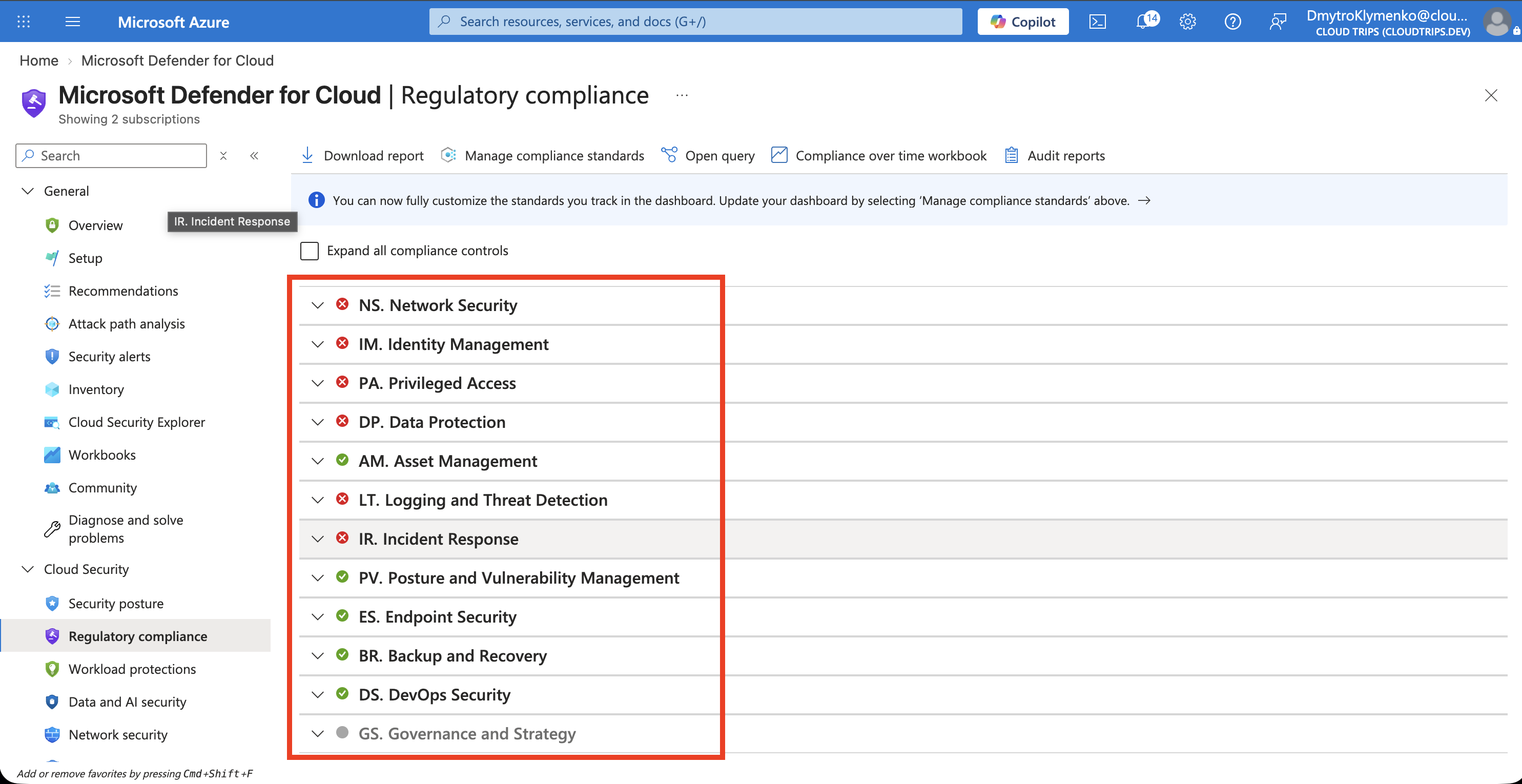
Read Passed, Failed, and any unavailable or unassessed results in context. A failed assessment points to a configuration to investigate; unassessed controls require additional evidence. This dashboard provides technical assessment evidence within its coverage. Formal compliance also involves organizational processes and review.
Additional regulatory standards can require paid coverage. If the portal requests an upgrade for those standards, use the MCSB baseline for this exercise.
Finish
Keep foundational monitoring enabled and revisit findings after resource changes. This lab creates no extra resource group. If you separately enabled a paid plan or trial, review its ongoing cost and intended scope in Environment settings → Defender plans.