App Needs Certificates and Encryption Keys? Manage Them in Key Vault
An application needs to prove its identity, and stored data needs protection with controlled encryption keys. Scattered certificate files and private keys make permissions, expiration, and replacement difficult to manage. Key Vault certificates manage certificates and their associated keys; Key Vault keys provide controlled cryptographic operations. This lab creates one of each in kv-ctappweu.
Reuse the vault from Create Key Vault and Store a Secret.
Assign Certificate and Key Permissions
Open kv-ctappweu → Access control (IAM) → Add role assignment. Assign these two roles to your signed-in user at vault scope:
| Role | Purpose |
|---|---|
| Key Vault Certificates Officer | Create and manage certificates |
| Key Vault Crypto Officer | Create and manage cryptographic keys |
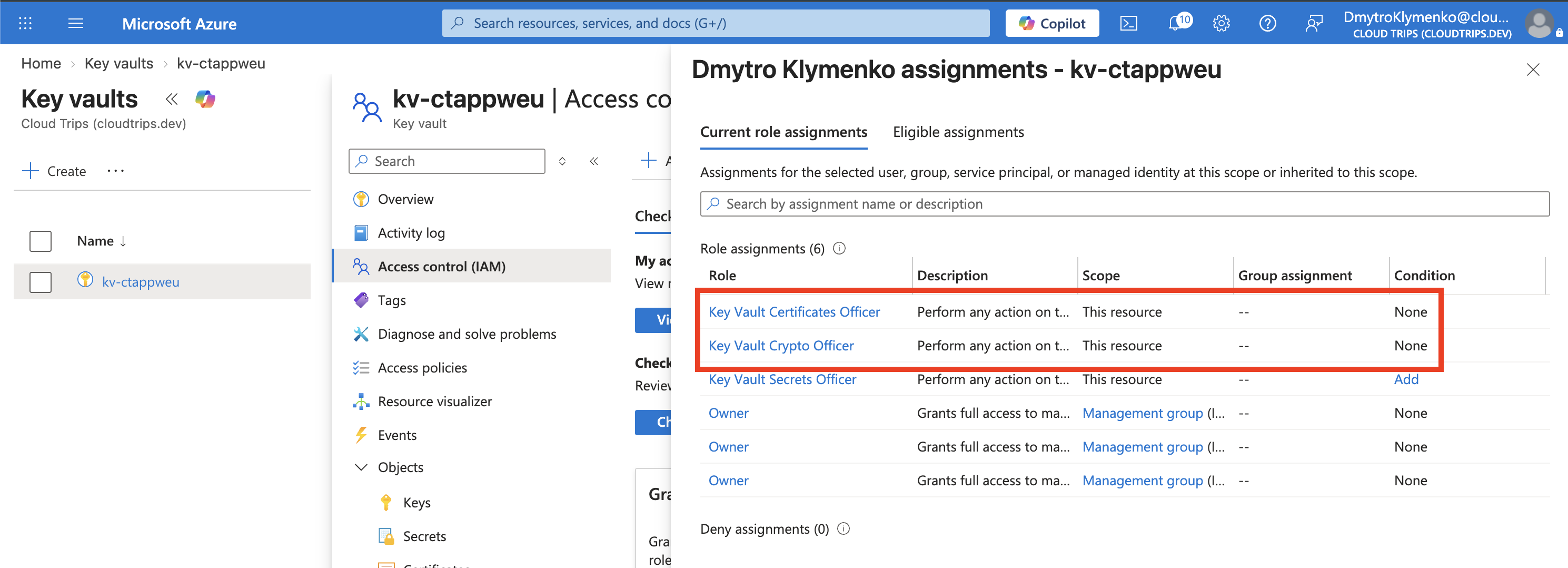
Check both assignments and the user. Permissions for secrets, certificates, and keys are separate. Allow a few minutes for the new roles to take effect.
Generate and Store a Test Certificate
Open Objects → Certificates → Generate/Import:
Method of Certificate Creation: Generate
Certificate name: demo-app-cert
Type of Certificate Authority: Self-signed certificate
Subject: CN=demo.cloudtrips.test
DNS Names: demo.cloudtrips.test
Validity period: 1 month
Content Type: PKCS #12
Under Advanced Policy Configuration, use RSA, 2048 bits, and leave other settings at their defaults. Create the certificate, refresh until creation completes, then open its current version.
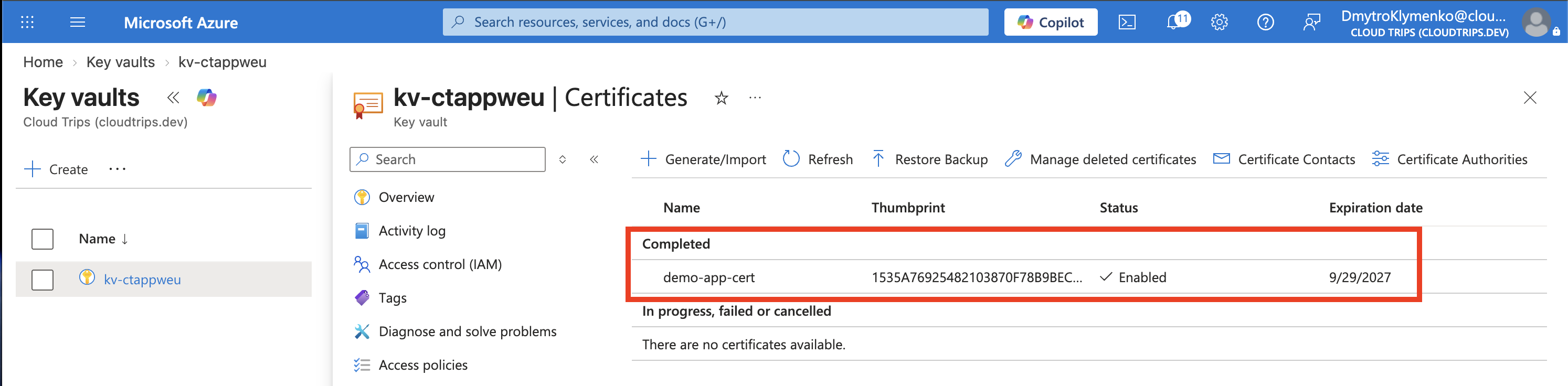
Check Enabled, subject CN=demo.cloudtrips.test, and the expiration date. The thumbprint identifies this certificate. A certificate associates an identity with a public key; the matching private key proves possession. This self-signed certificate is suitable for a controlled test where trust is explicitly configured. Public websites normally use certificates from a trusted certificate authority.
Key Vault also creates a linked key and secret for the certificate. The certificate’s private-key exportability follows its policy. If you already have a certificate with its private key, Import accepts a supported PFX or PEM file instead.
Create a Separate Encryption Key
Open Objects → Keys → Generate/Import:
Options: Generate
Name: demo-data-key
Key type: RSA
RSA key size: 2048
Enabled: Yes
Create the key and open its current version.
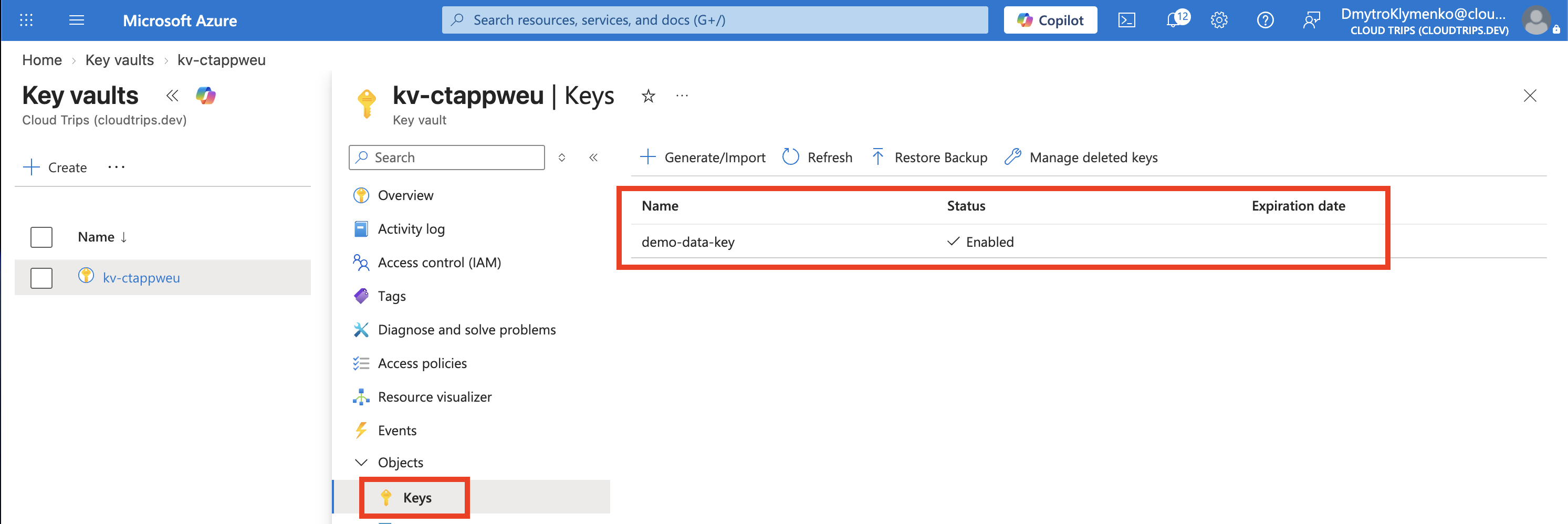
Check the type, size, and Key Identifier, which includes this key’s version. Standard Key Vault stores this as a software-protected key. An authorized application can ask Key Vault to perform supported cryptographic operations while the private key stays in the vault.
For large files, an application typically encrypts the data with a symmetric data key and uses the vault key to wrap that data key for storage. Creating demo-data-key prepares the key; the application or Azure service must then be configured to use it. Keep older required versions available to decrypt existing data.
Finish
Keep the vault for subsequent Security trips. You can delete demo-app-cert and demo-data-key after this exercise; soft delete follows the vault’s retention settings. Certificate creation and key operations can incur charges.