App Needs Simple Background Messaging? Create and Test a Storage Queue
CloudTrips needs to separate a fast web request from slower background work. The web app can place a small message in Azure Queue Storage and respond immediately; a worker reads the message and performs the work later.
Web app → background-work queue → workerThe queue stores messages, not the files or large payloads themselves. A message can contain up to 64 KiB. For large work items, store the data in Blob Storage and put only its identifier or URL in the queue message.
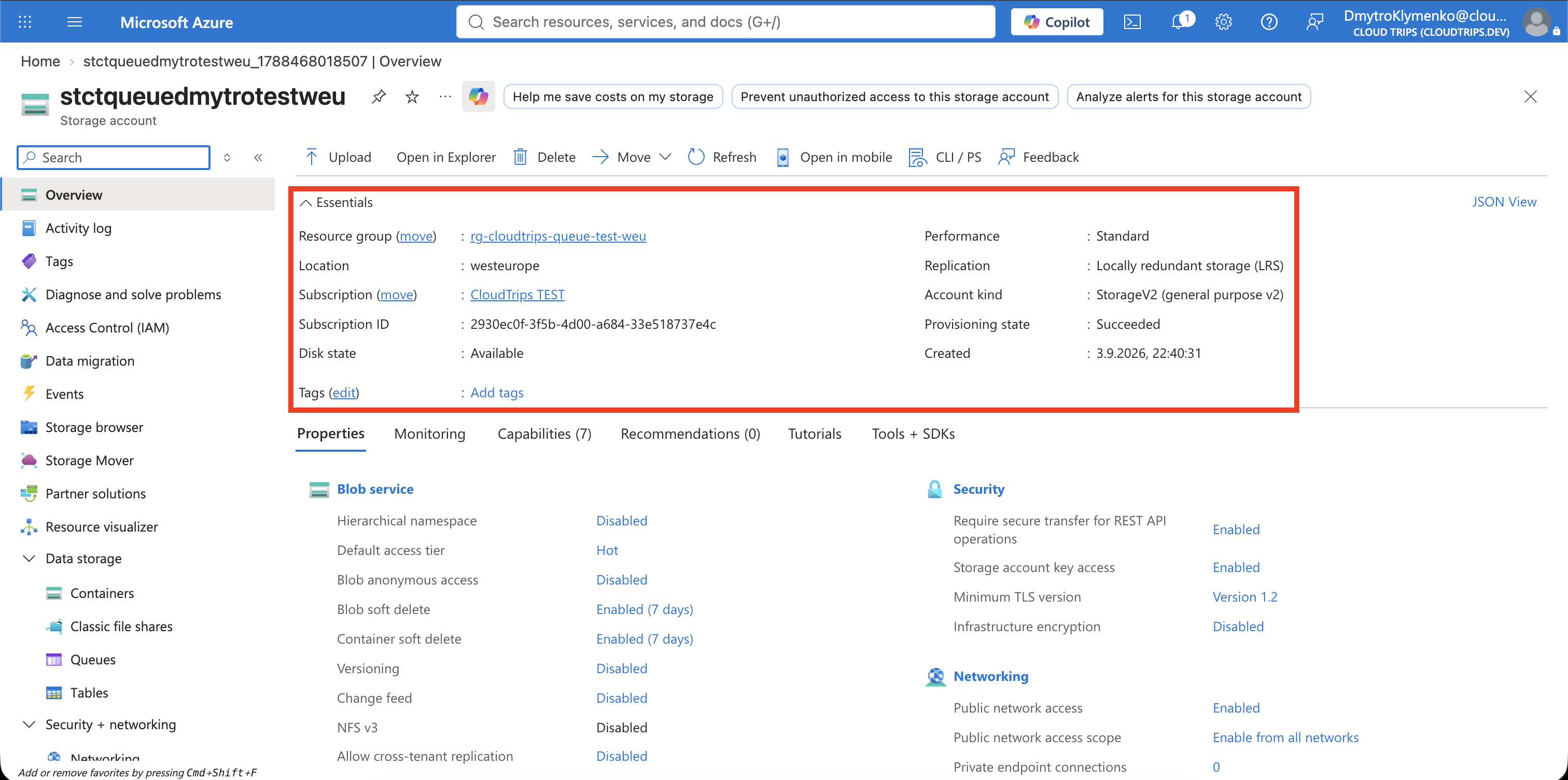
Create the Storage Account
Search for Storage accounts, select Create, and enter:
Subscription: CloudTrips TEST
Resource group: Create new → rg-cloudtrips-queue-test-weu
Storage account name: stctqueuedmytrotestweu
Region: West Europe
Primary service: Other (tables and queues)
Performance: Standard
Redundancy: Locally-redundant storage (LRS)
Keep Enable storage account key access: Enabled so the portal can manage queue data using the account credentials for this lab. Select Review + create and Create.
Create the Queue
Open the account and select Data storage > Queues > + Queue. Enter:
Name: background-workQueue names are lowercase and may contain letters, numbers, and single hyphens. The queue is an ordered backlog between producers and consumers, but applications must not depend on perfectly strict FIFO processing when messages are retried or multiple workers run concurrently.
Send a Background-Work Message
Open background-work and select + Add message. Enter this readable JSON as
the message text:
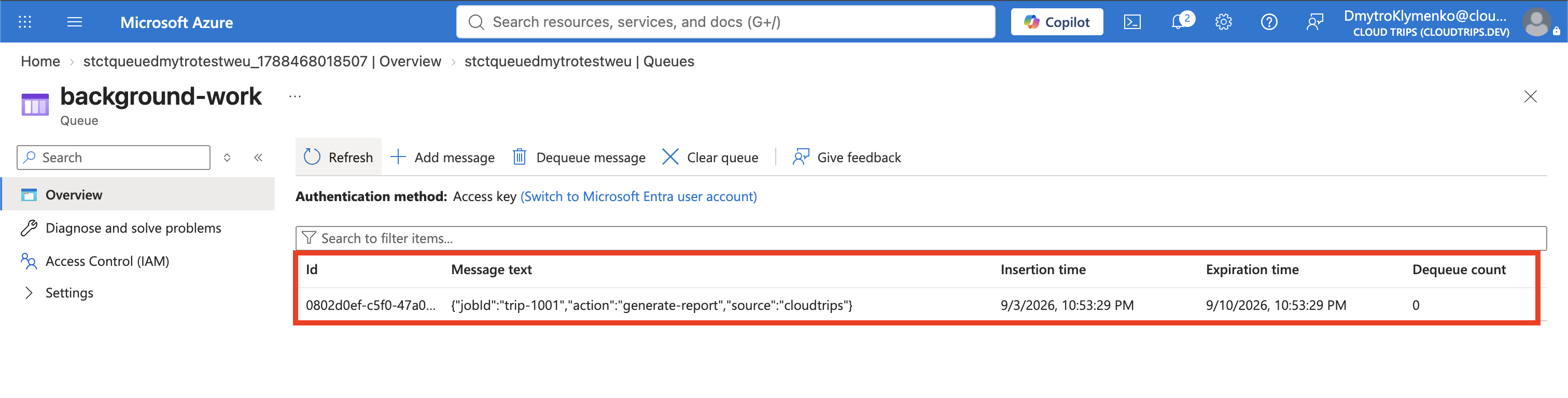
{"jobId":"trip-1001","action":"generate-report","source":"cloudtrips"}Configure:
Expires in: 1 day
Encode message body in Base64: Disabled
Base64 is useful for binary content or clients that require encoded messages, but it does not encrypt the data. This JSON can remain plain text for the lab. Add the message.
The queue view shows its message ID, insertion and expiration times, content, and dequeue count. Merely viewing the list does not process or remove the message; it is equivalent to inspecting the pending work.
Process the Message
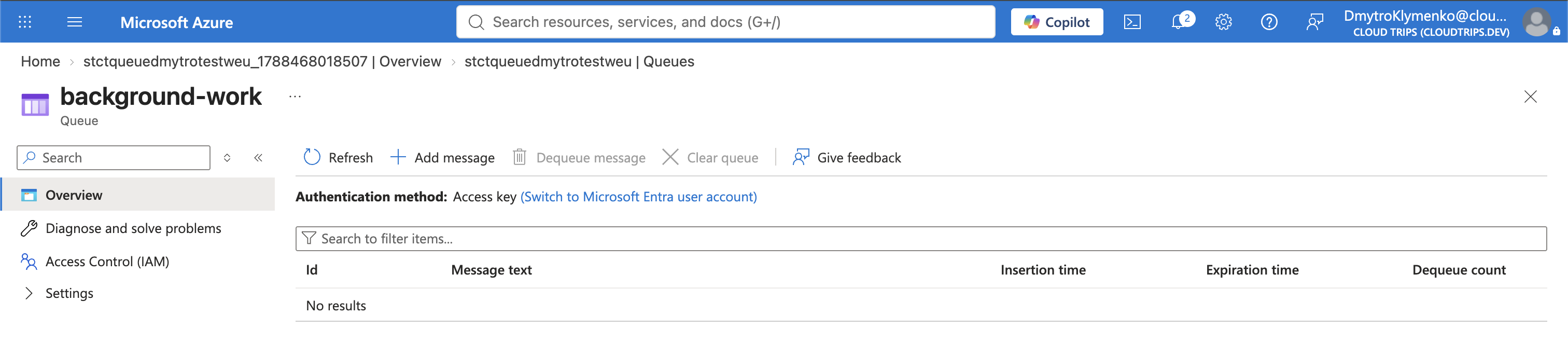
Select Dequeue message. The portal removes the oldest visible message from the queue, simulating a worker that completed it. Refresh and confirm that the queue is empty.
In an actual application, receiving and deleting are separate operations:
- A worker receives a message, making it temporarily invisible.
- The worker performs the requested action.
- On success, it deletes the message using its message ID and pop receipt.
- If the worker fails before deletion, the visibility timeout expires and the message becomes available for another attempt.
Queue Storage provides at-least-once delivery, so a message can occasionally
be processed more than once. A worker should therefore be idempotent—for
example, it should recognize that trip-1001 was already completed rather than
generating the same report twice. For workflows requiring transactions,
sessions, strict ordering, or dead-letter queues, Azure Service Bus is usually
the more appropriate messaging service.
Clean Up
Delete the standalone resource group:
az group delete \
  --name rg-cloudtrips-queue-test-weu \
  --yes
Confirm that it is gone:
az group exists --name rg-cloudtrips-queue-test-weuExpected result: false.