Containerized Web App Needs Scaling and Safe Rollout? Create a Container App
CloudTrips needs to host a lightweight web container, scale its replicas with HTTP demand, and release a new version gradually. Azure Container Apps provides managed ingress, KEDA-based scaling, and immutable revisions without requiring CloudTrips to operate Kubernetes.
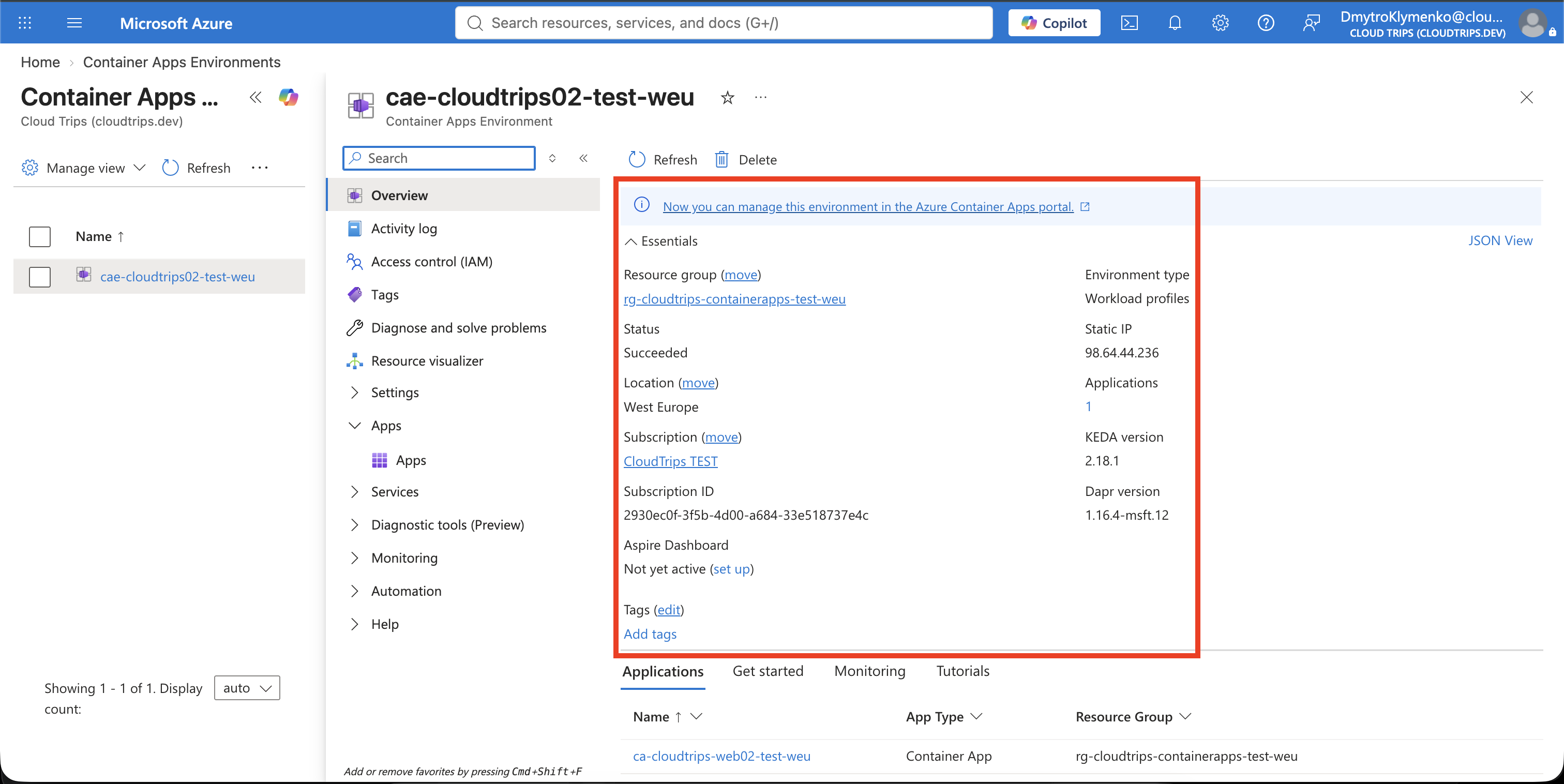
Environment → shared network and operational boundary
Container App → application endpoint and global configuration
Revision → immutable version of image, resources, and scale rules
Replica → running instance of one revision
Each active revision scales independently. Revisions control which version receives traffic; replicas control how many copies of that version run.
Create the Container App
Search for Container Apps, select Create > Container App, and enter:
Subscription: CloudTrips TEST
Resource group: rg-cloudtrips-containerapps-test-weu
Container app name: ca-cloudtrips-web02-test-weu
Region: West Europe
Deployment source: Container image
Container Apps environment: Create new
Environment name: cae-cloudtrips02-test-weu
Environment type: Consumption only
Use your own virtual network: No
Workload profile: Consumption (selected automatically)
On the container configuration page, choose a public registry and enter:
Image source: Docker Hub or other registries
Registry login server: mcr.microsoft.com
Image and tag: k8se/samples/test-app:fb699ef
Container name: web
CPU: 0.5
Memory: 1 Gi
Environment variable: REVISION_COMMIT_ID = fb699ef
Configure ingress:
Ingress: Enabled
Ingress traffic: Accepting traffic from anywhere
Ingress type: HTTP
Transport: Auto
Target port: 80
Allow insecure connections: Disabled
Select Review + create > Create. During portal creation, Azure normally
generates a random suffix for the first revision, for example --wxynloe. That
is expected and cannot be renamed later. The revision receives the readable
label blue later in this trip.
The Consumption workload profile can scale replicas to zero and charges for actual resource use. The environment can also incur log-ingestion charges when Log Analytics is enabled.
Verify the Initial Revision
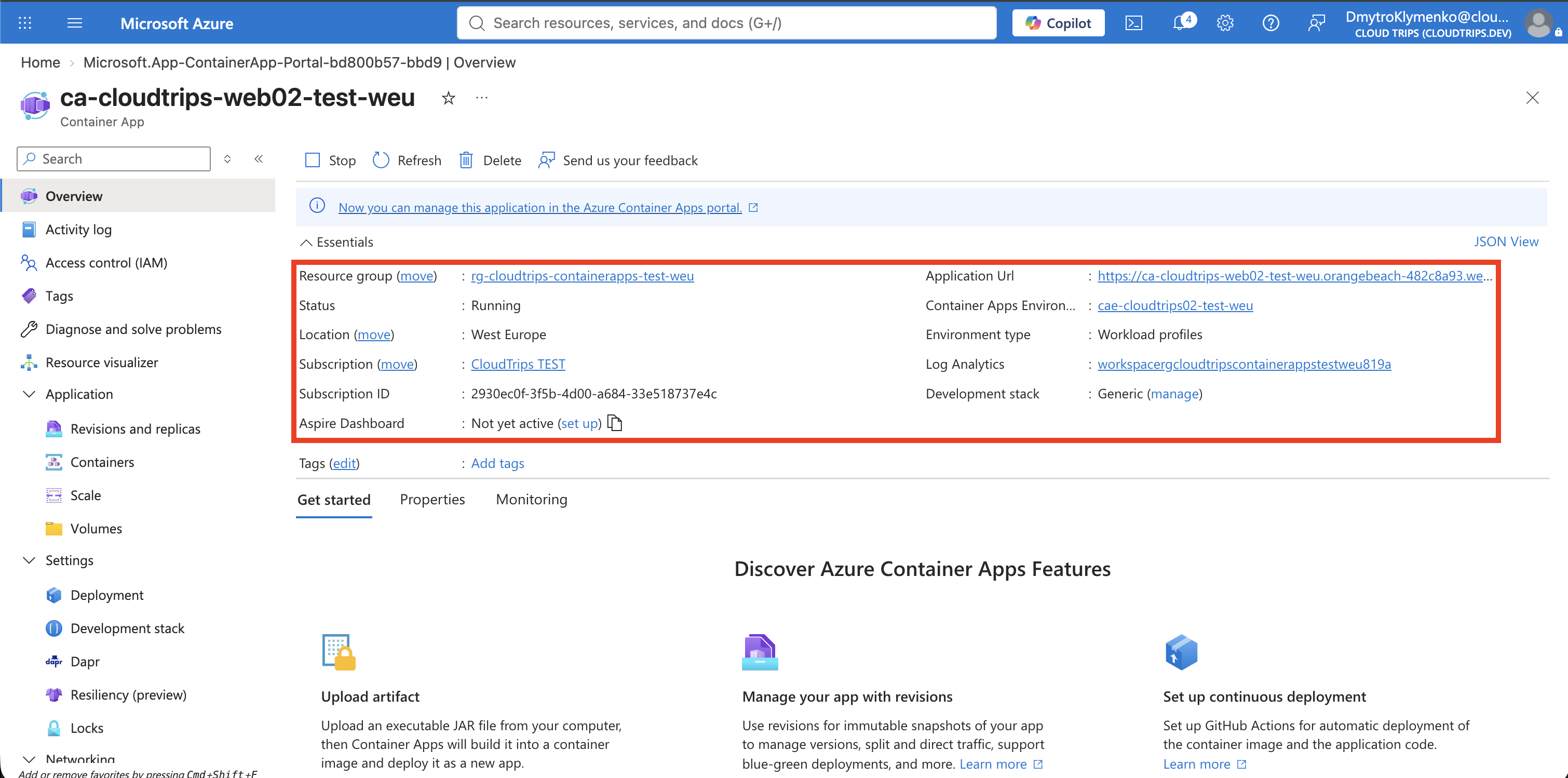
Open the Container App and copy its Application Url. Append /api/env and
request it:
curl --fail --show-error \
  'https://<CONTAINER_APP_FQDN>/api/env' \
  | jq -r '.env.REVISION_COMMIT_ID'
Expected result:
fb699efThis Microsoft sample endpoint returns its environment variables as JSON. The value identifies the container image version that answered.
Enable Multiple Revisions
Open Application > Revisions and replicas. Under Deployment mode, the default Single mode provides zero-downtime replacement but keeps only the newest healthy revision active. Change Deployment mode to Multiple and apply.
Multiple mode keeps more than one revision active, which allows traffic splitting, direct revision testing, and immediate rollback.
Create the Green Revision and Scaling Rule
From Revisions and replicas, select Create new revision and configure:
Based on revision: Select the current initial revision
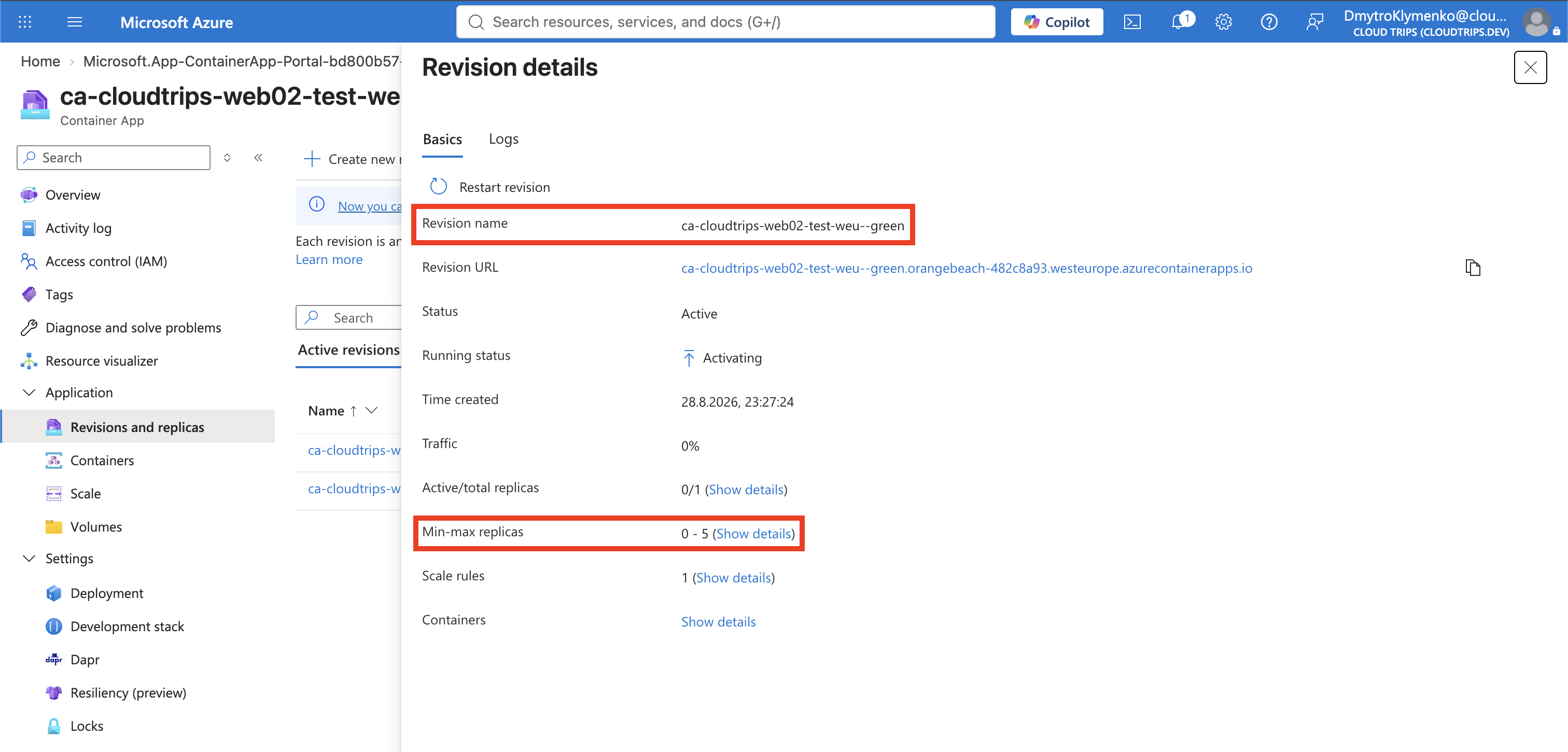
Revision suffix: green
Under Container image, select the existing web row and select Edit.
Do not add a second container. Change both version values and save:
Registry login server: mcr.microsoft.com
Image: k8se/samples/test-app
Tag: c6f1515
Existing environment variable: REVISION_COMMIT_ID = c6f1515
Edit the existing variable rather than creating a duplicate. The original blue revision remains unchanged because revisions are immutable. On Scale, set:
Minimum replicas: 0
Maximum replicas: 5
On Scale, add:
Rule name: http-requests
Type: HTTP Scaling
Concurrent requests: 10
Create the revision and wait until it is Healthy and Active.
The HTTP rule evaluates recent concurrent requests. When demand exceeds ten concurrent requests per replica, Container Apps can add replicas up to five; when demand disappears, it can return to zero. Changing scale configuration is revision-scoped, so it creates a new immutable revision rather than modifying the initial revision.
Test Green Without Production Traffic
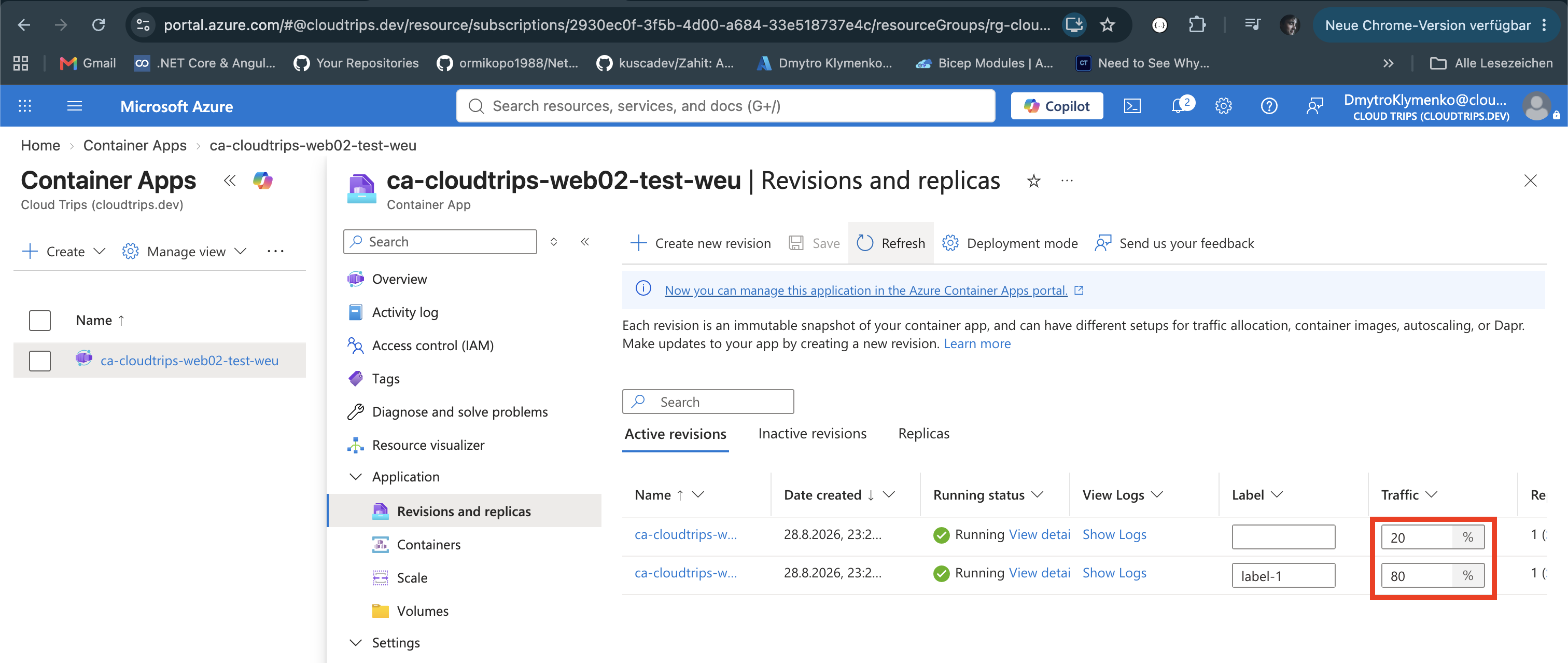
Assign label blue to the original revision and label green to the new
revision from Revisions and replicas. A label provides a stable URL that
targets exactly one revision regardless of production traffic weights.
Open the green revision details, copy its label URL, append /api/env, and
test it:
curl --fail --show-error \
  'https://<GREEN_LABEL_FQDN>/api/env' \
  | jq -r '.env.REVISION_COMMIT_ID'
Expected result:
c6f1515This is a smoke test: green can be validated before ordinary users receive it.
Split Production Traffic
In Revisions and replicas, keep both revisions active and set:
Blue revision traffic: 80%
Green revision traffic: 20%
Total: 100%
Save the traffic configuration. The environment ingress proxy now routes each new request according to those weights. Send several independent requests to the normal application URL:
for request in 1 2 3 4 5 6 7 8 9 10 11 12 13 14 15 16 17 18 19 20; do
  curl --silent --header 'Connection: close' \
    'https://<CONTAINER_APP_FQDN>/api/env' \
    | jq -r '.env.REVISION_COMMIT_ID'
done
Most responses should show fb699ef, with some c6f1515. The percentages are
probabilities across requests, so a sample of twenty does not have to produce
exactly sixteen blue and four green responses.
Exercise HTTP Scaling
Temporarily send concurrent requests to the application URL:
for batch in 1 2 3 4 5 6 7 8 9 10 11 12 13 14 15 16 17 18 19 20; do
  seq 1 50 | xargs -P 50 -I{} \
    curl --silent --output /dev/null \
    'https://<CONTAINER_APP_FQDN>/api/env'
done
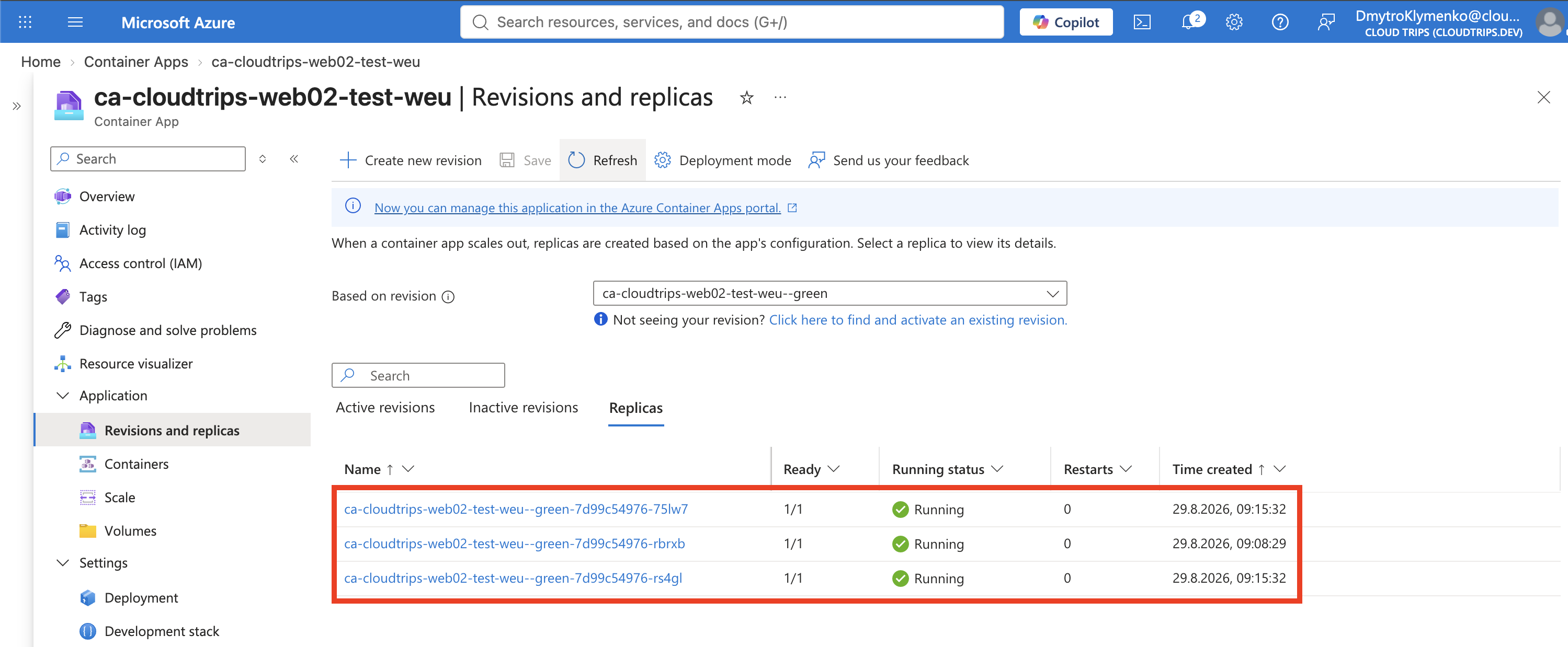
Open the green revision’s Replicas view while the command runs. Scaling is metric-based and not instantaneous; fast requests might finish before all five replicas are needed. The important verification is that the healthy revision can add replicas without manual VM management and later scale them back in.
Complete the Rollout
After green passes the smoke test and traffic test, update the weights:
Blue revision traffic: 0%
Green revision traffic: 100%
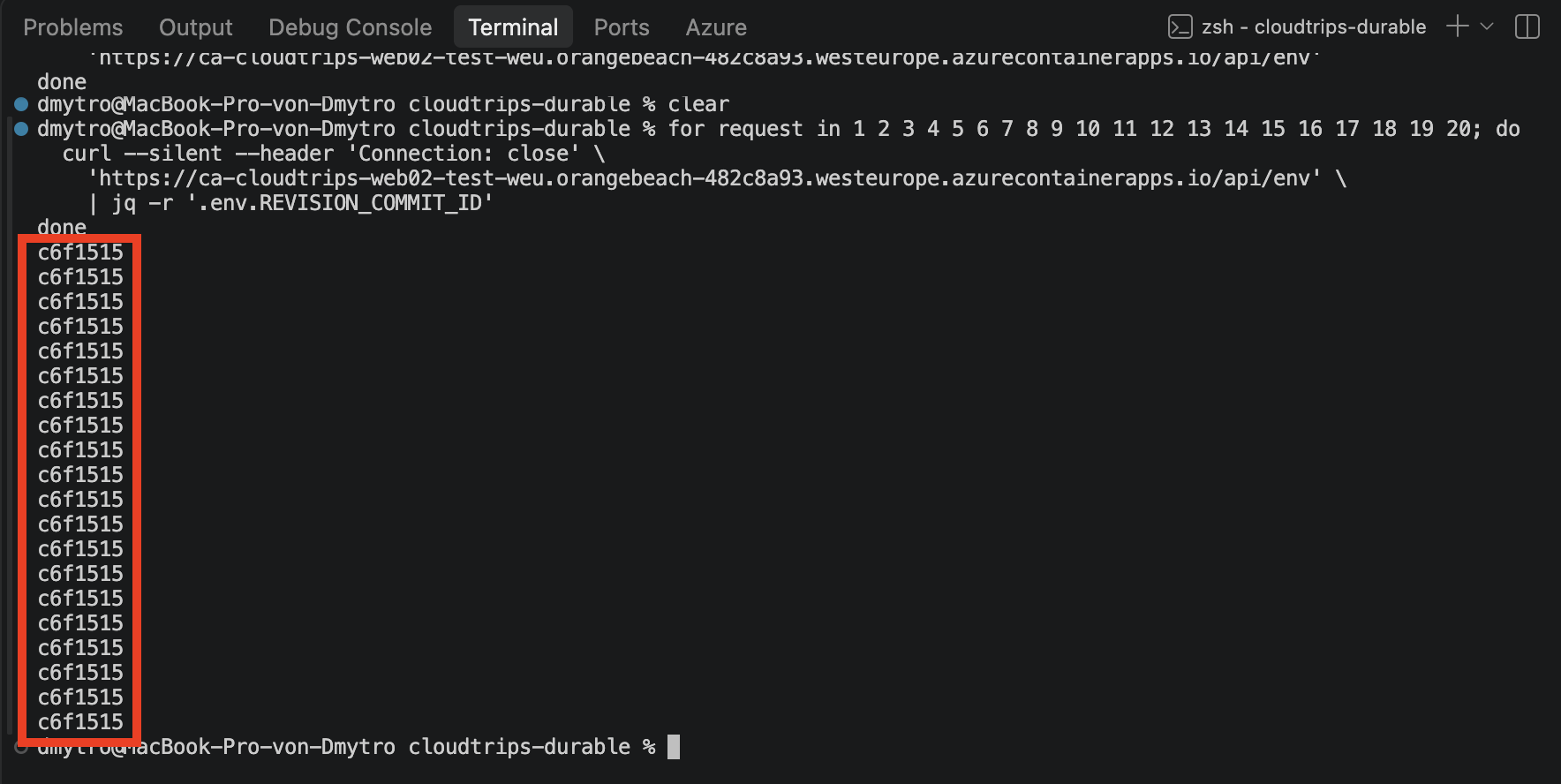
Save and request /api/env again. It should consistently return c6f1515.
Keep blue active briefly for immediate rollback, or deactivate it after the
rollback window. Inactive revisions do not run replicas or receive traffic.
Clean Up
Delete the standalone resource group to remove the app, revisions, environment, and monitoring resources:
az group delete \
  --name rg-cloudtrips-containerapps-test-weu \
  --yes
Confirm that it is gone:
az group exists --name rg-cloudtrips-containerapps-test-weuExpected result: false.