App Needs Secure Cloud File Storage? Create Blob Storage and Revocable SAS Access
CloudTrips needs object storage for an application file. The file must remain private, but an external client needs temporary read access that CloudTrips can revoke before its planned expiry.
Storage account → Azure storage namespace and security boundary
Blob container  → groups related objects inside the account
Blob            → uploaded object such as a document, image, or backup
SAS             → signed URL granting limited access without sharing an account key
Create the Storage Account
Search for Storage accounts, select Create, and enter:
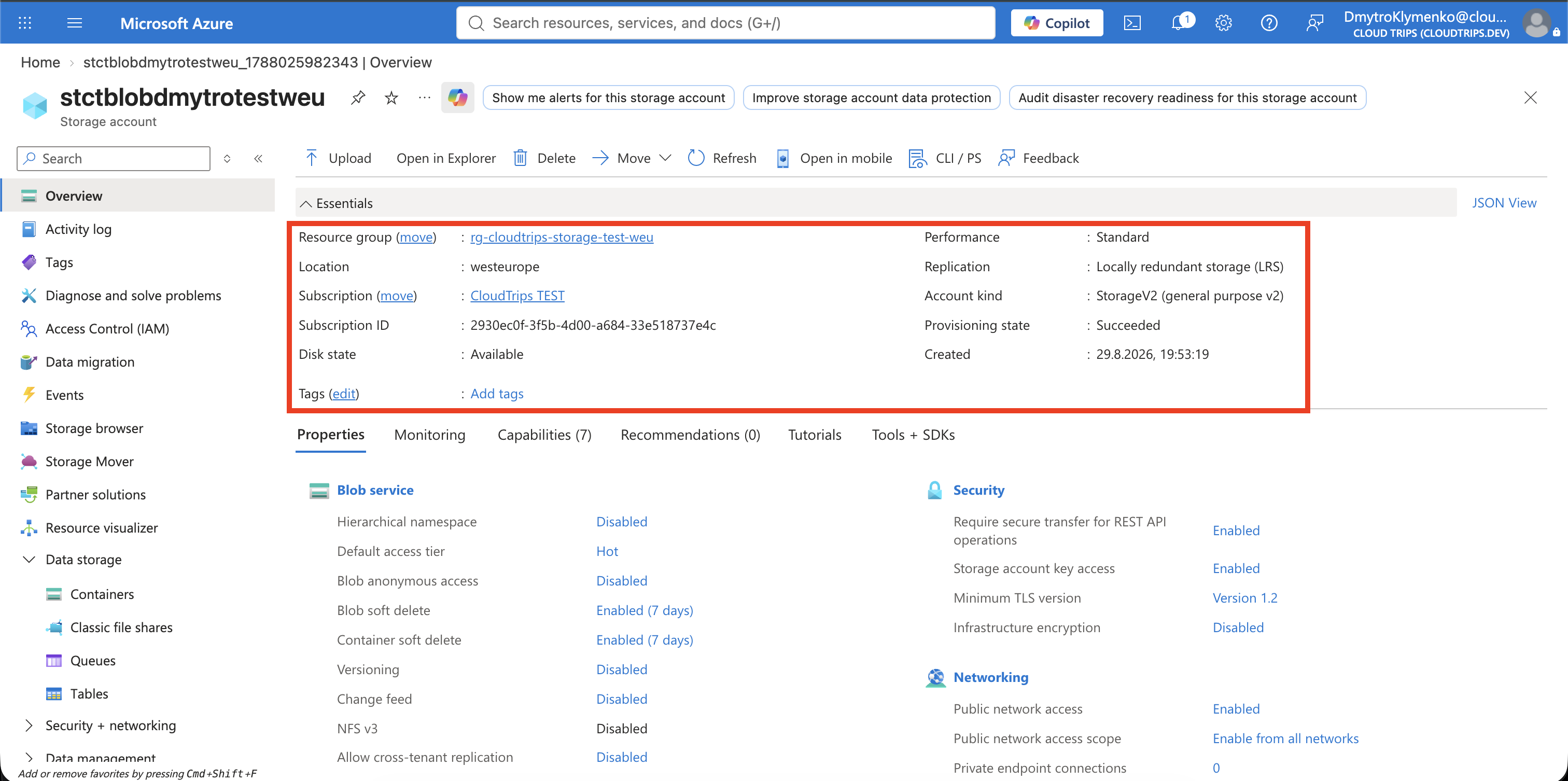
Subscription: CloudTrips TEST
Resource group: Create new → rg-cloudtrips-storage-test-weu
Storage account name: stctblobdmytrotestweu
Region: West Europe
Performance: Standard
Redundancy: Locally-redundant storage (LRS)
The storage account name must be globally unique, 3–24 characters long, and use
only lowercase letters and numbers. If this name is unavailable, change only
the unique dmytro part and use the resulting name throughout the trip.
Keep secure transfer required and public blob access disabled. Keep Allow storage account key access enabled because a stored access policy can control only a service SAS, and a service SAS is signed with an account key. Select Review + create > Create.
Create a Private Blob Container
Open the storage account and select Data storage > Containers > + Container:
Name: app-files
Anonymous access level: Private (no anonymous access)
A container is not a traditional filesystem folder. It is the top-level scope that holds blobs and can carry access policies. Create the container.
Upload a Blob
Create a small local test file:
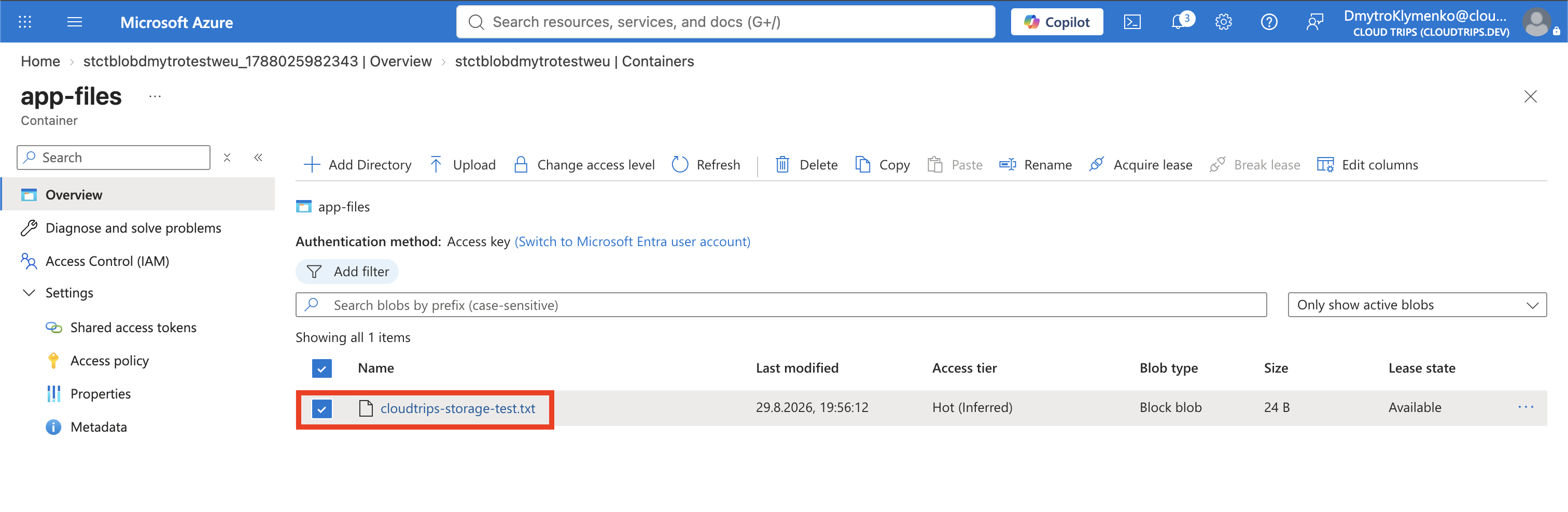
printf 'CloudTrips private blob\n' > cloudtrips-storage-test.txtOpen app-files, select Upload, choose cloudtrips-storage-test.txt, and
select Upload. Keep the default block-blob type; block blobs are suitable
for ordinary files that are uploaded and downloaded as objects.
Copy the blob’s URL and test it without credentials:
curl --include '<BLOB_URL>'The request must not return the file content. A 401, 403, or intentionally
opaque 404 response confirms that possessing the normal URL alone does not
grant access.
Generate Temporary Ad Hoc SAS Access
From the container list, select the checkbox beside app-files, open … >
Generate SAS, and configure:
Signing method: Account key
Stored access policy: None
Permissions: Read
Start: five minutes before the current time
Expiry: one hour from now
Allowed protocols: HTTPS only
Starting slightly in the past avoids a temporary failure when client and Azure clocks differ. Select Generate SAS token and URL, then copy the generated SAS URL or append the displayed token to the blob URL. The token is displayed only once and must be treated like a password.
curl --include '<BLOB_SAS_URL>'Expected content:
CloudTrips private blob

This is an ad hoc service SAS: its permissions and validity period are embedded in the token. Azure Storage does not maintain a list of issued SAS tokens, so this individual token cannot be revoked directly. Waiting for expiry or rotating the signing account key would invalidate it, but key rotation also affects other SAS tokens signed with that key.
Create a Stored Access Policy
Return to Data storage > Containers. Select app-files, open … >
Access policy, and under Stored access policies select + Add policy:
Identifier: read-files
Permissions: Read
Start time: five minutes before the current time
Expiry time: one hour from now
Select OK, and then select Save on the Access policy pane. The second save is essential: closing the pane after OK loses the unapplied policy.
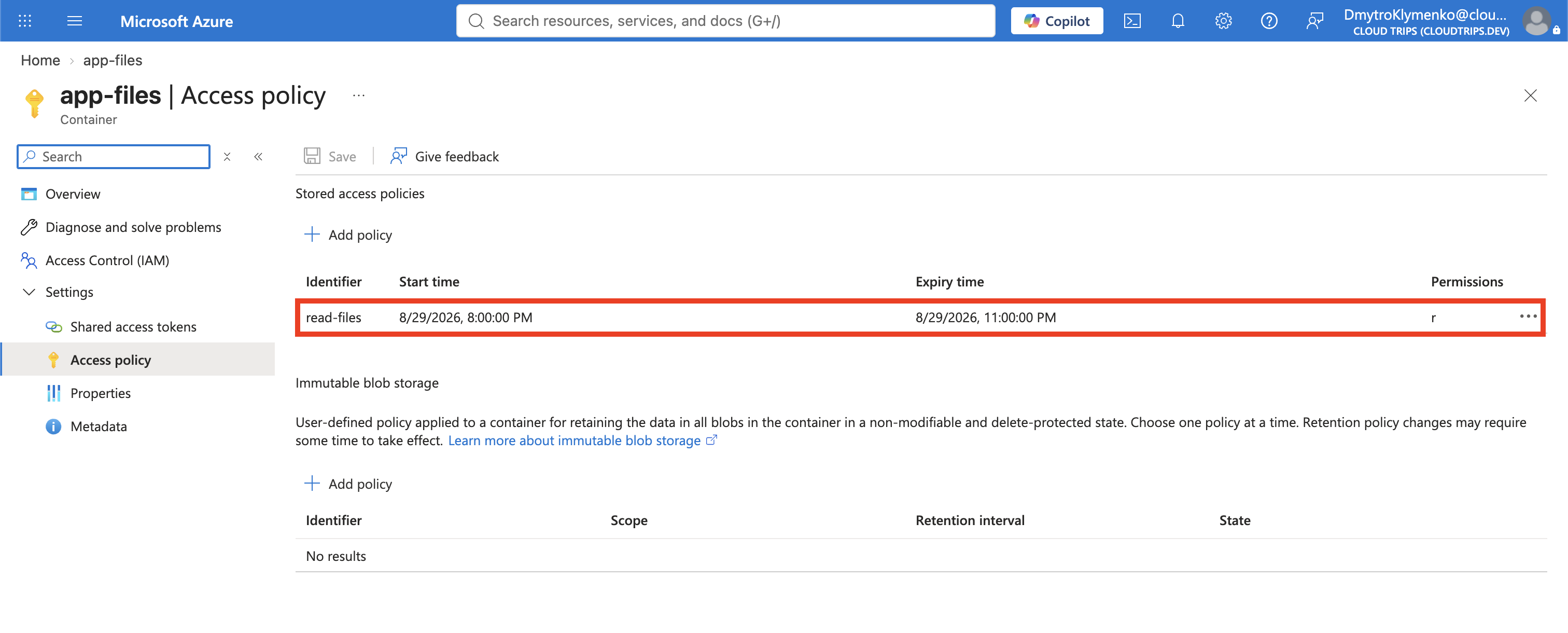
A stored access policy is server-side state on the container. Multiple service SAS tokens can reference its identifier and inherit its permissions and time window. Modifying or deleting the policy therefore affects every linked token.
Generate a Policy-Linked SAS
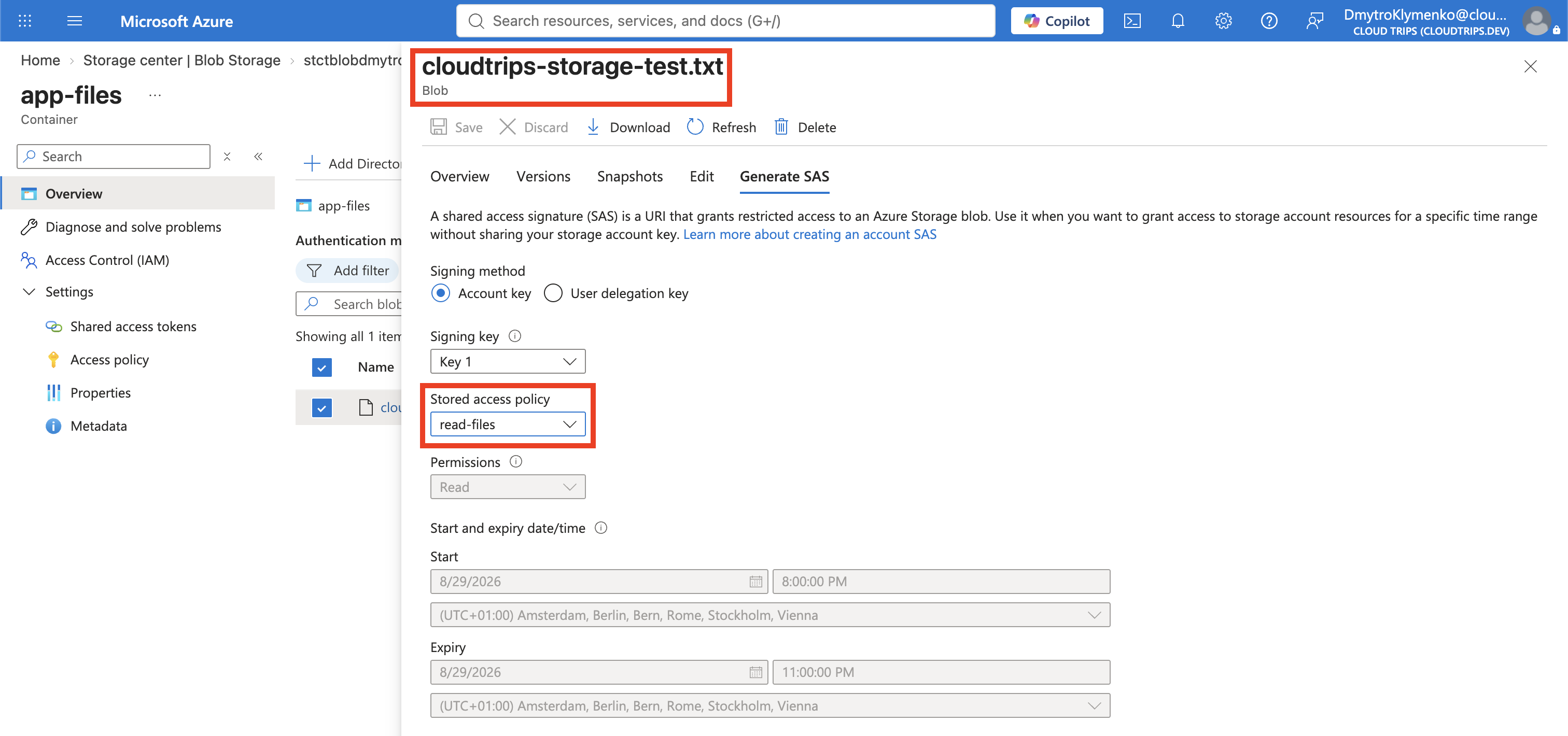
Select app-files, open … > Generate SAS, and configure:
Signing method: Account key
Stored access policy: read-files
Allowed protocols: HTTPS only
The policy supplies the read permission and validity period. Generate the SAS and securely copy its token. Construct the blob URL if the portal returns a container-level URL:
https://stctblobdmytrotestweu.blob.core.windows.net/app-files/cloudtrips-storage-test.txt?<POLICY_SAS_TOKEN>Do not add a second ? if the copied token or URL already includes one. Test:
curl --include '<POLICY_LINKED_BLOB_SAS_URL>'Expected content: CloudTrips private blob.
Stored access policies work only with a service SAS. They cannot be linked to a user-delegation SAS or account SAS. Microsoft generally recommends a user-delegation SAS because it is secured with Microsoft Entra credentials; the service SAS is used here specifically to demonstrate policy-based revocation.
The three SAS types differ in who signs them and how broadly they can grant access:
Service SAS
Signed by: storage account key
Scope: one Azure Storage service, such as Blob Storage
Stored access policy: supported

Account SAS
Signed by: storage account key
Scope: multiple storage services and service-level operations
Stored access policy: not supported

User-delegation SAS
Signed by: temporary user-delegation key obtained with Microsoft Entra credentials
Scope: Blob Storage and Data Lake Storage
Stored access policy: not supported
A user-delegation SAS avoids using the long-lived storage account key and is normally the preferred choice for Blob access. An account SAS has the broadest potential scope. A service SAS is narrower, and when linked to a stored access policy it gains the server-side revocation mechanism demonstrated here.
Revoke the Policy-Linked SAS
Return to the container’s Access policy pane, delete read-files, and select
Save. Wait briefly for the authorization change to propagate, then repeat
the exact same policy-linked URL:
curl --include '<POLICY_LINKED_BLOB_SAS_URL>'Expected result: 403 with an authentication or authorization error. The URL,
token, account key, and blob did not change; access stopped because Azure can no
longer resolve the token’s stored-policy identifier.
The earlier ad hoc SAS remains valid until its own expiry because it never
referenced read-files.


Clean Up
Delete the standalone resource group:
az group delete \
  --name rg-cloudtrips-storage-test-weu \
  --yes
Confirm that it is gone:
az group exists --name rg-cloudtrips-storage-test-weuExpected result: false.